
Apple MacBook for Business: The 2024 Corporate Guide by SynergyScape
- February 14, 2026
- Posted by:
- Categories: Competitive research, Economics
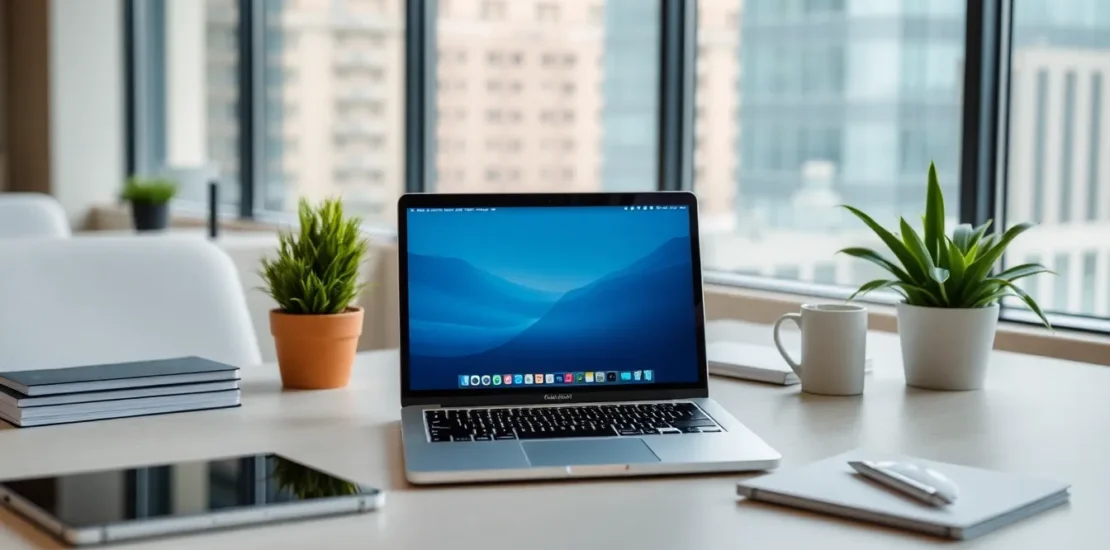
Quick Answer: Yes, the Apple MacBook is an excellent choice for modern businesses. It offers superior security, industry-leading hardware longevity, high employee satisfaction, and seamless integration with cloud-based workflows. While initial costs can be higher, the total cost of ownership (TCO) is often competitive due to higher resale value, fewer support tickets, and greater productivity. Successfully deploying the Apple MacBook for business requires a modern management approach using tools like Jamf or Kandji, rather than traditional Windows-centric models.
Introduction: The Mac’s Journey from Creative Niche to Corporate Mainstay
For over a decade, the narrative was simple: Windows for the office, Mac for the studio. But the landscape of work has undergone a seismic shift. The rise of cloud computing, the imperative for robust cybersecurity, and the war for talent have fundamentally altered the calculus for IT decision-makers. Today, the Apple MacBook for business is not a concession to a demanding executive; it’s a strategic choice for forward-thinking organizations. As someone who has guided countless companies through digital transformation, I’ve witnessed firsthand how Macs, when understood and managed correctly, can become catalysts for efficiency, security, and innovation. This guide will walk you through the practicalities, benefits, and considerations of making Mac a core part of your business infrastructure.
Why the Apple MacBook is a Strategic Business Asset
The decision to standardize on a platform goes far beyond personal preference. It’s about aligning technology with business outcomes. Here’s why the MacBook consistently delivers.
1. Security and Privacy by Design
In an era of relentless cyber threats, macOS provides a formidable defense. Its Unix-based foundation, coupled with Apple’s integrated control over hardware and software, creates a tightly controlled environment. Features like Gatekeeper, System Integrity Protection (SIP), and the T2 Security Chip (or Apple Silicon’s Secure Enclave) provide hardware-verified boot processes and encrypted storage by default. For your business, this means a significantly reduced attack surface and a lower risk profile, translating to fewer security incidents and potentially lower insurance costs.
2. Total Cost of Ownership (TCO) and Resale Value
The upfront price of a MacBook often triggers sticker shock. However, TCO tells a different story. Macs are renowned for their build quality and longevity, frequently remaining performant for 4-5 years or more. Their exceptional resale value means your depreciation costs are markedly lower. When you factor in reduced IT support time—thanks to general stability—and higher employee productivity, the financial picture becomes highly competitive with traditional business laptops.
3. Employee Satisfaction and Productivity
Providing tools that employees prefer and find intuitive is a powerful retention and recruitment tool. The Mac’s renowned user experience, seamless integration across Apple devices, and reliable performance minimize daily friction. A satisfied employee is a more productive and engaged one. Offering a choice or standardizing on the Apple MacBook for business can be a clear signal that your company values quality and user-centric design.
4. Unmatched Performance per Watt with Apple Silicon
The transition to Apple’s M-series chips is a game-changer. These processors deliver incredible performance while maintaining cool, quiet operation and all-day battery life. For your mobile workforce, this means true productivity unplugged—no more hunting for outlets in coffee shops or conference rooms. For creative and technical teams, it means compiling code, rendering video, or analyzing data at speeds that rival desktop workstations, all in a sleek laptop form factor.
Deployment and Management: The Modern IT Approach
The old fear that “Macs are hard to manage” is obsolete—if you abandon old Windows management paradigms. Success requires modern, cloud-native tools.
Essential Management Platforms (MDM)
Forget about imaging drives. Modern management for the Apple MacBook for business is based on Mobile Device Management (MDM) protocols built directly into macOS. Platforms like Jamf Pro, Kandji, and Mosyle allow your IT team to:
- Remotely deploy, configure, and enroll devices out of the box (Zero-Touch Deployment).
- Automatically install and update business applications.
- Enforce security policies, password rules, and firewall settings.
- Inventory hardware and software assets in real-time.
Integration with Enterprise Systems
Macs fit seamlessly into a mixed-environment ecosystem. They integrate natively with:
- Microsoft 365: Outlook, Teams, Word, Excel, and PowerPoint run natively, with full feature parity.
- Google Workspace: Chrome and Safari work flawlessly with Google’s cloud suite.
- Identity Providers: Single Sign-On (SSO) via Azure AD, Okta, or JumpCloud works perfectly.
- Virtualization & Legacy Software: Tools like Parallels Desktop allow you to run a necessary Windows-only application seamlessly alongside macOS.
Choosing the Right Apple MacBook for Your Business Needs
Apple’s streamlined lineup makes selection easier, but alignment with roles is key.
MacBook Air (M3 Chip)
The workhorse for the majority. With the power of Apple Silicon, the Air is no longer a compromise. It’s ideal for executives, sales teams, marketers, and knowledge workers. Its fanless design, lightweight form factor, and 18-hour battery life make it the ultimate mobile companion. For most, this is the most cost-effective and practical choice of Apple MacBook for business.
MacBook Pro 14-inch & 16-inch (M3 Pro or M3 Max Chips)
Designed for power users. Deploy these to your software engineering teams, data scientists, video production staff, and architects. The additional GPU cores, greater unified memory capacity (up to 128GB), and sustained performance for heavy workloads justify the investment. The stunning Liquid Retina XDR display is a bonus for design professionals.
Key Configuration Considerations
- Unified Memory (RAM): 16GB is the new recommended baseline for future-proofing. 8GB may suffice for light use today but limits longevity.
- Storage: 512GB SSD is a sensible starting point, with cloud storage (OneDrive, iCloud+, Box) handling document overflow. For local data-intensive work, opt for 1TB or more.
- Support & Warranty: Enroll in the Apple Business Manager portal and consider AppleCare+ for Business to streamline support and repairs.
Comparison: Traditional vs. Modern Business Computing
| Factor | Traditional Windows-Centric Model | Modern Apple MacBook Approach |
|---|---|---|
| Deployment | Complex system imaging, manual setup per device. | Zero-touch enrollment via MDM; device is ready at first login. |
| Security Model | Relies heavily on third-party antivirus and complex Group Policy. | Hardware-based security, sandboxing, and rapid OS updates are foundational. |
| Hardware Lifecycle | 3-4 year typical refresh cycle with steep depreciation. | 4-5+ year usable life with high residual value, lowering TCO. |
| User Experience | Often variable, dependent on OEM and IT restrictions. | Consistent, polished, and designed to minimize friction. |
| Primary Management | On-premise Active Directory, SCCM. | Cloud-based MDM (Jamf, Kandji), integrated with modern IDP (Okta, Azure AD). |
Implementation Roadmap: Getting Started
- Pilot Program: Start with a defined group (e.g., 15% of your IT team or a specific department). Gather feedback on workflow and management.
- Choose Your MDM: Select and configure your Mobile Device Management platform. Integrate it with your identity provider.
- Enroll in Apple Business Manager: This free portal is non-negotiable. It allows you to purchase devices and assign them directly to your MDM, enabling zero-touch deployment.
- Develop Security Baselines: Define your required policies: disk encryption, password requirements, firewall, etc.
- Create a Communication Plan: Educate users on the “why” and provide clear support channels. Change management is crucial.
- Scale with Confidence: Use insights from the pilot to refine your process, then roll out to broader teams.
Conclusion: A Future-Proof Investment
Adopting the Apple MacBook for business is not about following a trend. It’s a rational decision based on tangible business benefits: enhanced security, improved operational efficiency, and a superior employee experience. The combination of revolutionary Apple Silicon hardware and modern, cloud-based management tools has removed the traditional barriers to enterprise adoption. By taking a strategic, well-planned approach, you can leverage this powerful platform to build a more agile, secure, and innovative organization. The future of work is flexible, cloud-connected, and user-centric—and the MacBook is engineered precisely for that future.
— Karthik
Transform Your Organization Today
Strategic HR Solutions & Corporate Consulting for Indian Enterprises.
Call: 90366 35585 | Email: synergyscape.blr@gmail.com