
What Is a Practical 90-Day Plan for Implementing Digital Signage Solutions Bangalore?
- April 5, 2026
- Posted by:
- Category: Business Strategy & OD
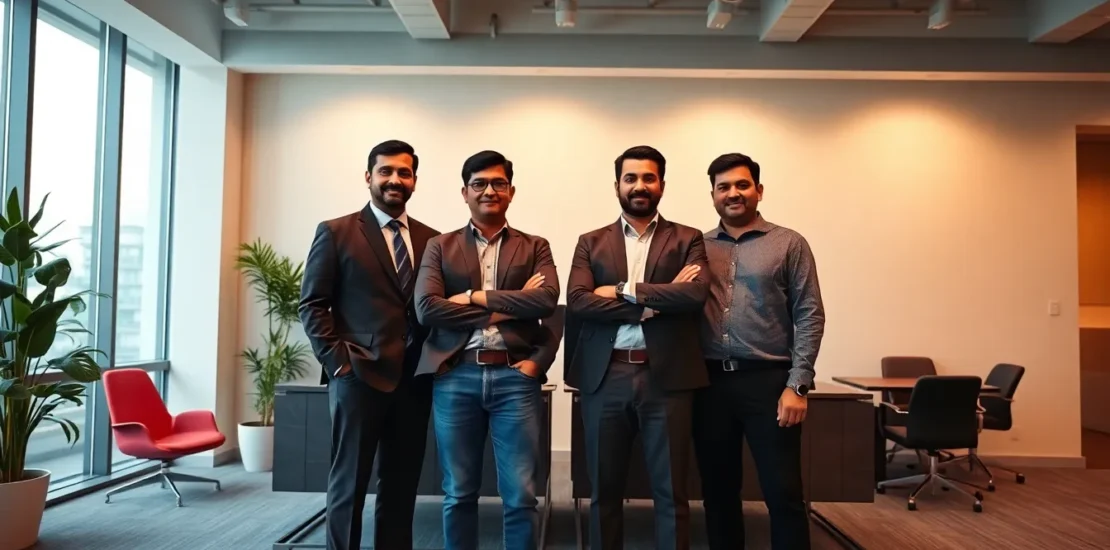
If you’re reading this, you’re probably dealing with a CEO who just saw a flashy digital screen at a competitor’s office and now wants one “yesterday,” while your IT head is worried about network security, and your finance team is asking for a 3-year ROI projection. You’re stuck between the vision and the execution, trying to figure out how to move from outdated notice boards and chaotic WhatsApp groups to a professional, centralized communication system without blowing the budget or creating a tech nightmare. This playbook is your escape route.
#What Exactly Is digital signage solutions Bangalore? (The No-Jargon Version)
Let’s strip away the tech-speak. Imagine your office lobby TV, cafeteria screens, factory floor displays, and even the monitor at the reception desk. Right now, they might show a static PowerPoint slide or a cable news channel. Digital signage solutions Bangalore is simply the system that lets you control what shows on all those screens from your laptop or phone.
Think of it like a specialized YouTube channel that you own. You upload a video, an announcement about the quarterly town hall, the lunch menu, or a real-time dashboard of production targets. You then “schedule” this content to play on specific screens, at specific times. The screen in the lobby might show welcome messages and client testimonials from 9 AM to 6 PM. At 6:05 PM, it automatically switches to showing safety reminders for the cleaning staff. The software (often cloud-based) is the brain, the media players (small set-top boxes) are the nervous system, and the screens are the face.
In the Bangalore context, this isn’t just about flashy ads. It’s solving very real Indian workplace problems: communicating with a dispersed, hybrid workforce in English and regional languages; ensuring critical compliance and safety messages in factories are actually seen; and creating a professional brand image for visiting clients at your Whitefield or Koramangala office. It’s the bridge between your company’s message and your employees’ or customers’ eyes.
#How Do You Know You Need Better digital signage solutions Bangalore?
Don’t buy tech for tech’s sake. Your need is hidden in daily operational friction. Use this checklist to diagnose your situation.
| Warning Sign | What It Actually Means | Urgency Level |
|---|---|---|
| Your “live” performance dashboards in the operations room are manually updated Excel prints stuck on the wall. | Decision-making is delayed, based on stale data. You have a real-time data problem, not a display problem. | HIGH – You’re losing efficiency daily. |
| HR sends 5 email blasts for a single event, yet 60% of staff claim they “never saw it.” | Your internal communication channels are saturated and ineffective. Email is broken for broad announcements. | HIGH – This is a cultural and productivity drain. |
| Visitors or new hires get lost because directional signage is outdated after a recent office reshuffle. | Your physical space is dynamic, but your guidance system is static. This hurts professionalism and employee experience. | |
| Factory safety stats or canteen menus are handwritten on whiteboards, looking untidy and often wrong. | Operational hygiene and compliance messaging is unreliable and unprofessional. | MEDIUM – Impacts perception and potentially safety. |
| Marketing spent lakhs on a brand video, but it only plays on the website. Clients in your waiting area see a random news channel. | You’re missing prime, captive-audience real estate to reinforce your brand story. | MEDIUM – You’re leaving marketing ROI on the table. |
| Managing the one “fancy” screen in the lobby requires calling an external vendor to upload a new image, taking 2 days and costing money each time. | You own the hardware but not the process. You lack agility and control, making the solution unsustainable. | HIGH – This is a cost pit and a bottleneck. |
#What Is the 90-Day Action Plan for digital signage solutions Bangalore?
This is your implementation blueprint. No vague goals, just weekly actions.
Weeks 1-2: The Groundwork & Objective Setting
* Action 1: Form a tiger team of 3: You (HR/Admin), 1 person from IT (for network/security), 1 from Finance/Budget owner. This is non-negotiable.
* Action 2: Conduct a 2-hour “Signage Walkthrough.” Walk your office/facility with the team. Use your phone to take pictures of every potential screen location (lobby, reception, pantry, corridors, production area, meeting room floors). Note down the *purpose* for each (e.g., “Lobby TV – for visitors and branding”).
* Action 3: Define 3 clear, measurable objectives. Not “improve communication.” Try: “1. Reduce email blasts for company-wide announcements by 50%. 2. Display real-time production efficiency data on the shop floor. 3. Automate daily canteen menu and event reminders on pantry screens.” This shapes everything.
Weeks 3-4: Vendor Discovery & Technical Proof-of-Concept
* Action 1: Shortlist 3-4 digital signage solutions Bangalore providers. Look for ones with strong local support (based in or with an office in Bangalore). Get references from similar-sized Indian companies.
* Action 2: Give them your objectives and location photos. Ask for a *limited* Proof of Concept (PoC). Demand: “We want to run one screen in our pantry for 2 weeks. We will upload content daily. Show us how easy it is.” This tests the software’s user-friendliness *and* the vendor’s responsiveness.
* Action 3: IT’s task: Get the PoC device on your guest or a secure VLAN. Define the final network policy. Finance’s task: Get pricing models – Capex (buy hardware/software) vs. Opex (subscription).
Month 2: Pilot, Content & Rollout Planning
* Action 1: Run the Pantry PoC rigorously. Have different team members try uploading a lunch menu, a birthday announcement, a video. Measure ease and reliability.
* Action 2: Simultaneously, draft a 4-week content calendar for your first phase of screens. What will play, when, and where? This reveals if you have the content to justify the investment.
* Action 3: Based on PoC success, finalize the vendor and purchase order. Order hardware (screens/media players) for your Phase 1 rollout (e.g., Lobby, Pantry, 1 Production Area). Do NOT buy for the entire company yet.
Month 3: Phased Rollout & Process Handover
* Action 1: Week 1: Vendor installs and sets up Phase 1 screens. IT ensures network connectivity. You load the first week’s content from your calendar.
* Action 2: Week 2-4: Designate “Screen Champions” in each area (e.g., Facilities for pantry, Operations for shop floor). Train them on basic content uploads for their zone. This decentralizes control without creating chaos.
* Action 3: At the end of Month 3, review against your 3 objectives. Gather feedback. Document a simple SOP: “How to get something on the screens.” Now you’re ready to plan Phase 2.
#What Tools and Frameworks Support digital signage solutions Bangalore?
You have choices. The right one depends on your control needs vs. effort.
| Approach | How It Works | Best For Bangalore Companies Who… | Watch Out For |
|---|---|---|---|
| Full-Service Cloud Platform | Subscribe to a software (like Signagelive, ScreenCloud, NoviSign). Buy compatible media players (BrightSign, Raspberry Pi). Manage everything via a web dashboard. | Want maximum control, easy updates, and to integrate with tools like Google Slides, Slack, or data APIs. Have decent IT bandwidth. | Ongoing subscription costs. Requires internal content discipline. |
| Managed Service from a Local Vendor | The Bangalore vendor provides hardware, software, AND content creation/scheduling as a monthly service. | Have zero internal bandwidth (common in manufacturing, traditional SMEs). Just want to send PDFs/emails to a vendor and have it appear. | Higher long-term cost. Less agility (changes depend on vendor speed). Risk of lock-in. |
| DIY with Free/Open-Source Software | Use free software (like Xibo) on old PCs/laptops as media players. Manage it yourself. | Have a very tight budget and strong in-house tech talent willing to tinker and maintain. | High hidden labour cost. Unreliable for mission-critical displays. No professional support. |
| Display-Specific Apps | Use the built-in “smart” functions of Samsung/LG commercial displays with their proprietary apps. | Need a simple, 1-2 screen solution for basic image/video slideshows. Minimal complexity. | Very limited functionality. Becomes unwieldy beyond a few screens. Often clunky. |
My Practical Recommendation: For most Indian businesses seeking a scalable solution, start with a Full-Service Cloud Platform from a vendor with strong digital signage solutions Bangalore support. It gives you control, scalability, and avoids vendor lock-in.
#What Are the Common Pitfalls with digital signage solutions Bangalore?
I’ve seen these kill projects. Avoid them.
1. The “Set and Forget” Screen: The biggest failure is static digital content. A screen playing the same three slides for 6 months is worse than a static poster—it screams neglect. This happens when no one owns the content calendar. Solution from Day 1: Assign an owner (likely you in HR/Comms) and make content refresh part of your weekly checklist.
2. Ignoring the Network: IT wasn’t involved early. The media players can’t get a stable IP address, or they clog the network with 4K video streams. The project stalls at installation. Solution: Bring IT into the tiger team in Week 1. Plan for a separate VLAN or ensure your guest network is robust.
3. Over-Engineering at the Start: A client wanted to integrate live SAP data, weather feeds, and social media streams on day one. They spent 3 months “configuring” and never launched. Solution: Start painfully simple. Text and images. Prove the communication value first. Add integrations (like Google Slides for easy updates) in Month 4.
4. Buying Consumer TVs for 24/7 Use: That sleek LG TV from Croma will burn out in 6 months if left on 16 hours a day in a bright lobby. Solution: Invest in Commercial Grade Displays. They are built for longer duty cycles, have better heat dissipation, and often come with better warranties for business use. This is a non-negotiable capex tip.
#How Do You Sustain digital signage solutions Bangalore Long Term?
Implementation is easy; maintenance is where you win.
* Processize Content: Create a shared Google Drive folder: “Digital Signage Content.” Have subfolders: `00_Active_This_Week`, `01_Brand_Videos`, `02_Safety`, `03_HR_Announcements`. Make teams responsible for their content. The screen owner just drags files from these folders into the software playlist every Monday. This removes the creative bottleneck.
* Schedule Annual Reviews: Every 6 months, review screen locations. Is that corridor screen still relevant? Should we add one in the new breakout zone? Technology changes too. Check if your software plan still fits your needs.
* Measure and Iterate: Use simple metrics. For an HR screen: “We reduced all-staff emails by X%.” For a lobby screen: “We received Y compliments from visitors.” For a production dashboard: “Team huddles now start with live data, not yesterday’s printout.” This builds the business case for expansion.
#Conclusion
Your journey with digital signage solutions Bangalore isn’t about buying screens; it’s about fixing broken communication loops and claiming control over your physical environment’s narrative. Start small with a clear pain point, prove the value with a focused pilot, and scale with a process that doesn’t rely on one person. The goal is to make important information impossible to ignore. Now, take that “Signage Walkthrough” with your team. Your first action item starts today.
—
#FAQ
Frequently Asked Questions About digital signage solutions Bangalore
What is the typical cost range for a digital signage solution in Bangalore?
For a cloud-based solution, expect a Capex of ₹25,000 – ₹75,000 per screen location (for commercial display + media player) and an Opex of ₹500 – ₹2,500 per screen/month for software and support. A managed service model might bundle this into a single monthly fee of ₹3,000 – ₹8,000 per screen. Always start with a PoC to validate costs.
Can we use our existing TVs or must we buy new ones?
You can often use existing TVs *if* they have an HDMI port. However, consumer TVs aren’t built for 24/7 operation and may fail prematurely. For any screen that will be on more than 12 hours a day, strongly consider investing in a commercial display. You will need a separate media player (a small set-top box) for each TV regardless.
How difficult is the content creation? Do we need a designer?
Start simple. Tools like Canva have pre-sized templates for digital signage (1920×1080 pixels). Most HR or marketing executives can create effective text-and-image slides. For videos, you might need a designer occasionally. The key is a consistent template (using your brand colours and fonts) that anyone can follow.
What about power and internet for screens in remote areas like factory floors or warehouses?
This is a common challenge. Solutions include: 1) Using media players with offline caching that sync when connected. 2) Using cellular (4G) routers for internet. 3) For pure data dashboards, explore solutions that can run on a local network without external internet. Discuss this specifically during vendor PoC.
How do we ensure the content is seen and not ignored (“screen blindness”)?
Use motion and relevance. Static text causes blindness. Use subtle animations, short video loops (10-15 sec), and change content frequently. Most importantly, make it *relevant*. The canteen menu *will* be looked at. Live production stats *will* be checked. Irrelevant content is the fastest path to being ignored.
Can we show different content in different languages on the same screen?
Yes, absolutely. This is a powerful feature for Indian workplaces. You can schedule a playlist: 9:00 AM – English announcement, 9:05 AM – Kannada/Hindi/Tamil version. Or, use split-screen layouts to show the same message in two languages simultaneously. Ensure your chosen software supports easy scheduling and layout design for this.
“Real synergy isn’t built in a day — it’s engineered through strategic interventions that align people with goals.”
— Karthik, Founder & Principal Consultant, SynergyScape
Founder & Principal Consultant, SynergyScape | 15+ Years in HR Consulting & Organizational Development across Indian Enterprises
Transform Your Organization Today
Strategic HR Solutions & Corporate Consulting for Indian Enterprises.
Call: 90366 35585 | Email: synergyscape.blr@gmail.com
Related Articles You Might Find Useful
- What Are the Essential Steps and Benefits of Professional Projector Installation Services Bangalore?
- What Are the Right AV Solutions for Office Bangalore? A Strategic Guide
- How Does a Yealink Dealer in Bangalore Tailor Solutions for IT, Healthcare, and Manufacturing?
- What Is a Cisco IP Phone Dealer in Bangalore and How Do You Work With One?
- How Do You Choose the Right Polycom Dealer Bangalore for Your Enterprise?