
How Does Laptop Rental for Training in Bangalore Differ Across Industries?
- April 9, 2026
- Posted by:
- Category: Training & Development
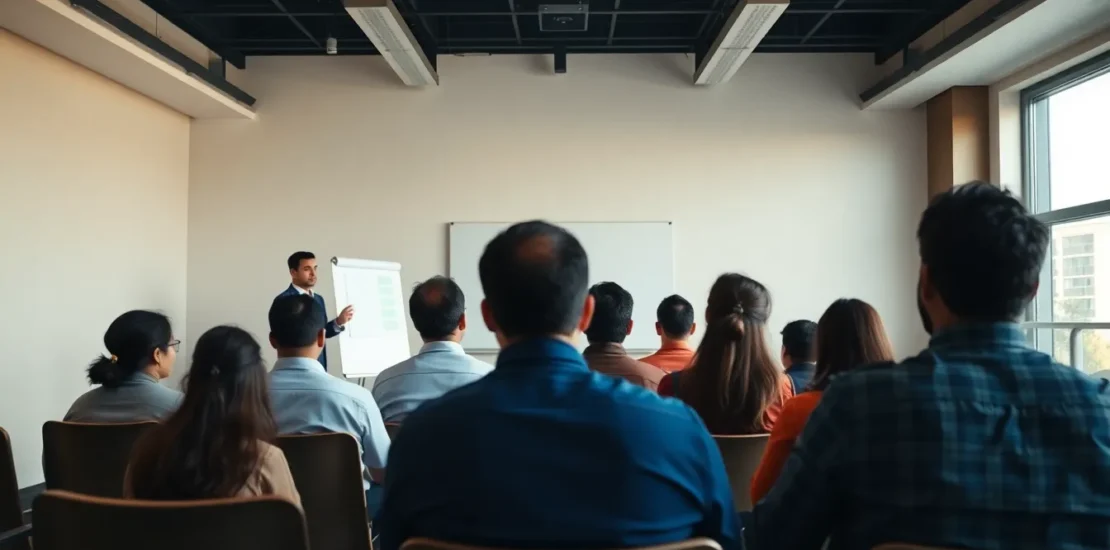
Laptop rental for training Bangalore is the short-term, flexible procurement of laptops and related IT infrastructure to facilitate employee upskilling, onboarding, or certification programs. It varies significantly by industry based on technical requirements, security protocols, scale, and operational environment. This model allows organizations to bypass large capital expenditures, ensure hardware uniformity, and access the latest technology for specific training needs.
#Opening: A Tale of Two Trainings
Picture two training rooms in Bangalore on the same Monday morning. In a gleaming IT park, 50 new software engineers sit before high-performance laptops, each running multiple virtual machines and complex IDEs for an advanced cloud certification. The air hums with the silent whir of fans cooling powerful processors. Across the city, in a large manufacturing unit’s training hall, 50 machine operators are gathered. Before them are ruggedized, spill-proof laptops demonstrating a new SCADA system interface, their training punctuated by the distant sounds of the factory floor. Both sessions are enabled by laptop rental for training Bangalore, yet the hardware, software, and logistical orchestration are worlds apart. This contrast isn’t incidental—it’s fundamental to how different industries operate, train, and scale.
What Is Laptop Rental for Training Bangalore and Why Does It Vary by Industry?
At its core, laptop rental for training Bangalore is a strategic operational solution. It’s the answer to a critical question: How do we equip our people with the right tools to learn effectively without incurring permanent cost or tech-debt? For a dynamic business hub like Bangalore, where sectors from deep-tech to traditional manufacturing coexist, this isn’t a one-size-fits-all service.
The variation stems from four key industry-specific drivers:
1. Technical & Performance Requirements: An IT company training developers on AI models needs GPUs and high RAM. A retail company training cashiers on a new POS system needs basic machines with specific port configurations. The performance benchmark is tied directly to the professional task being simulated.
2. Security and Compliance Mandates: A BFSI firm handling financial data or a healthcare provider discussing patient records requires rentals with enforced encryption, stringent access controls, and certified data-wipe protocols post-training. A creative agency’s design workshop may have far fewer constraints.
3. Physical Deployment Environment: Will the laptops be used in a sterile, air-conditioned corporate office or on a factory floor with dust, humidity, and potential physical knocks? This dictates the need for standard vs. ruggedized devices.
4. Scale and Temporal Dynamics: A massive nationwide bank rolling out a new core banking system may need 5,000 identical laptops for a phased 3-month training wave. A startup may need 15 for a weekend hackathon. Scale and duration define the rental logistics and pricing model.
Understanding these drivers is the first step to crafting a training program that is not just equipped, but optimized.
How Does Laptop Rental for Training Bangalore Work in IT and Technology Companies?
For Bangalore’s lifeblood—the IT and tech sector—training is about pushing the boundaries of capability. Laptop rental for training Bangalore here is less about basic provision and more about creating a high-fidelity, performance-engineered sandbox.
Specific Practices & Requirements:
* Specification-Centric Procurement: Rentals are defined by precise specs—multi-core processors (Intel i7/i9 or Ryzen 7/9), minimum 16GB RAM (32GB+ for data science/AI), dedicated GPUs (NVIDIA RTX series for ML, gaming engines, or CAD), and high-resolution displays for UI/UX training. The device is a proxy for the developer’s ultimate workstation.
* Pre-Configured Software Stacks: The value lies in the image. Rental providers must deliver machines pre-loaded with specific toolchains: licensed versions of IntelliJ IDEA, VS Code, Docker, Kubernetes clusters, cloud CLI tools (AWS, Azure, GCP), and often specific Linux distributions. This eliminates “it works on my machine” issues from day one.
* Virtualization & Sandboxing: Training on cybersecurity, ethical hacking, or multi-tier application deployment often requires isolated virtual environments. Rentals may need to support VMware or VirtualBox with pre-configured virtual machines, allowing trainees to safely simulate networks, deploy attacks, or build architectures without risk.
Actionable Insight: Partner with a rental vendor that understands development environments. The contract should include a clause for a standardized, tested software image deployment on all units. For advanced training, ensure the vendor can provide machines capable of running containerized and virtualized workloads seamlessly.
How Does Laptop Rental for Training Bangalore Apply in Manufacturing and Operations?
In manufacturing, training bridges the office and the shop floor. The approach to laptop rental for training Bangalore must therefore be bifurcated, addressing both the corporate planning suite and the hands-on operational environment.
Corporate Office (Planning, ERP, SCM):
Here, training focuses on enterprise software—SAP, Oracle E-Business Suite, or custom MRP/ERP systems. Requirements mirror corporate IT: reliable business-class laptops (Intel i5, 8-16GB RAM) with stable connectivity for live database access or simulation. The need is for uniformity and reliability to train engineers and planners on new modules or processes.
Factory Floor (SCADA, MES, Equipment Interfaces):
This is where needs diverge dramatically. Training machine operators on a new Human-Machine Interface (HMI) or technicians on a Manufacturing Execution System (MES) terminal requires:
* Ruggedized Hardware: Devices with reinforced casings, spill-resistant keyboards, and dust-protected fans to withstand industrial environments.
* Legacy Port Support: Older machinery interfaces may still require RS-232 serial ports, Ethernet, or specific USB-to-serial adapters. The rental laptop must have or support these connections.
* Offline Functionality: Training might occur in areas with poor network coverage. Software and simulators must run fully offline.
Actionable Insight: Conduct a site audit. For factory training, explicitly communicate the environmental conditions (dust, oil, temperature) to your rental partner. Test the laptops’ ability to interface with a dummy or simulated piece of equipment before the main training event. Never assume office-grade laptops will survive on the floor.
What About Laptop Rental for Training Bangalore in Healthcare, BFSI, and Retail?
These sectors are united by heavy customer interaction and strict processes, but their training tech needs have distinct flavors.
Healthcare (Hospitals, MedTech):
Training revolves around Hospital Information Management Systems (HIMS), Electronic Health Records (EHR), and diagnostic software. Laptop rental for training Bangalore here is governed by HIPAA-like data privacy concerns (even in training with dummy data). Machines must be encrypted, access-controlled, and guaranteed to be sanitized post-training. For med-device training, laptops may need high-definition, color-accurate screens to demonstrate medical imaging software.
BFSI (Banks, Insurance, Financial Services):
This is the fortress of compliance. Training for new core banking, trading, or insurance claim platforms is high-stakes. Rentals require:
* Ironclad Security: Mandatory full-disk encryption, secure boot, and often biometric or smart-card login capabilities.
* Audit Trail Readiness: The hardware itself may need to support logging for compliance during training simulations.
* Multi-Monitor Support: Trading and financial analysis training often necessitates a multi-screen setup to mimic the trader’s workstation.
Retail (Stores, E-commerce, Logistics):
Training is focused on Point-of-Sale (POS) systems, inventory management, and warehouse management software (WMS). Needs are often more utilitarian:
* Peripheral Compatibility: Rental laptops must seamlessly connect to barcode scanners, receipt printers, and RFID readers for hands-on training.
* Touchscreen & Form Factor: For training on modern POS or kiosk systems, 2-in-1 laptops or tablets with touch capability are increasingly relevant.
* Durability for Warehouse Use: Training in logistics hubs may again require semi-rugged devices.
Actionable Insight: For BFSI and Healthcare, your rental provider must provide a documented data security and sanitization protocol as part of the service agreement. For Retail, insist on a compatibility testing session with all peripherals before signing off on the rental order.
What Is the Universal Framework for Laptop Rental for Training Bangalore?
Despite the differences, a successful laptop rental for training Bangalore initiative across any sector rests on a universal five-step framework:
1. Needs Diagnostic: Define the *what* (software), *where* (environment), and *who* (trainee profile).
2. Specification & Security Mapping: Translate needs into hardware specs and overlay industry-specific security/compliance layers.
3. Partner Selection & Logistics: Choose a vendor with sector experience. Plan delivery, setup, and on-site support.
4. Pre-Training Tech Validation: Never skip the pilot. Test a sample unit with all software and peripherals.
5. Post-Training Wind-down: Ensure secure data wipe, asset return, and gather feedback for the next cycle.
Industry Comparison Table:
| Industry | Key Challenge | Best Practice | Common Mistake |
| :— | :— | :— | :— |
| IT & Technology | Meeting high, specific performance benchmarks for coding, AI, etc. | Rent a pilot batch for a “dry run” of the actual training curriculum. | Under-specifying RAM or GPU, causing training delays. |
| Manufacturing | Hardware surviving harsh floor conditions & connecting to legacy gear. | Opt for semi-rugged devices and validate all physical port connections. | Using standard office laptops on the factory floor. |
| Healthcare & BFSI | Guaranteeing absolute data security and compliance during & after training. | Select vendors with certified data-sanitization processes and get it in writing. | Assuming generic formatting is sufficient for sensitive data. |
| Retail | Ensuring seamless integration with POS peripherals (scanners, printers). | Conduct a “connection carnival” to test all peripherals before D-day. | Focusing only on the laptop and forgetting the accessory interfaces. |
| SMEs (All Sectors) | Managing cost for small batches while getting reliable service. | Use bundled rentals (laptop+projector+WiFi) from a flexible local provider. | Going for the cheapest option without checking support responsiveness. |
How Should SMEs Approach Laptop Rental for Training Bangalore Differently?
For Small and Medium Enterprises, the principles remain, but the constraints of scale and budget shape a different strategy. The agility of laptop rental for training Bangalore is a potent tool for SMEs.
* Focus on Bundled Solutions: Look for providers who offer “training room in a box” – laptops, a projector, a sound system, and even a portable WiFi hotspot. This reduces coordination overhead.
* Prioritize Flexibility and Support: Your batch size may be 10, not 1000. Choose a vendor known for accommodating short notice, small orders, and providing on-call support. A personal relationship with a reliable local provider is often more valuable than a marginal cost saving from a large, impersonal firm.
* Leverage for Proof-of-Concept: Use rentals not just for training, but to trial new software or hardware. Equip a pilot team with rented, high-spec machines to test a new design tool or analytics platform before making a company-wide purchase decision.
Actionable Insight: As an SME, your negotiation lever isn’t volume, but loyalty and future potential. Build a partnership with a vendor who treats your 20-laptop order with the same professionalism as a 200-laptop order. Clarity on your growth plans can often secure you better attention and flexible terms.
Conclusion
The journey through Bangalore’s industrial landscape reveals that laptop rental for training Bangalore is far more than a transactional logistics task. It is a strategic enabler that must be contoured to the unique technical, environmental, and regulatory DNA of each sector. Whether it’s the raw computing power demanded in IT parks, the rugged resilience needed on factory floors, or the fortified security essential in financial towers, the right rental strategy ensures training translates directly into operational competence.
The future points towards even greater specialization. We can expect rental catalogs to feature not just “high-performance laptops,” but “AI/ML development rigs,” “HIPAA-compliant training kits,” and “industrial IOT interface units.” The unifying insight for all Bangalore’s businesses is this: View training hardware not as a cost, but as a critical component of your curriculum. By tailoring your approach to laptop rental for training Bangalore, you invest not just in devices, but in the flawless execution of learning itself, empowering your workforce to perform from the very first day they apply their new skills.
—
#Frequently Asked Questions (FAQ)
Frequently Asked Questions About laptop rental for training Bangalore
What is the typical minimum rental period for laptops for training in Bangalore?
The typical minimum rental period is usually one week, though many providers offer daily rentals for very short workshops or weekend events. For longer training programs spanning months, monthly contracts offer better value. Always clarify the billing cycle—some providers charge on a 5-day or 10-day block system for corporate training.
Can rented laptops be pre-loaded with our company’s specific training software and licenses?
Absolutely. Reputable providers offer custom imaging as a core service. You provide the software installers and license keys (or they can be procured), and the vendor will create a standardized, tested disk image to deploy across all rental units. This ensures a consistent, ready-to-use environment for all trainees.
How is data security handled after the training is over, especially for sectors like BFSI?
This is paramount. Professional rental partners follow a strict sanitization protocol using tools like Blancco or DBAN that meet international standards (e.g., NIST 800-88). They should provide a certificate of data destruction for each device. For highly sensitive sectors, you can request and witness the sanitization process or even opt for dedicated drives that are physically destroyed post-training.
What happens if a rented laptop malfunctions during a critical training session?
Your Service Level Agreement (SLA) should clearly define the support terms. The best providers offer on-site technical support or a guaranteed replacement within a few hours (e.g., 4-6 hours) in a city like Bangalore. Always ask about the swap-out policy and keep a couple of spare units on hand for large batches to mitigate downtime risk.
Is it more cost-effective for a large, recurring training need to rent or buy laptops?
For large-scale, recurring training (e.g., quarterly batches), a hybrid model often works best. Calculate the Total Cost of Ownership (TCO) of purchasing, including depreciation, maintenance, storage, and refresh cycles (every 3-4 years). Rental becomes highly cost-effective for variable demand, for accessing latest tech, and by eliminating idle asset costs. Run a TCO analysis for your specific scale and frequency.
Can we rent other equipment like projectors, WiFi routers, and dongles along with the laptops?
Yes, most full-service providers offer bundled solutions. This is highly recommended as it simplifies logistics, ensures compatibility, and often comes at a better package rate. You can typically rent complete training kits including laptops, projectors, screens, sound systems, portable WiFi hotspots, and necessary dongles/adapters from a single vendor.
“I tell every CEO the same thing: your people strategy IS your business strategy. There’s no separating the two.”
— Karthik, Founder & Principal Consultant, SynergyScape
Founder & Principal Consultant, SynergyScape | 15+ Years in HR Consulting & Organizational Development across Indian Enterprises
Transform Your Organization Today
Strategic HR Solutions & Corporate Consulting for Indian Enterprises.
Call: 90366 35585 | Email: synergyscape.blr@gmail.com