
The Ultimate Corporate Guide to Desktop Computers for Office Use in 2024
- February 14, 2026
- Posted by:
- Categories: Competitive research, Economics
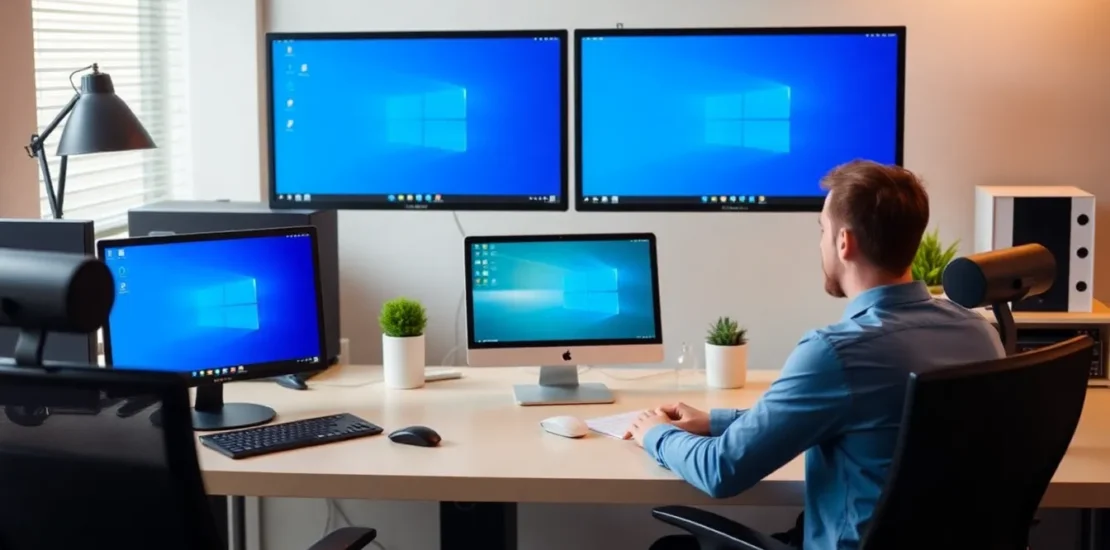
Quick Answer: Choosing Desktop Computers for Office Use
For most modern offices, the ideal desktop computers for office use balance performance, reliability, and security. Prioritize business-class models from brands like Dell, HP, or Lenovo with Intel Core i5/i7 or AMD Ryzen 5/7 processors, 8-16GB RAM, and 256GB+ SSD storage. Opt for compact or all-in-one form factors to save space. Ensure they include professional-grade security features (TPM, vPro/Pro), a robust 3-5 year warranty, and centralized management tools for IT teams. The goal is to maximize employee productivity while minimizing long-term support costs.
Introduction: The Enduring Role of the Office Desktop
In an era dominated by laptops and mobile devices, the role of the traditional workstation might seem diminished. However, for core business functions—from data analysis and financial modeling to graphic design and customer support—desktop computers for office use remain the undisputed backbone of enterprise IT. They offer superior performance per dollar, enhanced security, easier maintenance, and greater longevity than their portable counterparts. Selecting the right desktops is not merely an IT procurement task; it’s a strategic business decision that impacts productivity, operational costs, and employee satisfaction for years. This guide will navigate you through the critical considerations, helping you build a desktop fleet that powers your organization efficiently and securely.
Core Components: Building Blocks of Productivity
Understanding the key internal components is essential to making an informed purchase that meets your specific workload demands.
Processor (CPU): The Brain of the Operation
The CPU dictates how swiftly a computer handles tasks. For general office work (email, web, documents), a modern Intel Core i5 or AMD Ryzen 5 is the sweet spot. For power users in engineering, development, or design, step up to an i7/Ryzen 7 or i9/Ryzen 9. Pay attention to business-specific technologies like Intel vPro or AMD Pro, which offer enhanced security and remote management capabilities crucial for IT administration.
Memory (RAM): Multitasking Muscle
RAM is your system’s short-term memory. Insufficient RAM leads to slowdowns when switching between applications. 8GB is the absolute minimum for a modern Windows 11 environment with multiple office applications and browser tabs. 16GB is the recommended standard for fluid multitasking and future-proofing. Creative or development teams may require 32GB or more.
Storage: Speed and Capacity
This is the single most impactful upgrade for user experience. Solid State Drives (SSDs) are non-negotiable for desktop computers for office use. They boot systems and launch applications in seconds versus minutes. A 256GB NVMe SSD is a good starting point, with 512GB providing comfortable room for applications and local files. For bulk storage needs, some desktops can be configured with a secondary, larger hard disk drive (HDD).
Graphics (GPU): Not Just for Gamers
Most office tasks are handled efficiently by the integrated graphics within modern CPUs. However, dedicated GPUs from NVIDIA or AMD are essential for video editing, 3D rendering, advanced CAD work, and data visualization. For standard office suites, investing in a dedicated GPU is typically an unnecessary expense.
Form Factors: Choosing the Right Footprint
The physical design of your desktops affects space utilization, aesthetics, and even upgradeability.
Traditional Tower (Mini-Tower)
The classic design offers maximum internal space for expansion cards, additional storage drives, and cooling. It’s ideal for departments with evolving needs or where internal upgrades are planned. The downside is a larger footprint under or on the desk.
Small Form Factor (SFF) & Ultra-Small Form Factor (USFF)
These compact, often sleek, boxes can be mounted behind a monitor or tucked away neatly. They save significant desk real estate, promote a clean workspace, and are perfect for call centers, administrative staff, and modern open-plan offices. They offer limited internal expansion but are highly efficient for standardized deployments.
All-in-One (AIO)
AIOs integrate the computer into the monitor, resulting in a single, cable-minimized device. They offer an exceptionally clean and modern look, simplify setup, and are excellent for front-desk, reception, and executive areas where aesthetics matter. Be mindful that they are generally less upgradeable and can be more expensive to repair.
Comparison: Traditional vs. Modern Office Desktops
| Feature | Traditional Office Desktop (Legacy Mindset) | Modern Office Desktop (Strategic Asset) |
|---|---|---|
| Primary Storage | Hard Disk Drive (HDD) – Slower boot/load times | Solid State Drive (SSD) – Near-instant performance |
| Form Factor | Bulky mini-tower consuming desk/floor space | Compact, mountable SFF/USFF or sleek All-in-One |
| Management | Manual, device-by-device setup and troubleshooting | Centralized via cloud-based tools (e.g., Intune) or legacy management suites |
| Security | Reactive, software-based antivirus only | Hardware-rooted (TPM 2.0), with features like biometric login and encryption |
| Deployment Model | One-time capital expenditure (CapEx) purchase | Increasingly available as a managed Device-as-a-Service (DaaS) subscription |
| Performance Target | Meets minimum requirements for today’s tasks | Spec’d to handle workloads for a 3-5 year lifecycle |
Security and Manageability: The IT Department’s Perspective
When procuring desktop computers for office use, the ease of management and robustness of security are paramount for IT teams.
Non-Negotiable Security Features
- TPM 2.0: A dedicated chip for hardware-based encryption, essential for Windows 11 and securing sensitive data.
- BIOS/UEFI Security: Look for features like secure boot, BIOS-level password protection, and the ability to disable external ports.
- Business Platform Tech: Intel vPro or AMD Pro platforms provide hardware-level security for threat detection and remote management even if the OS is offline.
Streamlining Management
Enterprise desktops should be part of a manageable fleet. Ensure your chosen models are compatible with your management ecosystem, whether it’s Microsoft Intune, traditional SCCM, or other RMM tools. Standardizing on a few specific models drastically reduces imaging complexity and spare parts inventory.
Total Cost of Ownership (TCO): Looking Beyond the Sticker Price
The initial purchase price is just one part of the equation. The true cost of desktop computers for office use includes:
- Hardware Acquisition: The upfront cost of the unit, monitor, and peripherals.
- Software & Licensing: Operating system, productivity suites, and specialized applications.
- Deployment & Configuration: IT labor to unbox, image, configure, and deploy each machine.
- Support & Maintenance: Time spent on troubleshooting, repairs, and user assistance.
- Energy Consumption: Modern, efficient desktops consume less power, reducing operational expenses.
- Downtime & Productivity Loss: The most hidden cost. A reliable, fast desktop keeps employees working.
Investing in business-class desktops with longer warranties (3-5 years), premium support (next-business-day onsite service), and higher performance specs directly reduces TCO by minimizing support incidents and extending the refresh cycle.
Future-Proofing Your Investment
Technology evolves rapidly. To protect your investment, consider these strategies:
- Plan a 4-5 Year Lifecycle: Specify hardware that won’t feel obsolete in two years. Extra RAM and a larger SSD are cheap insurance.
- Embrace Modularity Where Possible: For certain roles, choosing a desktop that allows for RAM, storage, or GPU upgrades can extend its useful life.
- Consider Device-as-a-Service (DaaS): DaaS bundles hardware, software, and lifecycle services into a predictable monthly fee, ensuring your fleet is always modern and managed.
- Align with Cloud Strategy: As applications move to the cloud, the desktop becomes a secure access point. Ensure your devices have reliable connectivity and security postures to support this shift.
Conclusion: A Strategic Foundation for Work
Choosing the right desktop computers for office use is a foundational decision that ripples across your organization. It’s not about buying the cheapest box; it’s about procuring a reliable, secure, and performant tool that empowers your team to do their best work without technical hindrance. By focusing on the right blend of components, form factor, security, and manageability—and by analyzing the true Total Cost of Ownership—you make an investment that pays dividends in productivity, security, and operational calm for years to come. In the modern workplace, the desktop remains a critical strategic asset.
— Karthik
Transform Your Organization Today
Strategic HR Solutions & Corporate Consulting for Indian Enterprises.
Call: 90366 35585 | Email: synergyscape.blr@gmail.com