
Access Control System Installation in Bangalore: A 2026 Buyer's Guide
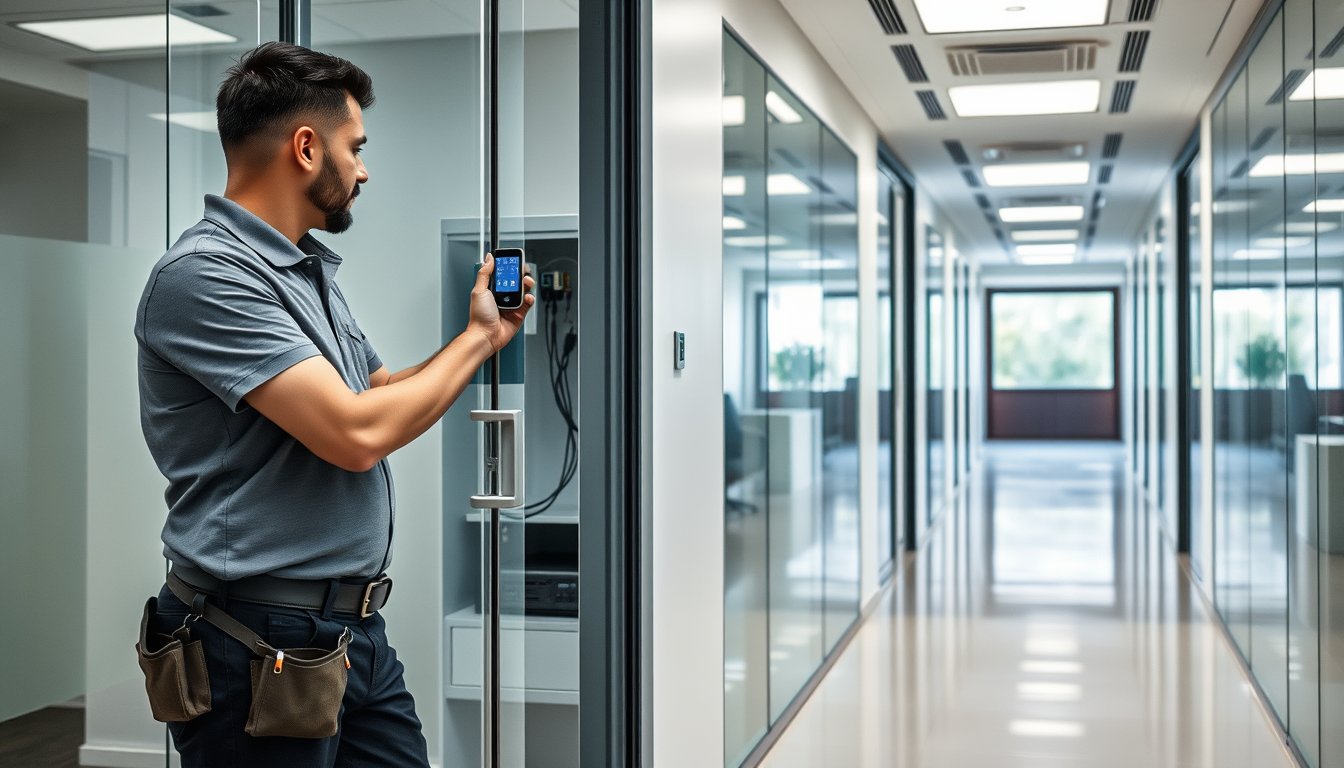
The quote that looked cheap until the doors arrived
A 180-person software company in Outer Ring Road signed off on an access control project in March 2025. Twelve doors. The integrator quoted ₹2.4 lakh for controllers, readers, and software. The client thought they had budgeted well.
Then the civil work started. Six of the twelve doors were glass swing doors that needed electric strikes rather than maglocks. Two were fire-rated doors where a maglock is illegal in a means of egress. The main entrance had a frameless glass door with no mullion to mount an exit push-button. The final invoice came to ₹6.1 lakh — two and a half times the original quote — and the project ran three weeks late because the specialty door hardware had to be imported.
The controllers and readers were never the expensive part. Everything attached to the door was.
If you are an IT manager, ops head, or business owner in Bangalore evaluating an access control system right now, this article is for you. We install these systems for a living — security and surveillance projects across offices, factories, co-working spaces, and gated facilities in the city. This is what the numbers actually look like in 2026, which technology choices hold up, and where most quotes go wrong.
The headline figures, so you can benchmark your quotes immediately:
| Deployment size | Realistic all-in cost (2026) | Typical timeline |
|---|---|---|
| 5-10 doors, 1 site, card + PIN | ₹1.8L – ₹3.5L | 2-3 weeks |
| 15-30 doors, 1-2 sites, card + biometric | ₹4.5L – ₹11L | 4-6 weeks |
| 50-100 doors, 3-5 sites, mobile + card + biometric | ₹14L – ₹40L | 8-14 weeks |
| 100+ doors, pan-India, integrated with HRMS + CCTV | ₹45L – ₹1.5Cr | 3-6 months, phased |
These are installed, commissioned, handed-over numbers with GST, cabling, power supplies, door hardware, and a year of software subscription where relevant. Anyone quoting you half of this on a 20-door project is either using grey-market hardware, skipping door hardware, or will hit you with change orders in week three.
Card, biometric, or mobile: what actually works in Indian offices
There is no single right answer here, and any integrator who tells you biometric everything is the future hasn't stood outside a factory gate at 8:45 AM in the monsoon watching 200 workers queue at fingerprint readers with wet hands.
Proximity cards (125 kHz and 13.56 MHz)
The boring, reliable default. A 125 kHz HID ProxPoint Plus reader costs ₹2,800-₹4,200 per door and cards run ₹80-₹250 each. These are still the majority of what we install because they are fast, forgiving, and cheap to replace when someone loses a card on the NICE Road.
Important caveat: 125 kHz (often called "low frequency" or "prox") is cloned easily. Walk around any major tech park in Bangalore and you can buy a cloner on the black market. If you have anything worth protecting, go 13.56 MHz — HID iCLASS SE, MIFARE DESFire EV2, or the newer DESFire EV3. Readers cost ₹6,500-₹11,000 each but the credentials use mutual authentication and cannot be trivially copied. For a 50-door office, the differential is roughly ₹2.5 lakh more across the deployment. Worth it in almost every case above 30 employees.
Biometrics
Fingerprint readers have improved dramatically. Hikvision DS-K1T341 (fingerprint + card + PIN) is ₹12,000-₹18,000 per door in 2026, ESSL X990 runs ₹9,500-₹14,000, and ZKTeco's SpeedFace series sits similar. These handle a 500-person office comfortably.
Where they fall over: outdoor gates, industrial floors, and any population with manual labour. Wet, dusty, or calloused fingers fail repeatedly. The fix is a fingerprint reader with a card fallback, and a policy that fallback is normal, not an exception. In Udupi-style humidity on the Karnataka coast or in a foundry in Peenya, we deploy fingerprint plus card every time.
Face recognition
This has quietly become the real winner over the last two years. The Hikvision DS-K1T671M, Suprema FaceStation F2, and ZKTeco SpeedFace-V5L do contactless recognition in under 600ms with liveness detection, work fine in low light, and don't care if someone's hands are full or muddy. Cost is ₹18,000-₹32,000 per door.
For a corporate reception, a cleanroom, or an executive floor, this is where I'd spend the money. For a 300-person factory gate, though, the throughput math changes — see the section on multi-site policy below.
Mobile credentials
Here's where I'll be blunt: for most Bangalore SMEs, mobile credentials are a solution looking for a problem in 2026. The promise is lovely — your employee's phone becomes the card. The reality is that the underlying license fees are substantial (HID Origo, HikCentral Mobile Credential, Suprema Mobile Access all charge per-user-per-month or an annual fee), the integration requires the reader hardware to support BLE/NFC, and Indian IT teams spend a disproportionate amount of time helping employees re-enroll phones after every iOS and Android update.
Where mobile credentials genuinely earn their keep: transient populations (visitors, contractors), sites where you want to push temporary access without issuing physical cards, and organisations where losing a card genuinely matters. Budget ₹150-₹400 per user per month in software fees on top of hardware, and don't deploy it as the primary credential. Use it as an option.
| Credential type | Per-door cost (2026) | Per-user cost | Best fit | Watch out for |
|---|---|---|---|---|
| 125 kHz prox card | ₹2,800-₹4,200 | ₹80-₹250 per card | Low-security interior doors, 100+ population | Cloning; sunset hardware |
| 13.56 MHz card (iCLASS/MIFARE) | ₹6,500-₹11,000 | ₹200-₹600 per card | Office interiors, all populations | Higher upfront, needs MFA where it matters |
| Fingerprint + card | ₹9,500-₹18,000 | Nil per user | Indoor offices, controlled populations | Fails with wet/dirty hands |
| Face recognition | ₹18,000-₹32,000 | Nil per user | Reception, cleanrooms, exec floors | Privacy policy needs to be written |
| Mobile credential | Reader surcharge ₹4,000-₹8,000 | ₹150-₹400/month/user | Visitors, contractors, temp access | Ongoing fees; phone lifecycle support |
Door hardware: where the money actually goes
Every quote we see from a cheaper competitor has the same tell. The BOM itemises controllers and readers richly and lumps "door hardware" as a line. That line is a lie.
A serious per-door hardware BOM for a normal interior swing door in Bangalore looks like this:
| Component | 2026 price range | Notes |
|---|---|---|
| Electric strike or maglock | ₹4,500-₹18,000 | Fire-rated doors cannot use maglocks in egress |
| Door closer | ₹1,800-₹6,500 | Mandatory on fire doors; cheap ones fail in 18 months |
| REX (request-to-exit) sensor | ₹2,200-₹6,000 | Push-button is cheaper but not ADA-equivalent |
| Door position switch | ₹900-₹2,400 | Needed to know if door is actually closed before arming |
| Power supply (per 4-6 doors) | ₹6,500-₹14,000 | Battery-backed |
| Cabling (CAT6 + power, per door) | ₹2,500-₹5,500 | More if trenching needed |
| Civil / carpentry | ₹1,500-₹9,000 | Usually ignored in quotes and surprises everyone |
Add it up: a plain interior door realistically carries ₹20,000-₹60,000 of hardware and labour that is NOT the controller. On a 20-door project that's ₹4L-₹12L of hardware. If your quote is ₹5L for 20 doors all-in, the integrator is skipping the closers, using ₹1,800 strikes that will fail in a year, or not installing position switches at all — which means your software will report every door as "closed" whether it is or not.
For fire-rated doors in Bangalore, this is where the BBMP and the fire department get involved. Under the National Building Code 2016 (which is the reference for most Bangalore commercial occupancy certificates), doors on a means of egress need to fail safe — meaning they unlock on power loss and on fire alarm. An electric strike on a fire door with a fail-safe configuration paired to the fire panel is the standard solution. Maglocks are allowed only where specifically permitted and interlocked with the fire alarm with a mechanical release, and most facility teams would rather not have that conversation with a fire officer.
Fail-safe vs fail-secure: get this right or don't install
This is the single most misunderstood decision in access control, and it has a life-safety consequence.
Fail-safe means the door unlocks when power is lost. Correct for: any door on a means of egress, fire stairwells, main exits, server rooms where you don't want someone trapped.
Fail-secure means the door locks when power is lost. Correct for: perimeter gates, cash rooms, pharma storage, drug vaults, jewellery workshops, anything storing valuables or controlled substances.
Most Indian deployments get this right on perimeter gates and wrong on internal doors. An IT team installs fail-secure on all doors because "locked is safer" — and then during a power cut, staff cannot exit through the fire stair, which is now a life-safety hazard and a fire code violation. During a Bangalore monsoon outage, this happens more often than you'd think.
The rule of thumb: if the door is in a means of egress, it is fail-safe. Period. If it's a perimeter or asset door not on the egress path, fail-secure is fine. Your integrator should be able to draw you the egress path on your floor plan and mark every door accordingly before installing anything. If they cannot, find another integrator.
Fire code integration
Access control must release on fire alarm. Not "should" — must. For a Bangalore commercial building, this means the access control system needs a dry contact input from the fire alarm panel that triggers an unlock-all-egress-doors event. On projects in tech parks, the fire panel is often the base building's, not the tenant's, and getting a dry contact from the base building BMS to your access control panel is a 4-8 week coordination exercise with the facility manager. Plan for it. Do not let the access control installer wire past it.
The specific signal is usually a NO/NC dry contact. On a Honeywell or Notifier fire panel, the clean contact is often on an addressable relay module. On Edwards EST, it's similar. The access control panel — Hikvision DS-K2804, Axis A1601, Honeywell NetAXS-123, or whatever you've gone with — has an input for it. If your integrator proposes "software integration" instead of a hard dry contact, they don't understand fire code. Walk away.
The failure story: the lost week at a Hebbal office
In August 2024, a 90-person fintech in Hebbal had a cheap access control deployment installed by a local electrical contractor. Four doors, ₹1.9 lakh all-in. Six months later, a disgruntled ex-employee who had retained his card walked in through the rear stairwell at 7 PM. The door in question used a fail-secure maglock tied to a controller that had dropped offline three days earlier after a power surge.
Because the controller was offline, no events were logged. Because there was no door position switch, the software showed the door as closed and secure. Because the exit was a stairwell, no one noticed until the following morning when a supervisor noticed some files had been accessed on a shared machine.
What it cost: two days of forensic investigation at ₹75,000, a legal letter to the ex-employee's current employer, and an eventual full rip-and-replace of the four-door system at ₹4.4 lakh — this time with proper controllers, online UPS, position switches, and revocation that actually propagated to offline readers.
The root cause was not the card. It was a controller solution that couldn't cache revocations, a power supply that wasn't on UPS, and no position switch to flag a door that was open or a controller that was down. Three things, none of which are card or reader choice. All of which are cheap to add at install time and expensive to retrofit.
Software, integrations, and where buyers get surprised
The controller gets you a working door. The software is what your HR, admin, and security teams will actually touch every day.
On-prem vs cloud
Traditional on-prem platforms (HikCentral Pro, Honeywell Pro-Watch, Genetec Security Center) run on a Windows Server in your rack. Capex heavy but no recurring fees. Total cost on a 30-door project: license ₹1.L-₹3.5L, server (physical or VM) ₹80k-₹1.8L, and someone has to patch and back it up — either your IT team or your AMC provider.
Cloud platforms (Suprema BioStar 2 Cloud, Hikvision Hik-ProConnect, Kisi, Brivo) charge ₹90-₹250 per door per month. Over five years, that's ₹54,000-₹1.5L per door in fees — genuinely more than the hardware on a card-only door. But you get updates, remote management, and multi-site views without maintaining a server.
My practical take: below 10 doors, cloud wins on simplicity. Above 30 doors and multi-site, on-prem or hybrid usually wins on five-year TCO. In the middle, it depends on whether your IT team wants to own a server.
HRMS integration
Most organisations eventually want on-boarding and off-boarding to flow from their HRMS to access control. This is possible with Zoho People, Darwinbox, Keka, and similar, but the integration is rarely free or off-the-shelf for smaller platforms. Budget ₹40,000-₹2.5L for a custom integration, and make sure the integration pushes revocation to the controller — not just adds new users. A half-built integration that adds employees but doesn't remove terminated ones is worse than no integration at all.
CCTV integration
Access events tied to camera footage is the killer feature for incident review. "Who entered the server room at 3:14 AM on 12 March" becomes a 10-second clip, not a two-hour investigation. Most modern platforms (HikCentral, Genetec, Milestone XProtect with access control plugin) support this natively. If your access control and CCTV are from different vendors, check before buying that the integration actually exists at the software level, not just on a partner matrix PDF. We do this kind of integration regularly — it's part of the security and surveillance work we take on.
Multi-site policy: the Bangalore-specific problems
If you're running multiple offices across Bangalore — say Koramangala, Whitefield, and a small sales office in Jayanagar — you have decisions that don't exist for single-site deployments.
Credential policy across sites
Do the same cards work everywhere? Can an employee badged into Koramangala walk into Whitefield? Usually the answer is yes, and usually that's fine, but you need to be explicit about it. In pharma, jewellery, and any space handling controlled material, you may want site-specific credentials and a policy that groups of users are only provisioned to the sites they need.
Time zones and shifts
Bangalore is one time zone, but night shifts, staggered timings, and the two-hour difference in how morning shifts actually start in a Peenya factory versus an Electronic City office means you cannot apply one global schedule. Each door needs its own access level and time zone, and someone has to own the maintenance of those rules. Usually that's HR, with security oversight. If it's nobody, you'll find out at 4 AM when a shift supervisor can't get through a door because the old 9-6 rule is still in place.
Cabling and network
Access control over IP is standard now, but this means every door controller needs a network drop. On a 50-door site, that's 50 cable runs — or serial RS-485 daisy chains to consolidated panels near a network switch, which is cheaper and more reliable if done properly. RS-485 over CAT6 to a controller cluster is my preference for anything over 20 doors. IP-to-the-door is fine for under 10. Either way, put the controllers on a dedicated VLAN, and use the switch's PoE for reader power where the reader supports it. Never share a VLAN with user traffic, and put a UPS on every controller and every door's lock power supply. Bangalore power is reliable but not perfectly clean, and access control panels are sensitive to surges. A ₹9,000 online UPS per controller cluster is the cheapest insurance you'll ever buy.
ISP and network failure
If you go cloud-based, your doors stop working when your internet connection dies (unless controllers cache local decisions, which not all do). Airtel and Jio provision a business line in Bangalore typically in 7-21 days if fibre is already in the building — longer if the building needs new last-mile. Always have a second connection (broadband from a different provider plus a 4G/LTE failover) if doors depend on cloud services. If they don't depend on cloud (on-prem controllers with local decision logic), then a primary internet outage is a reporting outage, not a door outage. This is a real argument for on-prem.
What a competent Bangalore installation actually includes
You should be able to look at your project scope and tick these boxes. If any are missing, ask.
- A floor plan with the egress path marked, and fail-safe/fail-secure designation on each door
- A door-by-door BOM, not a lumped list
- Dry contact fire alarm integration on all egress doors
- Door position switches on every door (so "door forced" and "door held" events are real)
- REX sensors or push-buttons on egress doors, correctly wired
- UPS on controllers and lock power supplies
- Network drops on a dedicated VLAN, documented
- Access levels and time zones defined with HR before go-live
- User provisioning process (who onboards, who offboards, how fast)
- A software training session for admin and security staff, not just IT
- Post-install commissioning: test every credential type, test every fire release, test every fail-safe door under power loss
- A handover document with IP addresses, panel locations, credentials (stored in your password manager), and warranty terms
The commissioning step is where cheap projects look fine at handover and break at month six. We schedule a full test day: simulate a power failure and watch every fail-safe door unlock and every fail-secure door stay locked; trip the fire alarm and confirm all egress doors release; test 20 credentials across every reader; walk the site with the client's admin and security leads.
Compliance: DPDP, CERT-In, and the biometric question
If you install biometric readers, you are processing sensitive personal data under India's Digital Personal Data Protection Act. Two practical implications in 2026:
- You need a written policy for biometric data — what is collected, where it's stored, how long it's retained, and how a departing employee's template is deleted. Templates on most modern readers are stored encrypted on-device or on-server, but you have to know which and document it.
- Under DPDP, employees have the right to access and correct their data, and to have it erased when purpose is served. Your HR offboarding checklist should include "delete biometric template and deactivate access credential." If that's not in the checklist today, it isn't.
The practical answer most Bangalore organisations land on: biometric for physical access where it's genuinely justified (factory gates, restricted areas), card or mobile credentials for general office access, and clean retention policies for both. Do not deploy biometric at reception just because the demo looked cool.
CERT-In's directions apply primarily to regulated sectors but a common-sense reading of incident reporting means any access control breach that involves unauthorised entry to a facility should have a documented response. Logs are the asset here. Keep them for at least 180 days, in a form that can be exported and reviewed.
Cost breakdown: a real 40-door, two-site example
Let me put a real number on this. This is modelled on a recent Central Bangalore client with a 200-person office and a satellite in Whitefield.
| Item | Qty | Unit | Subtotal |
|---|---|---|---|
| Card + PIN readers (13.56 MHz) | 28 | ₹8,500 | ₹2,38,000 |
| Fingerprint + card readers | 10 | ₹14,500 | ₹1,45,000 |
| Face recognition readers (reception, server room, datacenter) | 4 | ₹24,000 | ₹96,000 |
| Main controllers (4-door) | 10 | ₹22,000 | ₹2,20,000 |
| Door hardware (strikes/maglocks, closers, REX, DPS) | 42 | avg ₹14,500 | ₹6,09,000 |
| Power supplies + UPS | 10 | ₹13,000 | ₹1,30,000 |
| Cabling + installation | 42 | avg ₹4,200 | ₹1,76,400 |
| Software license (on-prem, 40 doors) | 1 | ₹2,40,000 | ₹2,40,000 |
| Fire alarm integration (2 sites) | 2 | ₹35,000 | ₹70,000 |
| Commissioning + training + documentation | 1 | ₹75,000 | ₹75,000 |
| Subtotal | ₹19,99,400 | ||
| GST @ 18% | ₹3,59,892 | ||
| Total | ₹23,59,292 |
So just under ₹24 lakh for 42 doors in 2026, single tenant, two sites. That works out to ₹56,000 per door all-in. On a stripped-down card-only deployment without biometric, face, or custom software, the same scope lands around ₹13-₹15 lakh.
GST is 18% on access control equipment and installation because it's classified as security equipment. This matters for capex planning — and it matters for how you amortise. Hardware is depreciable as a fixed asset (typically 15% WDV or per your accountant's guidance), but software licenses and SaaS fees are operating expense. For many Bangalore SMEs, segmenting the invoice into capex and opex buckets at PO stage is worth doing.
Where SynergyScape is not the right fit
Two honest caveats.
First, if you need a single residential door CCTV-plus-access setup — one office in a co-working space, one apartment gate, that kind of thing — you don't need us. Buy a Hikvision or Godrej video door phone kit for ₹15,000-₹40,000 and a local technician will finish it in a day. We will quote you a tier that doesn't make sense.
Second, if your requirement is purely the card-and-reader installation on doors that already have functioning locks and closers, a specialist locksmith or door hardware contractor will often price below us. Our value is in the network, software, integration, and compliance layer — the parts that break at month six when the cabling wasn't done to spec or the VLAN wasn't segregated.
If you've got 5 to 500 doors and you care about whether the system is still working at month twelve, that's our lane. You can start a conversation at our contact page.
FAQ
How much does access control system installation in Bangalore cost for a 20-door office?
In 2026, expect ₹4.5L-₹9L all-in for a 20-door office with card readers, fingerprint at key doors, on-prem software, proper door hardware, and fire alarm integration. Card-only deployments can land ₹3.5L-₹5.5L. Biometric-heavy or cloud-based deployments at the same door count can reach ₹11L. The door count is a weaker cost driver than the credential mix and door hardware.
Can I use maglocks on fire doors in Bangalore?
Generally no, if the door is on a means of egress. Maglocks fail-safe on power loss, but they also need to release on fire alarm and must not obstruct egress under NBC 2016. Most Bangalore fire officers prefer electric strikes on fire-rated doors with a fail-safe configuration. Maglocks are only acceptable in specific configurations, usually with a mechanical release. Get the fire officer's expectation in writing before install if there's any ambiguity.
Which is more secure — biometric or card access?
Biometric is not automatically more secure. Early-generation fingerprint readers were defeated with lifted prints; modern readers have liveness detection but the enrollment process and template storage matter more than the sensor. For most offices, a 13.56 MHz DESFire EV2/EV3 card with proper revocation and periodic audit is more practical than biometric. Biometric is genuinely better at factory gates and where hands-free or no-token access is a workflow requirement.
How long does a Bangalore access control installation take?
A 5-10 door single-site project is 2-3 weeks including commissioning. A 30-door project is 4-6 weeks. 50+ doors across multiple sites is 8-14 weeks, phased. The biggest delay drivers are civil work on doors (especially fire-rated doors that need special hardware), fire alarm integration if the panel is the base building's and you need to coordinate with the facility manager, and long-lead hardware. Order the door hardware first — it's the critical path, not the controllers.
Do I need cloud or on-prem software for access control in Bangalore?
Under 10 doors: cloud is simpler and cheaper to operate. Over 30 doors: on-prem usually wins on five-year cost, especially if you already run a server or VM. Between 10 and 30 doors: pick based on whether your IT team is happy to own a server and a database. Cloud adds recurring fees but removes patching, backup, and server lifecycle work — which for a lean IT team is often genuinely worth the fee. Just make sure the controllers can make local access decisions if your internet link goes down.
What happens to access control during a power cut?
Fail-safe doors unlock. Fail-secure doors stay locked. If you have a UPS on the controller and lock power supplies, the system simply continues running through short outages without any visible effect. What you must have: an online UPS on every controller cluster, and clear signage or documentation for security staff about which doors unlock on power loss. Do not assume staff know.
Next step
Before you sign anything, ask your integrator for two documents: a door-by-door BOM (not a lumped list), and a floor plan with the egress path marked and every door tagged fail-safe or fail-secure. If they can produce both within two days, they know what they're doing. If they produce a lumped quote and a vague assurance that "everything will be taken care of," take your business elsewhere. Then pull your last six months of visitor and employee entry logs — even handwritten ones — and spend an hour understanding what doors actually matter, which is usually a smaller list than the quote assumes. That list is your scope.