
Biometric Attendance System Bangalore: 2026 Buyer's Guide
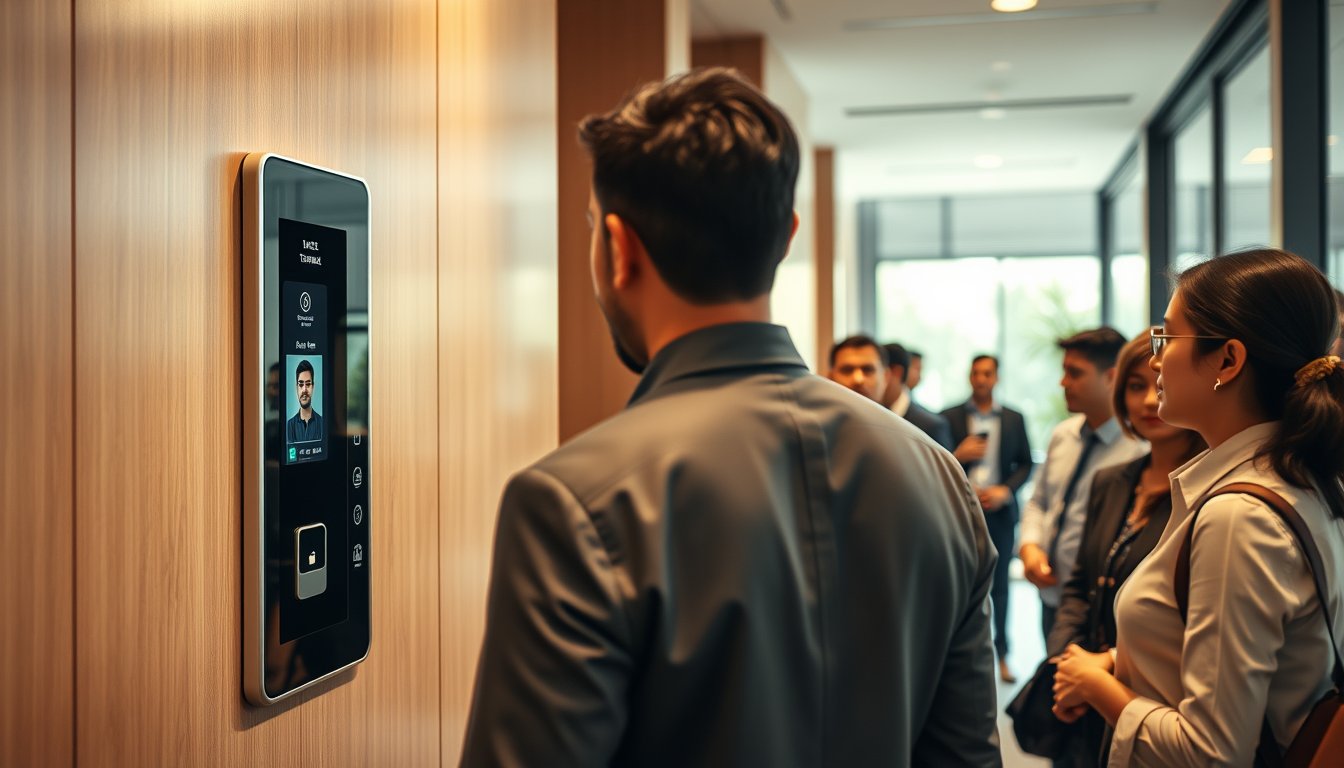
You are probably overpaying for your next attendance machine
A 120-employee BPO in Whitefield called us last year with a strange problem. Their biometric attendance system — a popular fingerprint model they had bought for ₹38,000 — was flagging half the workforce as 'late' even though people were swiping in on time. The catch? The device was mounted on a wall that faced a window. Bangalore's afternoon sun, bouncing off the glass, created enough glare to confuse the optical sensor. Employees learned to stand at an angle, which made the match take two seconds longer, which the software counted as a penalty. The HR head was about to fire two team members for 'chronic tardiness' before someone checked the logs.
The fix was a ₹600 curtain and a repositioned mount. But the real issue was that nobody had thought about the environment when buying the device. That is what this guide is for.
If you are an IT manager, ops head, or business owner in Bangalore evaluating a biometric attendance system for 20-500 employees, here is what you need to know for 2026: real prices, sensor technology differences, payroll integration gotchas, multi-site sync options, and the DPDP Act's impact on storing fingerprint or face templates.
What you will actually pay in 2026
Forget the sticker price on Amazon. The total cost of a biometric attendance system in Bangalore includes hardware, software licence, installation, network integration, and ongoing maintenance. Here is a realistic breakdown for a single-site deployment:
| Component | Low-end (20-50 users) | Mid-range (50-150 users) | High-end (150-500 users) |
|---|---|---|---|
| Hardware (per device) | ₹8,000-₹15,000 (basic fingerprint) | ₹18,000-₹35,000 (face + fingerprint combo) | ₹45,000-₹80,000 (multi-factor, indoor/outdoor) |
| Software (one-time or annual) | ₹0-₹5,000 (included, basic) | ₹15,000-₹30,000 (per year) | ₹50,000-₹1,50,000 (per year, advanced) |
| Installation & cabling | ₹3,000-₹6,000 | ₹8,000-₹15,000 | ₹20,000-₹40,000 |
| Annual AMC (after year 1) | ₹2,000-₹4,000 | ₹5,000-₹10,000 | ₹15,000-₹30,000 |
That works out to roughly ₹45,000-₹70,000 for a 50-user office with two devices and standard software, and ₹2,00,000-₹4,00,000 for a 300-person company spread over three floors with a time-attendance server. These are 2026 prices, inclusive of GST, and assume you are not buying the cheapest Chinese import or the most premium European brand.
One caveat: if you need to integrate with SAP SuccessFactors or Oracle HCM, budget an extra ₹50,000-₹1,00,000 for middleware and consulting. That is non-negotiable for many enterprises.
Fingerprint vs face vs card: the real trade-offs
Fingerprint is still the default for most Indian offices, but it has problems in Bangalore's climate. Fingerprint sensors—especially optical ones—work poorly with sweaty or dusty fingers. A 2023 study by NITK Surathkal found failure-to-acquire rates of nearly 12% in humid conditions (though that was in coastal Karnataka, not Bangalore, our dry heat is kinder). Capacitive sensors are better but pricier.
Face recognition is increasingly popular because it is contactless and faster. But 2D camera-based systems can be fooled by a photograph. For that reason, most serious deployments in Bangalore are using 3D structured-light or IR cameras, such as the ZKTeco SpeedFace series or the Mantra MFS100. Those cost more but are harder to spoof.
Card-based systems (proximity or smart cards) are the cheapest and most reliable, but they require distribution of cards and can be shared. You will find them in factories where workers have dirty hands, but for an IT office, they are rare now.
Let me put it plainly: if you are a software company with 50-200 employees, do not buy a fingerprint-only device. Go for a face + fingerprint combo (like the ZKTeco F18 plus or the Mantra MFS100 + a face terminal). The extra ₹10,000 or so per device will save you from the "it's not reading my thumb" complaints that dominate our support calls.
Multi-site sync: a headache you do not want
Bangalore companies are rarely in one place. You might have an office in Koramangala, a factory in Peenya, and a sales team on the road. Your attendance system needs to sync across all sites so that the payroll team sees one unified record.
The problem? Most low-cost devices only sync via a local USB stick or a desktop software. For multi-site, you need cloud-based time attendance with real-time or near-real-time sync. Options include:
- ZKTeco's BioTime 8.0 with cloud licensing, or their ZKAccess O* line.
- Mantra's MFS100 paired with a cloud platform like Truein or Qandle.
- Azentek (an Indian startup) that integrates with their own App.
For a two-site setup (say 50+50 employees), expect to pay an additional ₹25,000-₹40,000 per year for cloud software licences. That also gets you things like automated leave approval and shift rostering.
A word of caution: some vendors will tell you their device supports 'cloud' when it actually just syncs to a local server via FTP. That is not cloud. If you are not technical, ask for a demo where you pull up the live dashboard on your phone from a different city.
Payroll integration is where projects die
Here is the most common mistake we see: companies buy an attendance machine, install it, and then discover that getting attendance data into their payroll software is manual and error-prone. Their accountant ends up spending two days each month copying data from the biometric web console into Tally or Zoho Payroll.
If you are on Zoho Payroll or QuickBooks, most biometric systems can export Excel or CSV files. But for true automation, you need an API integration. ZKTeco devices have a proprietary API, but it is not well-documented. Mantra's MFS100 uses an ISO 19794-2 standard, which is easier.
In 2026, the smart move is to choose a time-attendance software that has ready-made connectors for Indian payroll tools. Truein, for instance, has native Zoho Payroll, Keka, and greytHR integrations. Qandle also does payroll. Do not assume the device vendor offers this. Ask for the integration in writing before you sign.
Let me give you a concrete figure: a manufacturing client in Peenya with 180 employees was manually entering attendance into Tally ERP 9. It took 15 hours a month and had a 2% error rate. After we set up a Truein + Tally connector, that time dropped to 20 minutes, and the error rate went to zero. Their ROI was under three months.
The DPDP Act: storing biometric templates is now a legal matter
The Digital Personal Data Protection Act (DPDP), which came into force in 2023, treats biometric data as sensitive personal data. If you are storing employees' fingerprints or face scans, you are a 'Data Fiduciary'. You must obtain explicit consent before collecting the data, and you must specify the purpose (attendance tracking). You also need to give employees the option to opt out and provide an alternative (like a card).
What does this mean practically?
- Obtain written consent from every employee. Do not just put a notice on the door. Draft a consent form in Kannada and English that explains what data is collected and why.
- Limit storage: Prefer devices that store templates locally on the device and do not upload them to an external cloud unless you are sure the vendor complies with DPDP. Indian vendors like Mantra and Azentek have data centres in India, which helps. Foreign vendors may store data in Singapore or the US, which could violate DPDP if you are transferring personal data outside India without a lawful basis.
- Appoint a Data Protection Officer if your processing is significant. For a 200-person company, this is overkill, but you still need someone to handle data subject requests.
A cautionary tale: a tech startup in HSR Layout used a US-based biometric cloud service (we will not name it). An employee filed a complaint with the Karnataka Data Protection Officer (under DPDP rules) claiming their data was being sent abroad without consent. The company spent ₹1,80,000 on legal fees and eventually migrated to an on-premise solution. Had they asked the service provider two questions—where is the data stored, and do you have India data residency—they would have avoided it.
Bangalore-specific operational realities
Bangalore's weather is generally kind to electronics, but do not ignore these factors when planning installation:
- Power cuts: Though rare now, unscheduled outages of 10-15 minutes still happen. Use a UPS (even a small 600VA one, around ₹2,500) for each device. Voltaic surges from generators often damage the device's power board; we have repaired many that were not on a surge protector.
- ISP lead times: If your device needs cloud connectivity, get a dedicated internet line for it. Activating a new BSNL line can take 3-4 weeks. Jio and Airtel are faster, but check coverage at your exact location. In some industrial areas of Peenya, fibre connectivity is patchy.
- Monsoon effects: Rain can seep into walls and affect cabling. Ensure the cabling run is done with good quality conduit, and use waterproof RJ45 connectors if the device is on, say, a factory floor.
- GST input credit: You can claim ITC on a biometric attendance system under GST. Make sure the invoice shows the correct HSN code. Attendance machines typically fall under 8543 (other electrical machines).
- CERT-In and DPDP: Under CERT-In rules, all connected devices with IP addresses must be registered. Your biometric device's IP address must be in your asset inventory. Also, if you are a Bengaluru company with an IT service provider, they should be able to handle this.
A detailed failure story: what not to do
Let me tell you about a client in Electronic City—a 300-person engineering firm. They bought a biometric attendance system from a local dealer who suggested a "cheap" solution. The product was a no-name device from China, imported without BIS certification. Installation took two days, and the dealer was never heard from again.
The device was a fingerprint-only model. It worked for the first month, but then during the April rains, the sensor became unreliable. Employees complained that it took 3-4 attempts. The device also had a tendency to delete its local database when the power went out unexpectedly.
They called us in July. We found:
- The device was not connected to a UPS; it had already been replaced twice under 'warranty' which the dealer refused to honour.
- The data was only stored locally. There was no backup. When the device crashed in June, they lost 45 days of attendance records. They had to ask employees to self-declare their attendance, leading to a ruckus over overtime claims.
- The device was mounted near a fire exit that opened to the outside. Every time a truck passed, the vibration caused false reads.
We summarised the cost:
- Lost productivity from HR reconciling attendance for two weeks: ₹1,20,000 (at an average loaded cost of ₹40,000 per HR person, but they had two HR people partially assigned).
- Overtime payout dispute: ₹2,15,000.
- Repairs and new device: ₹34,000.
- Employee trust: irreplaceable.
Our fix: installed two ZKTeco F18 Plus combos (face+finger) with a UPS, set up automatic daily backup to a local NAS (we recommended a Synology DS923+ for ₹72,000, though a smaller DS220+ would do), and integrated with their Zoho Payroll via an API. Total cost: ₹1,86,000 including our charges. Which looks like a lot, but the downtime alone cost them five times that.
The lesson is: buy from a supplier who will support you, not just sell hardware.
How to choose the right device and vendor
Given all this, here is a step-by-step approach:
- List your pain points: Are you facing buddy punching? Late reporting? Payroll headaches? Different needs call for different devices.
- Determine your environment: Indoor/outdoor? Dusty? High traffic? That decides the IP rating and sensor type.
- Decide on biometric modality: Face, fingerprint, or both. If you have 100+ employees, face is quicker.
- Involve your payroll team: Ask them what export format they need, and whether they want integration.
- Check DPDP compliance: Ask about data storage and consent management.
- Get a proof of concept: Do not buy a device on faith. Ask for a 7-day trial at your office.
- Vendor evaluation: Ask for references. Look for a Bangalore-based vendor with an office you can visit, and check their AMC service response time.
Our own approach at SynergyScape is not the right fit for every company. We explicitly work with organisations of 20-500 employees. If you are a 5-person startup, you can buy a ₹5,000 device and manage fine. If you are a 5,000-person conglomerate, you need an enterprise solution like SAP Time and Attendance—and we will tell you to go to a systems integrator, not us.
Installation and maintenance best practices
Once you have chosen your system, pay attention to these details:
- Placement: Avoid direct sunlight, vibrations, and high-traffic areas where people might queue. Place at a height of 130-150 cm, at an angle that suits the average height.
- Cabling: Use shielded Cat6 cable for PoE devices. Avoid running cables parallel to power lines to reduce interference.
- Backups: Set up automatic backups of attendance logs daily to a network drive or the cloud.
- Access control: The administrative console should be password-protected, and you should change the default password. A surprising number of factories in Bangalore have devices where the admin password is still '123456' or blank.
- AMC: A simple AMC could cost around ₹3,000-₹5,000 per device per year and should cover cleaning the sensor, checking firmware updates, and replacing consumables.
Beyond attendance: avoid the trap of a standalone system
Many vendors sell biometric attendance as a 'standalone' device. But if you are already have an access control system or you are planning CCTV integration, it is wise to think about an integrated security ecosystem. For example, you might use the same credential for door access, attendance, and even cafeteria payments. This is where we see larger ROI.
But do not overbuy. A 50-person firm does not need a Time and Attendance module in their ERP if a simple cloud app will suffice.
Key considerations for different employee types
The way you use biometric attendance may differ depending on your staff:
- IT employees: They value flexible hours. Consider a system that allows for shift anomalies and remote clock-in (but be careful with location spoofing). Face recognition on mobile might be acceptable if you set up geofencing.
- Manufacturing / blue-collar: Speed is essential. People may have dusty or injured fingers. A card or face system works better.
- Sales / field staff: They are rarely at an office. Integrate with GPS-based mobile time tracking and allow for offline logs that sync later.
Getting it live: a tight 6-week plan
If you are ready to move, here is a realistic timeline:
- Week 1: Vendor selection, technical survey of sites, finalise device count.
- Week 2: Contract signing, payment. Order devices and any cable accessories.
- Week 3: Installation at primary site. Cabling, mounting, network connectivity. Test with a pilot group.
- Week 4: Full rollout and calibration. Train HR and floor managers on the software.
- Week 5: Integrate payroll, run a parallel run against the old method. (If you do not have an old method, set up manual data entry as a cross-check.)
- Week 6: Go-live and final documentation. Remove old system only after one full payroll cycle.
Frequently asked questions
What is the average cost of a biometric attendance machine in Bangalore?
For a small office (up to 50 employees), expect ₹8,000 to ₹15,000 per basic fingerprint device. Face-recognition devices range from ₹15,000 to ₹35,000. Ensure you also budget for installation, network setup (₹2,000-₹5,000 per site), and annual software licenses if you are on the cloud platform.
Which is better: fingerprint or face recognition?
For most Bangalore offices, face recognition is more hygienic and faster, especially if you have >50 employees. Fingerprint can have higher failure rates in humid weather, but it is cheaper. For industrial environments, card is sometimes more reliable.
How do I sync attendance data from two offices?
Use a cloud-based time-attendance platform. Look for devices with built-in Ethernet/Wi-Fi or use a tool like Truein, which supports multiple locations. Daily automatic sync to a central dashboard is typical.
Do I need consent to collect biometric data of employees?
Yes, under the DPDP Act 2023, biometric data is sensitive personal data. You must get explicit, informed consent before enrolling an employee. You also need a privacy policy and a process for withdrawal of consent.
How long does installation take?
A single device installation takes 2-3 hours. A full rollout for a 100-person office with a few devices and cabling may take 1-2 days. Multi-site takes longer; plan fortnightly for 3-4 sites.
Is a biometric device eligible for GST input credit?
Yes, if you are registered under GST, you can claim input tax credit (ITC) on the purchase of the device and accessories, as long as the invoice is in your name and GST number. Use HSN 8543 for attendance machines.
Your next step
You have three options, and one is clearly better than the others, though depending on your team size.
- DIY: Buy online and self-install. This only makes sense if you have under 25 employees and are comfortable troubleshooting.
- Buy from a local vendor: This can work if you do careful due diligence, but watch out for vendors who vanish after the sale.
- Get a professional assessment: For most offices in the 20-500 range, a managed service provider can save you entire headaches. And if you choose us, we will also give you free advice even if you do not buy.
We at SynergyScape have done this over and over again. Just last year, we deployed biometric systems across 14 client sites for a total of 7000+ employees. We know the local conditions, the quirks of ZKTeco and Mantra hardware, and the compliance duties under DPDP.
If you want to go solo, we have a free checklist on our website. If you want a second opinion or a no-obligation survey of your office, contact us. Or if you are thinking of biometrics as part of a broader security setup, check this page to see what access control and CCTV integration looks like.
Either way, make the purchase with your eyes open—and buy the curtain.