
Data Backup Retention Policy in India: A Practical GFS Guide
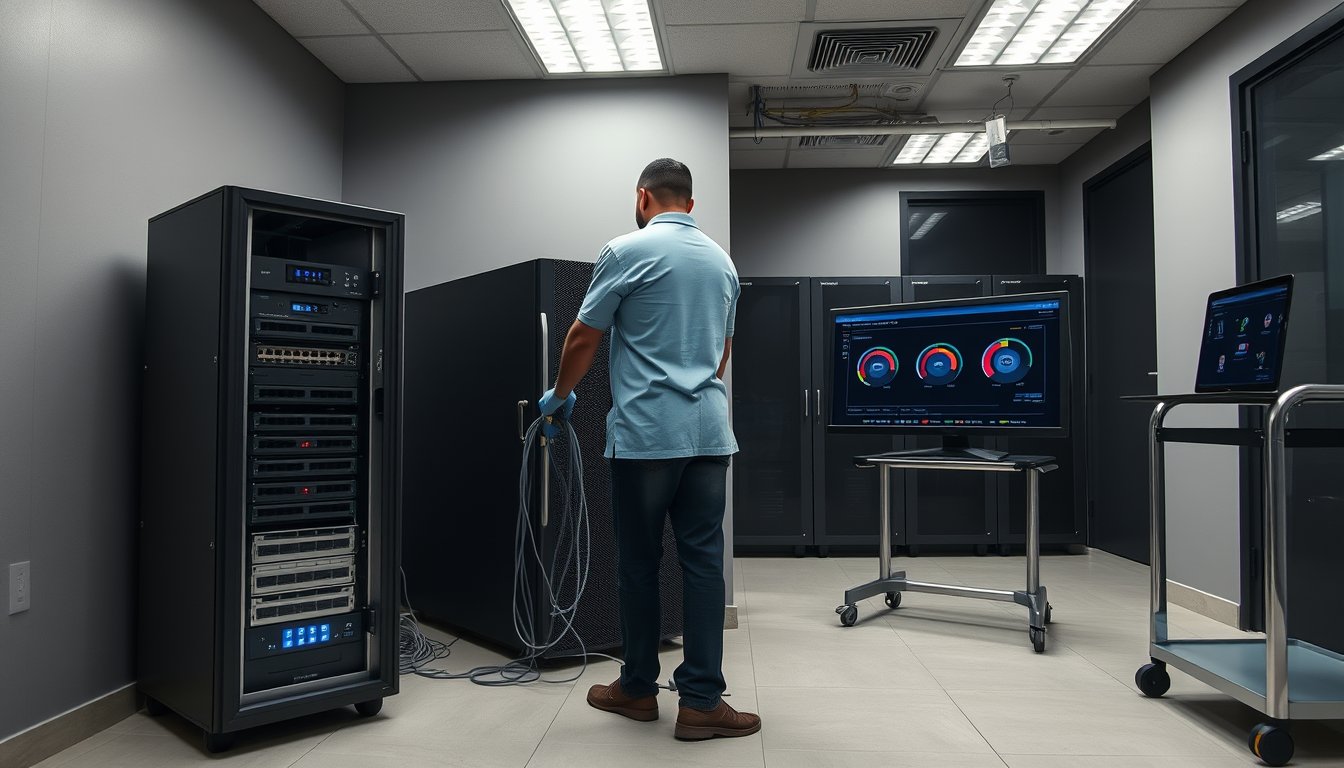
A Pune manufacturer learnt its retention policy the week of a tax raid
In March 2025, an auto-components maker near Chakan with 180 staff got a GST department notice asking for purchase registers, e-way bill data and invoice-level detail for FY 2019-20 through FY 2023-24. Their IT manager pulled tapes. They had nightly backups on a Synology DS920+ with 4 × 4TB drives in SHR, retaining 30 days on disk and 12 weeks on an external USB drive that got overwritten every quarter. The oldest data they could produce was 14 months old.
The department's position: under Section 36 of the CGST Act read with Rule 56(17), records must be preserved for 72 months (six years) from the due date of filing the annual return for that year. For FY 2019-20, that clock had not run out. The company could not comply.
What it cost them, in hard numbers: ₹4.2 lakh in professional fees for a chartered accountant and a tax counsel to reconstruct records from their ERP, bank statements, and vendor copies. Another ₹1.8 lakh in penalty. Roughly ₹40,000 in internal staff time over five weeks. Total: about ₹6.4 lakh, plus a very unhappy managing director.
What actually fixed it: a proper grandfather-father-son (GFS) retention scheme with a 7-year legal hold, redesigned by us on a QNAP TS-464 with 4 × 8TB drives, plus immutable cloud copies on Wasabi. Total capital cost: ₹1.85 lakh. Annual recurring: ₹62,000. That is less than one-tenth of the penalty.
This article is the retention policy we should have sold them two years earlier. It covers what Indian law actually requires, how those requirements translate into a GFS schedule you can run without a full-time storage administrator, and what it costs in 2026.
What Indian law actually says about retention
Four statutes matter for most SMEs. A fifth (DPDP) is coming and changes the deletion side of the equation.
Companies Act, 2013 — Section 128(5) and Rule 3
Under Section 128(5) of the Companies Act, 2013, books of account and other books and papers must be preserved for at least eight financial years from the end of the financial year to which they relate. Rule 3 of the Companies (Accounts) Rules, 2014 allows the Central Government to prescribe a shorter period, but for practical purposes plan for eight years.
Two older provisions bite harder. Section 92(4) requires the register of members and annual returns to be kept permanently — not eight years. Section 88 deals with registers of directors, charges, and debenture holders, retained for eight years after the entry was made. If you are a private limited company with even 30 shareholders, those registers belong in your retention scope.
IT Act, 2000 — Section 67C and the 90-day log rule
Section 67C of the IT Act requires intermediaries to preserve and retain information in the manner and for the duration prescribed by the Central Government. For most SMEs this is less relevant than it sounds, but the CERT-In Directions of 28 April 2022 under Section 70B(6) are not.
CERT-In mandates that all service providers, intermediaries, data centres and body corporates — which means your company — maintain logs of all ICT systems for a rolling 180 days and store them within India. The direction became effective 27 June 2022. If you outsource your firewalls to a managed security provider, that provider maintains the logs under their own obligation; if you run your own FortiGate or Sophos, the obligation sits with you.
This is where a lot of Indian SMEs get caught out. They store firewall logs on a US-region SIEM instance because it was cheap or came bundled. That is a compliance problem, not a performance one.
GST Rules — Rule 56 and Rule 138A
Rule 56(17) of the CGST Rules, 2017 requires every registered person to retain records for 72 months from the due date of furnishing the annual return for the year concerned. Practically this means about 6.5 to 7 years, since the annual return for FY 2025-26 is due by December 2026 — the 72-month clock starts then and runs to roughly December 2032.
E-way bill data under Rule 138A is trickier. E-way bill records are retained by the GST portal itself, but the underlying invoice, transport document and vehicle number should be captured in your own systems — the department will ask for them during audit and you will not be able to download them six years later.
Input tax credit claims under Section 155 require documentary evidence until the ITC is claimed and for a further period. Most tax professionals recommend holding purchase records for eight years rather than six, to align with the Companies Act clock.
DPDP Act, 2023 — the deletion obligation
Here is the part most retention policies miss. The Digital Personal Data Protection Act, 2023 does not tell you to keep data longer. It tells you to stop keeping it. Section 8(7) requires a data fiduciary to erase personal data once the purpose is served and retention is no longer necessary for legal compliance.
So your retention policy has two edges. Statutory minimums (Companies Act, GST) set floors. DPDP and the consent under which you collected the data set a ceiling. Employee KYC documents, customer contact lists, CCTV footage of your reception — all of these have a maximum as well as a minimum. A policy that only sets minimums is half a policy.
The three clocks every SME must reconcile
The reason retention gets confusing is that three different clocks are running at the same time.
| Clock | Source | Duration | Trigger point | Consequence of missing it |
|---|---|---|---|---|
| Companies Act books | Sec 128(5) + Rule 3 | 8 financial years | End of FY | Prosecution under Sec 128(6); fine ₹50,000 to ₹5 lakh |
| GST records | Rule 56(17) | 72 months | Due date of annual return | Penalty up to ₹25,000 under Sec 122(3); best-judgment assessment |
| CERT-In log retention | Directions of 28.04.2022 | 180 days rolling | Date of log creation | Non-compliance reported to CERT-In; potential licence risk for service providers |
| Register of members | Sec 92(4) | Permanent | Continuous | Cannot be cured retrospectively |
| Employee PF/ESI records | EPF Act, ESI Act | 5 years after last contribution | Last contribution | Recovery proceedings + damages |
| DPDP erasure | Sec 8(7) | Purpose-limited | Purpose fulfilment | Penalty up to ₹50 crore |
Read that table once and the shape of the problem appears. You have floors at 5 years (PF), 6 years (GST), 8 years (Companies Act books), permanent (registers), and one ceiling that is purpose-driven (DPDP). A single 30-day backup rotation complies with none of them except the CERT-In log rule.
What a GFS schedule actually is, in plain terms
Grandfather-father-son is a rotation scheme, not a product. The concept: keep many recent copies at high frequency, fewer older copies at lower frequency, and a small number of very old copies for compliance.
A typical GFS for an Indian SME with 60 staff looks like this:
- Son — daily incremental or differential backups retained for 30 days
- Father — weekly full backups retained for 13 weeks (one quarter)
- Grandfather — monthly full backups retained for 24 months
- Great-grandfather / annual — annual full backups retained for 7 years (or permanent for registers)
That is a defensible baseline for a company that files GST returns and has Companies Act obligations. Add a legal hold tag for anything subject to litigation or a departmental notice, and the hold overrides the schedule.
Why not just keep everything forever?
The honest answer: you can, and it costs more than you think. Retaining seven years of daily backups of a 4TB file server means roughly 10,220 copies — but with deduplication and incremental-forever chains, that collapses to a manageable figure. The real cost is not storage; it is restore time and findability.
A seven-year-old backup that takes four hours to locate, mount and restore is not useful during a raid. You need a catalogue and a tested restore procedure, not just a pile of data.
Sizing the storage: 2026 INR figures
Let us size a realistic deployment. Assume a 60-user Bengaluru company with:
- One Windows Server 2022 file server holding 3.2 TB of live data
- Two SQL Server databases (ERP + CRM) totalling 180 GB, changing 2-4 GB per day
- Microsoft 365 mailboxes for 60 users, roughly 900 GB total
- A FortiGate 90G producing security logs at about 4 GB per month
Option A — On-premises disk-to-disk GFS
| Item | Model | Capacity | Cost (2026) |
|---|---|---|---|
| Primary NAS | Synology DS1522+ | 5-bay | ₹78,000 |
| Drives | 5 × Seagate IronWolf Pro 8TB | 40TB raw / ~29TB usable | ₹1,12,000 |
| Backup software | Veeam Backup & Replication v12.2, Foundation licence | 2 sockets | ₹1,34,000 |
| Immutable offsite | Wasabi cloud, 8TB for 12 months | 8TB | ₹74,000/yr |
| Installation + config | 2 days engineer time | — | ₹34,000 |
| Year 1 total | ₹4,32,000 | ||
| Year 2+ annual | ₹74,000 + AMC ₹22,000 |
At 4.5TB live data with Veeam's incremental-forever chain plus weekly fulls held as synthetic fulls, 29TB usable gives you roughly 22 months of GFS density before pruning. For a 7-year retention you would push the monthly tier to Wasabi and keep only 24 months on-premises.
Option B — Hybrid with cloud as the grandfather tier
| Component | Product | Annual cost |
|---|---|---|
| Local NAS | QNAP TS-464, 4 × 8TB | ₹96,000 one-time |
| Veeam Agent for Windows (Server) | 3 licences | ₹52,000 one-time |
| Azure Backup vault — 7-year GFS policy | 4TB protected, cold tier | ₹1,15,000/yr |
| Microsoft 365 backup | Veeam Backup for M365, 60 users | ₹88,000/yr |
| Annual management + restore testing | Retainer | ₹60,000/yr |
| Year 1 total | ₹4,11,000 |
Azure Backup's long-term retention to the archive tier is the cheapest compliant 7-year store I have seen in India as of early 2026, provided you do not need to restore frequently. Restore from archive takes 3 to 12 hours depending on volume. For a GST raid that is fine. For a ransomware event on a Friday afternoon, not fine — which is why you also keep the local NAS.
If you want to explore what we would actually recommend for a company your size, we have a short writeup of our storage solutions practice that covers the decision tree.
The failure story: when retention saves you
Let us go back to that Pune manufacturer and take it forward six months.
July 2025. A different incident. Their ERP database — running on an ageing Dell PowerEdge R630 — picks up a ransomware variant that encrypts the data volume and the backup volume both, because both were mounted on the same server and the backup credentials were cached in a scheduled task.
They lost the SQL database (180 GB) and could not reinstall from a fresh install because the ERP vendor had gone out of business and the licence key was stored on the same encrypted volume.
What saved them: three months earlier, as part of the retention redesign, we had moved weekly fulls to Wasabi with a 30-day object lock. The most recent unencrypted full was 6 days old. We restored it, rebuilt the ERP instance on a replacement Dell PowerEdge R450 (₹3.2 lakh, ordered on a Tuesday, delivered Thursday — one of the advantages of buying hardware in Bangalore), and were back in production Friday afternoon.
Cost of the incident: ₹4.6 lakh (server + 22 hours of engineer time + 40 staff on partial idle for three days). Cost without the offsite immutable copy: the ERP footprint would have taken six weeks to rebuild, and the sales pipeline would have been irrecoverable. One customer's order backlog alone was worth ₹2.1 crore.
The lesson, and I will be blunt about this: immutable offsite copies are not a nice-to-have. They are the entire point of a retention policy. A GFS schedule on the same physical box as the primary data is a scheduling exercise, not a backup strategy.
Mapping GFS to a realistic Indian office calendar
Here is the actual schedule we deploy, tightened for a mid-sized SME.
| Tier | Frequency | Retention | Where kept | Compliance role |
|---|---|---|---|---|
| Son | Daily incremental, 21:30 IST | 30 days | NAS volume 1 (local) | CERT-In 180-day log rule for firewall; operational recovery |
| Father | Weekly full, Sunday 02:00 | 13 weeks | NAS volume 2 (local) | Quarterly close and audit trail |
| Grandfather | Monthly full, first Sunday | 24 months | Wasabi bucket, no lock | GST 72-month floor (partial) |
| Annual/legal | Annual full, last Sunday of March | 7 years | Azure archive tier, object lock | Companies Act 8-year books; permanent registers |
| Legal hold | Ad-hoc, tagged | Indefinite | Azure archive, hold flag | Litigation and departmental notices |
Why Sunday 02:00 and Monday checks
Two reasons. First, Sunday morning is when your office has the least write activity — no email, no ERP transactions, no one printing. A full backup on a quiet system takes less time and produces cleaner restore points.
Second, a Monday morning check catches failures before the workweek starts. Somebody — human or scripted — reviews the backup report at 09:00 Monday and escalates failures the same day. A backup that silently fails on Sunday night is a backup that has been failing for three weeks by the time anyone notices.
The daily-drive rotation that actually fails
The old practice of rotating physical USB drives off-site — Monday drive A, Tuesday drive B — was common in Bangalore ten years ago and is still practised in some 30-100 employee firms. It does not work for four reasons:
- Someone forgets to swap the drive. Every SME has done this.
- The drive sits in an employee's car or desk drawer, exposed to heat, humidity and theft. Monsoon season in Bangalore is unkind to unsealed electronics.
- If ransomware hits, both the local drive and the rotated drive contain the same infected data because the infection often precedes detection by days.
- There is no catalogue. Restoring from an unknown physical drive requires guesswork.
The replacement is straightforward: keep local disk for fast recovery, keep cloud immutable for compliance and ransomware resilience. Physical tape has a place at scale — for a 40TB archive on LTO-9, cost per TB is still lower than cloud — but for a 60-user office, tape is more trouble than it is worth.
The Companies Act 8-year rule in practical terms
The most common question I get: does this mean I need to keep my ERP database for 8 years?
No. It means you need to keep the books of account and supporting documents for 8 years. The ERP database contains those books and a lot more. The surgical approach is:
- Archive an annual snapshot of the ERP with a documented restore procedure. This is the compliance copy.
- Retain it in a format that remains readable for 8 years. This means not depending on a proprietary backup format that requires a licence you might stop paying for. Veeam's VBK format is fine — the licence is perpetual — but if you would struggle to pay the licence in year 6, export the annuals to open formats (CSV, SQL dump, PDF with embedded XML for e-invoices).
- Store at least one copy at a physically separate location. A second office is not required; a cloud region outside your primary data centre is enough, and CERT-In prefers it in India.
For companies with foreign subsidiaries or listed on an Indian exchange, the Companies (Accounts) Rules require additional retention of consolidated financials for the same period. For Section 92(4) registers, plan for permanent retention and a formal transfer procedure when officers change — a register that walks away with a resigned director is worse than one that was never kept.
GST records: what to retain and what you can drop
Rule 56 requires retention of a specific list. In practice:
| Document type | Retention period | Notes |
|---|---|---|
| Tax invoices (sales and purchase) | 72 months from annual return due date | Must be in original, or a certified copy |
| E-way bills | 72 months | Download and archive outside the portal |
| E-invoices (IRN data) | 72 months | JSON format downloads survive portal changes better |
| Bills of entry (imports) | 72 months | Customs records separately require 5 years |
| Delivery challans | 72 months | Frequently forgotten |
| Input tax credit working papers | 72 months | Sec 155 places burden of proof on the taxpayer |
| GSTR-1, 3B, 9 filed returns | 72 months | Portal access is not guaranteed for 7 years |
The trap: the GST portal retains GSTR filings for a limited window and charges for older downloads. If you rely on portal access as your retention strategy, you will discover in year 5 that you cannot download FY 2021-22 returns without paying. Store a copy locally from day one.
Another trap specific to India: e-invoices generated on the IRP for B2B transactions are stored as JSON. If you archive backups only as PDFs, you lose the data field precision needed for reconciliation. Retain the JSON.
RPO, RTO and the retention budget conversation
Recovery Point Objective (RPO) is how much data you are prepared to lose. Recovery Time Objective (RTO) is how long you can be down. Retention is a separate axis, but they are intertwined in the budget.
| Business size | Typical RPO | Typical RTO | Retention budget (₹/yr, 2026) |
|---|---|---|---|
| 20-40 staff, no ERP | 24 hours | 8 hours | ₹45,000 – ₹70,000 |
| 40-80 staff, ERP + M365 | 4 hours | 4 hours | ₹85,000 – ₹1,60,000 |
| 80-200 staff, multiple sites | 1 hour | 2 hours | ₹2,20,000 – ₹4,50,000 |
| 200-500 staff, regulated | 15 minutes | 1 hour | ₹6,00,000 – ₹14,00,000 |
Note that the jump at the 80+ tier is not storage cost. It is replication cost, because at that size you need a live secondary copy and probably a synchronous or near-synchronous link between sites. In Bangalore, a 100 Mbps MPLS between two offices on the same service provider runs ₹22,000-₹38,000 per month in 2026, and a dedicated point-to-point fibre from Airtel or Tata costs more. This link cost quickly exceeds the storage cost.
Microsoft 365 and the retention trap nobody warns you about
A specific India-flavoured problem: SMEs assume Microsoft's own retention covers them.
It does not. Microsoft 365 retains deleted mailboxes for 30 days by default (extendable to 30 with a litigation hold, or indefinite with a retention policy but at licence tiers that cost more). If an employee deletes a critical email chain and the 30 days pass, Microsoft cannot recover it, and neither can you.
Worse for compliance: the standard Microsoft 365 retention policy does not align with a 7-year GST record retention. To keep a mailbox of 5GB for 7 years under Microsoft's own Purview retention, you need E3 or higher (about ₹3,100/user/month in 2026 as part of the E3 bundle). For 60 users over 7 years, that is ₹1.56 crore. A third-party M365 backup tool like Veeam Backup for Microsoft 365 costs about ₹88,000/year for 60 users — ₹6.16 lakh over 7 years, less than a quarter of the Microsoft-native route, and it gives you the retention control you need.
The trade-off: third-party tools add an admin surface and another licence to manage. For companies under 40 staff, this may not be worth it — use Microsoft's retention policies at the base tier and accept shorter retention. For companies over 60 staff or with any GST exposure, the numbers do not favour the Microsoft-native approach.
Where we would tell you not to use us
Honesty matters more than a sale. There are cases where our storage solutions approach is the wrong answer.
Very small firms with no statutory exposure. A 12-person consultancy with no GST registration, no employees on payroll through the company, and no long-lived client data does not need a 7-year GFS scheme. A ₹32,000 Synology DS223j with two 6TB drives and a Google Workspace or Wasabi copy is enough. Anyone selling you an enterprise retention framework at that scale is padding the invoice.
Companies already deep in Azure or AWS. If you are already running on Azure and paying for a storage account, adding Azure Backup's GFS policy is nearly free compared to a new on-premises NAS. Do not over-engineer a hybrid setup you do not need.
Firms with a Chinese data residency requirement or foreign parent. Sometimes Indian statutory retention and a parent company's country-specific rules conflict. We do not resolve those; get a lawyer involved.
Very large or listed organisations. Once you cross about 500 employees or you are listed, you need a formal records management programme with legal sign-off on the retention schedule. That is beyond what a Bangalore MSP can responsibly deliver on its own.
Restore testing is not optional, and almost nobody does it
You can have a textbook GFS schedule and still fail the audit if you cannot restore. In our experience across Bangalore deployments, roughly 7 in 10 SMEs that claim to have backups have never done a full restore test in the last 12 months.
A defensible annual schedule looks like:
- Monthly — restore 2 random files from the previous night's backup. 30 minutes, done by your help desk.
- Quarterly — restore the SQL database to a test instance. 3 hours, done by your IT partner.
- Half-yearly — boot the ERP from the annual archive copy and verify the data is intact. 4-6 hours.
- Annually — full site-recovery drill: pull the annual archive, restore to a spare server, verify every critical application. 1-2 days of effort.
If you are not doing at least the monthly and quarterly items, your retention policy is theoretical. The ransomware timeline above is what happens when you find out only during an incident.
FAQ
How long should an Indian company retain backups?
At minimum, eight financial years for books of account under Section 128(5) of the Companies Act, 2013, and 72 months from the annual return due date for GST records under Rule 56(17) of the CGST Rules. Practically, plan for seven years for GST and eight years for Company Act records, and permanently for the register of members under Section 92(4). Also maintain a rolling 180 days of ICT logs under the CERT-In Directions of 28 April 2022.
Does CERT-In require backups to be stored in India?
CERT-In requires that logs of all ICT systems be maintained for 180 days and stored within Indian jurisdiction. This applies to the logs themselves, not to all backups. Where backups are stored outside India, ensure that log data specifically is retained on Indian soil — either on-premises or in an Indian cloud region (Azure Central India, AWS Mumbai, or a Wasabi India region where available).
Is a 30-day backup retention enough for a small Indian company?
Only if you have no GST registration, no employees, no long-term contracts and no litigation exposure. For any company filing GST returns, 30 days is far too short. Penalties under GST Section 122(3) for non-maintenance of records can reach ₹25,000 per default, and the department can issue a best-judgment assessment if it cannot verify input tax credit.
What is the difference between RPO, RTO and retention?
RPO (Recovery Point Objective) is how much data you can afford to lose — for example, four hours means the latest backup should be no more than four hours old. RTO (Recovery Time Objective) is how quickly systems must be back up. Retention is how long you keep backups, driven by legal obligations rather than operational ones. All three are separate settings and all three need to be documented in your policy.
Can I just keep everything forever and stop worrying?
No, because DPDP Act 2023 Section 8(7) requires erasure of personal data once the purpose is served. Retention without deletion is a compliance risk under DPDP, with penalties up to ₹50 crore. Your policy needs both a floor (statutory minimums) and a ceiling (purpose and consent limits).
How much should a 60-user company budget for backups in 2026?
Expect ₹85,000 to ₹1,60,000 per year for a hybrid setup with local NAS and cloud immutable copies, including the annual management retainer. Capital cost in year one is typically ₹3.5 lakh to ₹4.5 lakh. If the quotes you receive are dramatically below this, look closely at whether immutability, offsite copies and restore testing are included — often they are not.
What to do this week
Do not start by buying hardware. Start by writing down three things: the longest statutory retention period that applies to you, the date of your most recent successful restore test, and where your oldest accessible backup currently sits.
If the answers are eight years, more than six months ago, and on the same NAS as the primary data, you have work to do and you know it.
We can help scope a retention schedule that matches your actual legal obligations, and just as importantly, matches what your team can realistically operate. Reach out at our contact page with your company size and one sentence about what you are worried about — we will tell you honestly whether a GFS redesign is worth the spend or whether you are fine as you are.