
Dell PowerEdge Server Dealer Bangalore: 2026 Buying Guide
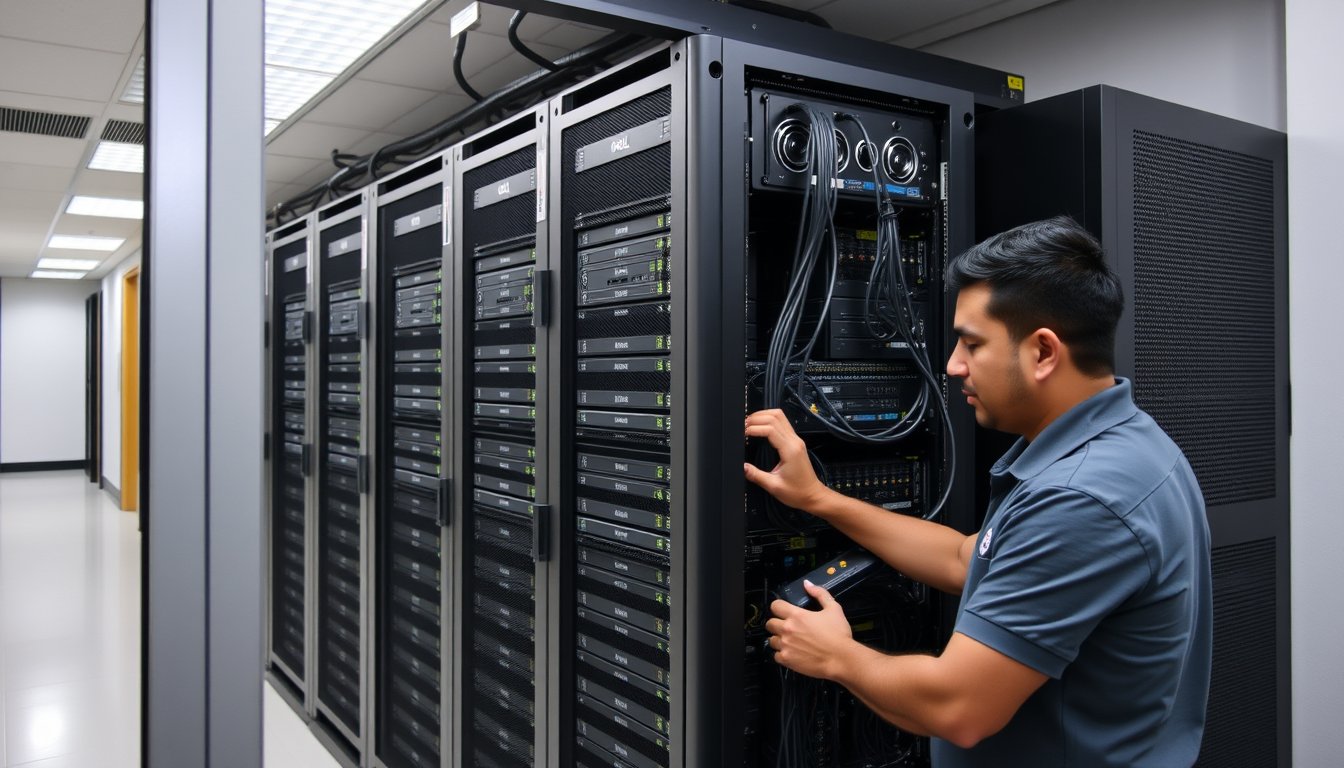
You have 42 users and a server that's 7 years old. Now what?
That's the phone call we get almost every week. A company in Jayanagar or Indiranagar or Whitefield has an old Dell PowerEdge T310 or maybe an R620 that's been humming along since 2015. The fans are louder. The iDRAC interface is from another era. The warranty lapsed years ago, and when they call Dell for a part, the response is a polite shrug. Then one morning, the server doesn't come back up after a power cut. And that's when they start searching for a "dell poweredge server dealer bangalore" and find us.
This guide is about what happens after that search. It's about how to buy a Dell PowerEdge server in Bangalore without getting fleeced, without buying more than you need, and without missing the details that will cost you double in three years. We've deployed over 1,200 server installations since 2001, and we've seen every mistake in the book.
Tower vs Rack: It's Not About Aesthetics
Most small businesses in Bangalore with 20-100 employees default to a tower server. They've seen one in a cupboard or under someone's desk. But the decision between tower and rack is about future scale, not just where you'll put the thing.
A tower server like the Dell PowerEdge T550 or T350 is a self-contained box that stands upright. It has its own power supply, its own cooling, and it's designed to sit in an office corner. The T350 starts around ₹1.8 lakh for a basic config with a Xeon E-2300 series, 16 GB RAM, and two 1 TB SATA drives in RAID 1. That's 2026 pricing from our last quote sheet.
A rack server like the R650 or R750 is a flat, slide-in unit designed for a standard 19-inch rack. You need a rack enclosure, which adds ₹25,000 to ₹60,000 depending on whether you get a basic open frame or a fully enclosed cabinet with cooling fans. The R650 with a single Xeon Silver 4309Y, 32 GB RAM, and two 600 GB SAS drives runs about ₹3.2 lakh. Yes, rack servers cost more outright. But here's the thing: when you need to grow, you slide in another unit. You don't have to buy a second tower and find space for it.
Here's a quick comparison that we use with clients:
| Factor | Tower (T350) | Rack (R650) |
|---|---|---|
| Starting Price (2026) | ₹1.8 lakh | ₹3.2 lakh |
| Form Factor | Standalone, floor-standing | 1U or 2U, needs rack |
| Expandability | Limited: more drives, maybe another CPU | High: scale-out with more nodes |
| Ideal User Count | 20-75 | 75-500 |
| Cooling | Self-contained, but can heat a small room | Rack cooling helps manage heat centrally |
| Comes With | Saves space, but hard to stack | Efficient data-centre style management |
If you're a 25-person accounting firm that will stay that size for five years, a tower is fine. The T350 is quieter and cheaper. But if you're a 150-person logistics company with plans to double, buy the rack and a decent rack cabinet now, even if you only populate one server initially.
We once had a client in Peenya, a manufacturing firm with 60 users, who insisted on a tower because it was cheaper. Nine months later, they bought another application that needed a second server. The tower went under a desk, the new one went in a corner, and both were crammed in a dusty storage room. We ended up moving them to a rack setup three years later. That transitional cost them an extra ₹2.5 lakh in downtime and reconfiguration. Don't be that company.
Sizing CPU, RAM, and Storage: What You'll Actually Need
Here is the most common mistake we see: someone buys a server with two Xeon Gold processors, 128 GB RAM, and a pile of 15K SAS drives because they think they're future-proofing. That server is idling at 3% utilisation for five years. You paid an extra ₹4 lakh to watch a fan spin.
Let's talk workloads. Most SMEs in Bangalore run one or all of the following on a PowerEdge:
-
Active Directory + File Server: This is the bread-and-butter. A single Xeon E-2300 series CPU, 16 GB RAM, and two 1 TB SATA drives in RAID 1 is overkill for 50 users. The T350 with those specs costs around ₹1.8 lakh. If you have 75 users, cough up for 32 GB RAM and add a third drive for RAID 5. That's about ₹2.1 lakh.
-
Line-of-Business Application (Tally, SAP B1, custom .NET): These are usually CPU-hungry but not massive on I/O. A Xeon Silver 4309Y or 4310, 32 GB RAM, and two 600 GB SAS drives in RAID 1 will handle most workloads for 100 users. The R650 with that config runs ₹3.2-3.4 lakh. If the app is poorly written and does a lot of queries, bump to 64 GB RAM. Better yet, use an SSD for the database, which we'll get to.
-
Virtualisation (Hyper-V or VMware): This is where you size for the aggregate of virtual machines, not a single load. For a host with 10 VMs, you need at least 64 GB RAM, two Xeon Silver CPUs, and at least four 1.2 TB SAS drives in RAID 10. The R750 with that config comes to ₹6.5 lakh. Trust me, RAM is the most critical factor. You'll run out of RAM before anything else.
What about storage? Here's a blunt take: don't buy 15K SAS drives for routine workloads. They're noisy, hot, and twice the price of enterprise SATA SSDs. A 1.2 TB 15K SAS drive costs about ₹45,000. A 960 GB Dell Enterprise SATA SSD is about ₹38,000. The SSD is quieter, runs cooler, and has far faster random I/O, which is what actually matters for most apps. For file servers and AD, use SATA drives (either SSD or 7.2K) in RAID 1 or RAID 5. For databases and virtual machine datastores, use SSDs. Simple as that.
Let me give you a real config matrix we use with clients:
| Workload | Typical Users | CPU | RAM | Storage (RAID) | Model & Price (2026) |
|---|---|---|---|---|---|
| AD + File | 50 | Xeon E-2334 | 16 GB | 2x1 TB SATA (RAID 1) | T350, ₹1.8 lakh |
| LOB App | 100 | Xeon Silver 4310 | 32 GB | 2x600 GB SAS (RAID 1) | R650, ₹3.3 lakh |
| Virtualisation host | 150 | 2x Xeon Silver 4314 | 64 GB | 4x1.2 TB SAS (RAID 10) | R750, ₹6.5 lakh |
| Remote Desktop Session Host | 200 | 2x Xeon Gold 6330 | 256 GB | 2x960 GB SSD (RAID 1) | R750, ₹8.2 lakh |
These prices include the server and the basic iDRAC license but not the rack or OS. Once you add Windows Server Standard with 16 cores, that's another ₹1.5 lakh retail, though OEM copies are cheaper.
Dell ProSupport: What the Tiers Actually Cost
If you buy from us or any authorised reseller, you'll be offered Dell ProSupport. It comes in three flavours: Basic (Next Business Day On-Site), Plus (24x7 On-Site), and ProSupport Plus (24x7 On-Site with proactive monitoring and accident damage coverage). The pricing is a percentage of the server cost, usually 8-12% per year.
Here's a rough breakdown for a PowerEdge R650 costing ₹3.3 lakh:
- Basic: ~₹28,000 per year. Response is next business day. If a drive fails on Tuesday at 3 PM, a technician comes Wednesday. If it fails Friday evening, you wait until Monday.
- Plus: ~₹39,000 per year. Response is within 4 hours, 24x7. A technician arrives the same day, even during a Bengaluru monsoon thunderstorm.
- ProSupport Plus: ~₹52,000 per year. Same UHD response, but includes accident coverage and helps with driver and firmware issues.
We always tell clients to buy at least ProSupport Plus for the first three years. Why? Because the cost of a single day of downtime for a 50-user company in Bangalore is easily ₹2.5 lakh to ₹5 lakh in lost productivity and missed orders. A basic contract will strand you for a business day.
One note: The initial quote you get from a dealer might show ProSupport Basic as "free" for the first year. That's because Dell often bundles it. But for years two and three, you'll pay. The 4-hour response is non-negotiable if you run ERP on that box.
The 5-Year Warranty Economics: Why You Should Extend
Here's a killer fact: The failure rate of server components is not linear. There's a "bathtub curve" of failures: high early, low in the middle, then rises after 3-4 years as fans wear out, capacitors age, and disks spin down.
A 3-year ProSupport Plus contract on a ₹3.3 lakh server might cost you ₹1.2 lakh over that period. Extending to 5 years bumps that to about ₹2.1 lakh. That's ₹90,000 extra for maintenance years 4 and 5. Now consider that a catastrophic board failure after year 3 can easily cost ₹80,000-₹1.5 lakh for a replacement part, not including labour. And if your server goes down for 3 days waiting for a part, that's ₹7.5-15 lakh in lost business.
The numbers favour the extension, but only if you plan to keep the server that long. If you refresh every 3 years, skip the extension. Most Indian SMEs don't refresh. They run servers for 5-7 years. So buy the 5-year warranty.
Also, check whether your dealer is offering the extension at the time of purchase. Dell usually gives you a discount on the extended warranty if you buy it simultaneously. Adding it later costs 20-30% more.
One Failure Story: The Cost of a Cheap Dealer
Let me tell you about a client we rescued in 2024. A trading company in Chickpet, with about 40 employees, who bought a PowerEdge T340 from a local grey-market dealer in SP Road. Not authorised, no ProSupport, just a box with a 1-year warranty they thought was "fine".
The server ran for two years. Then, on the morning of March 14th, a power surge (we have those in Bangalore, as you know) fried the motherboard. The server booted to a black screen. The dealer had shut up shop. Dell refused to entertain the service tag because the unit was imported for a different market. The company was down for 6 days. Their finance team couldn't process invoices; the sales team had no email. The exact figure their accountant calculated later was ₹4.2 lakh in lost revenue and ₹80,000 in emergency IT costs. They paid us over ₹1.5 lakh to source a replacement motherboard from a broker in Delhi and get them back online.
If they had bought from an authorised dealer with a ProSupport Plus contract, the response would have been 4 hours, and Dell would have shipped a replacement board under warranty. The total cost would have been zero beyond the warranty price, and downtime would have been under 2 days.
We always ask clients: "What is one day of your business worth?" If it's less than ₹10,000, you can afford the risk. But for most, it's more. That's why we insist on authorised hardware with proper support.
The Bangalore Operational Realities: Power, Heat, and Connectivity
Since you're in Bangalore, you need to think about your server room conditions.
Power: We average maybe 2-4 power cuts a month in Bangalore, more during the monsoon. A UPS is non-negotiable. A 3 kVA online UPS for a single server costs ₹35,000-₹50,000. If you don't have a UPS, you're gambling with corrupted databases and dead power supplies.
Heat: Bangalore is relatively cool, but a server room without AC can still hit 35°C in April. That's when fans spin at 100% and drives fail. For a single server, a 1.5-ton split AC running 24x7 (use the inverter type to keep power bills down) is worth ₹45,000. Budget for it.
Monsoon: We get heavy rain from June to September. Water leaks from ceilings can kill servers. Keep the server off the floor and away from windows. We had a client in an old building in Koramangala whose ceiling leaked during an October storm and shorted a server that way.
Connectivity: Whatever server you buy, it needs to talk to the internet and your office LAN. If you don't have a robust network, the server will be useless. We often pair server sales with network upgrades, but that's another topic.
Why Buy From a Bangalore Dealer vs. Dell Direct or Online
You might think ordering from Dell's website is easiest. But we've seen the pitfalls: shipments get delayed, you get a poor generic configuration, and if something goes wrong with the installation or setup, you're on hold with a call centre in Gurgaon.
A local dealer in Bangalore, especially one that offers services, can:
- Pre-configure the server based on your workload, like setting up RAID and installing Windows Server, before delivery.
- Provide on-site installation and network integration, which we include with our servers.
- Offer ongoing support when things break, which is a different thing from warranty.
We're not saying buy from us only. But we will say: check if the dealer is on Dell's authorised partner list. If they're selling you a grey-market unit at 30% less, walk away. The real cost of that grey market server isn't the delivery price; it's what you pay when it fails.
The SynergyScape Approach: We're Not Right for Everyone
We're a managed services provider, not a pure server dealer. That affects how we work. When you buy a server from us, we'll often include a health check of your entire IT environment — that's part of the service, not a sales pitch. But there's a catch: we're not the cheapest. If you want the absolute lowest price on a bare-metal server, with zero after-sales support, you're better off shopping online or on SP Road. There are dealers there who will sell you a Dell PowerEdge T350 at ₹1.5 lakh against our quote of ₹1.7 lakh.
You need to decide what you're buying. If it's just iron, go cheap. If it's business continuity, buy from someone who will pitch a tent on your office floor when a component fails at 11 PM.
We specialise in companies that want a partner, not a vendor. That's why our server sales are often bundled with our complete managed IT services, where we monitor your server health, apply firmware updates, and will pre-empt failures before they happen.
Buying Checklist: Questions to Ask Your Dealer Before You Pay
Here's a list you can print out. Ask before you sign anything.
- "Is this an authorised Dell product for India?"
- "What is the exact model and configuration? Get it in writing."
- "What does the warranty include, and what's the response time?"
- "What is the cost of extending the warranty to 5 years?"
- "Does the price include rack rails, a bezzel, or a KVM?"
- "Will you help with the initial setup and installation? At what cost?"
- "What is the lead time for delivery?"
On lead time, note that Dell's typical lead time is 10-15 business days for made-to-order servers. If a dealer claims to have stock, verify it. If you need a server urgently, consider a stock configuration that can ship in 2-3 days.
FAQ
What is the typical cost of a Dell PowerEdge server for a small business? For a small business in Bangalore with 20-50 users, a Dell PowerEdge T350 tower server with a basic Xeon CPU, 16 GB RAM, and two 1 TB drives costs around ₹1.8-2 lakh. That's for a single server, not including Windows licensing or setup.
How long does it take to get a Dell PowerEdge server delivered in Bangalore? Most customised servers take 10-15 business days from order. Stock configurations can arrive in 2-3 days. Always confirm with the dealer before paying your advance.
What is the difference between a tower and a rack server? A tower server is self-contained and doesn't need a rack; it's cheaper and easier for a small office. A rack server is designed for a 19-inch rack, is more expandable, and is better for future scaling. Rack servers are cheaper per unit as your needs grow, but you need a rack enclosure.
Is Dell ProSupport Plus worth the extra money? ProSupport Plus offers 4-hour on-site response and accident coverage. If your business cannot tolerate a day of downtime, it's worth it. A single day of downtime for a 50-user company can easily cost over ₹1 lakh, so an extra ₹10-15 thousand a year for Plus is a no-brainer.
Can I buy a Dell PowerEdge server from an online retailer? You can, but ensure it's from an authorised seller. Grey-market servers might not have full warranty coverage, and the costs can be higher if something fails. Local dealers with good support are often a safer bet.
Do I need a second server for backup? The question is whether you need a backup server or just a backup solution. For most SMEs, file-level or application-level backup to a NAS or cloud is enough. But a second server for disaster recovery is warranted if your business runs 24x7 or strict RTO targets. We recommend starting with backup to a NAS like Synology DS923+ and cloud backup to Azure for critical data.
Start With a Spec, Not a Quote
Here's your first action: download Dell's PowerEdge T350 or R650 spec sheet, fill in the blanks: number of users, what applications you'll run, how much data you have now and in 18 months, and what uptime you need. That's your sizing sheet.
Once you have that, call or email us at SynergyScape. We'll go through it with you, tell you if you're over- or under-spec'd, and give you a fixed quoted price. We genuinely believe in having a conversation before you spend a rupee.
You're also welcome to browse our server services page for more detail on what we offer: /products/servers. But don't procrast on the spec — the longer you wait with a client on a failing server, the more money walks out the door.
The right server with the right warranty will run for 5-7 years untouched. The right dealer will be there the day it doesn't.