
Desktop Rental for Training Rooms in Bangalore: A Working Guide
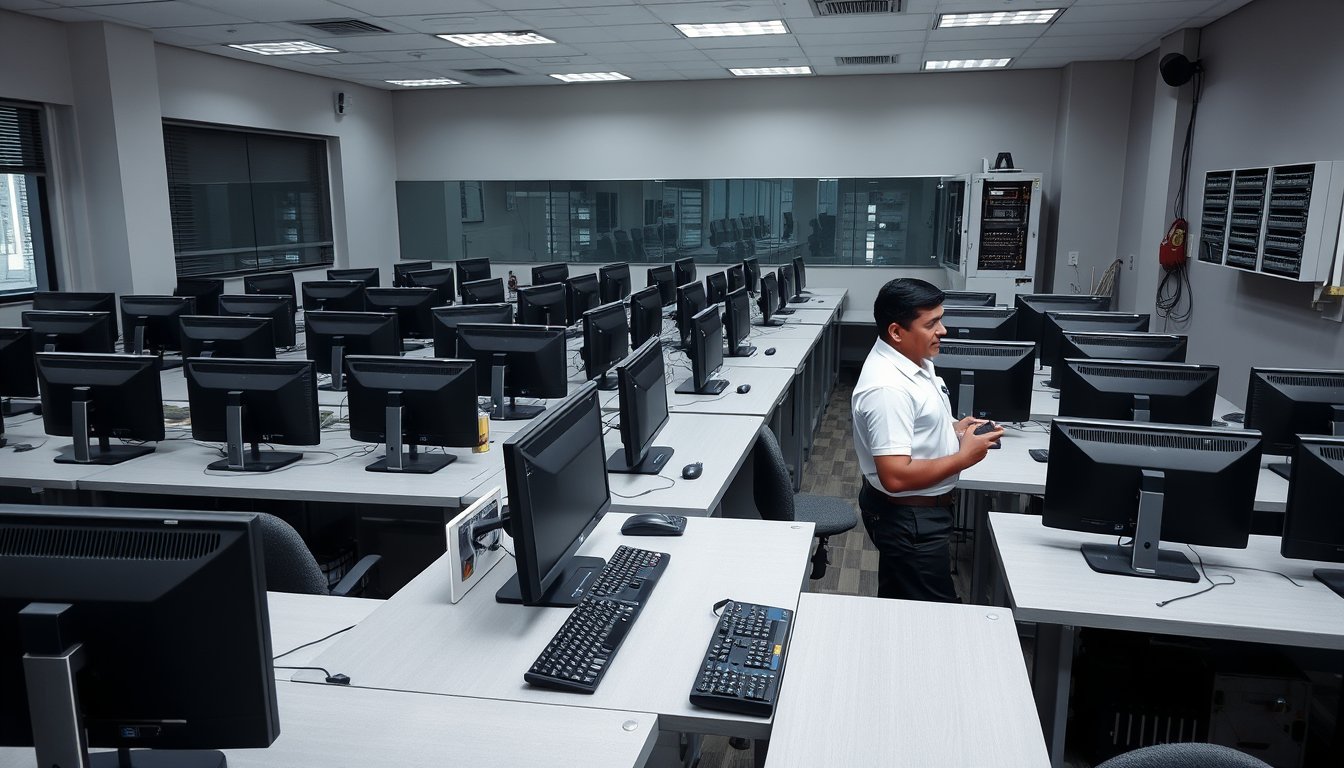
A 40-seat lab, a Tuesday exam, and one dead NIC
In March 2025 a Bangalore training institute on Old Madras Road had 38 candidates sitting a proctored certification exam at 9:30 am. At 9:14, four machines dropped off the network. One had a failed onboard Realtek NIC. Three had end-of-life Realtek drivers that Windows Update had quietly replaced overnight with a version that disabled Wake-on-LAN and then, worse, began dropping link during sustained throughput. The proctor halted the batch. Candidates were rescheduled to a slot eleven days later. Rebooking alone cost the institute ₹1.4 lakh in examiner fees and lost seat revenue, before anyone counted the reputational damage with the corporate client who had sponsored those candidates.
What fixed it was not better hardware. It was an image discipline: a frozen golden image with the NIC driver version pinned and Windows Update blocked on the exam VLAN, re-deployed across the lab the night before every exam window. That is the whole argument of this article. When you rent desktops for a training room in Bangalore, you are not buying 40 computers. You are buying a repeatable state that 40 computers can be returned to, fast, by someone who is not you.
If you are evaluating this right now, the rental and support desk is where the operational details live. Below is what actually drives the quote, what breaks in Indian training rooms specifically, and where renting is the wrong answer.
Why training rooms behave nothing like offices
An office desktop is allowed to be an individual. It gets its own user profile, its own browser extensions, its own quirks. A training room desktop is a component in a batch, and the batch is the unit that either works or doesn't.
That single difference changes almost every procurement decision:
- Identical spec is non-negotiable. In a 40-seat lab, if 36 machines are i5-12400 and 4 are i3-12100, the trainer slows to the slowest machine or 4 learners fall behind. Both outcomes are bad. Mixed batches are the single most common problem I see in rented labs, and it usually comes from a vendor filling a shortfall from whatever was on the shelf.
- State must be resettable. A corporate training batch finishing at 5 pm and a college batch starting at 8 am the next day means the machines must go from "used" to "pristine" in a few hours without a technician touching each one.
- Exam windows are absolute. A training session can tolerate a 20-minute delay. A proctored exam cannot. Your SLA has to distinguish between the two.
- The room may not be yours. A lot of Bangalore training providers run out of hotel conference rooms, co-working spaces in HSR Layout, or borrowed classrooms. You cannot drill into the wall or rack a switch. The rental design has to work in a room you give back on Sunday.
- Licensing is per-seat and time-boxed. Microsoft 365, Adobe, and most exam-delivery software are licensed to named users or devices on a schedule. Renting 50 desktops for six weeks means you need 50 seats of everything for six weeks, and the software cost can rival the hardware cost.
None of this is exotic. It just needs to be designed before the quote, not discovered on day one.
What 2026 pricing actually looks like
Rental pricing in Bangalore moves with three things: the spec tier, the duration, and how much support you want bundled. The numbers below are for the Bangalore market in early 2026 and reflect what we and our competitors quote. They include delivery, installation, and standard on-site support within city limits; they exclude software licences and GST at 18%.
Tier 1: general-purpose training (office software, soft skills, entry-level IT)
| Spec | Monthly per unit (2026) | 3-month rate | 6+ month rate |
|---|---|---|---|
| Intel i3-12100, 8 GB DDR4, 256 GB NVMe, 21.5" monitor | ₹1,750 – ₹2,200 | ₹1,600 – ₹2,000 | ₹1,400 – ₹1,750 |
| Intel i5-12400, 16 GB DDR4, 512 GB NVMe, 21.5" monitor | ₹2,300 – ₹2,850 | ₹2,100 – ₹2,600 | ₹1,850 – ₹2,300 |
| AMD Ryzen 5 5600G, 16 GB, 512 GB NVMe, 23.8" monitor | ₹2,200 – ₹2,750 | ₹2,000 – ₹2,500 | ₹1,750 – ₹2,200 |
Tier 2: application training (data analytics, GIS, CAD-lite, accounting software)
| Spec | Monthly per unit (2026) | 3-month rate | 6+ month rate |
|---|---|---|---|
| Intel i5-13500, 16 GB, 512 GB NVMe, 23.8" monitor | ₹2,800 – ₹3,400 | ₹2,550 – ₹3,100 | ₹2,250 – ₹2,750 |
| Intel i7-13700, 32 GB, 1 TB NVMe, 24" IPS | ₹3,600 – ₹4,500 | ₹3,300 – ₹4,100 | ₹2,900 – ₹3,600 |
| Workstation: Xeon W-1390P or Ryzen 9 5900X, 32 GB ECC, 1 TB NVMe | ₹5,200 – ₹6,800 | ₹4,700 – ₹6,100 | ₹4,100 – ₹5,400 |
A 50-seat Tier 1 lab on a 3-month schedule, then, sits at roughly ₹80,000–₹1,00,000 per month in hardware rental. A 50-seat Tier 2 lab at ₹1,27,500–₹1,55,000 per month. A 40-seat i7 lab for a 6-week bootcamp: about ₹79,000–₹98,000 per month, or ₹1.2–₹1.5 lakh total for the six weeks.
The costs nobody puts in the first quote
| Line item | Typical 2026 range |
|---|---|
| Network setup (24-port managed switch, cabling to 40 seats, installation) | ₹18,000 – ₹32,000 one-time |
| Wi-Fi access points (2× UniFi U6-Lite or similar), installed | ₹14,000 – ₹22,000 one-time |
| Imaging and first-deployment labour | ₹350 – ₹600 per unit, one-time |
| Re-imaging between batches | ₹120 – ₹250 per unit per cycle |
| On-site engineer, dedicated, 8×5 | ₹32,000 – ₹48,000 per month |
| On-site engineer, dedicated, 8×12 | ₹45,000 – ₹62,000 per month |
| Extended warranty / accidental damage cover | 4–7% of unit value per month |
| Microsoft 365 Business Standard, per seat per month | ₹620 – ₹780 (2026, direct or CSP) |
That last line matters more than people expect. Fifty seats of Microsoft 365 Business Standard over three months is around ₹1 lakh. Fifty seats of Adobe Creative Cloud is several times that. Software frequently runs 25–40% of the total cost of a training lab, and it is the number most first-time buyers forget entirely.
Batch imaging: the part that decides whether you succeed
Everything else in this article is negotiable. This is not.
A properly designed training-lab image looks like this:
- Built on the actual rental hardware model. Not on a similar model. Not on last year's unit. On the exact SKU you are getting, because chipset drivers and NIC firmware differ across generations in ways that only show up under load.
- Frozen and version-controlled. The image gets a version number and a date. When something breaks and you need to know what changed, you can.
- Windows Update configured, not just disabled. GPO or Intune policy to defer quality updates for 30 days and block feature updates. Disabling the service entirely looks clean until a security tool refuses to install.
- Per-room local deployment. PXE boot server or a USB-based deployment tool (Clonezilla, Macrium Reflect, or a pre-loaded Ventoy stick with a script). Network-based deployment is faster but requires a switch and DHCP you control; the room may not allow it.
- A tested reset procedure, timed. If restoring 40 machines takes six hours, the room cannot host a morning and an evening batch on the same day. If it takes 45 minutes, it can. That gap is worth real money.
A mid-range i5 with a 512 GB NVMe restores from a network image in roughly 8–12 minutes per machine. 40 machines in parallel, six at a time, is around 70 minutes. On USB 3.0 sticks, budget 20–25 minutes per machine and run them serially in batches of eight. The USB method is slower but works in rooms where you cannot touch the network. Both are valid; both need to be rehearsed before the first batch, not on the night before.
One more thing: keep the image on a Synology DS923+ or even a DS224+ in the room, if you can. A 2-bay NAS with 2× 4 TB drives in RAID 1 costs about ₹48,000 in 2026 and saves you from the scenario where the deployment server is at the vendor's office and your internet link is down.
Identical spec: how to write the requirement so you actually get it
The phrase "or equivalent" in a rental quote is where your identical spec dies. Here is how to write a specification that a vendor can honour and you can audit.
"All 40 units to be the same manufacturer and model. Intel Core i5-12400, 16 GB DDR4-3200 (2×8 GB, both slots populated), 512 GB NVMe (Samsung PM9A1, WD SN730, or equivalent TLC with DRAM cache), integrated graphics, 21.5" 1920×1080 IPS monitor, USB keyboard and mouse, Windows 11 Pro 23H2 or later, single onboard gigabit NIC. No unit may be substituted without written approval. A per-unit serial number list is to be provided at delivery and any substitution reported within 24 hours."
That is a mouthful. It is also the difference between a lab that runs and a lab where four students sit on slower machines and complain to the training coordinator.
Specific things that go wrong in practice:
- RAM in single-channel. A vendor ships 1×16 GB instead of 2×8 GB to save ₹400. Integrated graphics performance drops 20–30%. On an analytics course with data-heavy workbook work, that is visible.
- DRAM-less SSDs. QLC NAND, no cache. Fine for browsing, painful for compiling or running a database lab.
- Mixed monitors. 21.5" on 34 units and 19" on 6. Students notice within ten minutes.
- Refurbished as new. Not always dishonest — refurbished business-grade desktops (Dell OptiPlex 7070, HP EliteDesk 800 G5, Lenovo ThinkCentre M720q) are a legitimate choice at 30–40% lower rental cost, but the quote must say so, and the warranty and expected failure rate must differ accordingly.
If you want a refurbished fleet to save money, ask for it explicitly and ask for the failure-rate history on those specific units. Some refurbishers keep excellent records. Some don't.
Swap SLAs: the difference between 4 hours and next Tuesday
A training lab SLA is not the same as an office desktop SLA. Office users can work around a dead machine for a day. A training batch cannot.
Here is what to actually demand, split by severity:
| Severity | Definition | Response | Restoration target |
|---|---|---|---|
| P1 — Exam or assessment in progress | A seat is down during a proctored or time-bound assessment | 15 minutes remote / 45 minutes on-site | Working seat within 60 minutes, or a spare unit swapped in |
| P2 — Batch in session | A seat is down during a live instructor-led session | 30 minutes remote / 2 hours on-site | Working seat before the next session begins |
| P3 — Between batches | A seat is down in a lab with no active batch | 4 hours remote / next business day on-site | Within 24 hours |
| P4 — Cosmetic | Monitor flicker, keyboard fault, cosmetic damage | Next business day | Within 3 business days |
Two things make those targets achievable rather than aspirational:
- Spare units on site. 5–8% spare stock, pre-imaged, plugged in at the back of the room. A 40-seat lab should carry two or three spares. When a machine dies, the engineer swaps it in five minutes and repairs the failed unit off-site.
- A named engineer who knows your room. Not a call-centre number. A named person, with a phone number, who has been to the room. Our rental and support desk builds engagements around this; it is also the first thing to interrogate in a competing quote.
What no SLA can do: cover an exam you scheduled at 9 am on a Saturday without telling the vendor in advance. Give 48 hours' notice of every exam window. Get the engineer's mobile number. Confirm they will be reachable.
Bangalore operational realities you cannot design around on paper
Some of this is specific to us, some is not. All of it has bitten someone.
ISP lead times
If your training room needs a dedicated internet link (and if you're running cloud-based exam software, it does), an Airtel or Jio enterprise leased line takes 15–30 days to provision in most Bangalore areas. ACT Fibernet is often faster — 7–15 days — but coverage is patchy and the SLA is less aggressive. Do not schedule the first batch for the week after you sign the rental contract hoping to get a new link. Either reuse an existing line, provision early, or get a 4G/5G router (Teltonika RUT241, or a Jio AirFiber connection) as a stopgap and accept its 30–80 ms added latency.
Power
Bengaluru has improved dramatically over the past decade, but a training room in an older building in Rajajinagar or Malleshwaram may see two to four short outages a month. In a proctored exam, that is fatal. If the room does not have a UPS, insist on one: a 2 kVA online UPS (APC SMC2000I or equivalent) costs ₹35,000–₹48,000 and gives you 15–25 minutes of runtime for 5–8 desktops, which is enough to save work and wait out a short trip. Budget a generator or diesel backup if you are running six-hour batches.
Monsoon
From June to September, the cabling you laid in an old building can become an intermittent nightmare. Rainwater ingress into conduit, damp at wall plates, and occasional rodent damage. If the room is in a leased or semi-permanent building, insist on a fresh site survey before monsoon and test every link after the first heavy rain. A cheap cable tester saves hours of "the machine is fine but the network drops every hour" diagnosing.
GST
Desktop rental is a supply of services. Standard GST rate is 18% for most rental and managed-service contracts. If you are GST-registered, you claim input tax credit — ask for the GSTIN on the invoice and the HSN/SAC code (typically 998714 or 998519 for IT equipment rental services). If the vendor is quoting a price that looks too low, check whether GST is included and whether they are actually GST-registered.
CERT-In and DPDP
The Digital Personal Data Protection Act obligations land on you, not your rental vendor, but they matter for procurement. If your training batch involves real customer data (analytics courses, healthcare IT training), the machines you rent are processing personal data. You need a written commitment on disk wiping between batches (NIST 800-88 purge, or physical drive swap), a data-processing clause in the rental agreement, and clarity on where backup images sit. Do not assume the vendor has thought about this. Most have not.
Where rentals go wrong (and how to catch it early)
Three failure modes account for most of the trouble we see in training-lab rentals.
1. The spec drift on delivery day. The vendor's fleet fell short by six machines. Rather than tell you, they substituted. Your installer notices on day one; if the installer is also the vendor and you were not copied, you find out on day five. Fix: get the serial number list before delivery and check the specs of every unit on day one. An i5-12400 has six cores; check Task Manager. Two minutes per machine.
2. The image that wasn't built on the hardware. The vendor imaged from a previous engagement with a different model. Driver mismatch causes BSODs under load, or the network stack drops under sustained traffic — the exact failure in the story that opened this article. Fix: image with the actual hardware, do a soak test with a full batch running typical workloads for at least two hours before the first real session.
3. The SLA that assumes an office environment. Contract says "4 working hours response". Your exam window is at 9 am and the response clock starts when you log the ticket, not when the student notices. Fix: P1 clauses with penalties, spare units on site, and a named engineer.
Where renting is the wrong choice
Renting a training lab is excellent for a 4-week to 9-month window with a clear end. Some places it isn't.
- You're running a permanent lab. If you will have desktops in the room for more than 18 months, buying almost always wins. A 40-seat i5 lab purchased outright at ₹48,000–₹58,000 per unit is around ₹19–₹23 lakh, or ₹1.1–₹1.4 lakh per month over 18 months including AMC. At that point you own the assets and their residual value.
- You already have a fleet and just need to add 8 units. Rent the 8 units, but ask whether the vendor can match your existing model, or negotiate to rent the whole 48 and let them absorb the spares. Blending is often more expensive than people think.
- You need specialised hardware. Mac labs, GPU workstations for AI training, or specific exam-delivery hardware support. Rental fleets are conservative. If you need an A100 or a Mac Mini M2 in the room, expect to buy or rent from a specialist.
- Your space is not ready. If the room has no network drops, no UPS, and unreliable power, fixing those is the first job, not the second. The rental can wait; the room cannot. (Talk to us via the contact page if you want the room assessed before you commit.)
A worked example: 40-seat analytics bootcamp, 8 weeks
To pull the numbers together: a 40-seat analytics bootcamp in Bangalore, i5-13500/16 GB/512 GB tier, 8-week duration, 3 batches, three exam windows.
| Item | Calculation | Amount (2026) |
|---|---|---|
| Hardware rental, 40 units @ ₹3,000/unit/month (3-month band) | 40 × ₹3,000 × 2 months | ₹2,40,000 |
| Spare units, 3 × ₹3,000 × 2 | ₹18,000 | |
| Imaging and first deployment | 43 × ₹500 | ₹21,500 |
| Re-imaging between 3 batches | 40 × ₹200 × 2 cycles | ₹16,000 |
| Network setup (switch, cabling, 2 APs) | one-time | ₹38,000 |
| Dedicated on-site engineer, 8 weeks @ ₹38,000/month | ₹76,000 | |
| Microsoft 365 Business Standard, 43 seats × ₹700 × 2 months | ₹60,200 | |
| 2 kVA UPS (APC SMC2000I), 3 units | ₹1,20,000 | |
| Subtotal (excl. GST) | ₹5,89,700 | |
| GST @ 18% | ₹1,06,146 | |
| Total | ₹6,95,846 |
That is about ₹17,400 per seat all-in for eight weeks including software, network, engineer and power protection. The equivalent purchase would be around ₹24–₹28 lakh up front for the desktops alone, plus ongoing AMC, and a disposal problem after. Rental wins at this duration easily. Above 18 months, it starts losing.
What to put in the RFP
If you take one thing from this article, take the checklist. Send it in writing before you accept any quote.
- Exact manufacturer and model of every unit, with a serial number list at delivery.
- Driver version and Windows build, plus written confirmation that the image was built on this hardware.
- Restore time commitment for a full batch re-image, tested before the first session.
- P1/P2/P3/P4 SLA definitions with penalties and named engineer contact.
- Spare unit count, location, and whether they are pre-imaged.
- GST-registered vendor with GSTIN on the invoice.
- Data-wiping commitment between batches (NIST 800-88 or physical drive swap), in writing.
- Insurance and accidental damage terms — what is your exposure if a student spills coffee on a keyboard.
- Delivery and installation timing, and what counts as delivery (arrived vs. working).
- Renewal pricing for any extension, locked at contract signing.
Most vendors will answer eight of these easily. The two that separate a real training-lab provider from a generic office-equipment renter are the ones about imaging and P1 SLAs. Ask how they handle a failed machine during a 9 am exam. If the answer is "we will send someone", and no spare is on site, walk away.
FAQ
How much does it cost to rent desktops for a training room in Bangalore in 2026?
For a 40-seat general-purpose lab (i5, 16 GB, 512 GB SSD, monitor included), expect ₹1,750–₹2,850 per unit per month depending on duration and support level, plus ₹25,000–₹45,000 one-time for network setup and a P1-grade SLA. A 50-seat Tier 1 lab runs ₹80,000–₹1,00,000 per month before software and GST. Application-heavy labs (i7, 32 GB) run 50–70% higher.
How long does it take to set up a rented training lab in Bangalore?
For a 40-seat lab in a room with existing power and a working internet link, 3–5 working days from contract signature: two days to image and stage, one to deliver and install, one to network and test, one buffer. If a new leased line is needed, add 15–30 days for Airtel or Jio enterprise provisioning. Plan for a fresh site survey the week before, especially in older buildings.
Can we get a different spec for different batches at the same rental site?
Yes, but plan it. A single room switching from a Tier 1 to a Tier 2 spec between batches is fine if you have told the vendor 7–10 days ahead and the two specs share a chassis. Mixed-spec fleets in one room at one time should be avoided entirely, because the trainer will end up teaching to the slowest machine.
What happens if a machine fails during an exam?
With a properly structured rental, a spare unit pre-imaged and on site is swapped in within 60 minutes, and on-site attendance should be within 45 minutes if the training room is inside Bangalore. This must be written into the contract as a P1 clause with a restoration target and, ideally, a service credit. Without that clause, you get whatever response time the vendor's standard contract says.
Is software included in the rental price?
Almost never. Microsoft 365 Business Standard is ₹620–₹780 per seat per month in 2026, Adobe Creative Cloud is ₹1,600–₹2,400 per seat per month, and exam-delivery software is usually licensed to you through the certification body. Assume software is separate unless the quote explicitly says otherwise, and get the quoted price in writing with the licence SKU named.
Do we need GST registration to rent training desktops in Bangalore?
No, but the rental will attract 18% GST either way. If you are GST-registered, you claim input tax credit and the cost effectively drops by 18%. If you are not, the GST is a real cost. Ask the vendor for a GSTIN before signing — a vendor who quotes without it is either not registered or not planning to invoice compliantly.
Can the rented machines be used for online proctored exams?
Yes, but with strict lock-down of the OS. Exam software (Pearson VUE, Kryterion, Questionmark, or the client's own platform) needs specific configurations: webcam permission, browser lockdown, no background updates, no remote-access tools. Have the exam provider's technical requirements in hand 3–4 weeks before the exam and give them to the vendor in writing. The P1 SLA is meaningless if the exam software refuses to launch because a driver was updated overnight.
Next step
If you are planning a training room in the next 90 days, the single highest-value action is a 45-minute site survey of the room — before you accept any quote. Power quality, network drops, cabling age, ceiling clearance for access points, whether the room is on the ground floor or third, whether it is leased. That survey is what prevents the ₹1.4 lakh morning described at the top of this article.
Get the room assessed. Then get three quotes, all against the ten-point RFP above, so you are comparing the same thing. Most quotes pad the headline rental and strip the support; you will only see that when you ask the P1 question.
When you are ready to talk through the details, start with the rental and support desk, or reach the team directly via the contact page. Ask for the site survey first. The pricing conversation is easy after that.