
IP Camera vs Analog CCTV for Business: 2026 Buyer's Guide
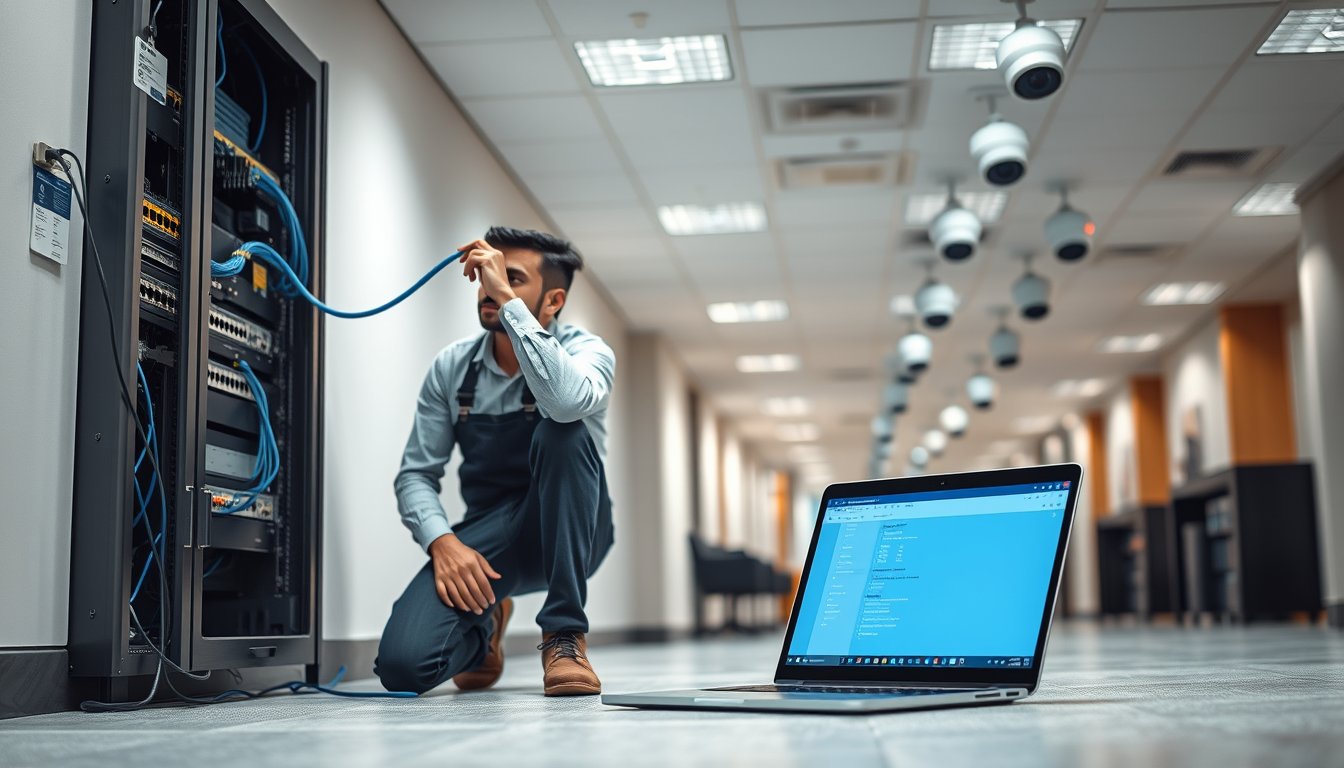
The ₹18,000 question that gets asked every week
A 12-camera analog DVR from 2019 dies in a Peenya warehouse. The owner gets two quotes. One is ₹95,000 to replace the DVR and keep the existing coax. The other is ₹2.6 lakh to rip everything out and go full IP. He calls us. We tell him both quotes are wrong for his situation, and the right answer is neither of those numbers. That conversation, repeated across Bengaluru every week, is what this article is about.
IP camera vs analog CCTV for business is not a binary. It is a set of decisions about resolution, cabling, power, storage, and how long you intend to stay in that building. Get those wrong and you either overspend by 40% or end up with footage too grainy to identify a face at the gate. Get them right and a 20-camera deployment costs less than you think.
We have installed and maintained surveillance across 1200+ Indian organisations since 2001. Here is what we have learned, with real figures and named products.
What actually changes between analog and IP
Both systems do the same job: capture video, send it somewhere, store it, let you review it. The difference is where the intelligence sits and how the signal travels.
Analog: the camera is dumb, the recorder is smart
An analog camera outputs a composite video signal over coax. The DVR digitises it, compresses it, and writes it to disk. The camera itself has no IP address, no firmware to update (usually), no network stack. It just sends video.
Modern analog is not the analog of 2010. HD-CVI, HD-TVI, and AHD are "analog over coax" formats that carry 1080p, and in some cases 4K, over the same RG59 or RG6 cable. Hikvision's Turbo HD and Dahua's HDCVI lines do 5MP and 8MP over coax. This matters enormously for upgrade planning, because it means you can often keep your existing wiring and get a big jump in image quality.
IP: the camera is a small computer
An IP camera captures, compresses (H.264, H.265, or H.265+), and sends video over Ethernet. It has its own firmware, its own credentials, its own update cycle. Power usually comes over the same cable via PoE (IEEE 802.3af/at/bt), so one Cat6 run does data and power.
The upside is resolution (up to 8MP and beyond), analytics that run on the camera (line crossing, intrusion detection, people counting, ANPR), and no practical limit on camera count. The downside is that you now have 20 devices with IP addresses, and if you do not manage them, you have 20 backdoors.
The resolution reality check
Here is where most buyers get confused. "2MP" and "1080p" are the same thing (1920x1080). "4MP" is 2560x1440. "8MP" or "4K" is 3840x2160. A 2MP camera at close range beats an 8MP camera at long range because of pixel density, not raw megapixels.
For a gate entry where you need to read a number plate at 15 metres, a 2MP camera with a 6mm lens and good IR will outperform an 8MP camera with a 2.8mm wide lens. This is the single most common specification mistake we see. Buyers chase megapixels; they should be chasing pixels-per-metre at the distance that matters.
| Use case | Minimum resolution | Typical lens | Notes |
|---|---|---|---|
| Corridor / indoor overview | 2MP (1080p) | 2.8mm | Wide angle, close range |
| Gate entry, vehicle ID | 4MP | 6mm–12mm | Needs narrow FOV for plate reading |
| Perimeter at 40m+ | 4MP with IR 60m, or 8MP | 2.8–4mm | 8MP wastes pixels on a wide view at distance |
| Retail POS / till | 4MP | 2.8mm | Angle down at the counter, not across |
| Large warehouse aisle | 8MP | 2.8mm | Fewer cameras covering more floor |
Cabling: the decision that costs the most to reverse
Cabling is 30–50% of a surveillance project's cost, and it is the hardest thing to change later. Get it wrong and you are paying again in three years.
Analog cabling
- Coax: RG59 for runs under 200m, RG6 for longer or for higher-res formats. Signal degrades with distance and with cheap connectors.
- Power: either a local 12V DC adapter at each camera, or a central power supply with a 2-core cable running alongside the coax, or a combo cable (coax + power in one jacket).
- Maximum practical run: around 300m for HD-CVI/TVI at 1080p. Beyond that you need baluns or a repeater.
IP cabling
- Cat6 UTP for runs under 90m (the standard PoE limit). Cat6A if you want headroom for 10G later, though almost no camera needs that.
- Beyond 90m you need a PoE extender or a fibre run to a local switch. This is the single most common IP gotcha: a camera 130m away from the rack cannot be run on one cable.
- Power over Ethernet from the switch means no local power points. In a warehouse, that saves a fortune in electrical work.
The monsoon problem
Bengaluru is not Chennai, but the June–September rains still find every badly sealed conduit. Outdoor cable runs that are not in a proper conduit, or that use gel-filled connectors, corrode at the joint within two monsoon cycles. We have pulled out Cat6 that was installed in 2021 with exposed joints and found the copper green and the link flapping at 100Mbps instead of gigabit. The fix is not expensive: UV-rated Cat6 outdoor cable, IP67 junction boxes, and dielectric gel in every connector. It adds maybe ₹2,500 per outdoor camera. It saves a re-cabling job in four years.
When the existing coax is worth keeping
If you have a functioning analog estate with RG6 run to every camera point, and the cable is not damaged, you have an asset. HD-CVI or HD-TVI cameras can reuse it and give you 5MP–8MP where you had 1MP. We have done 32-camera upgrades in Whitefield offices for around ₹1.4 lakh in hardware where a full IP re-cable quoted ₹6.5 lakh. That is a genuine, defensible saving.
The catch: HD-CVI/TVI is a proprietary-ish ecosystem. Hikvision cameras want Hikvision DVRs. Dahua wants Dahua. You are locking yourself into a vendor for the next cycle. If that vendor relationship is fine, reuse the coax. If you want an open standard going forward, pay for Cat6 now.
Cost per channel: the numbers nobody shows you
This is where quotes diverge wildly, because "cost per camera" often excludes the parts that actually cost money. Let me give you honest 2026 Bengaluru figures.
Analog (HD-CVI/TVI) 16-camera deployment
| Component | Specification | Cost (₹) |
|---|---|---|
| Cameras (16x) | 5MP HD-CVI dome/bullet, 20m IR | 1,900 each = 30,400 |
| DVR | 16-ch HD-CVI, 8MP support | 14,000 |
| Hard disk | 4TB surveillance HDD (WD Purple) | 8,500 |
| Cabling | RG6 coax + power, 16 runs avg 40m | 28,000 |
| Installation, connectors, conduit | Labour + materials | 26,000 |
| Power supply | Central 12V 20A | 3,500 |
| Total | ₹1,10,400 |
Per channel: ₹6,900. For 16 cameras with 4TB storage (roughly 20–25 days retention at 5MP, continuous recording). No GST included; add 18% if you need a tax invoice, taking it to ₹1,30,272.
IP (PoE) 16-camera deployment
| Component | Specification | Cost (₹) |
|---|---|---|
| Cameras (16x) | 4MP IP dome/bullet, H.265, PoE | 4,200 each = 67,200 |
| NVR | 16-ch PoE NVR (Hikvision DS-7616NI-K2) | 18,000 |
| PoE switch | 16-port managed, 802.3at (if NVR lacks PoE) | 12,000 |
| Hard disk | 4TB surveillance HDD (WD Purple) | 8,500 |
| Cabling | Cat6, 16 runs avg 40m | 34,000 |
| Installation, connectors, conduit | Labour + materials | 30,000 |
| Total | ₹1,69,700 |
Per channel: ₹10,606. Add 18% GST for ₹2,00,246.
The IP deployment is roughly 54% more expensive upfront for the same camera count. That gap is real, and anyone who tells you IP is now the same price as analog is quoting you a cheap IP camera against an overpriced analog one.
Where IP claws the money back
- Cable cost per metre. Cat6 is cheaper per metre than RG6 plus a separate power cable. On long runs, IP's single-cable advantage widens.
- No central power supply. A 16-camera analog install needs a 20A PSU and the electrical work to feed it. IP skips that.
- Storage efficiency. H.265 on an IP camera uses roughly 30–40% less disk than H.264 at comparable quality. Over 32 cameras, that is a smaller NAS or fewer drives.
- Analytics. Camera-side analytics replace a separate video analytics server that costs ₹80,000–₹2.5 lakh.
- Scaling. Adding a 17th IP camera is a switch port and a cable. Adding a 17th analog camera means a bigger DVR.
The break-even on total cost of ownership is usually three to five years, and it depends heavily on whether you value the analytics and remote access that only IP gives you properly.
The upgrade path from an existing analog estate
Most Indian businesses are not building from scratch. They have a DVR and 8–40 analog cameras, some working, some dead, and a budget that will not stretch to a full IP rebuild. Here are the four realistic paths.
Path 1: Hybrid DVR, keep everything
Buy a hybrid DVR (Hikvision's Turbo HD AcuSense DVRs, for example) that accepts both analog and IP inputs. Keep working analog cameras. Replace dead ones with HD-CVI. Add one or two IP cameras over Cat6 where you need higher quality or analytics.
- Cost: ₹45,000–₹70,000 for a partial refresh of a 16-channel system
- Best for: businesses staying in the building for 3–5 more years, tight budgets
- Trade-off: you are still on a closed ecosystem and eventually the DVR is a bottleneck
Path 2: Coax-to-IP via Ethernet over Coax (EoC)
EoC adapters let you run IP cameras over existing coax. It works, but the adapters cost ₹3,500–₹5,500 per channel, and it is a fiddly technology. We rarely recommend it unless cabling is physically impossible to replace (heritage buildings, leased premises where you cannot drill).
- Cost: adds ₹3,500–₹5,500 per camera over normal IP cost
- Best for: leasehold premises with no re-cabling rights
- Trade-off: more failure points, harder to troubleshoot
Path 3: Phased IP migration
Replace the DVR with an NVR and a PoE switch. Migrate the highest-priority cameras first (entry gates, cash counters, server room) onto IP. Keep analog cameras on a hybrid NVR or run two systems in parallel for a transition period.
- Cost: ₹1.2–₹1.8 lakh for a 16-camera phased migration (2026 pricing)
- Best for: 20+ camera estates that will be in place 5+ years
- Trade-off: two systems to manage during transition, but you can spread capex across two budgets
Path 4: Full rip-and-replace
Everything new. New cameras, new cabling, new NVR, new switch. This is the cleanest and the most expensive.
- Cost: ₹2–₹2.6 lakh for 16 cameras with new Cat6
- Best for: legacy coax that is failing, buildings undergoing renovation anyway
- Trade-off: highest capex, but lowest ongoing complexity
The honest recommendation
For a 16-camera estate in a Bengaluru office that is three years old, still has functioning coax, and needs better image quality on six cameras: hybrid with selective IP. Do not rip out working cable. Do not buy a full IP system you do not need. Spend the money on better cameras where the image actually matters, and on PoE where you are adding analytics.
For a 40-camera estate with failing coax and a five-year horizon: phased IP. The analog path has run its course.
The failure story: why firmware matters
In 2022 we took over maintenance for a 48-camera IP deployment at a logistics firm near Nelamangala. The system had been installed by another vendor in 2019 using Hikvision cameras and an NVR. Nobody had updated firmware since install.
In March 2023, a shipment of electronics went missing from a locked yard overnight. They went to review footage. The NVR login page showed a login screen, but the credentials the vendor left in the handover document did not work. The DVR's admin account had been changed. Long story short: the system had been compromised via an unpatched vulnerability (CVE-2021-36260, a well-known Hikvision command injection flaw) and the attacker had not just changed credentials, they had wiped the recording schedule.
There was no footage. Of anything, for the previous six weeks. The firm lost a ₹8.4 lakh insurance claim because they could not produce evidence. The insurance company paid out zero.
The fix took an afternoon: factory reset the NVR, update firmware on all 48 cameras, disable UPnP, move the system off the flat network onto a dedicated VLAN, and put the cameras behind a firewall rule that only allows the NVR to reach them. Total hardware cost: ₹0. Labour: ₹18,000. But the loss had already happened.
Two lessons. First, IP cameras are computers, and every unpatched computer is a liability. Second, if you install IP surveillance and do not put it on a segmented network with a documented firmware update cycle, you are building a backdoor into your office. This matters more in 2026 because CERT-In's directions under the IT Act require incident reporting within six hours for specified categories, and a compromised surveillance system that captured footage of your staff is a reportable incident in some interpretations.
We now include firmware and credential management in every surveillance AMC. It should be standard. It is not.
When analog is still the right answer
We sell and install IP. But there are cases where analog is genuinely the better choice, and pushing IP would be upselling.
Small premises under 8 cameras
A 6-camera deployment in a single-floor office. The cost difference between analog and IP is ₹25,000–₹30,000 upfront. For a six-camera system where the requirement is "see who came in and whether the shutter was left open," analog is fine. IP adds management overhead you do not need.
Budget-constrained, short-horizon leases
If you are on a three-year lease and likely to move, do not invest in a full IP recable. Upgrade to HD-CVI on existing coax, take the DVR with you when you move, and defer the IP decision to your next premises.
Sites with unreliable power
Here is where analog has an underrated advantage. A central 12V power supply with a small UPS keeps analog cameras running through a power cut. IP cameras fed by a PoE switch need the switch on UPS, and the NVR on UPS, and if that UPS is undersized the switch reboots and all cameras drop for 90 seconds while it boots. We have seen this cause repeated gaps in footage at sites with bad power. A ₹8,000 UPS on a central analog PSU handles frequency and voltage swings that a PoE switch with a cheap UPS does not.
Rural or difficult-network sites
If your site has no reliable LAN, no IT staff, and no one to manage firmware, analog is safer. It simply has a smaller attack surface. A DVR with no internet exposure is harder to compromise than 16 IP cameras with default credentials.
Where analog is being priced out
Be careful, though. At 4MP and above, analog cameras are losing their price advantage. A 5MP HD-CVI camera from a tier-one brand is ₹2,200–₹2,800 in 2026. A 4MP IP camera from the same brand is ₹3,800–₹4,500. The gap is shrinking. If you are buying 16 cameras and the total saving on analog is ₹25,000 but you lose analytics and remote access, that is a bad trade for most businesses.
IP analytics: what is actually useful and what is noise
Every IP camera vendor sells analytics. Most of it is not worth the licence cost. Here is what we have seen pay for itself.
| Analytics feature | Real-world value | Verdict |
|---|---|---|
| Line crossing / intrusion detection | Reduces false alerts vs motion detection, useful for perimeter | Worth it |
| People counting | Useful for retail conversion tracking, overkill for most offices | Situational |
| ANPR (number plate recognition) | Genuinely useful for gated communities, parking, logistics | Worth it if you have vehicles |
| Face detection (not recognition) | "Someone is at the door" — marginal | Skip unless integrating with access control |
| Heat mapping | Retail only | Skip for offices |
| Audio detection (glass break, gunshot) | Niche | Skip unless mandated |
Camera-side analytics on a Hikvision AcuSense or Dahua WizSense camera cost very little extra and dramatically reduce false alarms versus basic motion detection. That single feature is often the strongest argument for replacing a working analog DVR with IP.
Storage and retention: where the money quietly goes
Nobody thinks about storage until the disk fills and the oldest footage deletes itself after 11 days instead of the 30 days the policy says.
Retention needs depend on the sector. Under the Digital Personal Data Protection Act, 2023, you should not retain personal data longer than necessary, and surveillance footage is personal data. The DPDP rule of thumb most Indian legal advisors give is 30–90 days for standard commercial premises, longer only where a specific regulation or a live investigation requires it. Retail with cash handling often keeps 90 days. Banks and NBFCs have RBI directions that push much longer.
Storage calculation, roughly:
- 2MP H.265, continuous, 24 hours: about 8–10 GB/day per camera
- 4MP H.265, continuous: about 15–20 GB/day per camera
- 8MP H.265, continuous: about 30–40 GB/day per camera
For a 16-camera 4MP system with 30-day retention: 16 × 18 GB × 30 = 8,640 GB, so a 10TB or 12TB drive array. WD Purple 8TB is around ₹19,500 in 2026; a Synology DS923+ with two 8TB drives configured for mirroring is around ₹52,000 and gives you a proper NAS with health monitoring instead of a single disk in an NVR.
The single-disk-in-NVR setup is the number one cause of "we cannot find the footage" calls we get. Disk fails, nobody notices for two months, footage is gone. If the footage matters, mirror it or at least alert on disk health. An NVR with an email alert to your IT person takes five minutes to configure and saves the day.
Networking and cybersecurity: the part buyers skip
If you install IP cameras, you are adding devices to your network. Do it badly and you have created a security hole. Off-the-shelf advice: put cameras on their own VLAN, block them from reaching the internet unless they need to, and never expose the NVR to the public internet with port forwarding.
A short checklist we apply on every IP installation:
- Cameras and NVR on a dedicated VLAN, no routing to the general office LAN.
- NVR accessible remotely via VPN or a documented remote-access method, never via port forwarding on the router.
- Default credentials changed on every camera; unique password per device where the platform supports it.
- Firmware version documented at handover, and the update cadence written into the AMC scope.
- UPnP disabled on cameras and NVR (it is often on by default).
- SNMP or email alerts enabled for camera offline and disk failure.
- A documented recovery procedure if the NVR fails — where the config backup lives and who holds it.
This is part of what we do under surveillance and security deployments, and it is usually the part clients did not know they needed.
Procurement: where to buy and what to avoid
You have three realistic routes in Bengaluru.
Tier-one brand, authorised channel. Hikvision, Dahua, CP Plus, Bosch, Axis. Warranty is real, firmware comes from a legitimate source, and spares exist. Prices are 15–25% higher than grey market. For anything above 8 cameras, use this route.
Tier-two or regional brand. CP Plus is now tier-one in India by volume; brands like Secureye and Matrix (for enterprise) sit in the middle. Fine for budget deployments, but check the firmware update history before committing. A brand that has not shipped a firmware update in two years is a liability in an IP system.
Grey market / online marketplaces. Cheaper, often dramatically so. Also often region-locked firmware (Chinese-market Hikvision cameras that cannot easily be updated or connected to Indian NVRs), no local warranty, and no one to call when it fails. We have been called in after enough grey-market installs to say plainly: the ₹4,000 you save per camera is not worth the day you cannot get a replacement while your system is half down.
A useful sanity check: ask your vendor for the exact model number, the firmware version installed, and the CVE history of that model. A vendor who cannot answer is a vendor who will not patch your system either.
GST and documentation
Surveillance installation is a service with goods supplied, and the GST treatment is 18% on the whole invoice in most cases (cameras and installation both attract 18%). Do not let anyone tell you the cameras are 28% — CCTV cameras are 18% as of the 2026 rate structure. Keep the invoice for the full amount including installation; insurance claims and DPDP audits both want to see a clean purchase record.
Maintenance: the recurring cost nobody budgets
A surveillance system needs attention roughly every quarter: cleaning lenses, checking IR (IR LEDs dim over 2–3 years and eventually stop, and you only notice at night when it matters), verifying recording, watching disk health, checking firmware advisories, and testing remote access.
A 16-camera IP system AMC in Bengaluru runs ₹24,000–₹42,000 per year (2026), depending on response SLA and whether it includes firmware management. Analog 16-camera AMC is ₹15,000–₹24,000. Do not skip this line item. The cost of a quarterly visit is less than the cost of discovering on the day of an incident that half the cameras stopped recording three months ago.
For businesses not ready for a full AMC, a quarterly health check visit at ₹4,000–₹6,000 per visit is a reasonable middle path. It catches the failures before they become losses.
When to call a specialist vs buy off the shelf
A 4-camera DVR from a consumer brand, self-installed, works fine for a small shop. Once you cross 8 cameras, or you have multiple floors, or you need remote access, or the footage might end up in a police complaint or insurance claim, get it done properly. The difference between a good and a bad installation is mostly invisible until the day you need the footage, and then it is the only thing that matters.
We offer design, installation, AMC, and firmware management for IP and analog surveillance across Bengaluru and Karnataka. If you are weighing a quote you have received, or you have a legacy analog estate and you are not sure what to do with it, we can walk your site and give you a straight answer, including "keep what you have." Reach us at our contact page.
FAQ
Is IP camera better than analog CCTV for a small business?
It depends on camera count and need. Under 8 cameras with a simple "see what happened" requirement, analog HD-CVI is cheaper and adequate. Above 8 cameras, or where you need analytics, remote access, or higher resolution, IP is worth the extra upfront cost. For a 16-camera deployment in 2026, IP costs roughly ₹1.7 lakh against ₹1.1 lakh for analog before GST.
Can I upgrade my existing analog CCTV to IP without changing cables?
Sometimes. If you have RG6 coax in good condition, you can use HD-CVI or HD-TVI cameras to get 5MP–8MP over the existing cable with a hybrid DVR. This is often the cheapest significant upgrade. Full IP over existing coax requires Ethernet-over-Coax adapters at ₹3,500–₹5,500 per channel, which is rarely worth it unless recabling is impossible.
How much does a 16-camera IP CCTV system cost in Bangalore in 2026?
A 16-camera 4MP IP system with an NVR, 4TB storage, Cat6 cabling, and installation costs ₹1.6–₹2.0 lakh excluding GST. Analog HD-CVI for the same camera count is ₹1.05–₹1.3 lakh. Add 18% GST to both. Prices assume average cable runs of 40m and standard indoor/outdoor mix.
How many days of footage can I store on a 4TB hard disk?
On a 16-camera 4MP H.265 system recording continuously, a 4TB disk gives about 13–16 days. For 30 days you need 8–12TB. On analog 5MP with H.264, a 4TB disk gives around 8–10 days for the same camera count. Plan storage from retention requirements first, not from the biggest disk that fits the budget.
Do IP cameras work during a power cut?
Only if the PoE switch and NVR are both on UPS. Analog cameras on a central 12V power supply with a small UPS are often more resilient to short outages because there is one device to keep alive. For both types, size the UPS for at least 30 minutes of runtime to cover short outages and the switch reboot window.
Are IP cameras a cybersecurity risk for my office network?
Yes, if installed carelessly. Unpatched cameras have well-documented vulnerabilities, and a camera on your flat office LAN is a potential entry point. Put cameras on a separate VLAN, change default passwords, disable UPnP, keep firmware updated, and never expose the NVR to the internet via port forwarding. Use VPN for remote access. This is standard practice, not paranoia.
Next step
Pick the camera that matters most — the gate, the cash counter, the server room — and check what it actually recorded last night. If you cannot answer that in under five minutes, the system is failing you regardless of whether it says IP or analog on the box. Fix that camera first. Then decide the rest. If you want a site assessment with real numbers, talk to us.