
IP PBX Installation in Bangalore: 2026 Buyer's Guide
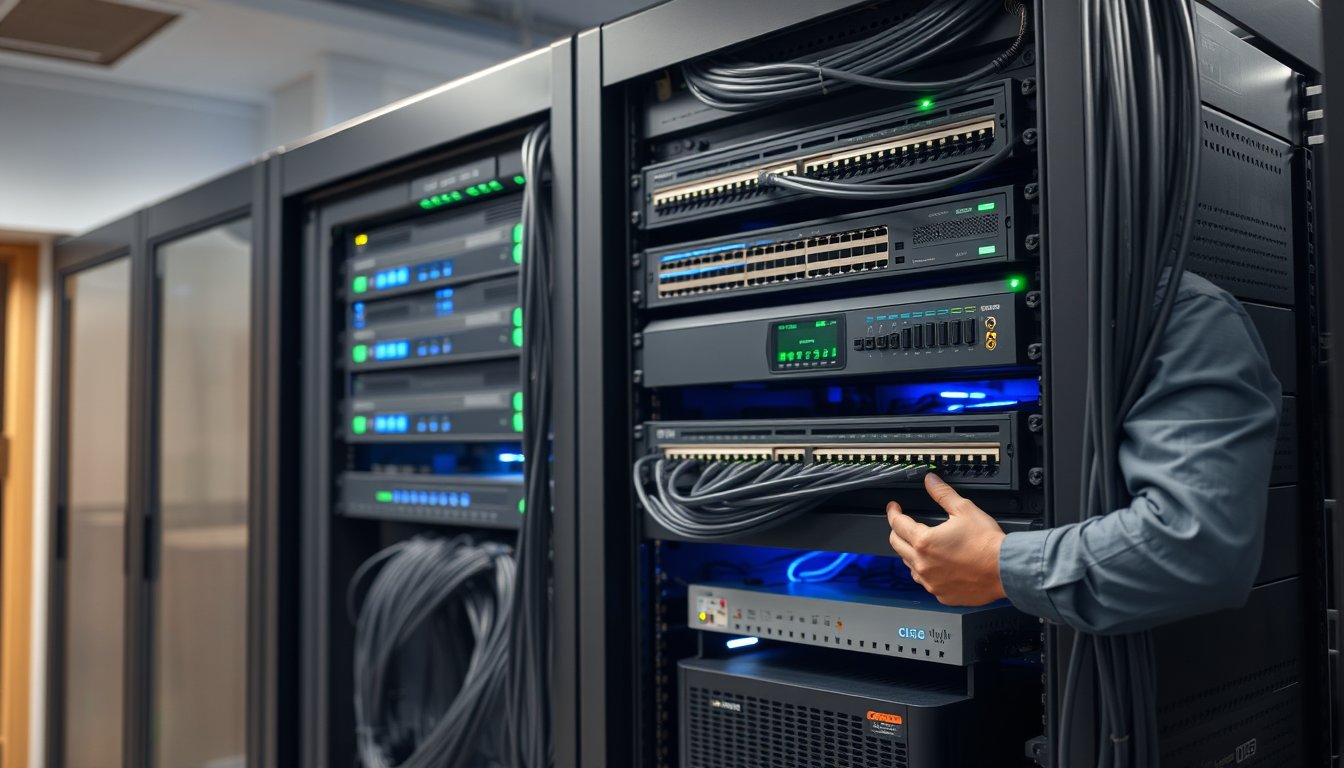
Why most Bangalore IP PBX projects go over budget
A 120-seat office in Koramangala signed off on an IP PBX upgrade in March 2025. The quote was ₹4.2 lakh. Final invoice: ₹7.8 lakh. The gap wasn't hardware. It was everything around it — cabling that couldn't carry PoE, an ISP that took eleven working days to deliver a PRI handover, an IVR flow that needed three rounds of rework, and a call recording server that had to be rebuilt because nobody checked TRAI's storage rules before ordering disks.
That story repeats across Bangalore. The PBX itself is a known quantity. The connective tissue is where budgets die.
This guide is for the IT manager or ops head at a 20-500 person company who is evaluating IP PBX installation in Bangalore right now. We'll cover extension planning, IVR and call flow design, call recording and regulatory compliance, and CRM integration. We'll give you real 2026 rupee figures, name specific hardware, and tell you where our own approach isn't the right fit.
If you'd rather jump straight to scoping a project, our communications services page has the full breakdown of what we deploy.
The real cost of an IP PBX installation in Bangalore (2026 pricing)
Let's start with numbers. These are ex-GST figures based on projects we've delivered in the last 18 months across Bangalore — Whitefield, Electronic City, Peenya, MG Road, Hebbal.
| Deployment size | Hardware + licences | Installation & configuration | Cabling (if needed) | Total project cost (₹) |
|---|---|---|---|---|
| 20-30 users | ₹85,000 - ₹1,40,000 | ₹35,000 - ₹55,000 | ₹25,000 - ₹60,000 | ₹1,45,000 - ₹2,55,000 |
| 50 users | ₹1,50,000 - ₹2,20,000 | ₹55,000 - ₹85,000 | ₹45,000 - ₹1,10,000 | ₹2,50,000 - ₹4,15,000 |
| 100 users | ₹2,80,000 - ₹4,20,000 | ₹95,000 - ₹1,50,000 | ₹90,000 - ₹2,10,000 | ₹4,65,000 - ₹7,80,000 |
| 250 users | ₹6,50,000 - ₹9,50,000 | ₹1,80,000 - ₹2,80,000 | ₹2,00,000 - ₹4,50,000 | ₹10,30,000 - ₹16,80,000 |
| 500 users | ₹11,00,000 - ₹16,00,000 | ₹3,20,000 - ₹4,80,000 | ₹3,80,000 - ₹8,00,000 | ₹18,00,000 - ₹28,80,000 |
Hardware examples at these tiers:
- 20-30 users: Grandstream UCM6302A (₹38,000-₹45,000), Yealink T33G handsets (₹5,200 each), or a software PBX on a refurbished Dell PowerEdge R450.
- 50 users: Grandstream UCM6304A (₹72,000-₹88,000), Yealink T43U handsets (₹8,400 each), Sangoma Vega 60G PRI gateway (₹95,000) if you're keeping an ISDN line.
- 100 users: Yeastar S300 (₹1,35,000-₹1,65,000) or 3CX on a dedicated VM (licence around ₹1.1 lakh for 128 simultaneous calls). Add a Sangoma Vega 100G (₹1,80,000) for dual PRI.
- 250 users: Yeastar S1000 (₹4,80,000), or FreePBX/Asterisk on a Dell R660 with dual Xeon (₹3,20,000 hardware + support contract).
- 500 users: Two Yeastar S1000 in HA (₹9,60,000) or a full Cisco CUCM deployment (₹22,00,000+ just for licensing at 500 users).
That Cisco number is not a typo. Cisco CUCM is a fine product, but for a 500-seat BPO in Bangalore it is almost always overpriced relative to what a Yeastar or 3CX setup delivers. We've replaced four CUCM deployments in the last two years with Yeastar clusters and saved clients 60-70% on capex with zero feature loss for their use case.
What "installation & configuration" actually covers
This line item is where quotes diverge wildly. A proper IP PBX installation includes:
- Rack-mounting the PBX and gateway
- VLAN separation for voice traffic (never share voice and data VLANs)
- DHCP scope for handsets with option 66 pointing to the PBX
- Extension provisioning and handset assignment
- IVR setup, call queues, ring groups
- SIP trunk configuration with the ISP
- Firewall rules (SIP ALG off, proper port forwarding)
- Call recording setup and storage
- Testing: inbound, outbound, transfer, conference, failover
- Documentation and handover training
Anyone quoting ₹15,000 for "installation" is either skipping the VLAN work, skipping the firewall work, or both. Ask them explicitly which of the above is included.
Extension planning: the step everyone rushes
Extension planning looks trivial. It isn't. Get it wrong and you'll be living with the consequences for the life of the system.
The numbering scheme matters more than you think
We see two common mistakes. The first is a flat scheme — 1001 to 1200 for everyone, no department logic. Two years later the company has grown, and nobody can tell whether 1047 is in sales or support. The second is an over-engineered scheme with department codes that make dialling a colleague a five-digit exercise.
A workable scheme for most Indian SMEs uses 3 or 4 digit extensions with the first digit indicating function:
| Range | Purpose |
|---|---|
| 100-199 | Reception, main lines, auto-attendant |
| 200-299 | Sales |
| 300-399 | Support / service desk |
| 400-499 | Finance, admin, HR |
| 500-599 | Operations / delivery |
| 600-699 | Management |
| 700-799 | Conference rooms, shared devices |
| 800-899 | Voicemail-only, fax, ATA devices |
This scales cleanly to about 800 extensions. Beyond that, move to 4 digits.
The hot-desking question
If you have hot-desking (common in Bangalore tech offices and co-working setups), extension planning changes completely. You either:
- Assign extensions to desks, not people, and train staff to log in on any handset (Yealink T4x and T5x series support hot-desking with a PIN).
- Use softphones only, with extension = user account (3CX, FreePBX, and Yeastar all support this natively).
Option 2 is cheaper and more flexible but requires decent Wi-Fi and a headset budget. Budget ₹4,500-₹9,000 per user for a Jabra Evolve2 40 or Poly Blackwire 3320. Option 1 is better if you have call centre-style shared desks with physical handsets.
DID allocation
Direct Inward Dialling (DID) numbers — the public numbers people dial to reach a specific extension — need planning too. On a SIP trunk from Airtel, Jio, or Tata, DIDs are usually sold in blocks. A 100-seat office typically needs:
- 2-4 main numbers for the IVR
- 10-20 DIDs for departments that publish direct numbers (sales, support)
- 1-2 DIDs for fax or legacy services
Ordering extra DIDs later is possible but slow — we've seen Airtel take seven working days to activate a new DID block in Bangalore. Plan ahead.
IVR and call flow design: where customer experience is won or lost
Your IVR is the first human-ish contact most customers have with your company. A badly designed IVR costs you business silently — people just hang up.
The rules that actually matter
Keep it under 45 seconds. If a caller can't reach a human or a useful destination in 45 seconds, they're gone. This means no more than three levels deep, and no more than five options per level.
Always offer a zero-out. "Press 0 to speak to an operator" should be available at every level, including voicemail. The number of IVRs we've seen without a zero-out is genuinely astonishing.
Record in the language your callers speak. In Bangalore, that usually means English plus one or two Indian languages. Professional voice-over for a 4-level IVR in two languages costs ₹8,000-₹15,000 from a Bangalore studio in 2026. Worth every rupee.
Time-of-day routing is not optional. Your IVR should route to a different flow outside business hours. A caller at 9 PM should not be told to "press 1 for sales" if sales went home at 6.
A concrete IVR example
For a 60-seat B2B services company we set up last year:
Welcome to [Company]. For sales, press 1. For support, press 2.
For accounts, press 3. To speak to the operator, press 0.

[Press 1]
For new enquiries, press 1. For existing customers, press 2.

[Press 2]
For existing support tickets, press 1. To raise a new ticket, press 2.
For critical outages, press 3.

[Press 3 - critical]
You are being connected to our on-call engineer. Please hold.
→ Rings a hunt group of 3 engineers, then escalates to the manager's mobile.
Total depth: 3 levels. Zero-out at every level. Critical outages bypass the queue and go straight to a mobile hunt group. Average time to reach a human: 22 seconds.
Queue design
Call queues are where most IP PBX installations under-deliver. Default queue behaviour is usually "ring everyone in order, forever". That's not a queue, that's a lottery.
Configure:
- Maximum wait time — usually 90-120 seconds before overflowing to voicemail or another queue.
- Announce position — "You are caller number 3" — every 30 seconds. Customers tolerate waiting better when they know.
- Callback option — if supported. Yeastar and 3CX both do this. Grandstream added it in UCM firmware 1.0.20+. It reduces abandonment significantly.
- Music on hold — use licensed music, not a radio stream. TRAI doesn't care, but copyright lawyers do.
After-hours and holiday routing
Configure this once, test it twice. We've had clients miss leads for weeks because a holiday routing rule was set for the wrong year. Your PBX needs a calendar of Indian public holidays plus your company's own closures, and someone needs to own updating it every January.
Call recording and TRAI compliance: the part that carries legal risk
Call recording is the single most misunderstood part of IP PBX deployment in India. Let's be clear about what the rules actually require.
What TRAI and Indian law actually say
TRAI's regulations on call recording primarily bind telecom service providers, not end-user businesses. But three real constraints apply to you:
-
Recording without consent is legally risky. Under Indian law, recording a private conversation without the knowledge of at least one party (ideally both) can expose you to claims under privacy law, especially since the DPDP Act came into force. Practical approach: play a clear announcement — "This call may be recorded for quality and training purposes" — at the start of every recorded call. This is standard practice in Indian BPOs and is your best defence.
-
Storage and access rules. If you're handling customer data, DPDP Act obligations apply. Recordings containing personal data should be stored securely, access-controlled, and retained only as long as necessary. A typical retention period is 90 to 180 days for quality purposes, longer for regulated industries (banking, insurance, healthcare often require 5+ years).
-
CERT-In directions. Since the 2022 CERT-In directions, if you're a regulated entity (or a service provider to one), you may need to retain logs and certain communications data for 180 days and provide them on lawful request. Check with your legal counsel whether this applies to you.
None of this is legal advice. Get a lawyer to confirm your specific obligations. But don't skip recording entirely because it feels risky — a business without call recordings has no defence when a customer disputes what was promised.
Storage sizing for recordings
This is where projects get derailed. Call recording storage balloons fast.
A single call recorded in G.711 (the default codec) consumes roughly 1 MB per minute. In G.729, roughly 0.13 MB per minute. Most PBX systems default to G.711 for recording quality reasons.
| Seats | Calls/day (est.) | Avg call length | Daily storage (G.711) | 180-day retention |
|---|---|---|---|---|
| 20 | 200 | 3 min | ~600 MB | ~108 GB |
| 50 | 500 | 3 min | ~1.5 GB | ~270 GB |
| 100 | 1,200 | 3 min | ~3.6 GB | ~648 GB |
| 250 | 3,000 | 3 min | ~9 GB | ~1.6 TB |
| 500 | 6,500 | 3 min | ~19.5 GB | ~3.5 TB |
Add 30% headroom. So a 100-seat office needs roughly 850 GB of recording storage for 180 days. In practice, plan for 1 TB.
Storage options in 2026:
- Local NAS: Synology DS1522+ with 4x 4TB WD Red Pro drives, RAID 10 — ₹95,000-₹1,15,000 all-in. Handles up to about 150 seats comfortably.
- Larger NAS: Synology RS2423+ with 8x 8TB drives, RAID 6 — ₹3,20,000-₹3,80,000. Handles 500+ seats.
- Cloud storage: AWS S3 or Wasabi. Cheaper per GB but you pay egress when retrieving, and Indian data residency rules may apply. Only use this if your legal team clears it.
The mistake we see most often
In August 2025, a 90-seat insurance broking firm in Jayanagar had their recording storage fill up silently. The PBX had been configured to write recordings to a 2 TB NAS with no alerting. When the volume hit 100%, the NAS stopped accepting new files, and recordings from the next 11 days simply didn't exist.
They discovered this when a customer disputed a policy cancellation and the firm couldn't produce the call. The disputed amount was ₹4.2 lakh. The firm settled for ₹2.8 lakh rather than fight a case with no evidence. The fix was a ₹6,500 alerting script plus a second Synology unit for replication — ₹1,45,000 total. Eleven days of missing recordings cost them 12 times that.
Set up storage alerts. Test them quarterly. Replicate off-site.
CRM integration: where IP PBX actually pays for itself
An IP PBX without CRM integration is a phone system. With integration, it's a sales and service tool. This is the difference between spending ₹4 lakh on infrastructure and spending ₹4 lakh on revenue.
What good integration looks like
When a customer calls:
- The PBX matches the caller's number against your CRM.
- A screen pop opens the customer record on the receiving agent's screen.
- The call is logged automatically with duration, agent, and a link to the recording.
- If no match, the agent gets a click-to-create-new-lead prompt.
When an agent calls out:
- They click the phone number in the CRM.
- The PBX dials the extension first, then the external number.
- The call is logged automatically.
What it costs
| Integration type | Cost (2026) | Notes |
|---|---|---|
| Native CRM connector (Zoho, Freshsales, Salesforce) | ₹0 - ₹40,000 | Some bundled with PBX licences |
| Third-party middleware (e.g. CTI2CRM, Tenfold) | ₹65,000 - ₹1,80,000 | Per-seat pricing common |
| Custom API integration | ₹1,20,000 - ₹3,50,000 | One-time dev cost; ongoing maintenance extra |
| Contact centre add-on (full ACD, wallboards, analytics) | ₹1,80,000 - ₹6,00,000 | For 50+ agent setups only |
Native connectors cover 80% of SME needs. If you're on Zoho CRM (very common among Bangalore SMEs) and deploy a Yeastar or 3CX PBX, the native Zoho integration takes a day to set up and works well. Custom integration is only worth it when you have unusual workflows.
The CRM integration that went wrong
In early 2025, a 45-seat real estate firm in HSR Layout wanted calls auto-logged into their custom-built CRM. The developer built the integration using webhook pushes from the PBX whenever a call ended. It worked for six weeks. Then call volume doubled during a launch, the webhook endpoint couldn't keep up, and the PBX started dropping events silently. Roughly 400 calls in ten days weren't logged. The sales team's reporting was wrong for a quarter.
The fix required rewriting the integration to use the PBX's CDR (Call Detail Record) database directly, pulling records every 60 seconds. Cost: ₹85,000 for the rewrite. The lesson: webhook-based integrations need backpressure handling and retry logic, and most small dev shops don't build that. Always ask "what happens when the endpoint is slow?" before you sign off.
Choosing between on-premise, cloud, and hybrid
There are three deployment models for IP PBX in 2026, and they're genuinely different. Here's the honest comparison.
| Factor | On-premise | Cloud (hosted PBX) | Hybrid |
|---|---|---|---|
| Upfront cost (100 seats) | ₹4.5L - ₹7.5L | ₹15K - ₹40K | ₹2.5L - ₹4L |
| Monthly cost (100 seats) | ₹8K - ₹18K (support) | ₹28K - ₹65K | ₹15K - ₹28K |
| 5-year TCO | ₹9L - ₹14L | ₹18L - ₹40L | ₹12L - ₹20L |
| Internet dependency | Low (PRI/SIP fallback) | Total | Medium |
| Control over data | Full | Limited | Full for recordings |
| Scalability | Manual | Instant | Mixed |
| Suitability | Regulated, high-call-volume | Distributed, seasonal | Most SMEs |
When cloud is the right answer
Cloud PBX wins when:
- You have multiple small offices (under 15 seats each) across cities.
- Your call volumes are seasonal or unpredictable.
- You have no IT team and no interest in running phone infrastructure.
- You're a startup likely to relocate within two years.
Cloud loses when:
- Your internet is unreliable (common in older Bangalore buildings with a single ISP).
- You handle large volumes where per-seat monthly pricing adds up fast.
- You have strict data residency or recording-retention requirements.
- You need deep integration with on-premise systems.
When on-premise wins
On-premise wins for 50-500 seat offices with stable internet, existing IT staff, and a need for either cost control at scale or regulatory comfort around data location. That's most of our client base in Bangalore.
Hybrid — on-premise PBX with cloud SIP trunking — is the sweet spot for many. You keep the PBX and recordings on your premises, but you buy your trunk from a cloud provider with automatic failover across multiple ISPs. Cost: about ₹250-₹450 per channel per month in 2026, from providers like Tata Communications, Airtel IQ, or Exotel.
ISP and connectivity: the Bangalore reality
This section exists because Bangalore internet is not like internet elsewhere, and your IP PBX will live or die on it.
ISP lead times
Ordering a new SIP trunk or PRI line in Bangalore has lead times that will surprise you:
- Airtel SIP trunk: 7-14 working days from order to activation, assuming you're in a covered building. Add 3-5 days if the building needs new cabling.
- Jio SIP trunk: 10-18 working days. Faster in newer buildings, slower in older ones.
- Tata Communications: 8-15 working days for enterprise circuits.
- ACT Fibernet (for backup broadband only): 3-7 working days.
If your project timeline is tight, order connectivity before you order PBX hardware. We've had projects sit for two weeks waiting on an Airtel handover while the PBX was already racked.
Redundancy matters
Bangalore's ISP reliability has improved but is not perfect. Monsoon season (June-September) sees more fibre cuts due to water ingress, tree damage, and road work. A single ISP is a single point of failure.
Minimum viable redundancy for a business phone system:
- Primary: SIP trunk from a tier-1 ISP.
- Secondary: A second SIP trunk from a different ISP (not the same one).
- Tertiary: A GSM gateway (e.g. Yeastar TG200, ₹28,000) with 2-4 SIM cards, programmed to auto-route calls if both SIP trunks fail.
The GSM gateway is the cheapest insurance you'll buy. We install one in every deployment above 50 seats.
Power reliability
The PBX, your core switches, and your ISP's ONT all need UPS backup. A typical 100-seat deployment draws 250-400W for the PBX + switches + gateway. A 3 kVA online UPS (APC SRT3000XLI, ₹62,000-₹75,000) will keep you running for 45-90 minutes. Add a 5 kVA for the server room if you have one.
If you also need to keep the reception desk handset powered during an outage, put that handset's PoE switch on UPS too. PoE phones without power are paperweights.
Deployment timeline: what a realistic project looks like
For a 100-seat office placing a fresh IP PBX installation in Bangalore:
| Week | Activity |
|---|---|
| 1 | Requirements gathering, extension plan, IVR flow design |
| 1-2 | Hardware procurement, ISP order placement |
| 2-3 | Cabling upgrades (if needed), VLAN setup on existing switches |
| 3-4 | ISP circuit delivery, PBX racking, initial configuration |
| 4 | Extension provisioning, IVR recording, queue setup |
| 4-5 | CRM integration, call recording setup, testing |
| 5 | User training, parallel run with old system |
| 6 | Cutover, decommission old system |
Six weeks is realistic for a mid-size office with no surprises. If cabling needs a full refresh, add two weeks. If CRM integration is custom, add two to four weeks. Anyone promising a 100-seat IP PBX in ten days is either cutting corners or working with an existing cabling plant and a pre-configured cloud PBX.
Common pitfalls we've seen in Bangalore IP PBX projects
Pitfall 1: Skipping VLAN separation. Voice and data on the same VLAN works fine until it doesn't. Then call quality degrades and you have no way to prioritise voice without a major reconfiguration. Do it from day one.
Pitfall 2: Buying handsets before planning extensions. You end up with the wrong handset models in the wrong places. Plan extensions first, then order handsets that match each desk's needs (basic for reception, executive models for managers who use features, conference phones for meeting rooms).
Pitfall 3: Underestimating recording storage. Covered above. It's the most common project change-order item.
Pitfall 4: No documented failover process. When your SIP trunk drops, who does what? Write it down. Print it. Stick it on the server room wall. We've seen outages last 4+ hours because nobody knew how to fail over to the backup trunk.
Pitfall 5: Ignoring the fax problem. Yes, some of your customers still send faxes. If you cancel your PRI line, you cancel your fax number. Either keep a small analog line for fax or migrate to a fax-over-IP service (Exotel, Knowlarity). Don't discover this on the day you cancel.
Pitfall 6: Not testing what happens when the PBX reboots. Schedule a reboot during your parallel run. Does everything come back? Do queues restart correctly? Does the CRM connector reconnect? Test it before it happens unplanned.
Where our approach isn't the right fit
We do IP PBX installation in Bangalore for mid-market offices, typically 30 to 400 seats. We're not the right fit if:
- You're a 5-person startup. A cloud PBX on a monthly plan will cost you ₹2,000-₹5,000 per month and you don't need anything we'd install.
- You're a 5,000-seat enterprise with a global telephony footprint. You need a system integrator with Cisco/Avaya certifications and global support capabilities, not an SME-focused MSP.
- You want a fully managed cloud PBX with zero on-premise equipment. We can point you at good cloud providers but we're not the cheapest reseller for that model.
- You need a BPO-grade contact centre with 200+ concurrent agents. That's a different category of software (Genesys, NICE, Five9) and a different specialist.
For everyone else — 20-500 seats, stable internet, a need for on-premise or hybrid, a CRM that has to talk to the phone — we're a good fit. And we tell clients upfront when we're not.
FAQ
How much does IP PBX installation cost in Bangalore in 2026?
For a 50-seat office, expect ₹2.5 lakh to ₹4.15 lakh all-in (hardware, licences, installation, cabling). For 100 seats, ₹4.65 lakh to ₹7.8 lakh. Costs vary mainly based on whether you need new cabling, which PBX brand you choose, and whether CRM integration is required.
Do I need a PRI line or can I use a SIP trunk?
SIP trunk, unless you have a specific legacy requirement. SIP is cheaper (₹250-₹450 per channel per month vs ₹8,000-₹15,000 per PRI line per month), more flexible, and faster to scale. PRI is being phased out across most Indian ISPs. Keep PRI only if you have an existing contract or legacy fax/PBX systems that can't be migrated yet.
Is call recording legal in India without telling the customer?
Legally ambiguous and not worth the risk. Always play a clear recording notification at the start of every recorded call. Since the DPDP Act came into force, unannounced recording of customer calls carries meaningful legal exposure. Consult a lawyer about your specific obligations.
How long does IP PBX installation take in Bangalore?
For a 100-seat office with existing cabling, 4-6 weeks from kickoff to cutover. Add 2 weeks if cabling needs refreshing. Add 2-4 weeks if CRM integration is custom. ISP circuit delivery (7-18 working days) is usually the longest single delay.
Can I integrate my IP PBX with Zoho CRM or Salesforce?
Yes. Native connectors exist for Zoho, Salesforce, Freshsales, HubSpot, and most major CRMs. For Yeastar, 3CX, and Grandstream PBXs, native Zoho integration is straightforward and typically takes 1-2 days. Salesforce integrations are usually more involved and may need middleware.
What happens if my internet goes down during business hours?
With proper redundancy, nothing — calls automatically route to a backup SIP trunk or a GSM gateway. Without redundancy, inbound and outbound both fail. Minimum configuration for any business-critical line: two SIP trunks from different ISPs, plus a GSM gateway as third-tier fallback.
Will my existing analog handsets work on an IP PBX?
Some will, via an ATA (Analog Telephone Adapter) — a Grandstream HT812 or Cisco SPA112 costs ₹3,500-₹5,500 and supports 2 analog phones each. But it's a stopgap. Analog handsets lose most of the features that make an IP PBX worth having. Budget for IP handset replacement over the first year.
What to do next
If you're evaluating IP PBX installation in Bangalore for a 20-500 seat office, the next step is a scoping call. Not a quote — a scoping call. The quote is meaningless until we know your extension count, call flow requirements, CRM, recording retention, and cabling status.
Bring these to the call and you'll get a usable ballpark within a day:
- Total seats and expected 3-year growth
- Current phone setup (PRI, analog, cloud, none)
- Primary CRM and whether you need screen-pop integration
- Recording retention requirement (and whether your legal team has weighed in)
- Number of offices and whether they need to be on one system
- Internet setup — how many ISPs, what speeds, any backup
We'll tell you straight whether on-premise, cloud, or hybrid makes sense for your situation, and we'll say so if we think you should go elsewhere. Reach out via our contact page or read more about our communications deployments on the communications services page.
Most projects we're discussing now for 2026 have an ideal start window of February-April — before the pre-monsoon cabling work windows close and before ISP teams get busy with their own year-end pushes. If you're looking at a Q2 go-live, the conversation should happen now.