
ISO 27001 IT Infrastructure Requirements: What Auditors Check
What ISO 27001 Actually Demands From Your Infrastructure
In 2024, a 140-person logistics company in Bommanahalli failed its Stage 1 ISO 27001 audit because the auditor could not find the firmware version of a single HP ProLiant DL380 Gen10 server. Not because the firmware was outdated — because nobody had recorded it.
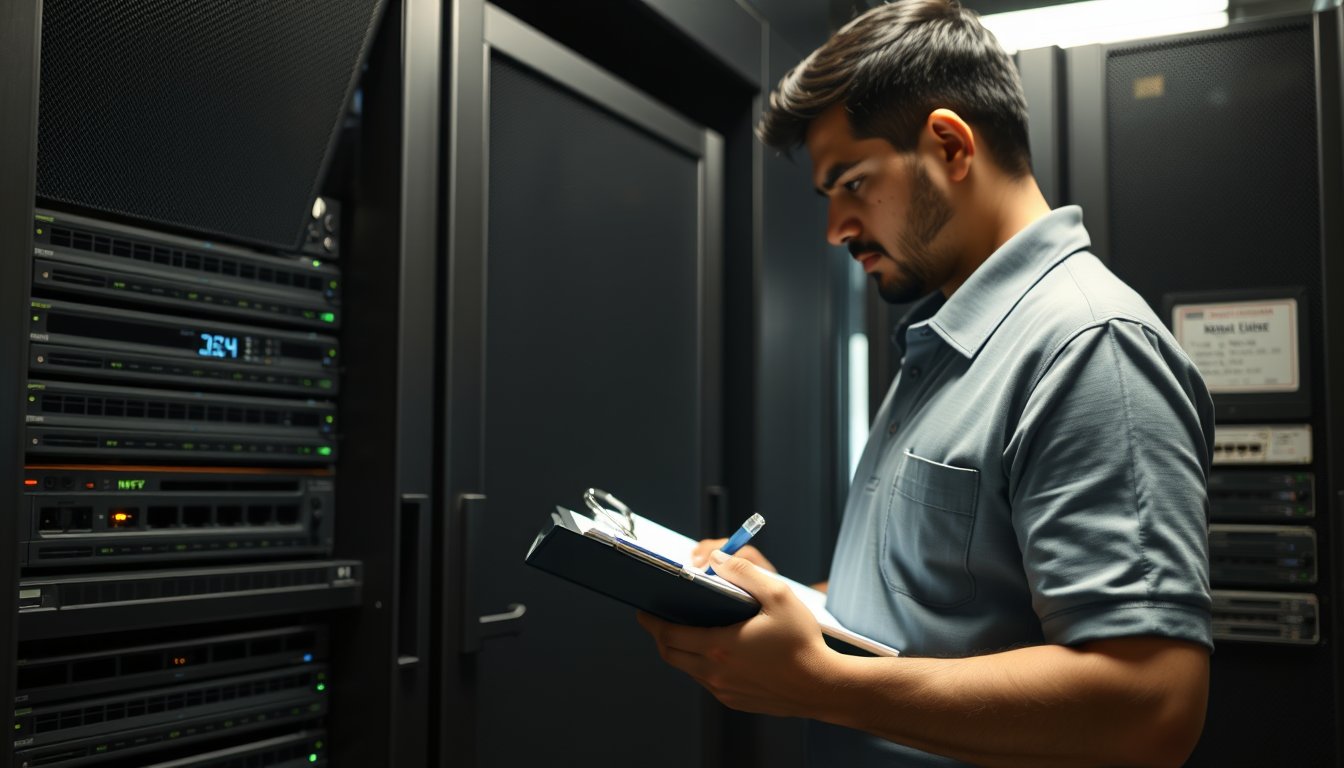
The certification body, a well-known firm from Mumbai, issued a major nonconformity under Annex A 8.8 (technical vulnerability management). The company had spent ₹14 lakh on consultants and two years preparing, but the asset register stopped at the operating system level. Hardware serial numbers, BIOS versions, and patch histories were scattered across emails and sticky notes. The auditor spent 40 minutes in the server room with a flashlight, reading labels off switches and storage arrays, and found that the asset list omitted 23 of the 61 network devices.
The fix cost ₹2.1 lakh and took six weeks, but the certification timeline slipped by five months. Their client, a German manufacturer, had made ISO 27001 a contract condition. During those five months, the logistics firm could not sign the renewal, losing an estimated ₹3.5 crore in revenue.
This is what ISO 27001 certification actually means for your IT infrastructure: the standard expects that you can prove, on demand, that every piece of hardware and software is accounted for, configured securely, monitored, patched, backed up, and changed only through a controlled process. Most Indian SMEs — especially those with 50 to 300 employees running on a mix of on-premise servers and cloud services — discover during their first gap assessment that their infrastructure is not ready.
The phrase "ISO 27001 IT infrastructure requirements" gets searched thousands of times a month, but the answers online are usually vague. They talk about firewalls and encryption without mentioning the actual Annex A controls that force infrastructure work. This article spells out the specific controls, what auditors ask to see, the real costs in rupees, and the trade-offs you need to make. If you are evaluating certification, the practical details here will save you from the mistakes that derail certification timelines.
Why ISO 27001 Is Suddenly an Infrastructure Project
Many business owners think ISO 27001 is a documentation exercise. You write policies, perform a risk assessment, and let a consultant file the paperwork. Then the auditor visits, checks a few boxes, and you get a certificate to hang in the lobby.
That belief collapses the first time an auditor asks to see your backup restore logs.
ISO 27001 is built on a set of controls listed in Annex A. A large fraction of those controls cannot be satisfied with a policy document alone. They demand that your infrastructure is built and operated in a certain way. In my ten years at SynergyScape Technologies, I have watched dozens of companies in Bangalore go through certification. The ones who succeed treat it as an infrastructure hardening project that lasts six to twelve months, not a paperwork exercise.
Here are the Annex A controls that translate directly into infrastructure work, with the exact clauses you will hear auditors reference.
A.5.9: Inventory of Assets — The Control That Trips Everyone
The first infrastructure requirement is not a firewall or a backup tool. It is a complete, accurate, and current inventory of every information asset. Annex A.5.9 says you must identify assets and maintain an inventory.
Auditors check this by asking you to show the asset register, then they take a random sample and verify against reality. They walk through your server room, your network closet, and sometimes your office floors. They ask about the TP-Link switch in the corner that someone plugged in three years ago for a temporary CCTV installation. If that switch is not in your register, you get a nonconformity.
The failure at the logistics company in Bommanahalli happened because their asset inventory covered servers and workstations but not network gear, IoT devices, or even the biometric attendance devices at every entrance.
What auditors want to see in your asset register:
- Asset owner and location (both physical and logical)
- Hardware model, serial number, and firmware/BIOS version
- Software installed, including versions and patch levels
- The business process it supports and its criticality rating
- Data classification if the asset stores or processes data
- Maintenance history and warranty expiry
For most SMEs, spreadsheets are not enough. They may be acceptable for a 20-person company, but for anything larger, you need an IT asset management tool. We have deployed Snipe-IT, an open-source option, for many clients who are cost-sensitive. It costs nothing for the software itself, but you will spend ₹50,000 to ₹1,20,000 in consulting time to set it up and train staff (2026 pricing). If you prefer commercial tools, ServiceNow is overkill and expensive for most SMEs. A middle ground is Lansweeper, which can discover assets automatically over the network without installing agents on everything. Licensing runs about ₹2,800 per device per year. For a 200-device environment, that is roughly ₹5.6 lakh annually.
But the tool is only half the story. The inventory must be current. Do you have a process for adding a new laptop the day it is issued? Who records the new switch when the network team installs one? Annual asset audits are the norm, but your register can go stale within weeks if you do not enforce daily or weekly updates.
At SynergyScape, we recommend automatic discovery tools to supplement manual tracking. Lansweeper can scan your network daily and flag devices that are not in the register. The tool costs around ₹2,200 per device per year, but for 300 devices that is a significant expense. Snipe-IT with a disciplined admin can work, but it requires process adherence.
One practical tip: use the asset tag number in your DHCP reservations and in your documentation. That way, when someone plugs in a rogue device, you can identify it instantly. Also, include your cloud assets. Many SMEs forget that their AWS EC2 instances or Azure VMs are assets that need to be in the register. If the auditor sees that your company uses Office 365, they will expect to see each user account as an asset or at least align with the identity inventory.
A.8.2 and A.8.5: Privileged Access and Secure Authentication
Annex A.8.2 covers privileged access rights, and A.8.5 covers secure authentication. These controls force you to manage admin accounts carefully and implement multi-factor authentication (MFA).
For infrastructure, this means:
- No shared admin accounts. If three engineers use the same root password for your VMware cluster, that is a nonconformity.
- Only necessary users have admin rights, and those rights are reviewed periodically.
- MFA is enforced for all remote access and for any administrative console.
- Passwords are complex, stored in a password manager, and rotated.
Auditors ask to see a list of privileged users, and they may ask for your Active Directory configuration or your AWS IAM policy. They want proof that you have removed default accounts, changed default passwords, and disabled guest access.
Concretely, you must implement MFA on:
- VPN access (if you have any remote employees)
- Administrative access to cloud consoles (AWS, Azure, Office 365)
- Access to network devices (routers, switches, firewalls)
- Server local logins (through jump hosts, for example)
If you use Office 365, you should have Security Defaults enabled or Conditional Access policies to require MFA for all users. Microsoft has made it simpler, but for a business with sensitive data, you may need to configure conditional access to block legacy authentication, which is a common attack vector.
For on-premise infrastructure, a practical solution is a Privileged Access Management (PAM) tool. CyberArk is powerful but priced for enterprises; you can expect ₹15–25 lakh per year for licensing. For SMEs, a simpler approach is to use a jump host that logs commands and enforces MFA. You can build this with a Linux bastion and SSH keys, or use a commercial tool like ManageEngine PAM360, which starts around ₹2 lakh per year for 100 resources (2026 pricing).
Auditors will also check that privileged access rights are reviewed at regular intervals. A quarterly review process, where managers confirm who has admin rights and why, is a common requirement. The review should be documented, like minutes from a meeting or a signed-off spreadsheet.
A.8.15: Logging and Monitoring — The Infrastructure Control That Catches Breaches
Logging is maybe the most infrastructure-heavy control in ISO 27001. Annex A.8.15 requires you to produce logs of events, protect those logs, and keep them for a certain period. Auditors want to know:
- What events are you logging?
- Where are the logs stored?
- How long are they retained?
- Are logs tamper-proof?
- Do you review logs on a regular basis?
The log sources that must be covered include:
- Firewall and network devices
- Servers (Windows Event Log, Linux syslog)
- Cloud services (Azure Activity Log, AWS CloudTrail)
- Applications and databases, especially those handling personal data
- User activity, such as login successes and failures
For an SME, the practical implementation often looks like this:
- Centralise logs using a syslog server. A simple Linux server with rsyslog can collect logs. But for easier searching, you might use the ELK stack (Elasticsearch, Logstash, Kibana) or Graylog. Graylog is popular because it is open-source and offers a web interface. Setting up Graylog from scratch can take a few days; we have done it for clients in Bangalore at a cost of ₹1.5–2 lakh for installation and configuration.
- Use window event log forwarding to a central collector.
- For cloud, enable diagnostic settings in Azure to stream logs to a Log Analytics workspace or storage account.
Retention periods vary. ISO 27001 says "log retention periods" should be defined, but it does not mandate a specific duration. Indian regulations like CERT-In directions require logs of certain types to be retained for 180 days. Many organisations retain logs for 6 months to 1 year for security, but you may need to keep logs for longer in regulated sectors. For example, under IT rules, transaction logs may need to be kept for 5 years.
The cost of log storage is significant. Logs consume a lot of space. Expect to budget for storage: for a typical 150-person company, you might generate 20-50 GB of logs per day, which over a year is about 7-18 TB. Storing that on a NAS or in cloud object storage can cost you:
- On-premise: a 20 TB NAS from Synology costs around ₹1.5 lakh, but you need to buy drives and maintain the hardware.
- Cloud: Azure Blob storage costs about ₹40-₹50 per GB per month for hot access, but cold storage is cheaper, around ₹8-₹10 per GB per month. After a short retention period, you can move logs to archive tier, cutting costs by 80%.
Auditors will also check if your logs are protected from alteration. You need to use access controls and perhaps a write-once-read-many (WORM) storage for critical logs. Cloud object storage with immutability policies is an easy way to meet this.
Most importantly, you must demonstrate that logs are reviewed. An auditor will ask: "When was the last time you reviewed logs?" If you have no documented process, they will raise a finding. A monthly review of firewall logs, Windows security logs, and authentication logs is typical. You can automate this using a SIEM tool. But SIEM is costly. For an SME, a practical approach is to configure alerts for critical events, like multiple failed logins or configuration changes, and have the IT team review those weekly.
A.8.13 and A.12.3: Backup and Restore — The Most Audited Requirement
Annex A.8.13 is about information backup, and A.12.3 is about capacity management. Backup is one of the few controls where auditors do not just ask for a policy; they ask you to restore a server on the spot.
The infrastructure requirements for backup include:
- A defined backup schedule that meets business needs and regulatory requirements
- Offsite backup or a geographically separate copy
- Redundancy to ensure backup integrity
- Regular testing of restores, documented
For most SMEs, backup needs a dedicated appliance. You cannot rely on a single USB drive attached to a server. The common current practice is to use either:
- A NAS or server deduplication appliance, like Synology DS923+ with Veeam Backup & Replication v12
- A cloud backup solution, like Veeam with Azure Blob storage
Veeam is the de facto standard for small business backup. A license for Veeam Backup & Replication Essentials costs around ₹45,000 for up to 5 instances, and for larger environments, per-socket licensing. For a typical 50-VM VMware environment, budget ₹2.5 to ₹4 lakh for licensing (2026 pricing).
But do not forget to budget for the repository. For a small office, a Synology DS923+ with 4 bays, outfitted with four 8TB Seagate IronWolf drives, costs approximately ₹1.1 lakh. That gives you about 16 TB usable in RAID 5, enough for daily backups of a 5-server environment for two years.
Offsite requirement: you need a copy in a different physical location. Cloud is the easiest. Veeam can copy backups to Wasabi or Azure Blob storage. Azure Blob cold tier costs ₹0.06 per GB per month, and you pay for egress when restoring. For a backup of 2 TB, that is about ₹120 per month, which is negligible. However, you must plan for restore costs. Egress from Azure is ₹8.50 per GB after the first 100 GB, so a 2 TB restore could cost you ₹12,000. You must factor that into your DR planning.
Auditors will ask to see a restore test log. At least once a quarter, you should perform a test restore of a critical server and document it. We have had clients who skipped this because it "takes too long". Then, when they were hit by ransomware and needed to restore, the backup failed. A logistics company in Whitefield lost 11 days of data because incremental backups were corrupt, and they had not tested a full restore in 8 months.
A.8.20, A.8.21, and A.8.22: Network Security Controls
These controls address network segregation, security of network services, and protection of the network. In practice, auditors expect to see a firewall between internal networks and the internet, and often, network segmentation between different environments (e.g., production, development, office).
The infrastructure requirements include:
- A next-generation firewall (NGFW) that is properly configured
- Disabled default passwords and enabled logging
- A DMZ if you host public-facing servers
- Wi-Fi security using WPA2 or WPA3 with a separate guest network
For an SME with 100 employees, a FortiGate 90G is a reasonable choice and costs around ₹1.2 lakh with a 1-year subscription (2026 pricing). You can also consider Sophos XGS 126, which is similarly priced. Many clients have used cheap SOHO routers, but those do not meet audit expectations. Auditors look for a firewall that is rack-mountable, supports VPN, and has policy-based access control.
Network segregation is often a challenge in older offices. We have inspected offices where the server room uses simple unmanaged switches and everything is on a single flat network. To meet the standards, you need separate VLANs for users, servers, and guests.
Wi-Fi is a bigger issue. Many offices in Bangalore use consumer-grade access points, such as TP-Link Archer or even a single D-Link in the office. An auditor will ask for your wireless inventory and configuration. You must show that the SSID is not broadcast, that WPA2-PSK is used or, better, WPA2-Enterprise with RADIUS. A guest Wi-Fi network must be isolated. We have had to install Ubiquiti UniFi access points for many clients to satisfy auditors; a setup with two or three access points and a controller costs around ₹75,000, including installation.
The point is not to maximise spending, but to show that you have taken reasonable steps in line with risk. For a small business with low risk, a FortiGate 60F and a few VLANs is enough. For a larger organisation, you may need to zero-trust, but that is a stretch for many.
A.8.3: Change Management — The Least Exciting but Crucial Control
Annex A.8.3 requires you to manage changes to information processing facilities. Auditors want to see that you have a process for requesting, approving, testing, and documenting changes to your IT environment.
Infrastructure changes are the most common: applying patches, replacing hardware, changing firewall rules, updating firmware. Without a process, something breaks or a security gap opens. During an audit, they will ask:
- Show me a recent change request.
- How did you ensure the change did not affect security?
- What is your rollback plan?
For a small IT team, the process can be lightweight. A simple form where a technician logs the change, a manager approves it after impact assessment, and a tracking spreadsheet is often enough. We have implemented this in many companies using a free tool like Jira Service Management. But the process must be followed. At one client, a junior network admin changed the firewall rule to allow a temporary test without following the process, creating a security hole. The auditor spotted a rule with no ticket number and issued a minor nonconformity.
Another common audit test is to check whether you have a test environment. If you are running regular software updates, you need a staging environment that mirrors production. But for a small company, testing every patch on a test server is not practical. The requirement is to assess the risk of the change and decide if testing is needed. For example, a security patch with a known exploit must be tested on a non-production machine if possible. Document this thought process.
The ISO 27001 Infrastructure Budget: What It Costs in India
Now you have a picture of what the controls entail. Let's talk money.
The total cost of closing infrastructure gaps for ISO 27001 can be broken into three categories:
- Hardware upgrades: replacing obsolete servers, buying new firewalls, adding backup appliances.
- Software licensing: monitoring tools, backup software, security tools.
- Consulting and internal effort: often the largest because it involves configuration and documentation.
From SynergyScape's typical Bangalore SME clients, a common infra spend is:
| Item | Typical Cost (2026) | Notes |
|---|---|---|
| NGFW (FortiGate 90G) | ₹1.2–1.5 lakh | Includes hardware and 1-year subscription |
| Backup solution (Veeam Essentials + NAS) | ₹1.5–2.5 lakh | For up to 10 VMs |
| Log management (Graylog on a separate VM) | ₹1.5–2 lakh setup, ₹50k/year ops | Includes 1 TB storage |
| Inventory tool (Snipe-IT or Basetime) | ₹0–1 lakh | Open-source free, setup varies |
| PAM tool (ManageEngine) | ₹2–4 lakh/year | For 100 resources |
| Network segmentation (managed switches + cabling) | ₹3–6 lakh | Depends on current state |
| MFA (Azure AD Premium P1 or Cisco Duo) | ₹3–6 lakh/year | For all users |
Total, a basic certification prep with no major hardware replacement often costs ₹8–15 lakh. If you have to replace old servers or purchase new ones, add another ₹15–30 lakh.
Do not forget the recurring cost. Annual maintenance, licensing renewal, and subscription fees are around 30-40% of the initial spend per year.
What Auditors Ask to See: A Practical Checklist
To help you prepare, here is a checklist of physical and logical evidence an auditor will request during the Stage 1 and Stage 2 audits.
Documentation Requests
- Asset inventory: both physical and logical, current.
- Network diagram: showing all devices, segmentation, and remote access.
- Backup policy and procedures: including retention, offsite storage, and testing schedule.
- Restore test reports: for the last year.
- Change management records: for the last 6 months.
- Privileged access review reports: from the last quarter.
- Log review reports: showing regular reviews.
Technical Checks
- Firewall configuration: can they see the security policies and the rules in place? They will expect that outbound traffic is restricted, not just inbound.
- MFA on all remote access: try to log in to a VPN with an account that does not have MFA; they might not go that far, but they will check your MFA reports.
- Patch status of critical servers: they will ask for a vulnerability scan report or patch compliance report.
Table: Comparing Common Infrastructure Solutions
| Requirement | Option 1 (Entry) | Option 2 (Mid-range) | Option 3 (Enterprise) |
|---|---|---|---|
| Firewall | FortiGate 60F (₹80k) | FortiGate 90G (₹1.2 lakh) | Palo Alto PA-410 (₹3.5 lakh) |
| Backup | Veeam Essentials + USB (₹50k) | Veeam + Synology (₹2 lakh) | Veeam + HP StoreOnce (₹8 lakh) |
| Log management | Syslog-ng + grep (₹0) | Graylog (₹2 lakh) | Splunk (₹30 lakh/year) |
| Asset management | Spreadsheet (₹0) | Snipe-IT (₹1 lakh setup) | ServiceNow (₹30 lakh/year) |
This table is honest: you can get certified with a spreadsheet and a basic firewall, but the auditor might raise more findings if your controls are weak. The cost-benefit varies.
How SynergyScape Helps With ISO 27001 Infrastructure
Our role is not just to sell you a firewall and leave. We provide a structured approach.
-
Gap assessment: We come to your office, inspect your active network using tools like Nmap, and review your existing documentation. We produce a report that lists each Annex A control and your status. This costs between ₹25,000 and ₹50,000 for a single site.
-
Infrastructure hardening: We design and implement the controls: deploy the firewall, configure the VLANs, set up the backup and log servers. We use only known products, like Fortinet, Dell, and HPE, and we document everything.
-
Evidence compilation: We help you produce the policies, procedures, and reports you need. We often create the asset register and the change management template.
-
Audit support: During the certification audit, we are on call to assist with anything technical.
However, we are not right for every company. If you have fewer than 15 people and you are not pursuing certification because a client asked, the cost may outweigh the benefit. We have declined projects where we felt the gap is trivial and you are better off using a consultant.
And we are transparent: our managed services contracts cover these operational activities — patch management, backup monitoring, log review — at a monthly fee. For a 50-employee firm, we charge between ₹1.1 and ₹1.6 lakh per month (2026 pricing), which is significantly less than hiring a full-time security engineer at ₹12-18 lakh per year. That relationship is outlined on our managed services page, where you can see the SLA and services
DPDP Act and Local Considerations
The Digital Personal Data Protection (DPDP) Act, 2023, adds legal obligations that overlap with ISO 27001. For example, if you process personal data, you must implement reasonable security safeguards. ISO 27001 certification is a strong piece of evidence for demonstrating compliance.
In Bangalore, you have to think about physical infrastructure, too. Power outages are still common, but not as severe as a decade ago. Yet equipment must be on UPS. An auditor will check that servers are on a proper UPS with enough runtime to perform a graceful shut down. We have seen UPS batteries that are dead and only providing minimal power.
Also, the monsoon season can cause water leaks. A badly placed server room in a building without a false floor can be flooded during heavy rain. While not exigent, an auditor might not check, but you should consider it.
Frequently Asked Questions
What is the minimum IT infrastructure needed for ISO 27001?
Minimum: a documented backup system, a firewall with proper rules, MFA, and asset inventory. But auditors also require logging and change management. If you have a few servers and a router, you can start.
How long does it take to close infrastructure gaps for ISO 27001?
Typically 3–6 months if you already have basic controls. If you need to replace equipment, add 1–2 months.
Does ISO 27001 require me to have certain products?
No. Where the standard is product-agnostic. But auditors look for industry-standard solutions. For instance, a mainstream NGFW, a backup software, etc.
Can I use cloud services for ISO 27001?
Yes, if they are properly configured. You need to check that the cloud provider has certifications. For example, AWS and Azure have ISO 27001 certificates for their data centre, but the responsibility to configure is on you. You can use cloud-native tools.
What are the costs of certification for an SME?
Internal cost is ₹8–15 lakh in infrastructure, plus consultant fees of ₹5–12 lakh, certification fees of ₹1.5–3 lakh. For a 50-person company, expect to spend ₹15–30 lakh in total first-year.
Next Action: Schedule a Gap Assessment
You now know what ISO 27001 infrastructure requirements entail. The next step is to find out what specific gaps you have. We provide a one-day gap assessment where we physically inspect your environment and produce an actionable report with cost estimates. We call it the "ISO 27001 Infrastructure Pre-Audit". It costs ₹35,000 for offices within Bangalore (2026 pricing), and we document at least 30 findings in typical environments.
If you are ready to get certified, or even if you are unsure, a gap assessment is the most practical next step. You will learn where you stand without having to commit to a full project. For more information about how our managed services can handle the routine controls, visit our managed services page. If you want to start the process, contact us and ask for the infrastructure assessment.