
IT Infrastructure Setup for New Office in Bangalore: 2026 Day-Zero Checklist
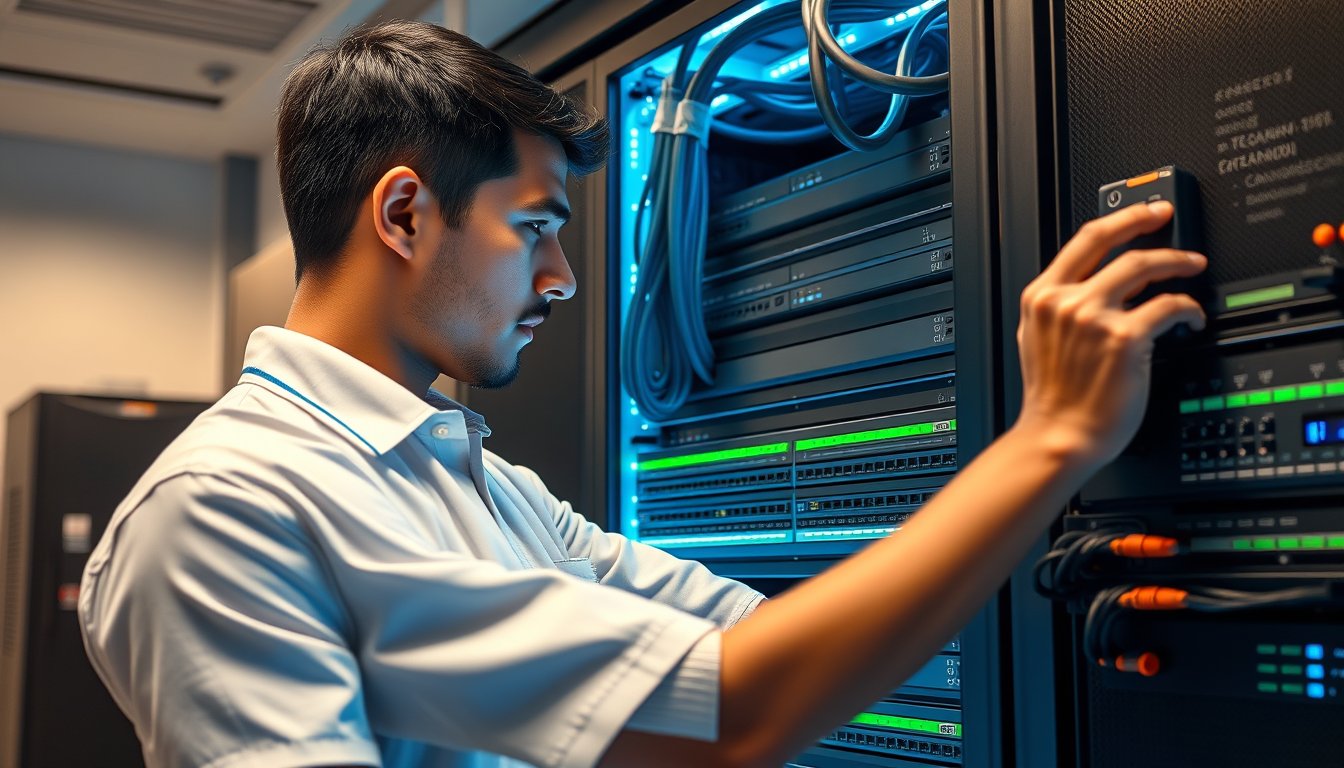
The 6-Week Trap: Why Most Bangalore Office IT Setups Slip
You've signed the lease on a 4,000 sq ft office in Whitefield. The landlord says possession is in two weeks. The MD wants everyone working by the first of next month. You have six weeks, a budget of ₹18 lakh, and a list of vendors you've never used before. This is the situation we see every month at SynergyScape, and it ends in one of two ways: a miracle or a mess.
A typical new office IT setup in Bangalore—20-50 users, one server room, basic security—will cost between ₹4.5 lakh and ₹8 lakh for hardware and cabling, plus ₹45,000-₹70,000 in annual licensing for a 50-user deployment (2026 pricing). Add leased line charges and managed services, and you're looking at ₹1.2-₹1.5 lakh per month in recurring costs. Those numbers assume you plan ahead. If you don't, the same setup costs 20-30% more in emergency procurement and loses you two weeks of productivity.
This article walks through the day-zero checklist: ILL lead times, rack and server room spec, cabling, Wi-Fi, firewall, endpoints, licensing, and a realistic 6-week timeline. No fluff, just numbers and names.
The Checklist at a Glance: 8 Workstreams in 6 Weeks
Let's start with the big picture. You have about 30 working days to go from empty shell to productive office. Here's what needs to happen, week by week:
| Week | Workstream | Key Deliverables |
|---|---|---|
| 1 | Design & Procurement | Network diagram, vendor orders, ILL application |
| 2 | Civil & Electrical | Server room readiness, power points, AC, earthing |
| 3 | Cabling & Rack | Structured cabling, rack installation, patch panels |
| 4 | Active Equipment | Firewall, switches, Wi-Fi, server/NAS configuration |
| 5 | Endpoints & Licensing | Desktops/laptops provisioning, Microsoft 365 setup |
| 6 | Testing & Handover | UAT, security checks, documentation, staff training |
In parallel, you need to manage permissions, UD (UBL? No, UD is not a term—use municipal) approvals, and power connections. We'll get to those.
ILL Lead Times: Start the Application Day One
Internet Leased Line (ILL) is the backbone of your office. In Bangalore, the big players are Airtel, Jio, ACT, and Tata Tele. The common mistake is assuming you can get a connection in a week. Reality: for a commercial building, lead times are 10-20 working days for a new fiber drop. If the building isn't already lit, add 2-3 weeks for Right of Way permissions from BBMP or the village panchayat—yes, that's a real thing in Whitefield or Electronic City.
For a 20-50 user office, you need at least a 100 Mbps symmetrical ILL. That costs ₹12,000-₹18,000 per month on a 12-month lock-in. Don't fall for the "unlimited" broadband plans—they are contended and will choke on video calls during peak hours. You'll also want a backup line: a second ILL from a different provider (₹8,000-₹12,000 for 50 Mbps) or a 4G/5G router with an unlimited SIM. Jio offers a 100 Mbps ILL at ₹14,500/month, but their static IP costs extra. Airtel is slightly pricier but has better support.
Get at least 2 quotes from each provider, and ask about the static IP—you'll need it for VPN and remote access. The application needs your GST number, a signed lease agreement, and a No Objection Certificate from the building management. Start this on day one, or you'll be working from a coffee shop for a month.
Server Room and Rack Spec: Get the Civil Work Right
A server room is not a store room. We've seen too many offices where the "server room" is a 6x6 ft cubicle with a split AC and a wooden shelf. Then the server overheats, or the monsoon causes a power surge that fries a UPS. Here's what you need for a 20-50 user office:
- A dedicated room or a lockable cabinet under a stairwell, at least 4x6 ft, with access controlled.
- A 1.5-ton split AC that runs 24x7. The room will generate heat, and components fail at 40°C. Cost: ₹45,000-₹60,000 for a 5-star inverter AC.
- A 5 kVA online UPS with 30-45 minutes battery backup for the rack and the network. We recommend APC Smart-UPS SRT5KXLI (₹78,000) or a Liebert GXT5 (₹85,000). These are double-conversion online UPSes, important for Bangalore's voltage fluctuations.
- Earthing: A dedicated earth pit with a resistance of less than 1 ohm. Cost: ₹15,000-₹25,000 for the pit and wiring. Your electrician will hate you for insisting, but it's mandatory for surge protection.
- A ceiling-mounted fire extinguisher (CO2) rated for electrical fires, not the water kind. ₹3,500.
For the rack itself, a 15U-27U wall-mount or free-standing rack. For a 50-user office, a 27U rack is future-proof. Cost: ₹12,000-₹18,000 for a decent one from Netrack or Intellinet. Include a 1U sliding shelf for a keyboard/monitor, and a PDU (Power Distribution Unit) with surge protection, ₹4,500.
Structured Cabling: Don't Save Money Here
Cat6 is the minimum for new cabling in 2026. Cat6a for runs over 55 meters or for future 10GbE. Cabling cost in Bangalore is typically ₹35-₹55 per point, including the faceplate, cable, and a 2-meter patch cord. Add ₹2,500-₹3,500 per point for the labor and terminations, but that's often included. For a 50-user office with 2 drops per desk (one for PC, one for VoIP), you're looking at 100+ points. Total: ₹40,000-₹60,000.
Run cables on a raised floor or cable trays, not in the open. Monsoon in Bangalore is brutal—water seeps through concrete, and Ethernet cables lying on wet floors die. Use a tray, and pull at least 2 spares to each drop.
Label every cable at both ends. It sounds trivial, but we've seen a 2-day network outage because a technician had to trace wires for a patch panel. Spend the 10 minutes per point to label.
Wi-Fi: Mesh, Not a Single Router
You can't run a 50-user office on a consumer router. You need a mesh system or multiple access points controlled by a central controller. For smooth roaming, we deploy UniFi U7 Pro (₹22,000 each) or Aruba Instant On AP25 (₹24,500). Cover about 2,500 sq ft per AP, with a minimum of 3 APs for a 4,000 sq ft office—one per 1,500 sq ft to ensure good signal through cubicles.
The controller can be a virtual appliance on a NUC or a cloud account. For a small office, a Unifi Cloud Key (₹17,500) is overkill—just run the software on a small form-factor PC (Dell OptiPlex 7000 Micro, ₹42,000) or on your server.
Don't forget guest Wi-Fi. A separate SSID on a different VLAN, with bandwidth throttling. It's safer—visitors don't need access to your printers or file server.
Firewall and Security: Your First Line of Defense
Every office needs a firewall. A basic router won't do—you need a Next-Generation Firewall (NGFW) with features like IDS/IPS, application filtering, and VPN. For a 50-user office, we typically recommend FortiGate 90G (₹65,000) or Sophos XG 125 (₹62,000). These have built-in SD-WAN, so you can use multiple internet lines.
Don't buy a firewall and then never update the firmware. We've seen a client with a two-year-old FortiGate that had known exploits. Enable auto-update and schedule a monthly review. If you don't have an in-house security team, consider managed security services—that's where we come in, but more on that later.
Endpoints and Servers: What to Buy in 2026
For a 20-50 user office, you typically need:
- 20-50 desktops or laptops. For a fixed desk, Dell OptiPlex Micro (₹42,000) or Lenovo ThinkCentre (₹38,000) are reliable. For laptops, Dell Latitude 5440 (₹62,000) or HP EliteBook 640 G10 (₹58,000). These are business models with better build quality and support.
- For a file server or domain controller, a Dell PowerEdge T350 (₹85,000 with a Xeon E-2314, 16GB RAM, 2x1TB HDD) or a Synology DS923+ (₹55,000) for file sharing if you don't need Windows Server.
- If you want to run virtual machines or a small private cloud, a HPE ProLiant MicroServer Gen10 Plus (₹45,000) is a cheap option, but it's limited. For 50+ users, consider a proper server, and that's where a managed service provider should help.
Don't buy a server if you're just going to use Google Workspace or Microsoft 365. A NAS is enough for file storage. But if you need an Active Directory, you'll need at least one server running Windows Server 2022 Standard, which costs around ₹70,000 for 16 cores, plus CALs.
Licensing: The Budget Killer
Subscribe to Microsoft 365 Business Standard at ₹450 per user/month (annual billing) or Google Workspace Business Standard at ₹420 per user/month. This includes Office apps, email, and basic security. For 50 users, that's ₹2.25 lakh per year for Microsoft, ₹2.1 lakh for Google.
If you have Windows Server, you need Windows Server CALs (₹3,400 per user). And if you're using Exchange Online, you already have CALs? No, you need an Exchange CAL? Actually, if you're on Microsoft 365, the server CALs are included. But if you have on-prem Exchange, that's another ₹2,700 per user.
For endpoint security, Windows Defender is free, but you should consider an EDR like CrowdStrike Falcon (₹1,400 per endpoint/year) or SentinelOne (₹1,200).
The Backup Strategy: Don't Skip This
Every new office setup we do includes a backup plan. Cloud backup for your critical data, and a local backup for quick restoration. For a 50-user office, you can use Veeam Backup & Replication v12 (free for up to 10 workloads? The Community Edition is free for 10 instances, but for 50 users, you might need the paid version, which starts at ₹25,000 for a perpetual license). Pair it with a Synology DS923+ as a backup target, and an offsite copy to a Cloud RDP or S3 bucket (₹500/month for 1TB).
We've seen a client who lost their entire company data because they had no backup. They had a NAS with RAID, but no offsite copy. When a fire in the neighboring office spread, the NAS was fried, and their insurance didn't cover it. The cost of recovery? Not possible. The cost of backups? ₹1,500 per month for the offsite copy.
The Failure Story: A 3-Day Outage That Cost ₹4.8 Lakh
Let me tell you about a company in Indiranagar—a 30-person design studio. They moved to a new office and wanted to save money. They got a router from their ISP, a commodity switch from Amazon, and a second-hand server from OLX. The ILL was an 8 Mbps connection, which they thought was enough.
On the first day, the network was slow. On day two, the server crashed because it was overheating—they had placed it in a cardboard box next to the window, and the afternoon sun was cooking it. On day three, the entire network went down because the switch overheated and caught fire—not a big fire, but enough to melt the casing. The police had to be called, and the office was closed for three days.
The cost: they lost ₹3.2 lakh in billing for 30 designers idling, ₹60,000 for emergency replacement equipment, and ₹1 lakh in cabling repairs because a third-party electrician had run cables through the air conditioning ducts, and they were damaged. Total: ₹4.8 lakh, and they still didn't have a working network for another week. They eventually called us, and we set up a proper network, but the damage was done.
The lesson: You can't cut corners on infrastructure. The first cost is not the only cost.
The 6-Week Timeline: Week by Week
Now let's break down the weeks:
Week 1: Design & Procurement
- Finalize the floor plan and the location of drops. Assign a project owner.
- Create a network diagram and IP address plan. Use tools like draw.io.
- Order hardware: firewall, switches, UPS, rack, cables. Lead times are 2-3 weeks for most products.
- Apply for ILL with two providers. Submit all documents.
Week 2: Civil & Electrical
- Get power points installed. Each desk needs one, plus extra for the network.
- Lay cable trays and conduits for the network.
- Install the AC in the server room and the earthing pit.
- If you're planning a biometric attendance system, run the wiring now. We like zKteco X628 (₹8,000) with IP connectivity.
Week 3: Cabling & Rack
- Pull all Ethernet cables. Terminate and test each point with a Fluke tester. Do not skip this—poor termination shows up later as intermittent issues.
- Install the rack and patch panels. Connect the active equipment.
- If you have a server, install it in the rack, but don't power it on until the cooling is verified.
Week 4: Active Equipment
- Configure the firewall, switches, and Wi-Fi. Set up SSIDs, VLANs, and security policies.
- Install the server or NAS, and configure the domain, DHCP, and DNS.
- Test connectivity, including VPN.
Week 5: Endpoints & Licensing
- Provision desktops/laptops with the OS and applications. Use a standard image to save time.
- Install endpoint security and enable disk encryption (BitLocker or FileVault).
- Set up Microsoft 365 or Google Workspace, and migrate emails if needed. If you're moving from an old provider, this can take a few days.
- Test backup and DR procedures.
Week 6: Testing & Handover
- Conduct UAT with a few users. Check speed, connectivity, and security.
- Train staff on using the network, Wi-Fi, and VPN.
- Document everything: passwords, IP addresses, vendor contacts. Leave a copy with the office manager.
- Celebrate. You're done.
Costs: What to Budget in 2026
Let's put it all together for a 50-user office in Bangalore:
| Item | Qty | Unit Cost (₹) | Total (₹) |
|---|---|---|---|
| Cat6 cabling (per point) | 120 | 3,000 | 3,60,000 |
| 27U rack | 1 | 15,000 | 15,000 |
| 48-port PoE switch | 2 | 28,000 | 56,000 |
| FortiGate 90G | 1 | 65,000 | 65,000 |
| UniFi U7 Pro APs | 3 | 22,000 | 66,000 |
| Synology DS923+ (NAS) | 1 | 55,000 | 55,000 |
| APC UPS 5kVA | 1 | 78,000 | 78,000 |
| AC and earthing | - | 70,000 | 70,000 |
| Desktops (Dell OptiPlex) | 30 | 42,000 | 12,60,000 |
| Laptops (Dell Latitude) | 20 | 62,000 | 12,40,000 |
| Total hardware | 31,65,000 | ||
| Microsoft 365 Business Standard (annual) | 50 | 5,400 | 2,70,000 |
| EDR (CrowdStrike) annual | 50 | 1,400 | 70,000 |
| Total first year | 35,05,000 |
Note: If you already have desktops or want to use lower-cost options, you can save significantly. But don't cut corners on the firewall and UPS.
Recurring Costs: Monthly
- ILL: ₹14,500 (Airtel 100 Mbps with static IP)
- Backup line: ₹8,000 (Jio 50 Mbps)
- Electricity: ₹12,000-₹20,000 in Bangalore (including AC and UPS losses)
- Managed services (if you have a partner): ₹35,000-₹50,000 per month for 50 endpoints
- Per-user cloud licensing: ₹450/user/month (Microsoft 365)
Total monthly: around ₹70,000-₹90,000.
Managed Services: When to Get Help
If you have an IT staff of one or two, and they're not certified or experienced with NGFWs, you might want to consider a managed services provider. We've been doing this since 2001, and we've seen all the failures. Our managed services cover network monitoring, security patch management, and helpdesk support. It saves you the cost of hiring a full-time network engineer (₹35,000-₹50,000/month salary) and avoids the risk of a single point of failure.
That said, if you have a competent IT engineer and can afford the time, you can run a small office with a few hours a week. But for most businesses, the complexity of security and compliance is too much.
Compliance and Approvals in Bangalore
If you're in the IT/ITeS industry, you might have DPDP (Digital Personal Data Protection) obligations. That means you need to ensure data protection and privacy. This isn't a legal article, but a practical one: make sure your backups are encrypted, and access controls are in place. CERT-In also mandates that certain incidents be reported, and your firewall should be logging traffic.
GST: When you buy hardware, you'll pay 18% GST, which you can claim as input credit. For services, it's also 18%. Make sure your vendors provide proper invoices.
Frequently Asked Questions
How long does it take to get an internet leased line in Bangalore?
For a commercial building, expect 10-20 working days if fiber is available. Add 2-3 weeks if a new fiber drop is needed. Start the application as soon as you sign the lease.
What is the cost of structured cabling for a new office in Bangalore?
Around ₹3,000-₹4,000 per point, including cable, faceplates, and termination. For a 50-user office, budget ₹3-₹4 lakh.
Do I need a server room even if I'm cloud-only?
Yes, you still need a secure space for your network equipment: firewall, switches, UPS, and possibly a NAS for local backups. A lockable cabinet is sufficient for a small office.
Can I use a consumer Wi-Fi router for my office?
Only if you have fewer than 5 users and don't need guest access or secure VLANs. For anything more, use enterprise-grade access points.
What is the best firewall for a 50-user office in 2026?
FortiGate 90G or Sophos XG 125 are solid picks with SD-WAN and advanced security. Budget ₹65,000-₹75,000.
How much should I budget for IT infrastructure for a 20-person office?
For 20 users, you can get away with ₹15-₹20 lakh for the initial setup, including endpoints. Recurring costs will be ₹40,000-₹60,000 per month.
Your Next Step: Get a Site Survey
Planning an office move is stressful, but you can avoid the common pitfalls. Before you sign the lease, walk the space with an IT professional. We do a free site survey where we check power, earthing, and fiber availability. We'll give you a plan and a cost estimate. If you're ready to start, contact us to book a survey.
If you're already in a bind and the move is happening next month, don't panic. We can rush the procurement and you'll have a working network in 10 days, provided the civil work is ready. It'll cost a bit more for express shipping, but it's cheaper than a fire or a data loss.