
IT Support for Coworking Spaces in Bangalore: The Tenant-Proof Network
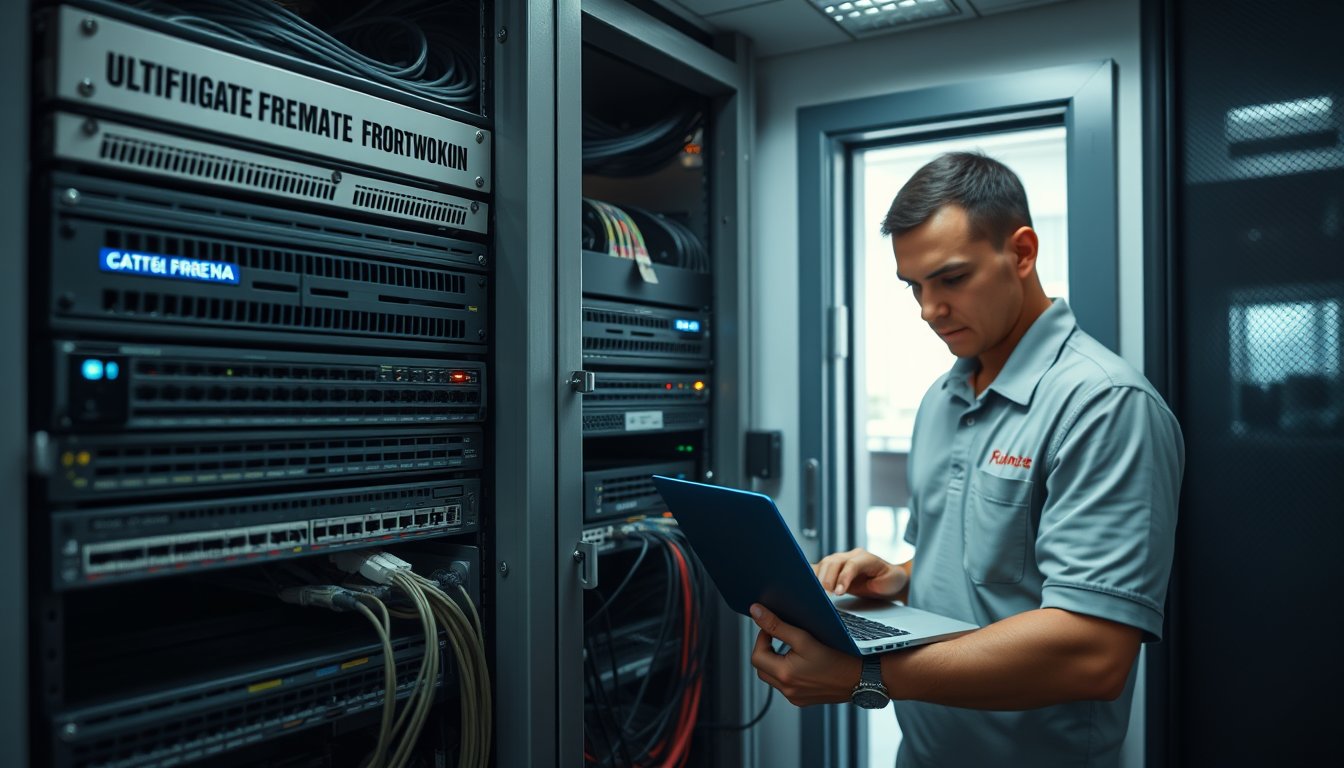
The Tuesday a member's laptop took down a 210-seat floor
In March 2025 a coworking operator on Old Madras Road called us at 11:40 am. Their entire third floor — 210 seats, four private cabins, a podcast booth and a shared print room — had been unusable for ninety minutes. The cause was a single member's laptop on the open Wi-Fi, running a Windows Update loop against a metered 4G backup link because the primary fibre from Airtel had flapped at 9:15 am and the failover had kicked in silently. Nobody noticed the failover. Everybody noticed the collapse: 38 video calls dropped, the shared Canon imageRUNNER was unreachable, and the coffee machine's payment terminal went offline.
The operator was paying a local "network guy" ₹8,000 a month to look after a flat Layer-2 network with a single SSID for staff, members and guests. No VLANs. No per-user rate limiting. No monitoring. Total cost of that day, once you add up refunded day-passes, two members who walked, and the emergency call-out: ₹3.8 lakh. The fix — a proper multi-tenant design with per-tenant VLANs, a FortiGate 90G at the edge, and a Ubiquiti U6-Pro rollout — cost ₹2.9 lakh in hardware and setup. It paid for itself before the quarter ended.
That is the shape of IT support for coworking spaces in Bangalore. It is not desktop support with a fancy price tag. It is network engineering for a building where the tenants change every few months, the guest list is your biggest security risk, and a member who leaves on Friday must not be able to walk back in on Monday.
If you run or are opening a coworking floor anywhere from Indiranagar to HSR to Hebbal, this is the operating model we use at our managed services practice, and the numbers below are what we actually quote in 2026.
Coworking is not office IT with more desks
A normal 200-person office has one tenant. One directory, one firewall policy, one printer fleet, one person who approves purchases. Coworking has fifty tenants, each with their own IT person (or none), their own cloud stack, their own idea of what a firewall should allow, and their own departure date.
The technical consequences are brutal and specific:
- Broadcast domains. Flat networks with 200 devices and a dozen cheap switches generate broadcast storms that look like "the internet is slow" to a member and look like a broken switch to you.
- Address exhaustion. A /24 gives you 254 usable addresses. Add member laptops, mobiles, IoT sensors, smart TVs, printers, cameras and the guest pool and you are out by lunchtime on a busy day.
- East-west traffic. Two competing SaaS companies on the same subnet can see each other's mDNS broadcasts, SMB shares and, if someone runs an unpatched service, each other's databases.
- Churn. Every month 8-15% of your members leave. Every one of them is a credential you have to revoke, a MAC address you have to forget, a print queue you have to clean.
- Guest onboarding. The receptionist is not a network engineer. If onboarding a day-pass guest takes more than 45 seconds, it will not happen, and the guest will be handed the member Wi-Fi password.
The DPDP Act 2023 makes this worse. Member data — names, phone numbers, KYC documents, CCTV footage — sits in your systems. You are a Data Fiduciary for that data, even if the member's own company is a Data Controller for their own customers. CERT-In's 2022 directions require you to log and retain certain categories of data for 180 days and report incidents within six hours. A flat network makes both obligations close to impossible to meet.
Multi-tenant isolation: what it actually looks like
Here is the design we deploy on a 150-250 seat floor. It maps cleanly to a FortiGate 90G at the edge (or a FortiGate 70G on smaller sites) and a core of Ubiquiti UniFi or Aruba Instant On switches.
The VLAN blueprint
| VLAN | Purpose | Typical subnet | Who can reach it |
|---|---|---|---|
| 10 | Management (switches, APs, firewall) | 10.10.10.0/24 | IT admin only, via VPN |
| 20 | Staff / operator | 10.10.20.0/24 | Corporate resources, printers |
| 30-49 | Member tenants (one VLAN per private cabin or per company) | 10.10.30.0/24 and up | Their own VLAN, internet, shared printers |
| 50 | Open-seat / hot-desk members | 10.10.50.0/23 | Internet + printers, client isolation on |
| 60 | Guest Wi-Fi | 10.10.60.0/24 | Internet only, captive portal |
| 70 | Shared print and MFP | 10.10.70.0/24 | VLANs 20, 30-49, 50 only |
| 80 | CCTV and access control | 10.10.80.0/24 | NVR only, no internet |
| 90 | IoT (TVs, coffee machines, sensors) | 10.10.90.0/24 | Internet, no east-west |
Two things matter more than the table itself. First, the private-cabin tenants get their own VLAN even if they are two people, because that is what they are paying for and it is what makes offboarding clean. Second, the open-seat pool is a single large VLAN with client isolation enabled on every access point. UniFi calls it "Client Device Isolation"; Aruba calls it "Client Isolation". Turn it on. Without it, a hot-desk member can ARP-spoof the person next to them.
The firewall rules that do the work
On the FortiGate, the policy set is short but must be exact:
- Member VLANs to internet: allow, with application control and IPS in monitor mode initially.
- Member VLANs to each other: deny (implicit).
- Member VLANs to print VLAN: allow only 9100/tcp, 631/tcp, 515/tcp and 5357/tcp for WSD.
- Guest VLAN to anything internal: deny, including to the firewall GUI.
- IoT VLAN to member VLANs: deny both ways.
- Management VLAN: allow only from a WireGuard or IPsec VPN, never from a member VLAN.
We once inherited a site where the previous vendor had allowed "any to any" on the member VLAN because "it just works". It did. A member's unpatched Windows 10 machine was mining Monero on the operator's own NAS because the NAS was reachable from the member subnet. The operator never noticed until the NAS filled up with an unrelated container image.
The wireless side
One SSID per tenant is a fantasy; nobody wants to manage fifty SSIDs. The pragmatic design is two SSIDs — Cowork-Members (WPA2-Enterprise with a RADIUS server, or WPA3-SAE with per-tenant PSKs) and Cowork-Guest (open with captive portal). For tenants who insist on their own SSID, we spin up a UniFi "Private Pre-Shared Key" group, which gives each tenant a unique PSK mapped to their VLAN without adding broadcast overhead.
On hardware: a Ubiquiti U6-Pro is about ₹19,500-₹22,000 per unit in 2026 and handles 40-50 active devices honestly. A U6-LR is ₹22,000-₹26,000 and covers a larger open floor. Do not use the U6-Lite in a dense coworking hall — it will fall over at 25 concurrent video calls. If you are an Aruba shop, the AP22 is ₹24,000-₹28,000 and the AP25 is ₹32,000-₹38,000.
Per-member bandwidth policy: the only fair way
The single biggest complaint in coworking reviews is "internet is slow". It is almost never the ISP. It is one member on a 200 Mbps line running a 150 GB Steam download at 2 pm, and thirty people on video calls behind them.
Simple QoS is not enough. You need three layers.
Layer 1: Per-tenant hard and burst limits
On the FortiGate you create traffic shapers per member VLAN or per authenticated user group. A realistic 2026 policy for a 1 Gbps Airtel or ACT leased line shared across 200 seats:
| Tenant type | Guaranteed | Burst ceiling | Prioritised traffic |
|---|---|---|---|
| Private cabin (4-10 seats) | 50 Mbps | 200 Mbps | Teams/Zoom, VoIP |
| Dedicated desk | 15 Mbps | 60 Mbps | Teams/Zoom, VoIP |
| Hot desk | 10 Mbps | 40 Mbps | Teams/Zoom |
| Guest / day pass | 5 Mbps | 20 Mbps | None |
| Print VLAN | 50 Mbps | 100 Mbps | SMB, IPP |
"Guaranteed" means you reserve it with a guaranteed-bandwidth shaper; "burst ceiling" is the maximum when the line is idle. This is not theoretical fairness. It is what allows you to sell the private cabin at ₹18,000 a seat and the hot desk at ₹8,500 a seat without the hot-desk person watching Netflix and degrading the cabin's earnings call.
Layer 2: Application awareness
Block or throttle the obvious categories on guest and hot-desk VLANs: peer-to-peer, Steam, torrents, and large cloud backups during business hours. Allow them on private-cabin VLANs at low priority. On the FortiGate this is application control; on a UniFi Dream Machine Pro it is less granular but workable.
A practical rule we deploy at almost every site: between 9 am and 7 pm, throttle Windows Update and Apple Software Update to 2 Mbps per device. Off-peak, release them. This alone eliminates the most common "why is the internet slow" ticket.
Layer 3: Monitoring you actually look at
The operator should get a weekly one-page report: top ten bandwidth consumers by tenant, peak hour utilisation, and any tenant consistently hitting their ceiling. That tenant is either growing (upsell opportunity) or misbehaving (a conversation). Without this report you are guessing, and members know when you are guessing.
Guest onboarding that does not become a security incident
A coworking space's biggest attack surface is the guest Wi-Fi. The most common failure is handing out the member password because the captive portal "doesn't work on iPhone". The second most common is a captive portal that the receptionist has stopped using because it takes three screens.
The design that survives contact with a busy front desk:
- One SSID, one portal. Guest connects to
Cowork-Guest, gets redirected to a portal, enters name and phone (or just clicks "I agree"), and is online. Target: under 20 seconds. - SMS OTP only if the operator wants it. OTP via an Indian SMS gateway (Kaleyra, MSG91, Gupshup) costs ₹0.12-₹0.25 per message in 2026. On 2,000 guest logins a month that is ₹240-₹500 — trivial, but it slows the front desk and guests hate it. Default off unless the operator has a compliance reason.
- Time-bound access. Guest vouchers expire in 4, 8 or 24 hours. No permanent guest credential exists.
- Per-AP rate limit. 5 Mbps down, 2 Mbps up per guest. No exceptions.
- Log everything. MAC, AP, timestamp, portal entry. Retain 180 days — CERT-In expects this, and it is your defence if something goes wrong.
The captive portal itself: UniFi's built-in portal is adequate for small sites. For 150+ seats we usually deploy a separate controller (UniFi Network Server on a small box, or a cloud-hosted portal) because the built-in one gets slow with thousands of vouchers.
One operator in Koramangala learned this the hard way in 2024. A day-pass guest connected to the member SSID because the portal was down, ran a credential-stuffing script against a member company's staging server on the same flat network, and exfiltrated a customer database. The member company's legal team sent a notice to the operator. The settlement was ₹6 lakh, and the operator's cyber insurance had excluded "failure to maintain network segregation" — a clause they had not read. That is a ₹6 lakh lesson in a captive portal.
Shared print: the thing everyone underestimates
Printing is where coworking IT support quietly fails. A shared Canon imageRUNNER 2630i (about ₹1.85-₹2.2 lakh in 2026) is fine hardware. The problem is the queue.
You have fifty tenants, each with their own drivers, their own idea of default paper size, and — this is the killer — their own Microsoft 365 tenant. If you print by IPP from each laptop, you spend your life installing drivers. If you use a print server, you need to authenticate users without joining them to your domain.
The model that works:
- One print server (a Windows Server 2022 VM or a Synology DS923+ with the print server package). It sits on VLAN 70.
- Universal drivers only. Canon UFR II, HP Universal Print Driver, or driverless IPP Everywhere. No per-model driver installs.
- Follow-me printing via badge or PIN. A user authenticates at the MFP with an HID card or a PIN and their job releases. This eliminates the abandoned printouts that cost operators ₹4,000-₹9,000 a month in wasted paper and toner.
- Billing per tenant. The MFP or the print server logs pages per user. Once a month you export that to the operator's billing sheet. For a shared MFP, charge ₹2-₹4 per mono page and ₹8-₹15 per colour page depending on volume — that is what the market bears in Bangalore in 2026.
- AirPrint and Mopria for the guest case. Guests who need to print from a phone get a QR code at the MFP that opens an upload page. No drivers, no credentials.
What not to do: do not let tenants install their own printer drivers on a shared Windows print server. That is how you get a print spooler exploit (PrintNightmare in 2021 was exactly this) taking down the whole floor.
Shared infrastructure, shared risk: the things nobody budgets for
The stuff that is not glamorous but that will end your week:
Internet. Two ISPs minimum, on different last-mile technologies (fibre plus a 4G/5G backup). In Bangalore, Airtel and ACT lead times for a new fibre drop in an ORR or Whitefield building are typically 10-21 working days, and building permissions can add a week. Budget for two links and a FortiGate SD-WAN setup. A 500 Mbps Airtel leased line is roughly ₹28,000-₹38,000 a month in 2026; ACT is comparable; a 4G backup on a FortiGate with a USB modem costs you ₹600-₹1,200 a month in data.
Power. A coworking space without a UPS on the network rack is one BESCOM flicker away from a corrupt switch. Put a 3 kVA online UPS (APC SMT3000I, about ₹38,000-₹45,000) on the rack and a smaller one on each IDF. In older buildings in central Bangalore, voltage sag is routine. We have seen three switch failures in one year at a single site before the operator agreed to the UPS.
Cabling. Monsoon is real. In 2024, a site in Jayanagar had water ingress into a surface-mounted conduit run and lost two access points and a switch port. Properly grounded Cat6A with a drip loop at every entry point costs you ₹2,200-₹3,200 per drop in 2026. Cheap Cat5e at ₹900 a drop is a false economy in a building that is going to be re-cabled in three years anyway.
Cameras. A 32-camera Hikvision or CP Plus setup with an NVR is ₹1.4-₹2.2 lakh installed in 2026. Put the NVR on VLAN 80 with no internet access. The last thing you need is a camera with a default password reachable from a member VLAN.
Air conditioning and access control. Not IT, but the sensors that monitor them are. Put them on IoT VLAN 90. Do not give the AC vendor a member VLAN credential because they "need to check something".
Churn-friendly billing and offboarding
A coworking operator's revenue is monthly and lumpy. IT cost should be too. Here is the model we use, and it is deliberately not the same as our per-desktop AMC.
| Site size | Monthly managed IT fee (2026) | What it includes |
|---|---|---|
| Up to 60 seats | ₹28,000-₹42,000 | Network monitoring, 8 am-8 pm remote support, 4 on-site visits/month, firewall management |
| 60-150 seats | ₹45,000-₹70,000 | Above plus 8 on-site visits, print server management, guest portal, monthly report |
| 150-300 seats | ₹75,000-₹1,20,000 | Above plus 12 on-site visits, 4-hour critical SLA, quarterly network audit |
| 300+ seats | Quoted | Above plus dedicated engineer days, DR testing, DPDP documentation |
Hardware is capex, billed separately. The managed fee covers people and tooling; it does not cover a new switch. Say that in the contract in bold.
On the member-facing side, the operator should bill IT as a line item, not as a hidden cost in the seat price. Three reasons: it is transparent, it lets you charge private cabins more (because they get a VLAN and 50 Mbps guaranteed), and it makes the offboarding process a finance event as well as a technical one.
Offboarding itself must be a checklist, not a hope. When a member gives notice:
- Finance confirms the final invoice is settled.
- Network admin deactivates the RADIUS account or PSK on the last day at 23:59.
- Print server queue is purged; print logs are retained for 180 days.
- Access control and CCTV review — any credential, badge or fob is revoked.
- If they had a dedicated link or static IP, it is returned.
- A one-page offboarding note goes to the member's IT contact with what was revoked and when.
Do this in a spreadsheet at 60 seats. Automate it at 150. Every operator we have seen with a churn problem (members walking out and coming back for free Wi-Fi) has skipped step 2 because it was manual.
The failure story worth repeating
Back to the Old Madras Road site. Here is what actually broke and what it cost.
What broke. The Airtel fibre flapped at 9:15 am. The FortiGate's failover policy (which the previous vendor had never configured) sent everything to a 4G backup on a Huawei B818. The 4G link had a 15 GB monthly cap and was already at 12 GB. By 10:30 am it was exhausted and the link went into throttle. Meanwhile the same flat network meant the shared printer, the coffee machine terminal and the member Wi-Fi were all competing for the 256 kbps that remained.
What it cost. Ninety minutes of unusable floor. Refunded day-passes: ₹34,000. Two members who terminated: ₹1.1 lakh in lost monthly recurring revenue, capitalised at roughly ₹2.4 lakh. Emergency call-out and temporary hotspot provisioning: ₹28,000. Total: ₹3.8 lakh.
What fixed it. A second fibre link from ACT (different last-mile route), a FortiGate 90G with SD-WAN health checks and proper failover, per-VLAN traffic shaping, client isolation on the member Wi-Fi, and a monitoring stack (Zabbix plus UniFi's own alerts) that pages us when either WAN link drops for more than 60 seconds. Hardware and setup: ₹2.9 lakh. Ongoing: ₹62,000 a month.
What we did not do, and would not recommend: we did not move the operator to a fancy SD-WAN vendor with a per-Mbps licence. For a single-site 210-seat floor, the FortiGate does the job and it costs a fraction.
What we do at SynergyScape, and where we are not the right fit
We have been running IT for Bangalore organisations since 2001 and have built and supported coworking networks from 40 to 400 seats. The pattern is consistent: a senior network engineer designs the VLAN blueprint and firewall policy in week one, a field engineer does the cable and AP survey, and then a managed service runs it with a named on-call engineer.
We are the right fit if you are at 60+ seats, you have (or are about to have) paying private-cabin tenants, and you want a single accountable vendor for network, print, guest Wi-Fi and end-user support. You can see the service scope on our clients page.
We are the wrong fit in some situations, and you should hear them:
- Under 40 seats with one tenant. A UniFi Dream Machine Pro and a good local electrician will do. You do not need a managed service at ₹28,000 a month. Buy the hardware, get a one-time design from us, and call when you grow.
- You already have an in-house network engineer who owns the FortiGate. We will happily do the field work and the user support, but we are not going to sit under a design we did not produce. Mixed ownership of a firewall is how outages happen.
- You want the cheapest possible per-seat cost and are willing to share one SSID. We will decline the engagement. It is the exact setup that produces the failure story above, and we would rather not be named in the incident review.
- You are a single-site operator on a franchise model with no central IT. Franchise IT is a different problem (central policy, local execution) and we are not the strongest fit; we will refer you.
If you are in one of those categories, talk to us anyway — we would rather tell you honestly what you need than sell you a contract you will resent.
FAQ
How much does IT support for a coworking space in Bangalore cost in 2026?
Expect ₹28,000-₹42,000 a month for sites up to 60 seats, ₹45,000-₹70,000 for 60-150 seats, and ₹75,000-₹1,20,000 for 150-300 seats. That covers network monitoring, remote support, on-site visits, firewall management and print server management. Hardware — firewall, switches, access points, UPS, cabling — is capex and billed separately. A typical 150-seat floor needs ₹2.5-₹3.5 lakh of network hardware at the start.
Can one coworking floor really support fifty separate tenants on one network?
Yes, but only with VLAN isolation. Each private cabin or company gets its own VLAN, the open-seat pool gets a single VLAN with client isolation enabled on every access point, and the firewall denies traffic between member VLANs. Without that, one member's infected laptop is everyone's problem. With it, the blast radius is one tenant.
How do we stop one member from using all the bandwidth?
Per-tenant traffic shaping on the firewall. Private cabins get 50 Mbps guaranteed and 200 Mbps burst; dedicated desks 15/60; hot desks 10/40; guests 5/20. Prioritise Teams and Zoom, throttle Windows Update to 2 Mbps per device during business hours, and review the top-10 bandwidth report weekly. One person on a Steam download should never be able to degrade a paying member's earnings call.
What is the right guest Wi-Fi setup for a coworking space?
One guest SSID, captive portal, 4/8/24-hour voucher expiry, 5 Mbps per-guest rate limit, and 180-day log retention for CERT-In compliance. SMS OTP via MSG91 or Kaleyra costs ₹0.12-₹0.25 per message in 2026; use it only if you have a compliance reason, because it slows the front desk and guests skip it. Most incidents happen because a frustrated guest was handed the member password instead.
How should we handle member offboarding so ex-members cannot get back on the network?
Make it a checklist, not a hope. On the last day at 23:59, deactivate the RADIUS account or per-tenant PSK, purge the print queue (retain logs 180 days), revoke badges and fobs, return any static IP, and send the member's IT contact a one-page note of what was revoked. Automate the credential step — manual revocation is the single most common cause of ex-members using free Wi-Fi.
Do we need a second ISP in Bangalore?
Yes. Airtel and ACT lead times for a new fibre drop are typically 10-21 working days and building permissions can add a week. Run two links on different last-mile technologies, with a FortiGate 90G doing SD-WAN health checks and automatic failover. A 4G backup on a USB modem is a stopgap, not a plan — we have seen a 4G backup exhausted in ninety minutes during a primary outage.
Next action
If you are opening or re-tendering IT support for a coworking floor in Bangalore, the cheapest next step is a two-hour network audit. We will map your current VLANs (or the absence of them), measure where your bandwidth actually goes, and give you a one-page blueprint with 2026 pricing for the fix. No obligation, no slide deck. Book it via our contact page or ask for the coworking blueprint directly through the clients page.