
IT Support for Hotels in Bangalore: Keeping PMS, Wi-Fi and POS Running 24x7
The 2:40am Check-In That Cost ₹1.8 Lakh
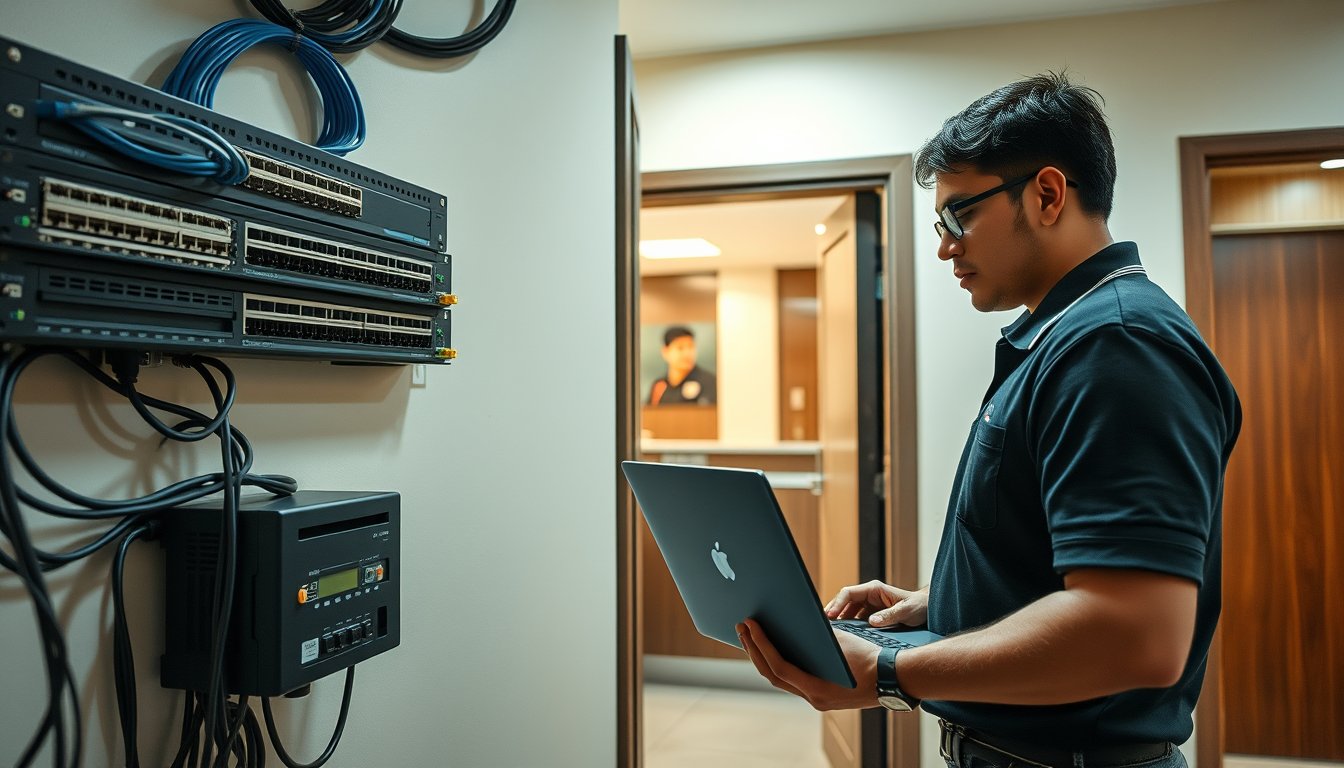
A 62-room business hotel near Old Airport Road called us in March 2025. At 2:40am on a Saturday, the front desk could not check in a walk-in corporate guest. The PMS — Opera Cloud in this case — had lost its sync with the on-premises interface box that fed the door-lock system and the POS. Reception had two choices: hand-write the registration card and give a physical key that did not exist, or turn the guest away. They turned him away. He was a contracted rate guest from a pharma company that books 40 room-nights a quarter. That contract went to a competitor the following month. The hotel's own estimate of the lost account was ₹1.8 lakh a year. The fix took our engineer 25 minutes on site: a failed 5-port unmanaged switch behind the reception counter, replaced with a Netgear GS308. A ₹3,200 part.
The point is not that the switch failed. The point is that nobody knew it was a single point of failure until it failed at the worst possible time. That is the entire problem of IT support for hotels in Bangalore: the systems are fine until they are not, and they tend to break when the property is full.
Hotels are not offices. An office can absorb a 90-minute outage on a Tuesday morning. A hotel at 85% occupancy on a Saturday night cannot absorb four minutes. Support has to be built around that reality, not around a standard AMC contract with a 4-hour response window.
Why Hotel IT Is Not Office IT
Most managed service providers in Bangalore cut their teeth on offices. They are good at it. Desktops, a file server, a firewall, email, backup. A hotel needs all of that plus a layer of operational technology that most MSPs have never touched.
The differences that actually matter:
- The PMSteam is the business. If the property management system is down, the hotel cannot check guests in or out, cannot post charges to rooms, cannot settle folios, cannot reconcile the night audit. Revenue stops. Not slows — stops.
- The guest network is a product, not a utility. In an office, bad Wi-Fi is an annoyance. In a hotel, bad Wi-Fi is a 1-star review on Booking.com that costs you the next ten bookings. Guests judge the property on the Wi-Fi before they judge the breakfast.
- The night shift is when things break. Bulk of guest check-ins happen between 11pm and 2am. Housekeeping and restaurant POS activity peaks at breakfast. Your support window cannot be 9am to 6pm.
- Everything is integrated. PMS talks to the door-lock system, the POS, the IPTV middleware, the payment gateway, the channel manager, the GST billing software. When one link breaks, the failure shows up somewhere else.
- It never closes. 365 days, 24 hours. There is no "we'll look at it Monday."
If your current IT provider's contract says "business hours support, next business day for non-critical" — and most Bangalore AMC contracts do — it is the wrong contract for a hotel.
PMS Uptime: The Real Failure Points
We support properties on Opera Cloud, IDS Next Fortune, eZee Absolute, Djubo and a long tail of older on-premises installations. The failure patterns are remarkably consistent.
The interface layer is where it breaks
The PMS itself is usually reliable. What fails is the glue. The door-lock interface box (most commonly a Kaba/Assa Abloy or Onity unit) sits on the LAN and talks to the PMS over a serial-to-IP converter or a vendor-supplied agent. That agent runs on a Windows PC in the back office that nobody has updated since installation. When that PC reboots for a Windows update at 3am, key-card encoding stops working. Guests get walked to their rooms by staff with a master key. It happens more than hoteliers admit.
The fix is not glamorous: pin the interface PC to a specific OS build, disable automatic Windows updates on it, move it to a UPS-backed circuit, and monitor it. We use a simple Zabbix agent plus a Pingdom-style external check on the PMS heartbeat. Total cost: about ₹8,000 one-time and a few hundred rupees a month in monitoring.
The night audit is a scheduled job, and scheduled jobs fail silently
Every PMS runs a night audit — a batch process that rolls the business date, posts room charges, and generates reports. If it fails, the property operates on a stale business date. Charges double-post. Reconciliation becomes a nightmare. Most hotels only discover it at 7am when the F&B manager cannot close the previous day's POS.
We run a check at 02:15 every night that reads the PMS audit log and confirms the business date rolled. If it did not, the on-call engineer gets an SMS. On average, across our hotel clients, this catches a failed audit once every six to eight weeks per property — almost always caused by a locked database table or a full disk on the PMS server.
Cloud PMS has not eliminated the problem
Opera Cloud, Djubo, eZee's cloud offering — these remove the on-premises server risk but introduce a network dependency. If the internet link at the property drops, the front desk is blind. Two ISP links with automatic failover is not optional. In Bangalore, we typically deploy a primary fibre link from Airtel or ACT and a secondary from Jio or Tata Teleservices, terminating on a firewall that supports policy-based failover. A FortiGate 90G handles this cleanly; so does a Sophos XGS 2100. Budget ₹85,000-₹1,40,000 for the firewall and ₹18,000-₹35,000 per month for the two links depending on bandwidth (2026 pricing for a 40-80 room property).
ISP lead times in Bangalore remain painful. A new fibre drop to a property in the central business district can take 12-21 working days; in newer peripheral areas it can stretch to 30. If you are opening or refurbishing, order the links at least six weeks before the planned soft launch. We have seen properties run their first month on a 4G backup because the fibre was late.
Guest Wi-Fi Capacity: The Most Common Design Failure
Ask a hotel how many access points they have. Then ask how many guests they had on the property during the last wedding function. The two numbers rarely reconcile.
A 60-room hotel with a 200-pax banquet hall and a rooftop restaurant needs to plan for roughly 300-400 concurrent devices during a peak event. Most properties have 8-12 APs installed at opening, sized for room occupancy only. The result is a Wi-Fi network that works fine on a Tuesday and collapses on a Saturday.
Sizing rules that actually hold
- Concurrent devices per room: assume 2.5, not 1. A family of four carries four phones and a tablet.
- Banquet and public areas: assume 0.8-1.0 devices per attendee at peak, and plan for the peak event, not the average.
- Throughput per device: 4-6 Mbps sustained is the floor for video calls and streaming. Guests will complain below 2 Mbps.
- AP density: one enterprise AP per 8-12 rooms in a corridor layout, one per 400-600 sq ft in banquet halls, one per 250-350 sq ft in restaurants and bars.
Hardware that we deploy and why
| Use case | Product | Notes |
|---|---|---|
| Guest rooms and corridors | Ubiquiti UniFi U6-Pro | Good price-performance, centrally managed, PoE |
| High-density banquet halls | Ubiquiti UniFi U6-Enterprise or Aruba AP-635 | Wi-Fi 6E, higher client density, 2.5GbE uplink |
| Management | UniFi Network Application on a Cloud Key G2 Plus or hosted controller | Avoid running the controller on a front-desk PC |
| Switching | Ubiquiti USW-Pro-24-PoE or Aruba Instant On 1930 | PoE budget must cover all APs plus cameras |
| Captive portal | UniFi Guest Portal or a dedicated solution like Purple WiFi, Wifibooster | Match the property's brand and GST/legal needs |
We are not dogmatic about Ubiquiti. Aruba and Ruckus are more expensive but have better client steering in very dense deployments. For a 200-pax banquet hall that hosts conferences, the extra ₹40,000-₹60,000 on Aruba is justified. For a 40-room boutique property, UniFi is fine and the savings are real.
Captive portal and the Indian compliance angle
Do not overlook this. Under DoT licensing conditions and the IT Act, a public Wi-Fi service provider is required to maintain logs of user sessions and authenticate users. In practice this means a captive portal that captures at minimum a mobile number and OTP, with logs retained for a defined period. A simple splash page that says "Welcome, click to connect" with no log is non-compliant. Several hotels have discovered this only when asked by an auditor or during a police enquiry.
We deploy UniFi's built-in guest portal (which supports OTP-based vouchers and logs to a syslog server) or a third-party portal that writes to a retention store. The cost is minimal; the compliance gap is not.
POS Integration: Where Revenue Reconciliation Goes Wrong
F&B and banquet revenue runs through the POS. In an Indian hotel, the POS stack is usually more complex than the PMS stack because there are multiple outlets, multiple tax treatments (GST on food, GST on alcohol, service charge), and multiple payment modes.
Common failure modes we see
- PMS-POS posting failure. The POS is supposed to post charges to the guest folio via an interface. When the interface service stops, charges go to a suspense account. At checkout, the guest disputes the bill. The hotel absorbs it. We have seen a property lose ₹40,000-₹60,000 a month in unreconciled F&B charges because the interface service was restarting silently and nobody noticed.
- Payment gateway callback failures. Online and card payments rely on the gateway sending a callback to the POS or PMS. If the callback fails, the payment is captured but not posted. Front desk staff then charge the guest again, or worse, void the card transaction incorrectly.
- GST billing software mismatch. Many hotels run a separate billing software (like Marg, Tally, or a custom module) for GST compliance alongside the POS. When the two drift, GSTR-1 filing becomes a reconciliation exercise.
- Printer and KOT failures. The kitchen order ticket printer is the most-breakdown-prone device in the building. A thermal printer jam at Saturday breakfast means orders stop moving. Keep two spares on site.
What proper POS support looks like
- Monitoring on the interface service, not just the POS application.
- Daily automated reconciliation report comparing POS totals to PMS folio postings.
- Payment gateway callback logs reviewed weekly.
- Spare thermal printers and spare LAN cables at every outlet.
- A named engineer who knows the POS brand (Petpooja, Posist, Rista, Dineout Manager, or in-house) and can escalate to the vendor.
Budget ₹15,000-₹40,000 per month for POS-focused support on top of a standard AMC, depending on the number of outlets.
IPTV and In-Room Technology
IPTV is the component hotels most often outsource and least often monitor. When the set-top boxes are down, the guest calls the front desk, the front desk calls the vendor, and the vendor's response is often next business day.
Common IPTV setups in Bangalore hotels:
| Approach | Typical hardware | Advantages | Drawbacks |
|---|---|---|---|
| Vendor-managed IPTV | Dedicated set-top boxes (e.g., Amino, Huawei) + middleware server | Full feature set, brandable, VoD | Vendor lock-in, high per-room cost (₹4,000-₹9,000/room CAPEX plus monthly) |
| Smart TV with app | Samsung/LG smart TVs, app-based middleware | Lower cost, fewer devices to fail | Guest usability, app crashes, harder to support |
| Casting solution | Chromecast for Business or AirServer | Guests use own OTT accounts | Depends on guest network quality, security concerns |
We support all three. The IPTV vendor is usually responsible for content, middleware and STB firmware; the MSP is responsible for the network underneath. The two must be documented clearly in the contract, or you get finger-pointing when the picture freezes. Put a VLAN and QoS policy for IPTV traffic in writing at commissioning.
24x7 Cover: What It Actually Costs and What It Should Include
A hotel cannot buy a 9-to-5 support contract and expect uptime. Here is what 24x7 support should look like and what it costs in Bangalore in 2026.
Support tiers for a 40-80 room property
| Tier | Coverage | Response SLA (P1) | Monthly cost range (₹) |
|---|---|---|---|
| Business hours only | 9am-6pm, Mon-Sat | 4 hours | 18,000-28,000 |
| Extended hours | 7am-11pm, all days | 2 hours | 30,000-45,000 |
| True 24x7 with on-call engineer | 24/7/365, on-site visit within window | 30-45 min remote, 2-hour on-site for P1 | 55,000-95,000 |
| 24x7 plus resident engineer | On-site during shift hours, on-call after | 15-30 min | 1,20,000-1,80,000 |
Prices vary with the number of outlets, number of APs, whether the PMS is cloud or on-prem, and whether the provider maintains a stock of spares. A property with 120 rooms and three F&B outlets will sit at the top of the range.
What "24x7" should mean in the contract
- A phone number that a human answers, not an IVR that emails a ticket.
- A named on-call engineer with a documented escalation ladder to the provider's technical lead.
- A commitment to a remote response within 30 minutes for P1 (PMS down, POS down, internet down, entire Wi-Fi down).
- An on-site response window that reflects Bangalore traffic reality — a 2-hour on-site commitment from Whitefield to a property on Residency Road at 7pm is fantasy. Ask for the on-site window by zone, and check it.
- A spares inventory: at least two spare APs, two spare switches, one spare firewall, spare thermal printers, spare UPS batteries. Confirm the spares are held on your site or within 30 minutes.
- Monthly reporting: uptime on key services, incident log, and root-cause analysis on P1 incidents.
If a provider cannot commit to a written on-site window and spares list, they are selling you a best-effort arrangement, not 24x7 support.
Power, Monsoon and Other Bangalore Realities
A hotel in Bangalore has operational realities that a data centre does not.
Power
BESCOM supply is generally stable in the core city but does dip during summer peak and storm events. Hotels run on UPS plus DG, but the IT load is often not on the critical UPS circuit — or the UPS is sized for the front desk only, not for the network rack, the PMS server, the POS terminals and the CCTV NVR. We have walked into properties where the IT rack was on raw mains. A 30-second outage bricks a PMS database more often than people think.
At minimum, put the network rack, the PMS server, the firewall and all switches on a UPS with 30 minutes of runtime, and connect the UPS to a monitored circuit with the DG changeover. Budget ₹60,000-₹1,20,000 for a suitable online UPS (APC Smart-UPS SRT or Eaton 9PX class) plus batteries for a typical 40-80 room property.
Monsoon
June to October is when cabling failures spike. Water ingress at cable entry points, especially on older properties with external runs to outbuildings, pools and banquet areas, causes intermittent link failures. The service provider's link on the outer wall corrodes. Balcony APs lose their seal. We schedule a pre-monsoon inspection of all external cable runs, AP gaskets and cable glands every May — a half-day job that prevents three or four outages later.
Traffic and on-site response
A 2-hour on-site window is realistic for a property in central Bangalore during working hours. It is not realistic for a Whitefield or Airport Road property at 8am on a Monday, or for a banquet event night in the CBD. Negotiate the on-site window by zone and time, and for critical events, agree on a remote-hands protocol where a trained member of the hotel team can perform a reboot or swap under remote guidance.
Compliance and Security in Hotels
Hotels handle payment card data, guest personal data, and public Wi-Fi. That combination attracts regulation and, more importantly, attackers.
The essentials
- PCI DSS scope reduction. Segment the POS and payment networks from the guest network and from the corporate network. A VLAN and firewall rule set is not optional.
- DPDP Act. Guest data (name, phone, ID scan, payment) is personal data. Under the DPDP Act, 2023, you need a lawful basis, purpose limitation, and a process to respond to data principal requests. Most hotels are not close to compliant. Start with a data map, a retention policy, and a consent process at check-in.
- CERT-In directions. Incident reporting within 6 hours, log retention for 180 days, and synchronised clocks across systems. The 180-day log retention is where many hotels fall short — their firewall or POS logs roll over in days.
- Public Wi-Fi logging. As above, a captive portal with authentication and log retention.
A practical baseline stack
| Layer | Product example | Purpose |
|---|---|---|
| Perimeter firewall | FortiGate 90G or Sophos XGS 2100 | Segmentation, IPS, VPN |
| Endpoint protection | Sophos Intercept X or CrowdStrike Falcon Go | Front desk, back office, POS PCs |
| Log retention | Synology RS1221+ running syslog-ng, or a cloud SIEM | 180-day retention |
| Backup | Veeam Backup & Replication v12 to a NAS plus cloud tier | PMS server, interface PC, POS DB |
| Email and identity | Microsoft 365 Business Premium | Staff email, MFA, conditional access |
None of this is exotic. It is the minimum for a hotel that wants to keep its PMS running and its guest data out of the news.
The Hotel That Fixed It
Back to the Old Airport Road property. After the March incident, we did a full audit over four days. Findings:
- Two unmanaged switches on the reception and door-lock circuits, both single points of failure.
- PMS interface PC running Windows 10 Home, automatic updates on, no monitoring.
- Guest Wi-Fi on 9 APs sized for 60 rooms, with a banquet hall sharing two APs designed for 40 concurrent users.
- POS interface service set to restart on failure but with no alerting.
- CCTV NVR on the same VLAN as the PMS.
- No UPS on the network rack.
Over eight weeks we replaced the switches with a managed stack, moved the interface PC to Windows 11 Pro with updates frozen, added six APs in the banquet and restaurant areas (U6-Pro), put the PMS and POS on separate VLANs, moved CCTV to its own VLAN, installed a 3kVA online UPS, and put monitoring on every interface and audit job. Total project cost: ₹3.4 lakh. Ongoing 24x7 support: ₹62,000 per month, inclusive of spares on site.
In the 14 months since, there has been one P1 incident — a firewall power supply failure at 11pm on a Sunday, resolved remotely in 35 minutes by switching to the secondary link and dispatching an engineer with a replacement PSU by 1am. The hotel has not walked a guest since.
That is not a heroic outcome. It is what a properly designed support arrangement delivers.
Where Our Approach Is Not the Right Fit
We are honest about this. SynergyScape is a good fit for independent and small-chain hotels in Bangalore, roughly 30-150 rooms, with a mix of cloud and on-prem systems. We are not the right choice in some cases:
- Large chains with a central IT team. If your brand has its own IT function and central contracts, you need a provider that can work within those standards. That is a different commercial relationship, and a large chain usually gets better value from its central vendor.
- Properties that want a vendor to own everything including PMSand IPTV. We coordinate with PMS and IPTV vendors but we do not own their application support. If you want one throat to choke, look for a provider with those vendor partnerships formally in place. We will say so upfront.
- Very small properties under 20 rooms. The economics of 24x7 managed support rarely make sense below 20-25 rooms. A business-hours contract with a good remote support arrangement and a reliable local handyman for cabling is a better spend.
- Properties with an in-house IT engineer. Some hotels have a capable IT person on staff. In that case, a co-managed arrangement — we back them up, provide 24x7 escalation and handle the specialised work — is a better fit than full outsourcing.
You can see how we typically structure these engagements on our clients page, and we are happy to talk through what fits.
What to Ask Before You Sign
If you are evaluating IT support for a hotel in Bangalore, ask these questions of every provider, including us.
- Show me your last three hotel clients and let me speak to their front office managers, not just their GM.
- What is your on-site response time to my property, by time of day?
- What spares will you hold on my site, and what is the replenishment process?
- Who monitors my PMS night audit, and how will I know if it fails?
- How do you handle guest Wi-Fi capacity for a 250-pax banquet, and can you show me a design for my floor plan?
- What is your process for a POS interface failure during dinner service?
- Are your engineers trained on my PMS and POS brands, or will they call the vendor like I do?
- What happens to my PMS and guest data if I terminate the contract?
A provider that cannot answer 2, 3 and 4 in writing is not set up for hotels.
FAQ
How much does IT support for a hotel in Bangalore cost?
For a 40-80 room property, expect ₹18,000-₹28,000 per month for business-hours AMC, ₹55,000-₹95,000 per month for true 24x7 cover with a 30-45 minute remote response and a 2-hour on-site window for P1 incidents. Add ₹15,000-₹40,000 per month for POS-focused support if you have multiple F&B outlets. Project work (Wi-Fi redesign, segmentation, UPS) is quoted separately. (2026 pricing.)
Do I need 24x7 support if my PMS is cloud-based?
Yes. Cloud PMS removes the server but not the network, the door-lock interface, the POS interface or the front-desk PCs. The most common 2am failure is the local network or the interface layer, not the cloud application. A cloud PMS without a 24x7 network support arrangement is a false sense of security.
How many Wi-Fi access points does my hotel need?
Plan for 2.5 concurrent devices per room, 0.8-1.0 per banquet attendee at peak, one AP per 8-12 rooms in corridors, one per 400-600 sq ft in banquet halls, and one per 250-350 sq ft in restaurants. A 60-room property with a 200-pax banquet typically needs 18-24 APs, not the 9-12 that are common at opening.
Is a captive portal legally required for guest Wi-Fi in India?
In practice, yes. Public Wi-Fi service providers are expected to authenticate users and retain session logs under DoT licensing conditions and the IT Act. A simple click-through splash page with no logging is not compliant. Use a portal that captures at least a mobile number and OTP and writes logs to a retained store.
Can my existing office IT provider support a hotel?
Possibly, if they have hotel experience and a 24x7 desk. Ask specifically about PMS brands, door-lock interfaces, POS integration and guest Wi-Fi density design. If the answer is vague, they will learn on your property at your expense. The failure modes in hotels are different from offices, and the response windows are tighter.
How long does it take to set up IT support for a new hotel property in Bangalore?
Allow 6-8 weeks for a new property. ISP fibre lead time alone is 12-21 working days in the central city and up to 30 in peripheral areas. Wi-Fi design and installation, firewall configuration, VLAN segmentation, PMS and POS interface commissioning, and monitoring setup take another 3-4 weeks. Start the ISP order before anything else.
Next Step
If you are running a hotel in Bangalore and cannot answer the question "what happens at 2am if the PMS goes down?" with a specific name and number, that is the gap to close first. Send us your property size, current PMS and POS brands, and the last three IT incidents you had — we will tell you honestly whether a 24x7 arrangement makes sense and what it would cost. You can reach us through our contact page, and we will respond with a scoped proposal, not a brochure.