
IT Support for Logistics Companies in Bangalore: A Practical Guide
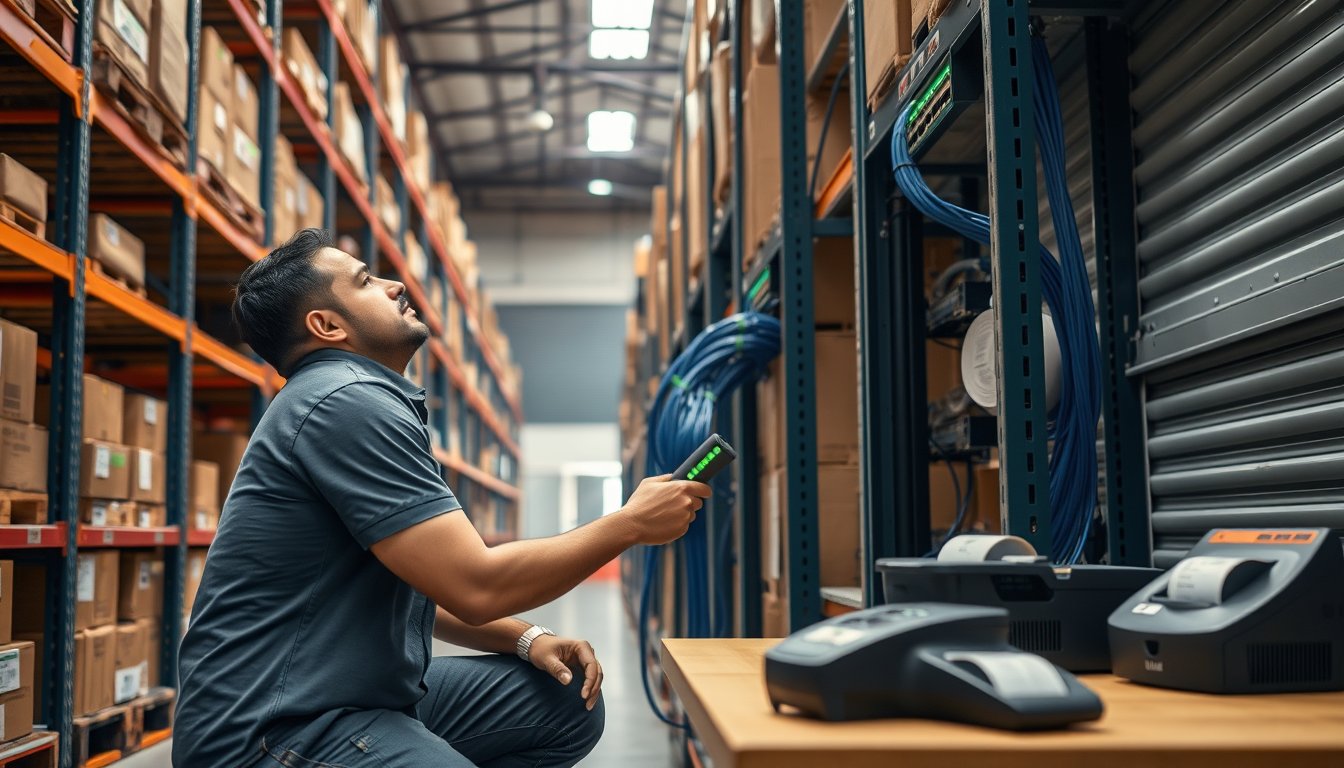
The ₹18,000 scanner that stopped a ₹4.2 crore warehouse
In August 2023, a 3PL operator on the Nelamangala–Tumakuru highway called us at 6:40 am. Their inbound dock had been down since 4:10 am. A Zebra MC3300 handheld — eighteen months old, out of the reseller's one-year warranty, no AMC — had been dropped on concrete. The scan window cracked, the battery latch failed, and the spare unit in the shift supervisor's drawer had a swollen battery that the team had been ignoring for a month.
By the time a replacement arrived from a dealer in SP Road at 11:30 am, 61 trucks had queued on the service road. The customer was a large e-grocery account with a 97% same-day dispatch SLA. Three penalty clauses triggered. The final invoice credit was ₹4.2 lakh, and the account was lost nine weeks later.
That is what logistics IT failure looks like in Bangalore. It is rarely a server crashing in a data centre. It is a ₹18,000 device dying in a warehouse at the worst possible hour because nobody owned it.
If you run a logistics, 3PL, cold-chain, courier, or distribution business in Bangalore with 20 to 500 staff, the IT support question you are actually asking is this: how do I keep scanners scanning, printers printing, and the WMS reachable at every site, at 4 am, on a Sunday, in the rain? Everything below is aimed at that. If you want the service-level view first, our clients and engagements page lists what we run and for whom.
Why logistics IT in Bangalore fails differently
The generic SME IT support model assumes one office, wired ethernet, and staff who sit at desks. Logistics breaks every one of those assumptions.
A mid-sized Bangalore logistics firm typically operates from three to eleven physical locations: a registered office somewhere like Residency Road or Infantry Road, a primary warehouse on the ORR or towards Hoskote/Dobbaspet, two to four spoke warehouses, and possibly a small yard office near the airport cargo terminal. Each site has different connectivity, different power quality, and different physical conditions. Gandhinagar and Yeshwanthpur godown setups are nothing like a modern Hoskote facility, and neither resembles the head office.
Three realities shape every design decision here:
Connectivity is not equal across sites. A 100 Mbps leased line from a tier-1 ISP in a Hoskote industrial estate may take 21–35 days for feasibility and last-mile, sometimes longer if the building lacks existing ducting. We have waited 47 days for an Airtel ILL at a Dobbaspet plot where the landlord would not permit new trenching until after the monsoon. Meanwhile, the head office in central Bangalore can be provisioned in eight working days.
Power is the silent killer. Bangalore's industrial belts see voltage fluctuations that will destroy unprotected switches and handheld chargers within a year. A single-phase-to-three-phase change in a Hoskote shed during a BESCOM feeder shift took out two PoE switches and a WMS edge server in one afternoon in 2024. A ₹22,000 online UPS would have prevented it.
Monsoon destroys cabling. Outdoor Cat6 runs between a warehouse block and a dispatch block, laid by a contractor who did not use UV-rated outdoor cable or proper drip loops, will absorb water and start dropping packets by September. We see this every year. The fix is not electronic. It is trenching and conduit, and it costs ₹180–₹340 per metre depending on whether you are crossing asphalt.
The warehouse Wi-Fi problem, priced honestly
Warehouse Wi-Fi is where most logistics deployments quietly bleed money, and where most generic MSPs are simply out of their depth. An office Wi-Fi design — ceiling-mounted APs covering cubicles — collapses in a racked, high-ceiling, metal-shelving environment.
What actually works, and what it costs in 2026 Bangalore pricing:
Density and coverage figures
A 30,000 sq ft warehouse with 9–12 m racking and steel mezzanine needs access points at roughly 2,500–4,000 sq ft per AP, mounted on racking tops or purlins, not on the ceiling. For a 30,000 sq ft shed that is 8–12 APs, not the 4 an office-model MSP will quote. Directional antennas on the racking aisle are non-negotiable for anything above 8 m.
| Warehouse size | APs needed (racking aisles) | Recommended APs | Realistic 2026 cost |
|---|---|---|---|
| 5,000–10,000 sq ft | 3–5 | Ubiquiti U6-Pro (×5) | ₹85,000–₹1.3 lakh including installation |
| 10,000–30,000 sq ft | 8–12 | Aruba AP-515 or Cisco Catalyst 9130AX | ₹3.2–₹5.4 lakh |
| 30,000–80,000 sq ft | 14–22 | Aruba AP-635 (Wi-Fi 6E) | ₹6.5–₹11 lakh |
| Cold storage / multi-level | 12–20 | Aruba AP-515 with external omni antennas | ₹5–₹9 lakh |
(Figures reflect 2026 Bangalore pricing, including PoE+ switching, surge protection, and labour.)
Ubiquiti U6-Pro at ₹14,000–₹18,000 a piece is genuinely good for a 10,000 sq ft spoke warehouse where the WMS interface is lightweight. Do not put it in a cold storage facility at -18°C. The U6-Pro is rated to -30°C on paper, but the mounting hardware and the PoE injectors are not, and the condensation will kill them within eighteen months. Aruba AP-515 or AP-635 with IP67-rated mounting enclosures is what survives. We have seen this go wrong twice.
The roaming problem nobody tests
A forklift operator moves through 6,000 sq ft in ninety seconds. Every AP handoff is a chance to drop the scan session. If your WMS requires reauthentication on every roam, your pick rate falls by 12–18%, and nobody notices because the WMS dashboard reports throughput, not employee frustration.
802.11r (fast roaming) and 802.11k/v must be enabled and, critically, tested on the actual handhelds, not on a laptop. Some older Honeywell and Zebra models handle 802.11r fine; some Android 9-era devices from lesser brands choke on it. We test with three device models before we sign off a warehouse Wi-Fi installation.
A concrete monsoon failure
In September 2024, a Cauvery-authorized 3PL in a Hoskote facility started reporting intermittent WMS disconnects in the dispatch bay. The cause was not the access points. A contractor had run an outdoor Cat6 link between the main shed and the dispatch bay across a 22 m span with no conduit, secured to a wall with plastic clips. Water ingress at the termination caused intermittent link loss. The temporary fix — a Ubiquiti wireless bridge, ₹28,000 — kept them running for eleven weeks while we re-trenched and re-cabled with UV-resistant outdoor Cat6 in conduit. Final cost: ₹1.34 lakh including downtime, versus ₹48,000 if the cabling had been done correctly the first time.
Rugged devices: what to buy and what not to
The handheld scanner market is where logistics firms get talked into the wrong thing.
Zebra MC3300 / MC33ax: the default choice for mid-size warehouses. Android, good battery, keyboards survive. ₹78,000–₹1.05 lakh per unit in 2026 depending on scan engine (standard versus extended range) and network config. Service contracts through Zebra OneCare are typically 8–12% of device cost per year and worth it. Without one, a cracked screen is a ₹14,000–₹22,000 repair and a 9–14 day turnaround.
Honeywell CK65: comparable, often slightly cheaper at ₹72,000–₹98,000, with better cold-storage options. The CK65 is the right answer for cold chain where temperatures drop below -10°C. Zebra's cold-storage variant is also fine but costs ₹18,000–₹25,000 more per unit.
Zebra TC22 / TC27 (touch computer): for supervisory staff and pickers who need more screen. ₹92,000–₹1.28 lakh. Not a replacement for a dedicated scanner in a heavy-scan environment; screen replacement costs are painful.
What not to buy:
- Consumer Android phones with a Bluetooth scanner. We have seen this in cost-cutting spokes. Battery dies at 11 am, OS updates break the WMS client, and nobody is accountable. The money saved per device is ₹60,000; the productivity loss is ₹1.8–₹2.4 lakh per operator per year.
- Grey-import Zebra units from unknown sellers. Zebra service in India requires serial-number verification. We have had two clients discover that their "new" MC3300 fleet was refurbished international stock with no service entitlement. There is no warranty fix short of replacement.
The repair-and-spare equation
Every warehouse running more than 15 handhelds should hold a 10% spare pool. Below 15, one device tied to a named technician and a two-hour courier relationship with a service centre. Bangalore has good Zebra and Honeywell authorised service at Peenya and Bommanahalli, but a walk-in repair takes four to six working days, not two.
A service provider that does not maintain its own spare pool is asking you to be their spares cupboard. Ask any prospective IT partner how many replacement MC3300s they can put in your hands tomorrow morning. If the answer is "we will order it", you know what you are buying. Our clients page describes a few engagements where we maintain on-site spares.
WMS and TMS uptime: the ₹50,000-per-hour conversation
A warehouse management system that goes down during peak dispatch costs vastly more than the IT support contract. We have worked the arithmetic with several clients. For a mid-sized 3PL shipping 5,000–8,000 orders a day from a single facility, a one-hour WMS outage during the 10 am–2 pm window costs ₹1.2–₹1.8 lakh in labour idle time, missed dispatch cutoffs, and SLA penalty accrual. For a cold-chain pharma distributor, the number reaches ₹4–₹6 lakh per hour because temperature-excursion documentation and chain-of-custody records stop.
That is the number to keep in mind when comparing a ₹40,000-per-month support contract against a ₹15,000-per-month one. The cheap one will not have an answer at 5 am on a Sunday.
What actually breaks
WMS categories of failure, in descending order of frequency we have observed across 2022–2026:
- Database performance degradation — usually SQL Server or PostgreSQL, typically transaction log growth or missing indexes. A WMS running on a single SQL Server 2016 instance on aging hardware, without maintenance jobs, will slow to a crawl at month-end. The fix is not a cloud migration. It is a DBA and a proper index and backup plan. We move most of these to SQL Server 2022 on a Robust (yes, that's the brand name) or Dell PowerEdge R650 chassis, ₹4.8–₹8.2 lakh including Windows Server licensing.
- Integration failures between WMS and TMS, or WMS and an e-commerce marketplace connector. These are the highest-frequency daily incidents, and they are almost always the responsibility of neither vendor. Somebody has to own the seam.
- Printer and label failures — Zebra ZT411 industrial label printers are the workhorse. They fail at the printhead after 700,000–1,100,000 linear metres. Keep one spare printhead (₹18,000–₹24,000) per three printer fleet, not per printer.
- Authentication issues — Active Directory lockouts, certificate expiry on the WMS web front-end, expired VPN or site-to-site IPsec keys. Boring, frequent, and entirely preventable with monitoring.
- Storage and backup failures — a Synology DS923+ or DS1522+ running the warehouse's WMS application backup array will fail silently if nobody checks. We have walked into three sites where the backup had been failing for eight to nineteen months and no one checked the NAS email alerts because they went to a departed employee's inbox.
The TMS overlap
Transport management systems — typically SaaS arrangements in 2026 — fail less often but fail publicly. When your TMS cannot raise a trip sheet, drivers wait at the gate and customers see nothing. The typical fix is not better SaaS. It is a local fallback: either a cached read-only view or a documented manual trip-sheet process that dispatchers have actually been trained on. Twice a year, run the drill. If you have not run the drill, your team will invent something at 6 am on the worst day.
Dispersed sites and the Bangalore connectivity reality
A logistics firm's IT support problem is fundamentally a multi-site problem, and Bangalore makes multi-site harder than most metros.
ISP lead times you must design around
| Site type | Feasibility + provision lead time (Bangalore, 2026) | Realistic redundancy |
|---|---|---|
| Central office (MG Road, Residency Rd) | 8–12 working days | ILL + broadband + 4G failover |
| ORR / Whitefield-grade commercial | 12–21 working days | ILL + ILL from second ISP |
| Hoskote, Dobbaspet, Nelamangala industrial | 21–45 working days | ILL + 4G/5G + wireless bridge |
| Yeshwanthpur / Peenya godown cluster | 15–30 working days | ILL + broadband + 4G |
| Airport cargo terminal vicinity | 20–35 working days | ILL + 4G + Starlink (where permitted) |
Design the warehouse to operate on 4G/5G failover for at least 72 hours. A Cradlepoint IBR900 or Teltonika RUTX50 router on a Jio or Airtel business SIM costs ₹42,000–₹78,000 in 2026 plus the SIM plan, and it will save your dispatch when the fibre is cut by the BBMP road-works crew for the third time this year. That happens more often than ISPs admit.
Starlink business plans have become viable for remote spoke sites in Karnataka where fibre is not economically available; ₹8,500–₹14,000 per month in 2026 plus ₹68,000–₹92,000 hardware. Treat it as a secondary path, not primary, and only where the site has clear sky view and backup power.
The connectivity failure story
A Bangalore-based pharma logistics operator, ~180 staff, running nine sites across Karnataka and Tamil Nadu. Their primary Hoskote warehouse relied on a single 100 Mbps Airtel ILL. On a Friday evening in June 2025, a JCB working on the access road for a neighbouring plot severed the fibre duct. The ISP gave an MTTR of 14 hours. The WMS was cloud-hosted, so it kept running, but the warehouse lost all connectivity to it. Dispatch ran on paper for sixteen hours. Thirty-one trucks did not leave on time. Two customers escalated to their boards.
Total direct cost to them: ₹2.4 lakh in penalties plus roughly ₹6.8 lakh in overtime and weekend rework. The fix they had not bought: a ₹68,000 dual-WAN router with automatic 5G failover, plus ₹14,400 per year for a 200 GB business data SIM. We installed it in August 2025. It has failed over eleven times since. Total user-visible impact: zero.
That is what "IT support for logistics" should look like when it is done properly. It is not a helpdesk.
Security and compliance for logistics data
Logistics data is commercially sensitive and, if you handle pharma, food, or chemicals, regulated. Two obligations that land directly on your IT support relationship:
DPDP Act, 2023. If you process personal data of consignees or customers — and you do — you are now a Data Fiduciary. That means breach notification, consent records, and a designated Data Protection Officer above certain thresholds. The IT angle is straightforward: access logs, encryption in transit and at rest, and a documented backup and recovery practice. If your WMS vendor holds the data, you still own the obligation. Get the data processing addendum signed and reviewed by someone who knows the Act, not by a lawyer who has added a boilerplate clause.
CERT-In directions (April 2022). Reportable cyber incidents must be notified to CERT-In within six hours of detection. This is why log retention for 180 days is not optional if you are running any internet-facing system. Most logistics firms we audit do not retain logs beyond 30 days. A Siems or Wazuh-based centralised log collector costs ₹28,000–₹65,000 to implement and ₹4,500–₹9,000 per month to operate. It is not exciting. It is what gets you through a CERT-In audit without a disclosure failure.
On the security product side, what we actually deploy in 2026 for firms of this size:
- FortiGate 60F or 90G at each site, with FortiManager for central policy. ₹62,000–₹1.14 lakh per site, plus ₹18,000–₹34,000 per year in UTM subscription. Do not bother with the cheaper FortiGate 40F for a warehouse with 40+ devices; concurrent session limits bite during WMS report bursts.
- CrowdStrike Falcon Go or SentinelOne Singularity for endpoints, ₹1,900–₹3,400 per endpoint per year. Windows Defender is acceptable for the office, not for the WMS server and not for handhelds running side-loaded logistics apps.
- Microsoft 365 Business Premium for staff email and identity: ₹1,750 per user per month in 2026 including GST. Conditional Access and MFA are what stop the phishing-to-warehouse-ransomware path we see most often.
What we do not recommend, and this is honest: do not buy a full SIEM or SOC service at this size. The cost is ₹1.2 lakh–₹2.4 lakh per month, and the value to a 25-site 3PL is negligible until you have meaningful log volume and someone to act on alerts. Log collection and retention plus an EDR with managed response gets you 85% of the protection at 15% of the cost. SynergyScape does sell SOC services; we tell most logistics firms under 300 staff not to buy them.
What IT support for a Bangalore logistics firm actually costs in 2026
The numbers below are what we see actually quoted and paid. They are not aspirational marketing.
| Support model | What it covers | Monthly cost (2026, Bangalore) |
|---|---|---|
| Break-fix, ad hoc | Per-incident, no SLA | ₹1,800–₹3,500 per hour |
| Standard AMC (per device) | 9×5 remote + 4-hr onsite response | ₹650–₹1,150 per device per month |
| Managed IT, single site | Remote + onsite 2 days/week, monitoring, patching | ₹48,000–₹92,000 |
| Managed IT, 3–5 dispersed sites | Remote 24×7 + on-site rotating + procurement mgmt | ₹1.4–₹2.8 lakh |
| Managed IT + security + compliance | Above plus firewall mgmt, EDR, CERT-In logging, DPDP support | ₹2.2–₹4.4 lakh |
| Warehouse Wi-Fi project (one-time) | Design, APs, PoE+, cabling, testing | ₹85,000–₹11 lakh by size |
| Annual rugged device refresh (30 units) | Replacement cycle, spares, configuration | ₹9–₹14 lakh |
Add GST at 18%. Managed services attract 18% GST; hardware attracts 18% too, but the input credit position differs depending on your registration. Work with your CA — we see firms lose ₹40,000–₹1.2 lakh a year by not claiming it correctly on mixed invoices.
What the numbers do not show, and what matters more than the line items: what happens at 4 am on a Sunday. Ask every prospective IT partner what their actual first-response SLA is for a warehouse, whether they have a Bangalore-based engineer on call (not a call centre in another time zone), and what their mean time to on-site response has been for their last five logistics clients. If they cannot produce that number, they do not know it.
We publish ours on the contact page along with how to escalate.
Building the right support relationship
After twenty-five years serving Bangalore businesses, we have a view on what separates logistics clients who sleep at night from those who do not.
Own the seam. WMS vendor says it is the network; network vendor says it is the WMS; the ISP says it is the firewall. Somebody must own the triage. A good IT support partner does this even when the fault turns out to be the vendor's. If your partner charges you for ten hours of finger-pointing, change partners.
Spare pool is not optional. Every warehouse with >15 scanners should hold at least two spares on-site. Every site with >3 label printers should hold one spare printhead. Every site with >2 switches should hold one spare of the same model. This is not a procurement cost; it is an insurance policy.
Runbook in the drawer. For every site, a printed sheet: who to call, what to check, what the manual fallback process is, and where the spare devices live. If the answer is "it's in someone's head", it is not a runbook. Test it once a quarter. We test every client's WMS fallback with them once a year as part of the engagement, and the first test almost always surfaces three things that would have failed.
Document the cabling plant. Every cable run, every patch panel port, every AP location. When a monsoon or a JCB takes out part of the plant, recovery time depends entirely on whether your engineer can find the right port in fifteen minutes or two hours. This sounds trivial. It is the difference between a small incident and a lost account.
Refresh on a schedule, not on failure. Rugged devices have a useful life of four to five years. WMS-adjacent servers of five to six. Firewalls of five. A device that fails on a Tuesday morning is more expensive than one replaced in a planned refresh window. We recommend bulk replacement in the March–May window, before the monsoon and before the pre-festive peak that starts in August.
FAQ
Do we need a Bangalore-based IT support partner or can we use a vendor in another city?
For warehouse sites in Bangalore, you need someone who can physically be at Hoskote or Dobbaspet within the response window. Remote-only partners can support the head office reasonably but will fail on the warehouse layer — handhelds, printers, cabling, APs, site-to-site links. A hybrid model (remote monitoring from anywhere, on-site engineer in Bangalore) works. Pure remote does not.
How much should a 40-user logistics firm with two warehouses budget for IT support in 2026?
A reasonable envelope is ₹72,000–₹1.15 lakh per month for managed support covering both sites, plus a one-time spend of ₹2.8–₹4.6 lakh in the first year on Wi-Fi, firewall, and spares. That assumes normal hardware age. If your scanners are all 5+ years old, add ₹6–₹10 lakh for a refresh cycle in year one.
Can we use consumer handhelds to save money on scanners?
No. Consumer Android phones with Bluetooth scanners fail on three counts: battery life (four hours versus twelve on a Zebra MC3300), OS update breakage of the WMS client, and no service entitlement. The per-device saving of ₹60,000 is erased by labour productivity loss within a quarter.
What happens if our WMS is cloud-hosted and our internet dies?
That depends entirely on whether you have installed failover. With a dual-WAN router and 4G/5G backup, you continue operating with degraded but acceptable performance. Without it, you are on paper. Every cloud-hosted WMS deployment should be accompanied by a documented offline fallback process that has been drilled. We build this into every logistics engagement.
Does a standard IT AMC cover warehouse scanners and label printers?
Most standard AMCs exclude devices that move, thermal printers, and handhelds. Read the exclusions carefully. A per-device AMC rate of ₹650–₹1,150 per month is typically for desktop computers, not MC3300s. Rugged device AMC is usually quoted separately at ₹6,000–₹11,000 per device per year. Make sure the quote you sign distinguishes between them.
How do we handle DPDP compliance as a logistics company?
Practical steps: get the data processing addendum from your WMS, TMS, and e-commerce connector vendors; enable MFA everywhere; retain logs for 180 days; document your breach notification process; and appoint a DPO if you cross the threshold. There is no single product. It is a mix of tooling and paperwork, and the paperwork is where most logistics firms are weakest.
What to do next
Open your last three months of support tickets. Count the ones that mention a warehouse, a scanner, a printer, or a site-to-site link. If those account for more than 30% of your total, your current IT support relationship is not designed for logistics and you already know it.
The concrete next step: pick your worst-performing site — the one where operations has informally given up on IT and runs on paper and WhatsApp — and get an independent assessment of the cabling, the AP coverage, the firewall, and the spare pool. Not a sales call. An assessment with a written report and a costed remediation plan you can take to your CFO.
We do that assessment across Bangalore and Karnataka, and the output is specific: what is wrong, what it will cost to fix, in what order, and what happens if you do not. Start with the clients and engagements page to see the shape of the work, or get in touch and we will schedule the site visit — bring the operations head along, because the conversation needs them in the room.