
IT Support for Schools & Colleges in Bangalore: The Real Costs
The 6:40 AM call before a Class X board practical
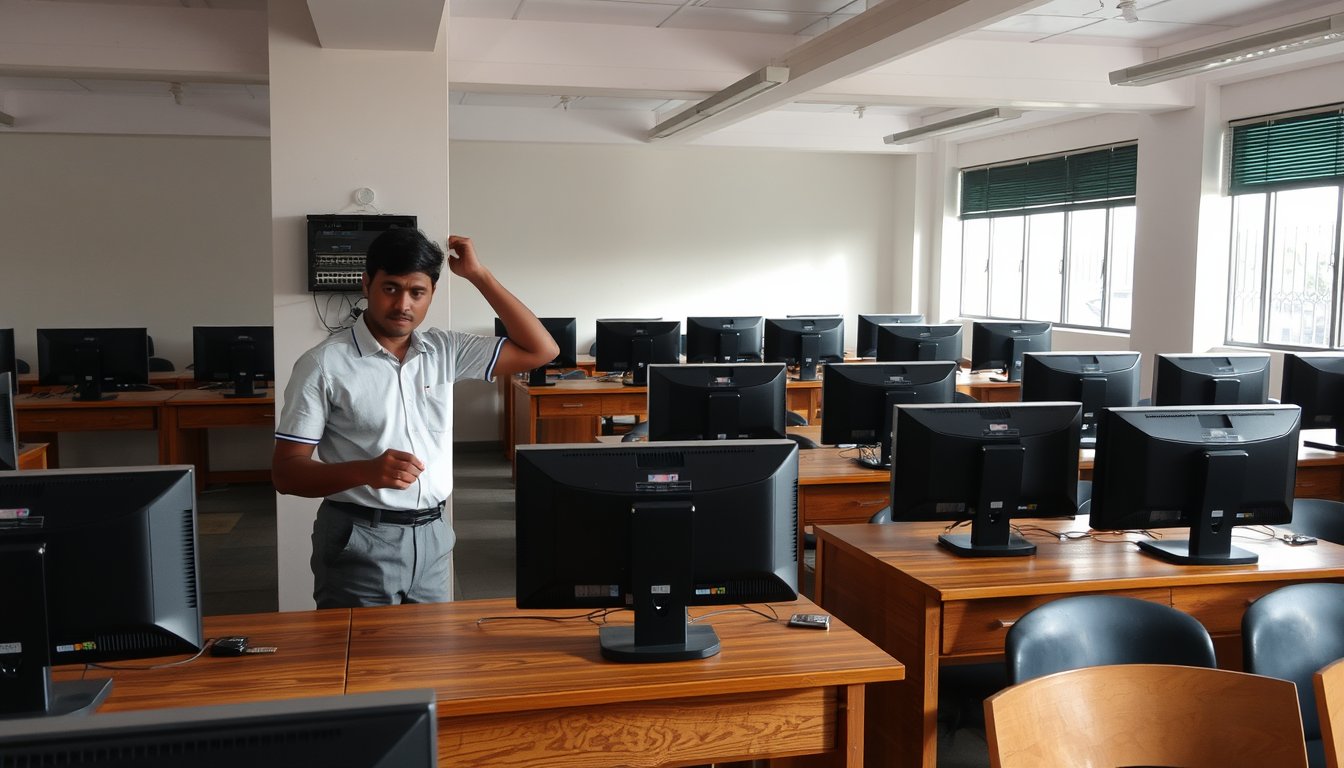
On 14 February 2026 a 900-student CBSE school off Bannerghatta Road called us. Their Class X computer applications practical was scheduled for 9:00 AM. At 6:40 AM the lab teacher found that 14 of the 38 lab PCs would not log in. The domain controller had been running on a seven-year-old Dell PowerEdge T330 with a single failed drive in a RAID 1 that nobody had noticed had degraded to a single spindle three months earlier. The second drive failed at 4:12 AM, according to the controller's event log.
We had a replacement drive in the van by 8:05 AM. The domain controller came back at 8:52. The practical started at 9:35, delayed but not cancelled. That school now runs an AMC with 4-hour on-site response and weekly health checks. The annual cost is ₹1.18 lakh for 52 PCs and two servers. The alternative — a rescheduled board practical — would have cost more in reputation than the AMC costs in three years.
That is the reality of IT support for schools and colleges in Bangalore. It is not a corporate office with a lenient deadline. Your downtime window is fixed by the CBSE or ICSE calendar, your users are 400 children who all click at once, and your IT budget is approved by a management committee that thinks in lakhs per year, not per seat per month.
This article is about the four things that break most often on Bangalore campuses — computer labs, content filtering and safeguarding, campus Wi-Fi density, and exam-period reliability — what fixing them costs in 2026, and where the standard MSP playbook does not fit a school at all.
Computer lab management: where the money actually leaks
A 40-seat computer lab is a hostile environment. Twenty-five kids log in within 90 seconds of each other. They run Tux Paint, Scratch, Python IDLE, and whatever else the syllabus demands. They save files to the desktop because that is where the desktop is. They unplug mice. By October, half the lab has a mouse with a missing scroll wheel.
The common failure mode is not hardware death. It is the slow accumulation of per-machine snowflake configurations that makes a single PC take 25 minutes to reimage instead of 40 seconds.
The image problem
Most schools we walk into have no standard image. Every lab PC was set up by whichever teacher's nephew knew computers in 2019, and every one is slightly different. When one fails, the lab assistant spends two hours reinstalling Windows 10, drivers, Python, the school's exam software, an antivirus that should have been retired two years ago, and the printer that only works if you set it as default twice.
There is a specific fix for this and it is cheap. Build one Windows 11 image on a reference machine. Capture it with Clonezilla (free) or Macrium Reflect. Store it on a Synology DS923+ NAS (₹52,000-₹58,000 for the chassis plus drives in 2026) that also serves as the file server. A failed PC is reimaged in 12 to 15 minutes over gigabit. One lab assistant can rebuild a whole lab on a Sunday.
The trade-off: reimaging wipes pupil work, so you need folder redirection to the NAS or a OneDrive for Business licence per pupil if you want saved work to survive. Microsoft 365 A1 is free for eligible educational institutions and includes OneDrive; that is the cheapest path. If your school does not qualify for A1, A3 at roughly ₹900-₹1,100 per user per year is the fallback.
What the numbers look like
Here is what we see across the schools and colleges we support in Bangalore in 2026. Ranges are wide because lab sizes and management expectations vary a lot.
| Lab setup | Leased/owned hardware | Annual support (2026) | Typical response |
|---|---|---|---|
| 20-30 PCs, single lab, shared file server | Owned | ₹38,000-₹55,000 | Next business day |
| 40-60 PCs, 2 labs, domain + NAS | Owned | ₹62,000-₹95,000 | 4-hour on-site, 8×5 |
| 80-120 PCs, 3 labs, server room, CCTV on same LAN | Owned | ₹1.15-₹1.75 lakh | 4-hour on-site, 8×6 |
| 30 PCs, fully outsourced (leased) | Leased from SI | ₹1,400-₹1,900 per seat per month, all-inclusive | 4-hour on-site, 8×6 |
Per-seat AMC in Bangalore in 2026 runs ₹1,050-₹1,750 for hardware-only coverage and ₹1,800-₹2,600 for comprehensive (hardware plus OS plus applications). Pure per-seat pricing hides the real cost driver in schools: the server and the LAN. A 60-PC school with a domain controller, NAS, firewall, and structured cabling is not 60 times a single desktop — it is closer to 90.
Where schools overspend
Buying new PCs to solve a slow-lab problem is the most common mistake we see. A lab with 45 PCs on a 100 Mbps switch, running Windows 11 on 8 GB RAM, will feel slow no matter how new the CPUs are. Before replacing PCs, check three things:
- Is the switch gigabit, and is it a managed switch with VLANs? An unmanaged 24-port gigabit switch costs ₹3,500-₹5,500 and will fix more apparent slowness than a CPU upgrade. A managed HPE OfficeConnect or Cisco CBS350 24-port runs ₹11,000-₹18,000.
- Is the file server on a spinning disk? A Synology DS923+ with four 4 TB WD Red Plus drives in SHR-1 (roughly ₹1.02 lakh total in 2026) will serve 60 concurrent logins fine. A single aging HP MicroServer with a failing drive will not.
- Is the antivirus actually the problem? A lab running the free version of an antivirus that scans every login will add 20 seconds per machine. Use Windows Defender with a policy, and delete the third-party AV. Please.
One more Bangalore-specific point on labs: air conditioning. A 40-PC lab is roughly 8 kW of heat. Schools often put the lab in a room with one 1.5-ton split AC. Between March and May, that AC runs 18 hours a day and by June it cannot keep up. Ambient hits 34°C and PCs start thermal-throttling. A 2-ton inverter AC (₹55,000-₹72,000 installed in 2026) pays for itself in fewer CPU fan replacements and fewer mid-day crashes. This is unglamorous and almost nobody budgets for it.
Content filtering and safeguarding: the obligation nobody fully reads
Under the DPDP Act 2023 and the CBSE's cyber-safety circulars, schools have a real duty to prevent pupils from accessing harmful content and to log and act on incidents. In practice, most schools we audit have either a consumer-grade router with a free DNS filter that every 15-year-old has bypassed by week two, or no filtering at all.
What actually works
There are three layers, and you need all three for a campus.
Layer 1: DNS filtering. Cisco Umbrella (now branded Cisco Secure Access) at roughly ₹380-₹520 per user per year for education pricing. Fortinet FortiGuard DNS Filter is bundled with FortiGate firewalls and costs nothing extra. Cloudflare Gateway is free for up to 50 users and ₹230-₹320 per user per year beyond. For a school with 400 pupils and 50 staff, FortiGate-bundled FortiGuard is the cheapest credible path.
Layer 2: NGFW with application control and SSL inspection. A FortiGate 90G (recommended for a 200-500 user campus in 2026, list around ₹1.35 lakh before licensing) with FortiGuard UTM bundle at about ₹48,000-₹62,000 per year gives you application control, IPS, antivirus, and SSL inspection. A Sophos XGS 2100 is a comparable alternative at roughly ₹1.10-₹1.40 lakh. The FortiGate is more popular in Bangalore schools because the education discount is aggressive and the local partner pool is deep.
Layer 3: Endpoint monitoring on shared devices. For labs, a lightweight agent that logs which URL was accessed from which PC at what time, retained for 90 days. This is what lets the school answer a parent's question in writing. Windows 11's built-in Content Filtering (in the Family Safety app) is not sufficient for a shared lab.
The bypass problem
Every school tells us filtering works. Then we spend ten minutes with a Class IX pupil and the following happens:
- The pupil opens Chrome and types
chrome://settings/secureand disables Secure DNS if the school only does DNS filtering at the router. Fix: enforce DNS via Group Policy, block DoH/DoT resolvers at the firewall, and set Chrome's built-in DoH to off via policy. - The pupil downloads a portable Tor browser over mobile hotspot, then connects to the campus Wi-Fi. Fix: block mobile hotspot SSIDs, or better, run 802.1X on the student VLAN so only managed devices get on.
- The pupil opens a VPN app (there are dozens free in the Play Store). Fix: NGFW application control, not DNS filtering.
A school can do all this for a 400-pupil campus for around ₹1.9-₹2.4 lakh per year in 2026 (firewall, UTM subscription, a small managed switch, and the labor to configure and maintain the policies). That number is real. The alternative is a school that cannot produce an audit trail when a parent complains. You will not win that argument in 2026.
Where we recommend not doing this in-house
If your school has fewer than 150 pupils and no dedicated IT staff, do not buy a FortiGate. Cheaper and safer: a school-specific managed filtering service. There are three or four that operate in Bangalore and charge ₹40-₹80 per pupil per year to run DNS filtering and produce monthly reports for the principal. You give up SSL-level visibility and you accept that a determined pupil can bypass it. For a smaller school, that is the right trade. For a 500-pupil school with a board practical in three weeks, it is not.
Campus Wi-Fi density: why your access points are lying to you
We get called to campuses because "the Wi-Fi is slow in the physics block." Almost always, the physics block has one access point covering five classrooms and streaming video is fine on one device and awful on thirty.
The maths is simple and most integrators still get it wrong. A typical classroom of 40 pupils has 40 phones, 40 Chromebooks or tablets, and 1-2 teacher devices. That is around 80-90 devices in 600-700 sq ft, all associated to one AP. A decent Wi-Fi 5 (802.11ac) AP in a dense classroom environment will sustain about 30-40 devices before management frames and airtime contention destroy throughput. You need roughly one AP per classroom in a dense-learning deployment.
What we specify in Bangalore schools in 2026
| Scenario | Recommended AP | Access points per room | Rough cost per room (2026) |
|---|---|---|---|
| Primary school, tablets only, open-plan | Ubiquiti U6 Lite | 1 per 1.5 rooms | ₹14,000-₹17,000 |
| Middle/high school, 1:1 devices per pupil | Ubiquiti U6 Pro or Aruba Instant On AP25 | 1 per room | ₹22,000-₹30,000 |
| Senior secondary with computer labs in same block | Aruba AP-535 or Ubiquiti U6 Enterprise | 1 per room plus 1 per lab | ₹38,000-₹52,000 |
| Campus-wide outdoor coverage (playground, corridors) | Ubiquiti U6 Mesh | 1 per 1,200 sq ft of coverage | ₹18,000-₹24,000 |
Add a controller. Ubiquiti's UniFi controller runs on a Cloud Key Gen2 Plus (₹22,000-₹26,000) and will manage 50 APs without a subscription. Aruba Instant On is managed via the cloud, free, and is slightly easier for school staff to operate. Cisco Meraki is excellent and the licence cost is prohibitive for most Indian schools — around ₹18,000-₹24,000 per AP per year for the enterprise licence, which for 40 APs is ₹7.2-₹9.6 lakh per year. Do not let a partner sell you Meraki for a 400-pupil school.
The cabling trap
Wi-Fi performance follows cabling. We routinely see APs connected on 100 Mbps uplinks because a contractor used Cat5 instead of Cat6 back in 2016 and nobody noticed. Wi-Fi 5 APs need a 1 Gbps uplink, and Wi-Fi 6 APs need 2.5 Gbps to avoid being the bottleneck. Upgrading the run from Cat5 to Cat6 is roughly ₹2,100-₹3,200 per point if the conduit is already there, or ₹4,200-₹7,500 per point if new conduit is needed. That is an order-of-magnitude cheaper than replacing the AP.
Bangalore-specific: monsoon. We have seen more cabling-related Wi-Fi failures in July and August than in any other two months, because water finds its way into outdoor conduit and the AP on the third-floor terrace trunking. If your campus has an outdoor AP or an inter-building cable run, budget for a proper IP66-rated enclosure and gel-filled external-grade Cat6. It is roughly ₹3,500-₹5,800 per outdoor AP install; it pays for itself in year one.
Exam-period reliability: the campus version of a trading floor
Board exams — CBSE, ICSE, and the state PU board — now involve online components in many schools (internal assessments, practical records, at least the administration side). Then there are entrance exams like NEET, JEE, CLAT, and various university online proctored tests where a school or college sometimes hosts a centre.
The reliability requirement is simple to state and hard to meet: 100% uptime during the exam window, and a fallback that works if the primary fails. Most campuses we audit fail both.
What we specify
For a school that hosts board exams or has a lab exam that counts toward grades:
- Redundant WAN. Two ISPs, ideally two different last-mile technologies. In Bangalore, Airtel Business and Jio Business both offer enterprise circuits; typical lead time for a new leased line is 15-30 working days, and we have seen 45+ in Whitefield and Electronic City during Q1. Order both early. If your primary is fibre, make secondary a 5G fixed wireless (Airtel 5G Business or Jio 5G Business, roughly ₹3,500-₹6,500 per month depending on data). Failover should be by SD-WAN or a router-based policy, not a manual switch — we still see ICT coordinators having to physically move a LAN cable in 2026, and that is unacceptable.
- UPS with at least 45 minutes of runtime. Bangalore's power is better than most of India but grid flicker is common between March and June. A lab of 40 PCs plus a server and switch needs around 12-14 kVA of UPS. An APC Smart-UPS SRT 15kVA (three-phase, online) is roughly ₹3.4-₹4.2 lakh installed in 2026, or two smaller single-phase units (APC SRT 10kVA, ₹2.1-₹2.6 lakh each) wired to separate circuits. A school that loses its exam because the UPS ran out during a 40-minute outage has no defence.
- Isolated exam VLAN. Exam traffic must not share bandwidth with CCTV, pupil devices, or the staff WhatsApp video calls. A dedicated VLAN on a managed switch and a firewall rule that gives the exam subnet a QoS guarantee is a half-day's work for a competent partner.
- A documented fallback. If the lab is unusable, where does the exam happen? Every school we support has, after our first audit, a written one-page fallback: rooms, devices, contact tree, and who has authority to invoke it. The cost is zero; the value is enormous.
The failure story that still stings
In March 2025, a PU college in south Bangalore was hosting a university-conducted online entrance test for 120 students. Their internet was Airtel VDSL at 60 Mbps — no secondary circuit, and the UPS served the lab but not the firewall or switch. At 10:42 AM, a BESCOM feeder fault upstream took down the block for 22 minutes. The lab PCs survived on UPS. The firewall did not. Every candidate's session dropped. Two candidates had already finished sections; the testing platform allowed a partial restart but not a score transfer, and both had to re-attempt, one of which had a genuine effect on the admission. The college spent ₹68,000 rectifying: a second UPS, a redundant 5G connection, and an electrician's worth of rewiring. The reputational cost they still talk about.
We have that campus on support now. Every exam window gets a 48-hour pre-check: UPS test, failover test, exam VLAN test, and a roll-call of the ICT staff who know how to invoke the fallback. The pre-check takes about three hours and we do it as part of the AMC. It has caught two UPS battery failures and one failed WAN circuit before an exam since.
The procurement and compliance angle nobody mentions in the RFP
Schools and colleges have specific procurement constraints that shape IT support more than they should. GST is the big one. Educational institutions are not exempt from GST on IT services — 18% applies to managed services, AMC, and hardware. Some services (certain educational support) can be zero-rated under specific notifications, but the partner should be issuing proper invoices with HSN/SAC codes. Ask for the HSN/SAC on the quote.
For trusts and societies running schools, the management committee often wants a three-year CAPEX plan. Build it around a fixed-year lifecycle: lab PCs are replaced on a 5-year cycle, servers on 5, network gear on 7, APs on 6. A 40-seat lab refresh in 2026 costs roughly ₹21-₹28 lakh for Dell OptiPlex or HP ProDesk desktops with 16 GB RAM and 512 GB SSD, plus 40 monitors at ₹7,000-₹11,000 each. That is the number the committee needs to see years before it happens, not the week it happens.
DPDP Act 2023 also applies to pupil data — attendance, marks, medical records, photos. If your school uses a cloud ERP (Fedena, Entab, iDream, or an in-house system), the data processing agreement with the vendor should be in writing, and access should be role-based. We have seen schools where every teacher had admin access to the pupil database because that is how the previous principal set it up. That is an audit finding waiting to happen. Fixing it usually costs ₹15,000-₹40,000 in configuration and a short policy document. It should have been done in 2024.
If you want to see how we actually split support between what is included and what is charged separately, the SynergyScape client engagement page lays it out. We do not do per-incident billing in schools; the entire point of a school AMC is that the IT coordinator knows the annual cost and can budget for it.
Where the standard MSP model does not fit a school
We will be blunt: our own managed-services model is not ideal for every school in Bangalore. Here are the cases where a school should look elsewhere or do it in-house.
Schools with fewer than 30 PCs and no server. A per-seat AMC at ₹1,200 per PC per year is ₹36,000. For that money, a school can buy one good NAS, use Microsoft 365 A1 (free if eligible), and hire a part-time IT person at ₹15,000-₹20,000 per month to handle the rest. Managed services add overhead that does not pay back at that scale.
Schools where the management is the bottleneck, not the technology. We have walked away from two engagements in the last three years because the school's leadership would not approve a 4-hour response window or a weekend maintenance slot, and then complained that problems persisted. IT support can only fix what it is allowed to touch. If the school insists on fixing everything in-house first and calling us only when the principal is already angry, the SLA cannot be met and everyone is unhappy. Talk to us first — we will tell you honestly if we are the wrong fit before you sign.
Schools that need a full managed service including helpdesk for parents and staff. This is a legitimate need and one we cover, but it is a different engagement and priced differently (typically ₹55,000-₹90,000 per month for a 500-user campus in 2026, including a named on-site engineer three days a week). It is worth it for a school with a digital learning platform, 1:1 device programme, and 300+ active parent accounts. It is not worth it for a school with 40 PCs and one lab.
Colleges with in-house IT. Many Bangalore colleges have an in-house IT cell of 3-5 people. A full managed service is redundant. What works better is a co-managed arrangement: the college retains its IT cell, and we provide escalation-level support, monitoring, and after-hours coverage. For a 200-PC college in 2026 this is typically ₹45,000-₹75,000 per month. If the college has strong in-house capability, do that instead of full outsourcing.
What to check before you sign any school IT contract
A checklist the management committee can use. We have seen every one of these go wrong.
- Named engineer, not a pool. Ask who, by name, will be your first point of contact. If the answer is "our helpdesk," ask for the SLA target on first response, first on-site, and resolution by severity.
- 4-hour on-site during term time, next-business-day during holidays. Schools should not pay for 4-hour response in May when nobody is on campus.
- Included in the AMC: monthly patch checks, quarterly UPS battery test, annual firewall rule review, and a pre-exam health check. If the quote does not list these, the price is not comparable to one that does.
- Not included, be clear about it: hardware replacement, software licences, major project work (cabling, AP refresh), and out-of-hours work. Demand a separate rate card with 2026 rates on it.
- One-page SLA document, signed by the principal or director. Not a 40-page MSA. Schools never read 40 pages.
- Data processing and confidentiality. The partner will have admin access to pupil data. A simple NDA plus DPDP-aligned processing clause is non-negotiable in 2026.
- Exit terms. What happens to monitoring configuration, firewall rules, and documentation if you change partners? A school that has been on the same partner for six years and cannot produce its firewall rule set is locked in. Do not become that school.
FAQ
How much does IT AMC cost for a Bangalore school in 2026?
For 40-60 PCs with a domain controller and NAS, expect ₹62,000-₹95,000 per year on a hardware-plus-OS AMC with 4-hour on-site response. For 80-120 PCs across multiple labs and a server room, ₹1.15-₹1.75 lakh. Colleges with in-house IT and co-managed escalation typically pay ₹45,000-₹75,000 per month, which is a broader engagement.
Do we need a firewall if we already have content filtering?
Yes, if you have more than about 100 pupils on the network and any obligation to log incidents. DNS filtering alone is bypassed by any pupil with a free VPN app. You need an NGFW with application control and SSL inspection — a FortiGate 90G or Sophos XGS 2100 — plus DNS filtering as a second layer. Budget ₹1.9-₹2.4 lakh per year including subscription and maintenance for a 400-pupil campus.
What is the right Wi-Fi for a 40-pupil classroom with 1:1 devices?
One access point per classroom in a dense deployment, minimum. A Ubiquiti U6 Pro or Aruba Instant On AP25 will serve 35-45 devices under load; anything less and the room throttles. Make sure the uplink is Cat6 and the switch is gigabit with PoE. Rough cost: ₹22,000-₹30,000 per classroom in 2026, including a proportion of the switch and cabling.
How do we avoid IT failures during board exams?
Four things: a second ISP on a different last-mile technology with automatic failover; a UPS that covers the firewall and switch, not just the PCs; an isolated exam VLAN with QoS; and a written, rehearsed fallback plan. Do a 48-hour pre-check on all four before every exam window. The pre-check should catch the most common cause of exam-day failure — a UPS battery that has quietly died.
Does DPDP Act 2023 apply to school pupil data?
Yes. Pupil attendance, marks, medical records, and photographs are personal data, and the school is a data fiduciary. If you use a cloud ERP, get a written processing agreement with the vendor, restrict access by role, and document the retention period. A basic compliance fix — role-based access in the ERP plus a policy document — costs ₹15,000-₹40,000 in configuration and is usually a half-day's work.
Can we just buy PCs and skip the managed service?
If you have fewer than 30 PCs and no server, yes. Buy a Synology DS923+ NAS, use Microsoft 365 A1 if eligible, and hire part-time IT. The break-even point for a full school AMC in Bangalore in 2026 is around 35-40 PCs, or around 20 if you have a domain controller and firewall that need monitoring.
Next step
Walk into your main computer lab on a Tuesday morning at 10:15, and time how long a single PC takes from power-on to a logged-in desktop ready for pupils. If it is more than 60 seconds, you have an image, switch, or disk problem you are paying for in teaching time every single day. Do that test this week. Then send us the number.
We do free 90-minute campus IT audits for schools and colleges in Bangalore. We look at exactly the four things in this article, write back a one-page findings note with rupee costs against each, and you keep the note whether you engage us or not. Book an audit through our contact page.