
Microsoft Teams Rooms Setup in Bangalore: What It Costs
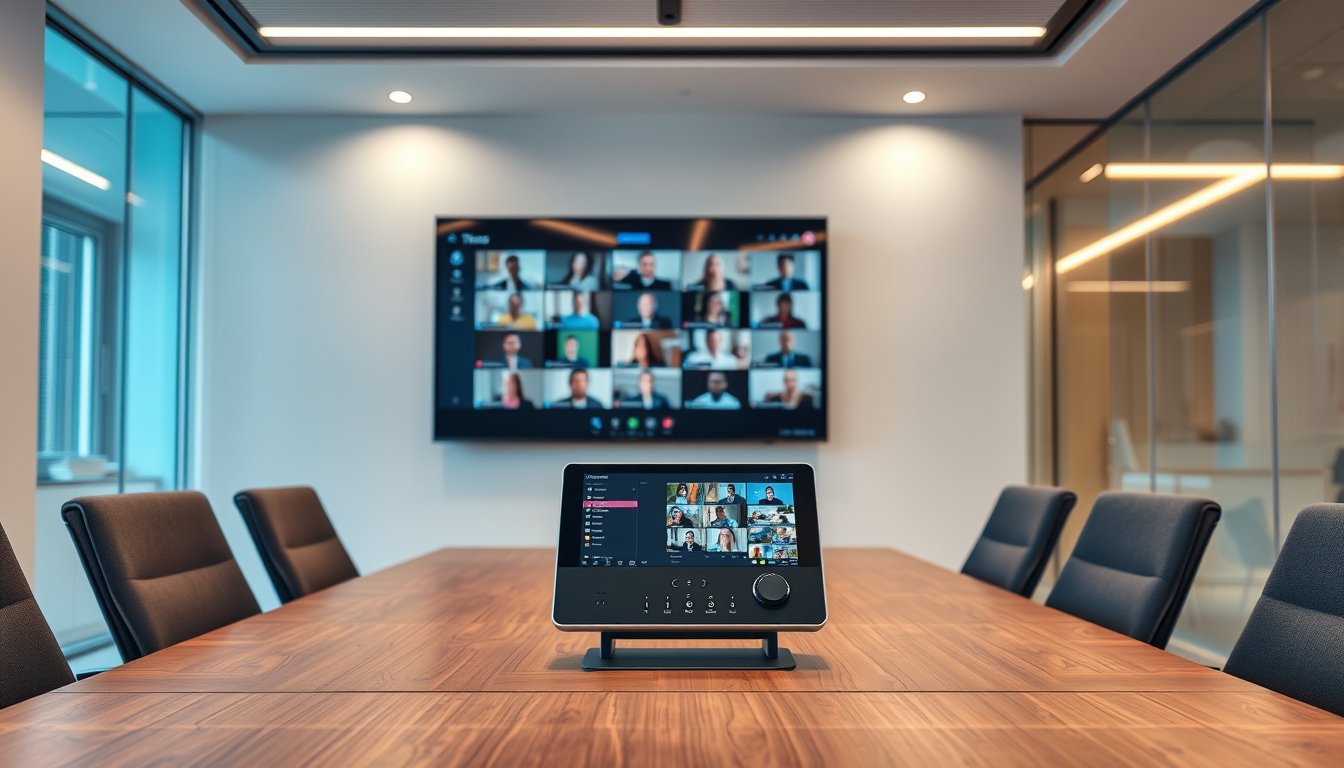
What a Teams Rooms deployment actually involves
I've been on the engineering side of more than 40 meeting-room rollouts in Bangalore since 2019, and I've watched the same script play out at least a dozen times: a company buys the latest certified console, pays a local AV vendor to hang a screen, and then discovers that the room's power point is on the wrong side, the network switch port is PoE+ but the console needs PoE++, and the echo from the glass partition makes everyone on the far end sound like they're calling from a stairwell.
The product itself is solid. Microsoft Teams Rooms (MTR) replaces the rat's nest of a PC, a USB camera, a separate speaker and a click-to-join dongle with a single purpose-built console that runs Teams natively. It wakes the room when someone walks in, starts the scheduled meeting on time, and puts a giant calendar on the front-of-room display. For a Bangalore office with 20 to 500 people, the value is simple: you stop wasting 10 minutes per internal meeting on join failures and audio issues. At ₹1,200 per hour for a senior engineer's time, ten people wasting ten minutes is ₹20,000 per day, just in setup overhead. The math works.
But "setup" is not one job. It's five, and only two of them are the shiny hardware. Here's the list I use when scoping.
The first is the room itself: size, shape, furniture layout, glass, ceiling height, ambient noise from the AC and the road. The second is the compute and AV devices: the console, display, camera, speaker, mic pod and the companion bars in bigger rooms. The third is the network: switch ports, PoE budget, Wi-Fi vs cable for the console, and the firewall rules that Teams needs to stay alive during a 90-minute screen-share session. The fourth is power and cabling: conduit, cat6 runs, UPS or not, and the electrical point that actually fits behind the console. The fifth is licensing and tenant policy: who gets a Teams Rooms Pro license, how the device joins the tenant, and what the conditional access policy says about the console's account.
Skip any one of these and you'll be back within a quarter, calling for a second visit. I've seen it happen enough times to be blunt about it.
Mapping room size to certified hardware
Microsoft keeps a certification list of Teams Rooms systems, and every major vendor — Logitech, Poly (now HP), Jabra, Yealink, Crestron, Neat — is on it. You cannot legally call a setup "Teams Rooms" if the console is not certified, and more importantly, uncertified devices have broken far more often in our experience. Stick to the list.
The room-size mapping that we use, and which Microsoft's own documentation roughly supports, breaks down like this.
For a small room — 6 to 10 square metres, seating 2 to 6 people — the standard build is a Logitech Rally Bar Mini with a Logitech Tap console, a 55-inch display (we usually fit a Samsung QLED or an LG UHD, but any commercial panel works), and a single USB extension cable. The Rally Bar Mini has a built-in camera, mics and speakers, so the room needs only one cable to the display and one to the console. Street price for this bundle in Bangalore today (February 2026) is ₹2.2 lakh to ₹2.8 lakh for the hardware, including the Tap. You'll spend another ₹15,000-₹25,000 on cabling, mounting and configuration labour.
For a medium room — 10 to 25 square metres, seating 7 to 12 people — you need a more serious system. The Logitech Rally Bar (not Mini) with the Rally Mic Pod and a dedicated USB speaker option is one path, but the more common fit is the Poly Studio X70 or the Jabra PanaCast 50, both of which handle medium-room acoustics far better. A 65-inch display, a Rally Bar or similar, plus one or two mic pods, runs ₹3.5 lakh to ₹5 lakh for hardware. Add ₹30,000-₹40,000 for installation, calibration and the network drop.
A large room — 25 to 50 square metres, seating 15 to 25 people around a boardroom table — is where the configuration gets genuinely complex. The typical build we do is a Poly Studio E70 camera paired with a Poly TC10 console and a separate DSP (a Biamp or QSC unit) feeding a ceiling speaker array or two wall speakers. Crestron and QSC also have certified bundles. Hardware cost here is ₹8 lakh to ₹12 lakh, and you need a professional integrator who knows how to set the DSP's AEC (acoustic echo cancellation). This is not a DIY job. A badly tuned DSP in a large room is worse than no system at all.
For rooms over 50 square metres — a town hall or a training room — stop. Teams Rooms has a hard endpoint at some point because the camera and mic systems can't cover that space with a single certified unit. In Bangalore, for a 100-seat town hall, we will not quote a Teams Rooms setup. We put in a proper AV-over-IP system with a Poly Studio E70 or a Panasonic camera, and connect it via a PC running a Teams integration. That's a different project with a different budget (₹15-₹30 lakh). If a vendor tells you they can do a 100-person boardroom with a single Rally Bar, run the other way.
The table below summarises what we actually quote for a typical installation, including the hardware, labour and network work. These are 2026 Bangalore rates for a single room, before tax. GST of 18% on the hardware and services applies, and your company can claim the ITC.
| Room size | Seats | Typical certified bundle | Hardware (₹, 2026) | Labour + cabling (₹) | Total per room (₹, pre-GST) |
|---|---|---|---|---|---|
| Small (6-10 sqm) | 2-6 | Logitech Rally Bar Mini + Tap + 55" display | 2,20,000 - 2,80,000 | 15,000 - 25,000 | 2,35,000 - 3,05,000 |
| Medium (10-25 sqm) | 7-12 | Poly Studio X70 or Jabra PanaCast 50 + 65" display | 3,50,000 - 5,00,000 | 30,000 - 40,000 | 3,80,000 - 5,40,000 |
| Large (25-50 sqm) | 15-25 | Poly E70 + TC10 + DSP + speakers + 75" display | 8,00,000 - 12,00,000 | 1,00,000 - 1,50,000 | 9,00,000 - 13,50,000 |
One note on the display: you can cut costs with a consumer TV, but the commercial displays from Samsung, LG or NEC have a 16/7 duty cycle rating, meaning they're built to run for 16 hours a day, seven days a week, and they come with a 3-year onsite warranty. A consumer TV typically runs for 4 hours a day and fails after 18 months in a meeting-room that's used heavily. The extra ₹30,000-₹50,000 on a commercial panel is worth it; we've replaced enough consumer TVs in meeting rooms to know.
The network and firewall work nobody budgets for
Every certified Teams Rooms console connects to the network either via Wi-Fi (built-in) or a wired Ethernet port. Almost all integrators, including us, strongly recommend a wired connection. Wi-Fi in a Bangalore office is subject to interference from neighbours, and you cannot afford a Teams call dropping because someone in the adjacent cabin started a large download. So the first thing we check is the switch port.
The Logitech Rally Bar Mini, for example, includes a 3-port PoE+ switch to power the console and the Tap, but it needs power from the wall for the main unit. Actually, let me be precise: the Rally Bar Mini has a PoE++ input (802.3bt) that can power the main unit and the connected Tap, but the included power supply is a 48V DC adapter. Many integrators just plug in the adapter and the network separately. That's fine, but if you want to power the whole system from a single PoE++ switch port—which we do for clean cable runs—you need a switch that actually delivers 90W per port, not the 30W that a typical office PoE+ port provides. Plan for that.
The Poly Studio X70 requires a PoE++ port as well. The Jabra PanaCast 50 is a bit more forgiving; it will run off a PoE+ (30W) port, but the room's speaker and table hub still need power.
Beyond PoE, there's the firewall. Teams uses a well-known set of URLs and IP ranges, and Microsoft publishes them. The key ones are *.teams.microsoft.com, *.sfbassets.com, *.skype.com, and a few others. If your firewall is set to geo-block or has a proxy that requires authentication, the console will fail to sign in. We've walked into more than one client that had put the console on a guest VLAN with a captive portal. The console can't click "I agree" to the portal, so it never registers. The fix is simple: put the console on a VLAN that either bypasses the proxy or has the Teams URLs whitelisted on the firewall.
Also, when we do a Teams Rooms rollout, we always set up a separate organisational unit (OU) in the tenant for the room accounts, and we assign conditional access policies that require the room console to authenticate with device-based access. The room account is a regular user account, and if you leave it in the "All users" group, it may trigger MFA prompts or be blocked by a sign-in risk policy. A dedicated Azure AD group called "Teams Rooms Devices" that excludes the room accounts from MFA is the standard practice. Microsoft documentation has a script you can run. We've seen clients skip this and then spend a month with a room that drops off every day.
When we deliver a room, we visit the client's firewall configuration, either with the admin or through a remote session. We check the egress rules for the console's IPs. It saves a support call later.
Power, cabling and the monsoon
Bangalore has two power realities that affect a Teams Rooms install: the grid is generally reliable, but voltage fluctuations happen during summer storms, and the monsoon brings humidity that plays havoc with poorly terminated cables.
Every meeting room console and display should be on a UPS. A sudden power cut during a client demo is embarrassing; a power surge that fries a Logitech console's internal power supply is a ₹40,000 replacement. We put a 1.1kVA UPS (like the APC BR1100 or a Microtek) per room, sized to power the console, the display and the network switch that serves them. Cost is around ₹8,000-₹12,000 per room. Some clients skip the UPS on the display, but the display's standby power still draws surges. Just put everything on the UPS.
The cabling itself must be done with shielded Cat6a or better. Bangalore's electromagnetic interference from nearby electrical lines can cause packet loss on long runs. Shielded cable is ₹2-3 more per metre, but a single dropped call in a boardroom costs more. Also, the monsoon has a way of seeping into rooftop conduits. We terminate every cable with RJ45 connectors that have proper strain relief, and we avoid laying cable on the floor or under carpets where humidity can wick. Always use wall conduits or trunking.
In terms of electrical points, the console sits on the table, so it needs a power point within reach. The display is wall-mounted, so its power point needs to be behind the display, not on the floor. Most offices we visit have standard 5-amp sockets. The Rally Bar Mini's adapter draws about 2.5 amps, so a 5-amp socket is fine, but you need a 3-pin to 2-pin adapter if the socket is the universal type. We carry a bag of these.
A concrete example: In 2024, we did a rollout for a BFSI client in a high-rise on Residency Road. They had a beautiful glass-walled boardroom with a 20-seat table. The client had already bought a Poly Studio X70 and a 75-inch display. When we arrived, we found that the only power point in the room was on the wall opposite the display and the network drop was on the same wall as the power, but the switch port was a standard 15W PoE (802.3af). The X70 needs 60W PoE++. We had to run a dedicated Cat6a cable from the main switch in the server room on the fifth floor, and we had to install a 6-amp power point behind the display. The client was upset because they thought the hardware would just plug in. The extra work cost them ₹25,000 in labour and spare parts, which they hadn't budgeted for. It's not a disaster, but a proper site survey would have caught it before the hardware purchase.
This is why we insist on a pre-installation site survey for every room. We measure the walls, check the power points, test the network cable run, and check the AC unit's airflow. It costs ₹5,000-₹7,000 per room, but it's refunded if you go ahead with the deployment. It has saved us and the client far more than that in avoided delays.
Licensing: The recurring cost you can't dodge
The hardware is the one-time cost. But every Teams Rooms console needs a Microsoft Teams Rooms license. There are two flavours: Teams Rooms Basic is free, but it only supports one room, has no conditional access, no Intune management and no managed meeting services. Microsoft has been clear that Basic has limitations: no direct guest join? Let me check the actual feature split. As of 2025, Basic allows one room to schedule and join meetings only if the organizer has a business license; it lacks the AI-powered noise suppression, live captions in multiple languages and the ability to control the room via a touch panel from a secondary display. But the big one is that Basic does not allow for cloud video interop with Zoom or Webex, which is a dealbreaker if your customers use those platforms.
Teams Rooms Pro costs ₹17,600 per device per year (billed monthly or annually, as of February 2026), or about ₹1,470 per month. It includes the full feature set: direct guest join, all the AI features, and a 99.99% uptime SLA for the service. If you have a 10-room deployment, that's ₹1.76 lakh per year in licensing. Most of our clients go with Pro because they need to join Zoom or Webex meetings from the room. The free Basic tier is only useful for a single internal room that never meets external partners.
There's also the Windows vs Android split. Logitech's Rally Bar Mini runs either Windows or Android, and the Android console is cheaper by about ₹30,000. But the Android version does not support all the Pro features, like the ability to run a third-party SIP dialer. We've put Android consoles in a few conference rooms, and they're fine for pure Teams, but you cannot install a Zoom Rooms client on the same device. If you have a mixed environment, buy Windows-based consoles. Our partner price for the Logitech Rally Bar Mini Android edition is around ₹90,000 less than the Windows edition. The Windows edition is what we stock.
When you add it all up for a medium-size company doing a 5-room rollout, the budget looks like this:
| Item | Unit cost (₹, 2026) | 5 rooms total (₹) |
|---|---|---|
| Hardware (bundle per room, medium) | 4,20,000 | 21,00,000 |
| Installation labour per room | 35,000 | 1,75,000 |
| UPS per room | 10,000 | 50,000 |
| Network switch (24-port PoE++ managed) | 80,000 | 80,000 |
| Cabling, connectors, conduit (lump sum) | 20,000 | 20,000 |
| Site surveys (5 rooms) | 1,500 | 7,500 |
| Teams Rooms Pro licenses (annual, per room) | 17,600 | 88,000 |
| Subtotal (one-time) | 24,32,500 | |
| Subtotal (recurring annually) | 88,000 | |
| GST 18% on one-time | 4,37,850 | |
| Total first year | 29,58,350 |
Remember, that's for five medium rooms. For a smaller office with three small rooms, the total first-year cost is around ₹10-12 lakh. The hardware itself is not the main cost driver in the long run — the Pro licenses add up.
Audio is where everyone gets it wrong
After the cabling, the most common mistake in Teams Rooms setups is ignoring acoustic treatment. Meeting room acoustics in Bangalore are terrible because office interiors are all glass, granite and polished concrete — every surface reflects sound. A Teams Rooms device's built-in AEC tries to remove echo and reverb, but it can't do miracles.
That ₹10 lakh boardroom with a 75-inch display and a Poly Studio E70 camera will still sound like a train station if the room is 50% glass. The far-end participants hear a hollow, distant voice. You cannot fix this with software alone.
Our rule of thumb: if the room has more than one glass wall, or if it's over 20 sqm, you need at least some acoustic treatment. The cheapest effective measure is to install acoustic panels on one or two walls. A 600x600mm acoustic panel with a PET felt finish costs about ₹800-₹1,200 per panel, and a room typically needs 6-10 panels. That's a one-time cost of ₹6,000-₹12,000 — often the best ROI in the entire project. It's less than one hour of a senior employee's time wasted in a single meeting.
More advanced (and more expensive) fixes include:
- Ceiling clouds: hanging panels that absorb reflections from the ceiling. ₹1,500-₹2,500 per sqm installed.
- Noise masking: a speaker system that plays soft background noise to cover up office chatter. Not for every room, but useful if your server room or the pantry is adjacent.
- Curtains: heavy blackout or acoustic curtains on glass walls. They also help with the screen glare.
The device placement matters almost as much. The front-of-room display should be at eye height for a seated person, around 1.2m from the floor to the centre of the display. The console should be at the centre of the table, not at the far end for a presenter. The speaker and mic pods should be at least 50 cm away from the wall. We've seen consoles tucked into a corner behind a pillar — useless.
The meeting table itself is a culprit. A lightly-built conference table with a hollow core resonates and turns into a drum. If the table is not solid wood or stone, a single long mic pod will pick up unnecessary noise. You can switch to a table-mounted mic pod with foam isolation, which we do for such tables.
A specific failure story
In July 2024, a mid-size software services firm in Koramangala (since they haven't been named, let's call them AcmeTech) hired a different integrator to set up a Teams Rooms system in a 12-seat conference room. The integrator quoted ₹4.8 lakh for hardware and installation, and AcmeTech's CTO approved quickly because the hardware list looked right — a Poly X50 and a 65-inch display.
Within a week of go-live, AcmeTech's clients started complaining about audio. Specifically, whenever the AcmeTech side had more than four people in the room, the far side heard an echo and occasional clipping. The CTO called us for a second opinion.
We visited, tested the system, and found the culprit: the X50 was mounted on the wall 20 cm above a glass partition, and its built-in speakers were facing the glass. Sound bounced off the glass into the mic, creating a delay loop. Also, the table was a 3-metre-long hollow-core plywood table that resonated, and the single mic pod could not pick up people at the far ends.
We refitted the room: repositioned the X50 to the solid drywall wall, added two 600x600mm acoustic panels behind the display, switched the table mic to a central pod with better pickup, and ran the built-in speaker at 70% volume. Total cost of the fix was ₹35,000 — but AcmeTech had lost 15 hours of executive time in that first month, a cost of ₹1.8 lakh at their loaded rate, and had almost lost a renewal of a ₹2 million annual contract with a US-based client because two conference calls had been unintelligible.
The head of engineering told us, "The integrator didn't even test with five people in the room." We now insist on a live test call with at least the full room seating capacity before we declare a deployment done.
That could be you. I tell every client: if you don't budget for a site survey and acoustic check, you're gambling.
The procurement process in Bangalore
When you're ready to buy, you have two paths: buy the hardware yourself from an AV distributor and pay a consultant separately, or engage an end-to-end integrator that does the survey, buys certified hardware, installs, configures and trains your staff.
DIY hardware purchase saves you maybe 5-8% on list price if you buy directly from distributors like Redington, Ingram Micro or AVIT (Bangalore-based). But you'll need to know exact part numbers, and consumer returns are painful. We once had a client who bought a Logitech Rally system from Amazon, and it arrived with a damaged HDMI port. They spent two weeks with Amazon's returns department while their meeting room stayed dark.
An end-to-end integrator's margin is typically 10-15% on hardware, but that margin covers the site survey, the project management, and the after-sales support. We charge a flat project fee for the deployment labour plus a small margin on hardware. It's transparent.
What to ask any integrator before you sign:
- Do you have hands-on experience with the exact model I'm buying? (Ask for a reference call if possible.)
- Can you show me a wiring diagram for the room?
- Do you test the room with the real seating capacity during installation?
- What is your post-install support SLA — do you have a local tech in Bangalore within 4 working hours, or a remote support line?
- Will you configure the network rules with my firewall admin, or do you expect me to handle it?
We, at SynergyScape Technologies, have been installing Teams Rooms in Bangalore since 2019. Our standard deployment SLA is: project completion within 7 working days from the day hardware arrives at our warehouse, with a final acceptance test involving the client to check audio, video, and conferencing with a remote user. We provide a full documentation pack, including the IP addresses and PoE ports.
What most vendors won't tell you: vendor-specific gotchas
Each hardware vendor has quirks that show up only in real installations:
- Logitech Rally systems: The Rally Bar and Tap console connect via a proprietary USB 3.0 cable. If you run the cable through the table grommet and bend it sharply, it'll lose connection. We always use Logitech's extender for runs over 5 metres, but never loop it tightly.
- Poly (HP): The Studio X70's camera uses an external mic pod, and the pod has a flaw where the mute button sometimes un-syncs. We've got a firmware update script we run on all Poly devices before handover.
- Neat: His pricing is not competitive in India, but his devices are genuinely the easiest to mount — a built-in level shows you exactly how to hang it. The issue is his camera has no privacy shutter, which some clients don't like.
- Yealink: Cheap and mostly good, but the Android consoles are sometimes locked to a specific firmware that doesn't get the latest Teams updates on time.
I'm not saying any of these are bad—they're all certified—but your vendor should know workarounds. Ask for a list of firmware versions recommended by Microsoft for your device.
Integration with the rest of your Tech stack
Teams Rooms does not exist in a vacuum. In most Bangalore offices, you'll also have a corporate phone system (possibly a legacy PBX), a VC solution like Zoom, and a digital signage platform. Teams Rooms Pro licensing includes a native coexistence with the Microsoft Teams desktop client, but it doesn't automatically connect to your SIP trunk.
If you have a SIP-based desk phone and you want to call into your Teams Rooms using the room's external phone number, you need a Session Border Controller (SBC) or direct routing. Setting that up ideally involves a Teams certified SBC like the AudioCodes SBC1000, which costs around ₹80,000 to ₹1.5 lakh, plus integration work. Many companies skip this and just use the room's IP address for calls, but then you lose the ability to receive external calls on the room line.
For Zoom or Webex, the MTR Windows system supports direct guest join out of the box. Android systems do not. If your partners predominantly use Zoom, either stick with Windows-based MTRs or buy a separate Zoom Rooms licence for the same hardware (double licensing). We've seen clients try to save money with an Android console and then find they can't do a Zoom call.
Also, if your office already uses QMS (intelligent meeting) solutions or a platform like Neat Symmetry that aggregates Teams and Zoom into one view, you can run those on a companion app in the room. Not a dealbreaker, but nice to know.
Do you actually need a Teams Rooms, or just a good webcam?
If your "meeting room" is a 5-seat huddle space with a small table, and you have fewer than 50 employees, buying a certified Teams Rooms kit is overkill. A good 4K webcam and a Jabra Speak 710 speakerphone will improve 90% of your calls at a cost of about ₹25,000, and you can bring your own laptop to the call. Teams Rooms shines when:
- The room is used for at least 10 hours a week by multiple people.
- You need one-touch join with a calendar invite.
- You have a room that stumps guests because there is no visible control.
- You want to eliminate the "whose laptop do we plug in?" problem.
If that's your case, the table above is your budget guide.
One thing I will say honestly: a Teams Rooms console is a hardware dinosaur compared to a well-engineered software client on a decent laptop. The console costs ₹2-4 lakh, and its computing power is equivalent to a ₹40,000 PC. The entire point is reliability and management — you can monitor it from Intune, deploy it centrally, and have it self-heal. If you don't need that, don't pay for it.
Next steps
Before you spend a rupee on hardware, get a site survey done. It costs ₹5,000-₹7,000 per room (refundable against deployment at SynergyScape) and it will tell you what power, network and acoustic changes you need. We also provide a detailed quotation that breaks down hardware, labour, licensing and GST.
If you have a specific project in mind, visit our communications services page to see the full range of voice and video collaboration setups we do. You can also reach our Bangalore project team directly via the contact page to schedule a survey.
We've seen enough broken rollouts that we care more about doing it right the first time than about promising a miracle. The cost is predictable; the payoff is that your team gets back 10 minutes per meeting and your clients stop hearing echoes.
FAQ
How much does a Microsoft Teams Rooms setup cost in Bangalore?
For a small room (2-6 people), expect ₹2.5 lakh to ₹3.5 lakh fully installed. Medium rooms run ₹4-6 lakh, and large boardrooms can cost ₹10 lakh or more. These are 2026 prices including hardware, labour, but excluding GST and licenses.
Do I need a Teams Rooms Pro license? Can't I use Basic?
If your room only needs to join internal Teams meetings from a Microsoft tenant, Basic might be enough. But Basic does not support guest join for external users who don't have a Teams account, and it lacks several meeting features. For any company that collaborates with customers, we recommend Pro at ₹17,600 per room per year.
Can I just buy a Logitech Rally from Amazon and install it myself?
You can, but you'll likely face PoE+ or network firewall issues, and you won't have a warranty. Also, the acoustic setup matters. A certified integrator will not only install it properly but also test it with your actual room occupancy. If you still want DIY, at least do a site survey with a network expert first.
Is a certified Teams Rooms device required?
Microsoft has a list of certified peripherals. Uncertified devices may not work as expected with Teams Rooms software; for example, they might not support the noise suppression or raise-hand features. More importantly, Microsoft does not support them for Teams Rooms deployment. Use the certified list.
What network requirements do I need for Teams Rooms?
You need a wired network connection with PoE++ (for most consoles), a switch port that is not on a captive portal, and a firewall that allows the Microsoft Teams URLs. The console should be on a VLAN that bypasses any authentication proxy. Run a throughput test to ensure at least 5 Mbps up and down.
How long does a typical installation take?
For a single room, 1-2 days of work. For a multi-room rollout, count on a week per every 4-5 rooms, depending on site accessibility and distances between rooms. Our standard is 7 working days for up to 5 rooms.