
Network Audit Services in Bangalore: What a Real Audit Finds
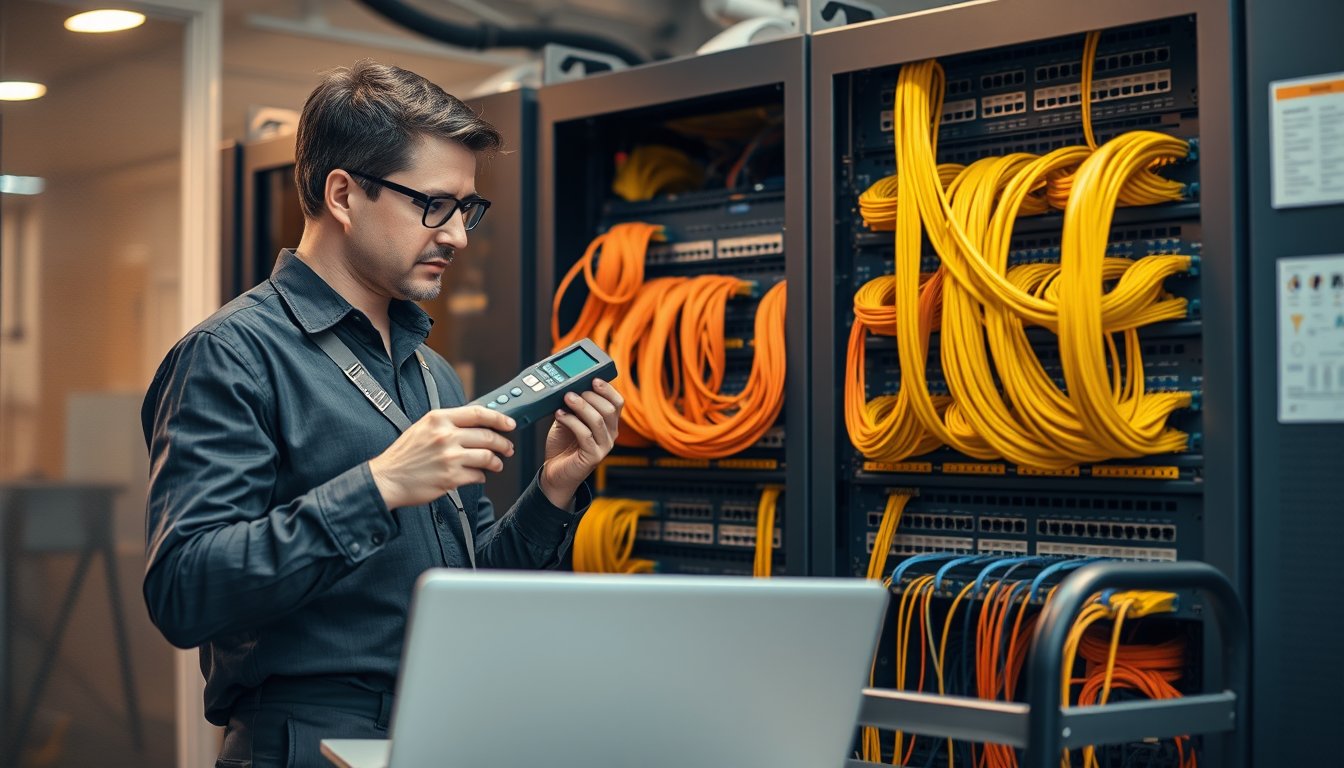
A 90-user office in Peenya, and the switch nobody had logged into since 2019
In March 2026 we walked into a 90-seat engineering office off Tumkur Road. Their complaint was simple: "the internet is slow after lunch." Three ISP tickets, two new access points, and one furious COO later, they called us for a network audit.
The cause took 40 minutes to find. A Cisco Catalyst 2960-X in the ground-floor IDF had a 100 Mbps uplink to the core because someone had reused a Cat5 patch cord during a 2021 shift. The switch was also running firmware from 2018. Port 5 showed a cumulative 4.1 million CRC errors. Their ERP sync was retrying over that port every 90 seconds.
Cost of the fault: roughly ₹2.4 lakh in wasted ISP upgrades and a replacement AP over three years, plus the productivity drag nobody could quantify. Cost to fix: ₹1,800 for a Cat6 patch cord and a firmware window.
That is what network audit services in Bangalore are for. Not to hand you a 60-page PDF. To find the ₹1,800 fix hiding inside a ₹2.4 lakh problem.
Below is how we actually run an audit, what it costs in 2026, and where most Bangalore offices are exposed right now.
What a network audit actually covers
A real audit has five working parts. If a provider quotes you without naming these, they are selling a port scan with a report template.
- Topology discovery — physical and logical. What is connected to what, at what speed, over what medium.
- Bandwidth and error analysis — utilisation trends, retransmissions, CRC errors, duplex mismatches, broadcast storms.
- Firmware and EOL exposure — what versions are running, what is end-of-support, what CVEs apply.
- Cabling condition — certification of copper and fibre runs, especially where patch panels have been re-punched repeatedly.
- Prioritised remediation plan — a costed, sequenced list. Not "consider upgrading." Actual part numbers, actual rupees, actual order of operations.
Anything less is monitoring. Monitoring tells you something is wrong now. An audit tells you what will break in Q3 and what it will cost to prevent it.
What most "free network assessments" skip
Almost every ISP and hardware vendor offers a free assessment. Read the deliverable list before you agree. The free versions typically:
- Use SNMP polling only, which misses anything that does not answer SNMP — printers, IP cameras, some legacy switches, most UPS management cards.
- Do not open the racks. So they never see the daisy-chained 8-port unmanaged switch feeding the accounts team.
- Do not test cabling. A cable certified to Cat6 in 2019 may be failing Cat5e today after three AC installs and a monsoon season.
- Do not map VLANs to actual business traffic. So they miss that guest Wi-Fi and the billing server share a broadcast domain.
If the deliverable is a PDF generated by a tool, you have bought nothing.
Topology discovery: the part that surprises people
We start with a discovery pass that combines active scanning with physical inspection. Active scanning alone lies to you. Devices lie about their own links, PoE budget, and stack membership.
Here is the toolset we use on most Bangalore engagements in 2026:
| Layer | Tool / Method | What it reveals | Typical gap it catches |
|---|---|---|---|
| Layer 2 | LLDP / CDP neighbour dumps | Actual link topology, port-by-port | A "core" switch that is actually a leaf |
| Layer 3 | Nmap + SNMP walk (v2c/v3) | Device inventory, routes, ARP tables | Rogue APs and unmanaged switches |
| Physical | Manual rack audit | Cable routing, patch panel labelling, power | Daisy-chained 5-port switches |
| Wireless | Ekahau Sidekick or NetSpot survey | Coverage, channel overlap, interference | 2.4 GHz saturation in open-plan floors |
| Traffic | ntopng / PRTG NetFlow | Top talkers, protocol mix | A single workstation saturating the WAN |
We ran this on a 180-seat SaaS company near KR Puram in January 2026. Active scanning showed 214 devices. The physical audit found 261. The extra 47 were:
- 22 IP cameras on a separate NVR that nobody had documented since 2022.
- 9 unmanaged switches daisy-chained off two wall ports, feeding a total of 31 desks.
- 6 personal routers broadcasting SSIDs, all on 2.4 GHz, all with default credentials.
- 4 VoIP adapters on a legacy PRI line that was supposedly decommissioned.
- 3 Raspberry Pi devices from a departed data team, still reachable from the guest VLAN.
- 3 printers with static IPs outside the documented range.
That is not an unusual result in Bangalore. Office spaces here get renovated and re-seated constantly. A company that took an extra floor in 2023 will have patched in temporary switches that became permanent.
The discovery output is a labelled topology diagram, a device inventory with firmware versions and support status, and a port map for every switch. That last artefact — the port map — is what saves you money for the next five years.
Why topology matters commercially
Without a topology map, every change is guesswork. Adding a new department means guessing which switch has capacity. Troubleshooting an outage means unplugging things until something changes.
With a map, a new 20-seat floor can be provisioned in a day because you know exactly which IDF has two spare ports, adequate PoE budget, and a 1 Gbps uplink with headroom.
| Scenario | Without topology map | With topology map |
|---|---|---|
| Add 20 desks | Site survey, guess capacity, possibly new switch (₹35,000+) | Reuse two spare ports and a 16-port expansion module (₹9,000) |
| Isolate a fault | 2-4 hours of trial disconnection | 10-15 minutes to the affected uplink |
| Plan a bandwidth upgrade | Buy the line the ISP recommends | Buy the line the data says you need |
| Onboard a vendor | Send a technician to trace diagrams | Email the port map |
None of this is exotic. It is just rarely done properly outside regulated industries.
If your team does not have this documented, that is the first thing a good network solutions engagement should produce.
Bandwidth and error analysis: where the money hides
Bandwidth is the most over-diagnosed and under-measured problem in Bangalore offices. Everyone says "we need more bandwidth." Almost nobody has the data to prove it.
We measure four things over a minimum of 14 days, 21 if the business has a monthly cycle:
- Peak utilisation per WAN link — the 95th percentile, not the average. Average utilisation hides the problem.
- Per-application and per-host consumption — who is actually using the pipe.
- Error counts on every switch port — CRC, alignment, late collisions, runts.
- Latency and jitter to critical destinations — your SaaS tenant, your SIP provider, your branch VPN.
The 95th percentile trap
A 200 Mbps leased line from a Bangalore ISP, if utilisation averages 60 Mbps, looks like a waste. But if the 95th percentile is 185 Mbps for three hours every Tuesday, you are not over-provisioned — you have a load pattern problem.
We audited a 140-seat logistics company in Nelamangala in 2025. Their 200 Mbps a:: leased line averaged 38 Mbps. The ISP had convinced them to upgrade to 400 Mbps for ₹18,000/month more. The audit showed the 95th percentile was 190 Mbps, entirely driven by 22 workstations in the accounts team running a legacy Tally sync that re-uploaded the full company ledger every 90 minutes.
Fix: change the sync schedule, move it to a night window, and stagger it. Cost: zero. The upgrade was cancelled. They saved ₹2.16 lakh in year one.
Error counters: the silent killer
CRC errors and late collisions do not show up in bandwidth dashboards. They show up as slow file shares and erratic VoIP.
We pull interface counters from every managed switch. The thresholds we act on:
| Counter | Warning threshold | Action threshold | Likely cause |
|---|---|---|---|
| CRC errors | Any sustained growth | >1% of packets on a port | Bad cable, bad patch, EMI |
| Late collisions | Any occurrence | >0.1% of packets | Duplex mismatch |
| Runts | >0.05% of packets | >0.5% of packets | Faulty NIC or cable |
| Output drops | >0.1% of packets | >1% of packets | Oversubscribed uplink |
| FCS errors | Any sustained growth | >0.5% of packets | Fibre contamination or bend |
On a single audit of a 60-seat firm in Whitefield, we found 14 ports with sustained CRC errors. Ten traced to one batch of patch cords installed by a contractor who had used Cat5e in a 2.5G deployment. Two traced to a patch panel where the punch-down was marginal. Two traced to a single workstation with a failing NIC.
Replacing 10 patch cords and one NIC cost ₹14,400. It resolved complaints the client had logged for 11 months.
Latency to specific destinations
This matters more than raw bandwidth for most Bangalore offices. If your ERP is on Azure Central India, your latency budget to that region is what determines whether users complain. If your SIP trunk provider is in Mumbai, jitter on that path decides call quality.
We measure this from a probe at each site and from the core. A typical Bangalore result in 2026:
- Azure Central India (Pune): 18-28 ms, jitter under 3 ms.
- AWS Mumbai: 22-35 ms, jitter under 4 ms.
- Google Cloud Mumbai: 20-30 ms, jitter under 3 ms.
- SaaS in Singapore: 55-75 ms, jitter 5-10 ms.
- SaaS in US East: 210-240 ms, unavoidable.
If jitter is spiking above these on a business-critical path, the fix is usually local (congestion, duplex, a saturated uplink) not a bigger pipe.
Firmware and EOL exposure: the quiet risk
This is the part most audits under-report, and the part that matters most to a business owner in 2026.
Between 2023 and 2026 the volume of exploited edge-device vulnerabilities has been severe. Devices that run for years without updates — firewalls, switches, VPN concentrators, IP cameras, UPS management cards — are the standard entry point. A network audit that does not produce a version-and-support table is not an audit.
What we inventory
| Device class | What we record | Why it matters |
|---|---|---|
| Firewalls / UTMs | Model, firmware build, license expiry | CVEs, threat signature freshness |
| Switches | Model, firmware, EOL/EOS date | Support contract validity |
| Access points | Model, controller version | WPA2 vs WPA3, roaming issues |
| Routers | Model, firmware, ISP handoff type | Edge exposure |
| IP cameras / NVR | Model, firmware, default creds | Highest CVE density |
| UPS management cards | Model, firmware | Often forgotten, often reachable |
| Printers / MFPs | Model, firmware | Common lateral movement path |
| VoIP / SIP gateways | Model, firmware | Toll fraud exposure |
Real numbers on EOL exposure
On the last 40 audits we ran across Bangalore (2024-2026), the average site had:
- 6.4 devices past end-of-support.
- 3.1 devices with firmware more than 36 months old.
- 2.2 devices still using default or vendor-default credentials.
- 1.8 devices reachable from the internet that should not be.
That last number is the one to fix first. A single internet-exposed IP camera or UPS management card is a direct path in.
A specific failure we see repeatedly
A 45-seat design studio in Indiranagar called us in September 2025 after suspicious outbound traffic. Their FortiGate 60F was running firmware 6.0.x — a version line that had not received security patches since 2022. Their IP cameras, 11 of them, were exposed via port-forward on the firewall. Two cameras had firmware from 2019 with default credentials.
The attacker's path was straightforward: camera → default creds → internal pivot → a file server with an unpatched SMB bug. They encrypted 1.8 TB of design files. Recovery cost: ₹3.1 lakh (forensic engagement + rebuild), plus four days where no design work shipped.
A network audit two years earlier would have flagged the FortiGate firmware, the port-forwards, and the default credentials. Cost to remediate at that time: one firmware window, closing the port-forwards, and a camera firmware update. Under ₹15,000 of effort.
The comparison is not dramatic. It is arithmetic.
What to do with the output
Firmware remediation is not a "patch everything" exercise. We sequence it:
- Internet-facing devices first (firewalls, VPN, exposed cameras).
- Devices with known-exploited CVEs.
- Devices that gate access to regulated data.
- Everything else, grouped into maintenance windows.
For a typical 100-seat Bangalore office, a full firmware remediation pass takes 2-3 after-hours windows and about ₹35,000-₹55,000 in engineering time (2026 rates). That is cheap relative to the alternative.
Cabling condition: the invisible liability
Cabling is where most audits return the largest immediate wins. Copper and fibre do not age gracefully in Bangalore.
Why Bangalore cabling degrades
- Power quality. Voltage variation and frequent short outages stress PoE devices and, indirectly, the cabling plant through heat cycling.
- Monsoon humidity. From June to October, ambient humidity in many buildings climbs. Poorly sealed cable trays and unventilated risers allow moisture ingress. We have seen fibre connectors with visible condensation in basements and Terraces.
- Renovations. Every office re-fit punches new holes, re-routes trays, and re-terminates panels. The cable plant absorbs the damage.
- Rodent damage. A genuine problem in older buildings and any ground-floor pantry or storage area. We find chewed cable roughly once in six audits.
- Moves and changes. IT staff and contractors move desks constantly. Runs get extended with couplers, or spliced with whatever is available.
What we test
For copper: certification with a Fluke DSX-8000 or equivalent. We test permanent links and channels separately, because a failing channel often means a bad patch cord, not bad horizontal cabling.
For fibre: optical time-domain reflectometry (OTDR), insertion loss, and connector end-face inspection.
| Test | Copper pass criteria (Cat6) | Copper pass criteria (Cat6a) | Fibre pass criteria (OM4) |
|---|---|---|---|
| Insertion loss | Within TIA-568 spec | Within TIA-568 spec | <3.0 dB per connector pair |
| NEXT (near-end crosstalk) | >44.3 dB @ 100 MHz | >44.3 dB @ 100 MHz | N/A |
| Return loss | >20.1 dB | >20.1 dB | >26 dB (LC) |
| Length | ≤90 m permanent link | ≤90 m permanent link | ≤550 m for 10GBASE-SR |
| Propagation delay skew | <45 ns | <45 ns | N/A |
| End-face | N/A | N/A | No scratches, no contamination |
We typically test a representative sample on large sites — 20-25% of runs, chosen to include the oldest, the most re-patched, and the most complaint-prone. Full certification is available but the marginal value drops fast after a good sample.
A cabling case with a number
A 300-seat ITeS office in Electronic City had been living with intermittent floor-wide outages every few weeks for over a year. Their ISP blamed the line. Their facilities team blamed "the network." We audited in February 2026.
Findings:
- The 12-year-old fibre backbone between the two floors had insertion loss of 7.8 dB on two of six strands, well outside spec.
- Twisted sections where a tray had been re-routed during a 2021 renovation.
- Three LC connectors with heavy contamination.
- A single-mode patch cord was being used on a multimode run (visible from the jacket colour — yellow, on an OM3 run).
Interim fix: re-terminate the two worst strands and clean the connectors. Cost: ₹12,000. That bought six months.
Permanent fix: replace two backbone runs with pre-terminated OM4, 8-core. Cost: ₹78,000 including labour and certification (2026 pricing).
The client had spent 18 months arguing with their ISP. The ISP was right.
Prioritised remediation plan: the only deliverable that matters
A network audit produces one thing the budget holder actually needs: a sequence. What to fix first, what it costs, what it prevents.
We present remediation in four tiers:
Tier 1 — Immediate (0-30 days)
Security-critical and fault-causing items. Typically includes:
- Internet-exposed devices with default credentials.
- Firewall firmware with known-exploited CVEs.
- Any port with CRC error rates above the action threshold.
- Rogue access points and unmanaged switches.
Typical cost: ₹25,000-₹60,000 for a 100-seat office (2026).
Tier 2 — Short term (30-90 days)
Reliability and capacity items. Typically includes:
- EOL device replacement plan.
- Firmware remediation for non-critical devices.
- VLAN segmentation for guest, voice, and IoT traffic.
- Wireless redesign where channel plan is failing.
Typical cost: ₹80,000-₹4 lakh depending on scope. Replacing one EOL access switch with, say, a Cisco Catalyst 1000-24T or an Aruba Instant On 1930 24G costs ₹28,000-₹45,000 per unit (2026).
Tier 3 — Medium term (90-180 days)
Cabling and structure. Typically includes:
- Backbone fibre replacement.
- Patch panel re-termination.
- UPS and power path improvements.
- Documentation and labelling clean-up.
Typical cost: ₹1.5 lakh-₹8 lakh depending on the size of the plant.
Tier 4 — Strategic (6-18 months)
Architecture. Typically includes:
- WAN redesign or SD-WAN evaluation.
- Cloud interconnect strategy.
- Replacement of an EOL firewall platform.
- Segmentation aligned to a compliance requirement.
This is where vendors love to sell. We advise caution. Tier 4 should be decided with data from Tiers 1-3, not at the same time.
An example remediation plan
From a recent 120-seat engagement in Bangalore, anonymised:
| Tier | Item | Cost (₹, 2026) | Risk if deferred |
|---|---|---|---|
| 1 | Close 4 port-forwards, rotate admin creds | 8,000 | Active exploitation path |
| 1 | Replace 14 failing patch cords | 19,600 | Continued intermittent faults |
| 1 | Firmware update on internet-facing firewall | 12,000 | Known CVE |
| 2 | Replace 2 EOL access switches | 72,000 | No vendor support |
| 2 | VLAN segmentation (guest, voice, IoT) | 55,000 | Compliance gap, lateral movement |
| 2 | Wireless channel and power redesign | 22,000 | Chronic complaint ticket |
| 3 | Re-terminate 2 patch panels | 34,000 | Degrading links |
| 3 | Replace 2 fibre backbone strands | 78,000 | Capacity ceiling |
| 4 | Evaluate SD-WAN over existing lines | 15,000 (assessment) | Cost optimisation |
Total Tier 1: ₹39,600. That is the number to present to a CFO. Everything else is a sequenced plan, not an emergency.
What network audit services in Bangalore cost in 2026
Pricing varies with site size, complexity, and depth. Here is what we see in the market — our own pricing sits within these ranges.
| Site size | Typical scope | Price range (₹, 2026) |
|---|---|---|
| Up to 50 users, single floor | Topology, firewall, wireless, sample cabling test, report | 45,000-70,000 |
| 50-150 users, 1-2 floors | Above + full switch audit, VLAN review, 25% cabling sample | 70,000-1,40,000 |
| 150-400 users, multi-floor or multi-site | Above + fibre testing, wireless survey, EOL plan | 1,40,000-3,00,000 |
| 400+ users or regulated environment | Above + segmentation design, compliance mapping | 3,00,000-6,00,000+ |
Add-ons that push the number up:
- Full cabling certification (not sampling): ₹150-₹400 per run.
- Full wireless RF survey with Ekahau: ₹1,200-₹2,500 per access point.
- After-hours access (common in BPO and finance): 15-20% premium.
- Multi-site coordination across Bangalore and other cities: travel and time, quoted separately.
Things that can bring it down:
- Existing accurate documentation (rare, but it happens).
- A single-vendor estate — easier discovery.
- Remote-only scope for a second site where you already know the design.
What you should not accept:
- A "free" audit with a hardware quote attached as the deliverable.
- An audit that does not include physical inspection.
- A report without a remediation plan priced in rupees.
- A report that does not flag EOL and firmware. That is a checkbox audit.
Trade-offs and where we are not the right fit
We are not the cheapest option, and we do not pretend to be.
A few honest limits:
- If you have a single 15-seat office and no compliance obligation, a ₹45,000 audit may be more than the problem is worth. A ₹12,000 light-touch assessment and a network refresh may be a better spend.
- If your estate is entirely cloud and your office is a thin-client environment with a single managed switch, the audit surface is genuinely small. We will tell you that and scope accordingly.
- We do not certify cabling ourselves when the run is going to be the subject of a warranty dispute. We bring in an independent cabling certification partner.
- If you want us to find that your existing provider should be replaced, and that is the only acceptable answer, we are not a good fit. We have written reports that said the in-house team was doing the right thing.
On the flip side, if you have multi-floor offices, a mix of managed and unmanaged kit, a compliance obligation under DPDP or CERT-In directions, or a chronic complaint pattern, the audit pays for itself. Usually within one incident or one avoided upgrade.
The most common reason companies skip audits is not cost. It is that the last two audits they bought were useless. That is a real problem, and it is the fault of how audits are sold in this market.
How to run an internal pre-audit before you spend anything
If you are not ready to commission an audit, here is the 90-minute self-check that will tell you whether you need one.
1. Count your switches
Walk to every telecom room and count each switch. Note make, model, and how many uplinks go where. If you find a switch that is not on your asset register, you have a finding already.
2. Check three firmware versions
Your firewall and two core switches. Look at the version string. Compare with the vendor's current release. If it is more than 24 months old, escalate.
3. Look at port error counters
On any managed switch, pull the interface error counters. Any port with growing CRC errors is a problem. You do not need a tool to do this — the CLI shows it.
4. Print your DHCP lease list
Compare against your asset register. Any device you cannot identify by owner or location is worth investigating.
5. Look at your firewall's port-forwarding rules
Count how many are open to the internet. If you cannot justify each one in a sentence, there is exposure.
6. Ask three users which system is slowest
Then ask them when. The pattern — always afternoon, always month-end, always on Tuesdays — is often the most useful input to a bandwidth analysis.
If any of these produce an uncomfortable answer, a proper audit is justified. If they all look clean, you may have a well-run network. We have seen both.
A 60-day working timeline
Here is how a typical audit runs end-to-end for a 100-150 seat Bangalore office.
Week 1 — Scoping and onboarding
We agree on scope, access windows, and out-of-hours requirements. Sign-off on the site access plan. We collect any existing documentation you have.
Weeks 2-3 — Discovery
Active scanning, SNMP walks, LLDP dumps. Physical inspection of every rack and IDF. Documentation of every port, every cable, every device.
Weeks 3-4 — Measurement
Bandwidth probes at each WAN link. Error counter collection. Latency measurement to critical targets. Wireless survey. Cabling sampling and testing.
Week 5 — Analysis
Correlation. Which error correlates with which complaint. What is the 95th percentile. Which EOL device is exposed. Where the CPU load on a switch suggests a loop or a broadcast storm.
Week 6 — Findings workshop
A 2-hour session with your team and, if appropriate, your department heads. Not a presentation of the report. A working session where we walk through findings and you challenge them.
Week 7 — Draft remediation plan
Costed, tiered, sequenced. We include parts with model numbers, labour estimates, and dependency notes.
Week 8 — Final report and handover
Final report, topology diagrams (as editable files, not just PDF), asset inventory, and a briefing to whoever owns the fix. If we are delivering the fix, we transition into implementation. If you are doing it in-house, we make sure your team has everything they need.
Total elapsed: 60 days. Total engagement time: typically 25-40 person-days for the scope above.
Compliance angles to keep in mind in 2026
If your business handles personal data, is in financial services, is a government supplier, or is in healthcare, the audit has an additional lens. Bangalore offices frequently sit under one or more of these:
- DPDP Act 2023 and the associated rules. Reasonable security practices for personal data. A network with 6 EOL devices and internet-exposed cameras is hard to defend.
- CERT-In directions (2022). Log retention for 180 days, incident reporting within 6 hours. Your network audit should verify that logging exists and is actually being stored.
- RBI and SEBI guidance for regulated financial entities. Network segmentation expectations, vendor access controls, and audit trails.
- ISO 27001 if you are certified or working towards it. The audit feeds directly into A.8 (asset management), A.13 (communications security), and A.12 (operations security).
- PCI-DSS for any business that touches cardholder data.
A network audit is not an ISO 27001 audit. But it produces the raw inventory that an ISO auditor will ask for. We have handed audit reports directly to clients' ISO firms as evidence for asset management clauses.
If you want to talk through whether your specific situation warrants a compliance-focused audit, the fastest route is to get in touch with our team. We will tell you honestly if you do not need one yet.
FAQ: network audit services in Bangalore
How long does a network audit take?
For a single-site office under 150 users, 4-6 weeks from kickoff to final report. Multi-floor and multi-site engagements take 8-12 weeks. The variability is almost entirely in access — out-of-hours windows, restricted sites, and coordination with a busy facilities team add days quickly. A rush audit is possible but it degrades quality; we do not recommend it unless there is an active incident.
Can you do the audit remotely?
Partially. Active scanning, SNMP collection, and bandwidth measurement can be done remotely if we have VPN access and the right credentials. Physical topology, cabling condition, and rack inspection require a site visit. Remote-only audits typically miss the daisy-chained switches and degrading cabling — which are exactly where the biggest findings often are. We do not recommend skipping the on-site components.
What is the difference between a network audit and a vulnerability assessment?
A vulnerability assessment looks at software, configuration, and known CVEs. A network audit looks at the design, the physical plant, the topology, and the operational behaviour. They overlap but are not the same. We usually recommend doing the network audit first, then a targeted vulnerability assessment on the internet-facing estate. Doing it the other way around produces a long list of vulnerabilities without a plan for fixing the underlying network.
Do I need to take downtime for the audit?
Almost none. Discovery and measurement are non-intrusive. The only components that touch production are firmware updates — and those are remediation, not audit. Cabling testing on a live link can be brief, and we schedule those at low-usage windows. The 14-21 day measurement period runs in the background with no user impact.
What happens if you find something serious during the audit?
We escalate the same day. If it is something actively exploited — suspicious outbound traffic, a compromised device, a live intrusion path — we will call you immediately and propose an interim mitigation before continuing the audit. We have stopped audits mid-way to help contain incidents. The audit report is less important than closing the door.
Will you try to sell me hardware?
We are a managed-services company, not a hardware reseller first. We will recommend specific models with pricing because the report needs to be actionable. You are free to buy parts elsewhere, source them yourself, or have your own team install them. Roughly a third of our audit clients do not buy anything from us. That is fine. The point of the audit is that you now know what to fix.
What if my estate is all cloud and I only have a thin office?
The audit surface is smaller. We scope accordingly, sometimes at half the standard price. We will not inflate the scope to fill a template. If a light-touch review is the right answer, we will say so — even if it means a smaller engagement.
Do you serve sites outside Bangalore?
Yes. We work across Karnataka with Bangalore as the base. For multi-city sites, we coordinate with partner teams in other locations. Travel time is billed at actuals. If your estate is national, we will tell you early whether we or a partner are the right fit for each region.
What to do next
If your office is over 50 users and you have never had a proper network audit, the question is not whether you need one. It is what will be found when you do.
Start with the self-check above. If it turns up nothing, run it again in six months. If it turns up two or three uncomfortable answers, get a scoped proposal from two providers — including us — and compare the deliverables list.
When you are ready, our network solutions practice scopes engagements in one call. Bring your asset register if you have one. Bring the last incident ticket if you do not. Either way, we will tell you in 30 minutes whether a full audit is justified or whether a targeted review will do.