
PoE Switch for IP Cameras: A Bangalore Buyer's Guide
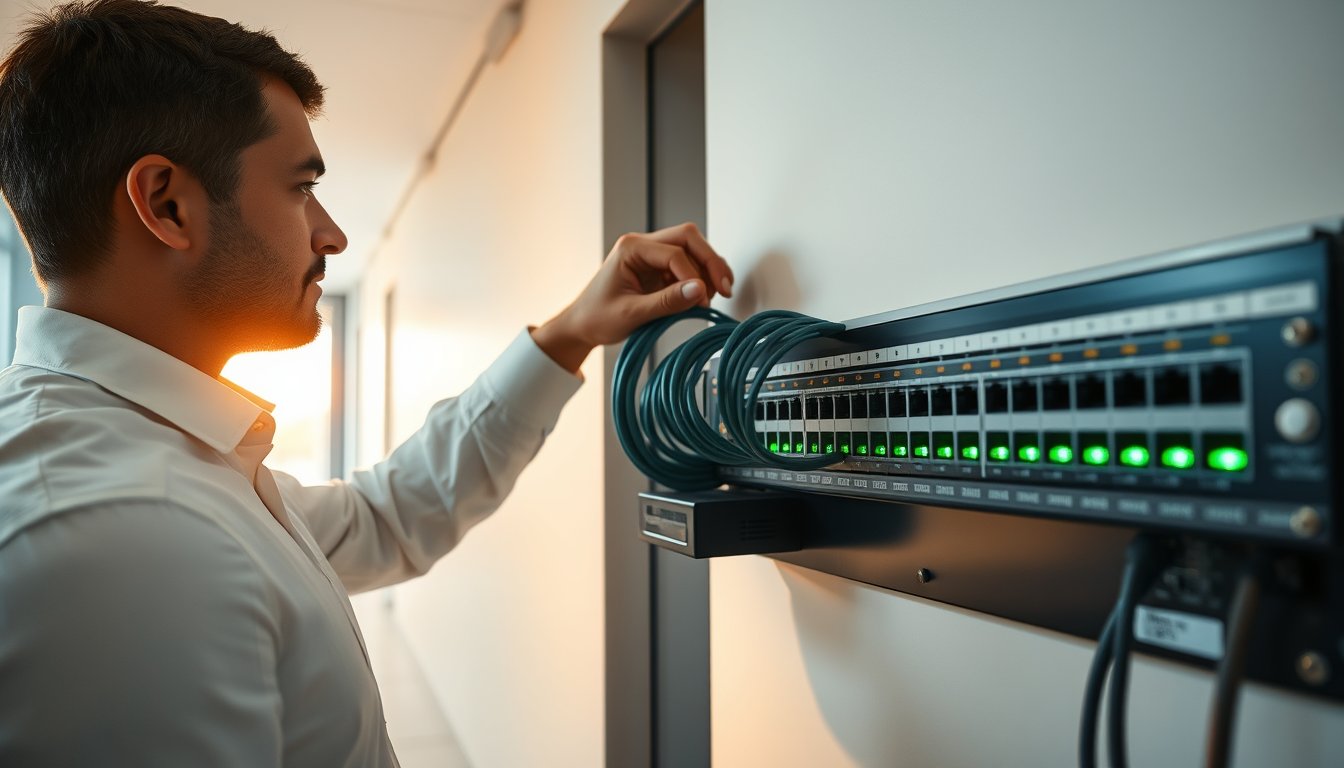
The 9 PM call that started this article
At 9:12 PM on a Tuesday in March 2025, the facilities manager of a 90-person logistics firm off Old Airport Road called us. Six of their fourteen IP cameras had gone dark. Not offline in the NVR interface — physically dead. No LEDs on the switch ports. The cameras came back at 7 AM the next morning without anyone touching them.
This had been happening for eleven days.
Their installer had quoted a "24-port PoE switch" at ₹11,800 and installed it inside a wall-mounted enclosure in a corridor that touched 47°C by 4 PM. The switch was a no-name unit rated at 150W total PoE budget across all ports. Fourteen cameras, mostly 4MP Hikvision turrets, each drawing about 7.5W during the day. That is 105W. Fine on paper. But these were IR cameras, and after sunset the IR illuminator array kicks in, pushing each camera to 11-12W. Now the draw is 154W. The switch's PoE controller starts cycling ports to protect itself. Cameras drop. Cameras come back. Repeat every night for eleven days until a guard noticed that the rear godown had no coverage between 9 PM and 7 AM.
That is the entire story of most bad CCTV deployments in India. Not the cameras. The switch.
This article is about how to size, buy and specify a PoE switch for IP cameras without becoming that installer's next customer. We build these for offices, factories, warehouses and campuses across Bangalore every month, and the same four questions come up every time: how many watts, how many ports, how far can I run cable, and why does everything fall over at night.
If you want the shorter version, our network infrastructure page covers the equipment we supply and install. For the reasoning behind the numbers, read on.
PoE classes, decoded without the marketing
The IEEE has revised PoE three times. Each revision added power. Each revision also muddied the language, because vendors sell "PoE" switches that are technically 802.3af, and "PoE+" switches that some manufacturers use to mean 802.3at while others use it loosely. Here is the table you actually need.
| Standard | Common name | Max power at PSE port | Guaranteed power at camera | Typical camera types |
|---|---|---|---|---|
| 802.3af-2003 | PoE | 15.4W | 12.95W | 2MP fixed domes, basic turrets |
| 802.3at-2009 | PoE+ | 30W | 25.5W | 4MP-8MP IR turrets, PTZ (small) |
| 802.3bt Type 3 | PoE++ | 60W | 51W | Multi-sensor cameras, mid PTZ |
| 802.3bt Type 4 | PoE++ (4-pair) | 90W | 71.3W | Large PTZ, heaters, 5G small cells |
Note the difference between "at PSE port" and "at camera." Power is lost in the cable. A 100m Cat6 run at 30W loses roughly 4.5W to resistive heating. That is why 802.3at guarantees 25.5W at the device, not the 30W it advertises at the switch.
What this means in practice
A 4MP Hikvision DS-2CD2143G2-IU draws about 5W in daylight and 8.5W with IR on. A 4MP Dahua IPC-HDW2431T-AS draws 6.2W day and 9.8W with IR. Those fit comfortably inside 802.3af. But hold on — many installers put these on 802.3af switches and wonder why the IR flickers on long runs. On a 90m run, the voltage drop at the camera can push it below the 44V minimum, and the IR array browns out.
Rule of thumb: anything with IR or a motor should be on PoE+ if the run is longer than 60m. Yes, even if the spec sheet says af is fine.
A 2MP fixed dome with no IR is genuinely fine on af. An 8MP with IR, WDR and onboard analytics is not. Neither is a PTZ. Neither is a camera with a heater for outdoor deployment in Ooty.
POE vs. POE vs. POE — the naming trap
Some Indian brands rebadge "PoE" switches that deliver only 12W per port because they use cheap transformer-based injectors instead of proper 802.3af negotiation. These work with cheap cameras and fail with anything better. If the datasheet does not name the standard explicitly, do not buy it. "Supports PoE" is not a specification.
The watt budget calculation nobody does
The single biggest mistake in Indian CCTV deployments is buying a switch based on port count and ignoring the total power budget. A 16-port PoE+ switch might advertise 16 ports of PoE+ but only have a 120W total budget. That means you can run four full-power cameras or eight half-power cameras. Not sixteen of anything.
Here is the calculation, with real numbers.
Step 1: Sum peak draw per camera
Peak draw means IR on, motor running, heater active if applicable. Not idle draw. Not average draw. Peak.
- Axis M3086-V 4MP domes: 7.2W peak each
- Hikvision DS-2CD2386G2-IU 8MP turrets with IR: 12.5W peak each
- Dahua SD49225XA-HNR PTZ (25x optical): 22W peak
- Bosch FLEXIDOME IP 8000i: 9.5W peak
Step 2: Add 20% headroom
The switch's PoE controller includes startup inrush current. If you size to exactly the sum, the switch will brown out when it powers everything on after a power cut. 20% is the practical margin.
Step 3: Compare to the switch's stated total budget
Let's say you have 12 Hikvision 8MP turrets at peak: 12 × 12.5W = 150W. Add 20% = 180W. Your switch needs a PoE budget of at least 180W. A TP-Link TL-SG1218MPE has 16 PoE+ ports but a 250W total budget — it can run all twelve comfortably and give you four spare ports. A Netgear GS316EP has 15 PoE+ ports at 231W total — also fine. A cheaper TP-Link TL-SG1016PE has 16 PoE+ ports but only 150W total. That one will hit its ceiling at twelve cameras and refuse to bring up the thirteenth.
| Switch model | Ports (PoE) | Per-port class | Total PoE budget | Max 12.5W cameras at peak | Est. street price (2026) |
|---|---|---|---|---|---|
| TP-Link TL-SG1016PE | 16 | 802.3af/at | 150W | 9-10 | ₹18,000-22,000 |
| TP-Link TL-SG1218MPE | 16 | 802.3af/at | 250W | 16 (all) | ₹23,000-27,000 |
| Netgear GS316EP | 15 | 802.3af/at | 231W | 15 (all) | ₹28,000-33,000 |
| Cisco CBS350-24P-4G | 24 | 802.3af/at | 195W | 12-13 | ₹48,000-58,000 |
| Ubiquiti USW-Pro-24-PoE | 24 | 802.3af/at/bt | 400W | 24 (all) | ₹62,000-72,000 |
| Hikvision DS-3E1526P-SI | 24 | 802.3af/at | 370W | 24 (all, tighter margins) | ₹28,000-34,000 |
| D-Link DGS-1210-28P | 24 | 802.3af/at | 193W | 12-13 | ₹38,000-45,000 |
Buy the 250W switch. The savings from buying 150W to serve twelve cameras is about ₹4,000. The cost of replacing the switch, re-racking it, and dealing with dropped footage during incidents is twenty times that.
A real cost we quoted last quarter
A 200-seat IT services office in Whitefield wanted 22 cameras — mix of 4MP turrets (14 units) and 8MP bullet cameras for the perimeter (8 units). Peak draw: (14 × 9.8W) + (8 × 12.5W) = 137W + 100W = 237W. Add 20% = 284W. We quoted a Cisco CBS350-24P-4G plus an additional 8-port PoE+ injector switch for expansion, total hardware ₹67,000. The client's previous installer had quoted a ₹16,500 generic 24-port switch. We lost the first round on price. They came back eight weeks later after three cameras on the perimeter started dropping every evening. The generic switch had 180W total budget.
Distance limits and why they matter more in India
Ethernet over Cat5e and Cat6 is rated for 100m. Full stop. At 100m, the resistance of a 23AWG copper conductor pair is around 15Ω, and voltage drop at 30W approaches the standard's tolerance. Above 100m, the link either negotiates down to 100Mbps, drops entirely, or works intermittently under load.
This is where Indian cabling practices break everything.
What counts as "the run"
The run is not the distance from the switch to the camera along the wall. It is the total cable length. Installers who measure the straight-line distance and add a bit (a common habit) get into trouble because Indian commercial buildings rarely allow straight runs. A camera on the far side of a warehouse might be 60m away on the drawings but 115m of cable once you account for going up, over, down and along.
We audit existing cabling regularly and find 15-20% of commercial installs in Bangalore have at least one run over 100m. Another 10-15% are close enough that seasonal temperature variation (which changes copper resistance slightly) makes them unstable.
The monsoon and cable quality problem
Cheaper Cat5e cable — the ₹8,000 per 305m box stuff — has aluminium conductor with copper cladding (CCA) rather than solid copper. Copper-clad aluminium has about 1.6 times the resistance of pure copper. So the effective distance limit drops from 100m to roughly 60-65m for the same PoE delivery. In June through September, when humidity in Bangalore climbs, cheap PVC jackets absorb moisture, and the effect worsens. We have replaced CCA cable in HAL, Peenya and Electronic City installs where cameras on 70m runs would work in December and fail in July.
Solid copper Cat6 is the right answer. Budget ₹12,000-16,000 per 305m box for branded cable. The ₹4,000 difference per box saves a lot of truck rolls.
When you genuinely have to exceed 100m
There are three legitimate options:
- Fibre for the backbone — run fibre from the IDF to a remote PoE switch in the far part of the building. Media converters or SFP ports handle the transition. This is the right answer for warehouses and campuses. Cost: ₹40,000-70,000 for a fibre run and remote switch.
- PoE extenders — a mid-span extender re-powers the run for another 100m. Netgear's PL1000 or Veracity's OUTREACH Max. They work but they add a device that can fail and they eat PoE budget. Every extender consumes 10-15W of the upstream port.
- Long-range PoE — some switches have a "long-range" mode (Ubiquiti calls it that, and various Chinese units copy the feature) that drops link speed to 10Mbps and pushes the distance to 250m. This is fine for a single 2MP camera. It is not fine for 4K streams and it is not a standard. Do not design around it.
| Cable type | Effective 802.3at distance | Conductor resistance | Notes |
|---|---|---|---|
| CCA Cat5e (cheap) | 55-65m | ~15.5Ω/100m pair | Avoid for PoE |
| Solid copper Cat5e | 90-95m | ~9.4Ω/100m pair | Acceptable |
| Solid copper Cat6 (23AWG) | 95-100m | ~8.6Ω/100m pair | Standard choice |
| Solid copper Cat6A (23AWG) | 100m | ~8.4Ω/100m pair | Better for 10G uplink |
Why cameras drop at night — the five real causes
Every time this problem crosses our desk, it is one of five things. In order of frequency:
1. PoE budget exceeded when IR turns on
As in the Old Airport Road case. Daytime draws 60-70% of peak; the switch handles it. Nighttime peaks exceed the budget and the switch starts dropping the lowest-priority ports. The drop pattern looks random until you plot it against sunset. Fix: measure actual peak draw with a PoE tester (Fluke MicroScanner PoE or similar) at 9 PM, not 11 AM.
2. Voltage drop on long runs
The camera's IR illuminator draws more current than the CMOS sensor. Higher current over a longer cable means more voltage drop. If the camera sees 43V it might function in daylight, but the IR array needs stable voltage to fire. At 41-42V, the IR either does not trigger or triggers weakly, and the camera's internal power management reboots it. Fix: shorten the run, upgrade cable gauge, or move to PoE+ (higher voltage headroom).
3. Heat-induced thermal throttling
This is very Bangalore-specific because most installers put switches in unventilated cupboards, server racks without bypass airflow, or wall enclosures in corridors. A PoE switch running at 80% load in a 45°C enclosure runs its internals at 75-85°C. PoE controllers on many consumer-grade switches throttle at those temperatures. Peak load then coincides with peak heat, and everything falls over around 7-9 PM. Fix: ventilation. A ₹3,000 exhaust fan and grille on the enclosure solves more "switch reliability" problems than buying a more expensive switch.
4. Uninterruptible power supply sizing
A 16-port PoE switch at 250W PoE draw plus its own electronics pulls about 290W from the mains. A 600VA UPS will not carry it. A 1kVA UPS gives you maybe 10-15 minutes. If your office has a 5-minute power gap between grid failure and DG pickup (which is common in older Bangalore buildings without a licence-exempt captive DG on standby), and that gap exceeds your UPS runtime, everything hard-boots. Fix: 1.5kVA or 2kVA online UPS, or a PoE-capable rack UPS. Budget ₹18,000-35,000.
5. Camera firmware power negotiation bugs
Less common but real. Older firmware on some Hikvision and Dahua models mis-negotiates the LLDP power class with certain switches. The switch thinks the camera is class 0 (default), which reserves only 15.4W, and the camera tries to draw 18W under load. Fix: firmware upgrade. Check the vendor's release notes for PoE negotiation fixes before calling it a hardware problem.
Switch features worth paying for — and ones that are not
Not every feature on the spec sheet translates to better outcomes. Here is how we rank them.
Worth the money
- Proper 802.3at/bt negotiation. Non-negotiable. Cheap switches that "support PoE" without naming the standard negotiate poorly and cause exactly the night-drop problem we outlined above.
- Per-port current monitoring. Lets you catch a failing camera or a bad cable before it becomes a call. Available on Cisco CBS350 and Ubiquiti UniFi switches. Cheap switches do not have this.
- SNMP and syslog. If you have a monitoring stack (Zabbix, PRTG, LibreNMS), a managed PoE switch feeds events. Unmanaged switches are blind.
- Watchdog / auto-recovery per port. Some switches will power-cycle a camera that stops responding to ping. This is a band-aid, not a fix, but it rescues a lot of installations where the underlying cause is intermittent.
- VLAN support. CCTV traffic should never share a broadcast domain with office traffic. Managed switch, minimum. Unmanaged switches cannot do this, and stretching an unmanaged switch across the office creates a chatty network that will also cause the NVR to stutter.
Not worth the money for typical Indian offices
- Layer 3 routing on the switch. You have a router or firewall for that. Running L3 on a CCTV switch is overkill unless you are running a 500-camera campus.
- 10G uplinks. 4K streams are 12-25Mbps. Even 40 cameras will not saturate a 1G uplink. Save the money.
- Redundant power supplies. Useful for enterprise, overkill for 15-camera retail deployments.
- 802.3bt Type 4 (90W per port). Almost nothing on a CCTV camera needs more than 40W. The exception is a large PTZ with heater, and there are very few of those in Indian offices.
Real pricing for 2026
Environmental and customs factors have pushed hardware prices upward in the last eighteen months. Here is what we quote in 2026.
| Deployment size | Switch recommendation | Additional hardware | Total hardware quote (2026) |
|---|---|---|---|
| 8 cameras, office | TP-Link TL-SG1210MPE (8+2 PoE+ 150W) | Cabling 200m, 1kVA UPS | ₹38,000-52,000 |
| 16 cameras, SME | TP-Link TL-SG1218MPE (16 PoE+ 250W) | Cabling 400m, rack, 1.5kVA UPS | ₹72,000-96,000 |
| 24 cameras, warehouse | Cisco CBS350-24P-4G or Hikvision DS-3E1526P-SI | Cabling 600m, remote switch, 2kVA UPS | ₹1.4-1.9 lakh |
| 40-48 cameras, campus | Ubiquiti USW-Pro-24-PoE ×2 with fibre uplinks | Fibre runs, rack, 3kVA UPS, IDF enclosures | ₹2.8-4.2 lakh |
| 60+ cameras, multi-building | Ubiquiti USW-Enterprise-48-PoE + edge switches | Full cabling, SFP backbone, redundant UPS | ₹5.5-9 lakh |
Labour is on top of hardware. Installation labour in Bangalore for CCTV/PoE deployments runs ₹450-750 per camera point (cable pull, termination, camera mounting, testing). Configure and commission the switch itself: ₹4,000-8,000 depending on complexity. If you need new conduit work or false-ceiling access, budget another ₹150-300 per point.
GST is charged at 18% on the hardware and 18% on the service. If you are buying via a project contract with a mix of goods and services, ensure the invoice is structured correctly to allow input tax credit — some contractors structure everything as "service" to simplify their compliance and you lose the ITC on the hardware portion.
The integration question: CCTV vendor or IT vendor?
This is where a lot of Indian offices get it wrong.
Most CCTV installers in Bangalore buy cameras and a switch from one supplier, install both, and walk away. They know cameras well. Many do not know networks well. The switch is an afterthought — cheapest unit that has enough ports.
The consequence is a CCTV system that shares a flat network with office traffic, has no VLAN separation, is powered by an unmanaged switch with no visibility, and fails at night during peak IR load. Then the IT team gets a call from security, and the CCTV vendor says it is a network problem, and your IT vendor says it is a CCTV problem. Nobody fixes it.
We are not the cheapest option here. If you want a camera vendor to install everything and forget it, call a camera vendor. Where we make a difference is treating CCTV as a network workload with the same rigour as a file server — VLANs, monitoring, UPS sizing, budget tracking, documentation.
If you already have a firewall in place, an end-to-end network deployment from us typically integrates the CCTV VLAN and NVR into the same rack and power infrastructure the rest of the office uses. That means one UPS instead of two, one monitoring view, one set of documentation.
Design your deployment like this
Here is the checklist we run through before quoting. Works for a 6-camera office or a 60-camera campus.
- Camera count and model. Not "8MP domes" — actual model numbers. Spec sheets give you peak wattage.
- Peak watt sum plus 20%. Do the arithmetic and write it down.
- Port count plus 20% spare. A 16-camera install gets a 20-port switch minimum. Spare ports you will absolutely use.
- Longest cable run in metres. Include vertical drops and horizontal runs. Round up by 15% because nobody measures accurately on the first walkthrough.
- Cable spec. Solid copper Cat6. Reject any quote that does not name the cable.
- Enclosure thermal check. Where does the switch physically sit? Temperature measured at 3 PM on a typical day. Above 40°C needs ventilation.
- UPS runtime calculation. Peak PoE draw plus 20%, running for at least 8 minutes to bridge DG pickup. Buy 1.5x the computed VA for safety margin.
- VLAN plan. Separate VLAN for CCTV, separate subnet for NVR, firewall rules restricting traffic.
- Monitoring. SNMP traps from switch to monitoring platform. Alert on port-down and PoE-budget breach.
- Documentation. Switch model, per-port map, camera assignment, IP scheme, VLAN config, UPS runtime at date of commissioning. This is the single thing vendors skip and the single thing that saves you when you have to replace or expand.
If you only take one thing from this article: do steps 1-3 before you talk to any vendor. Knowing your peak watt sum changes the conversation from "give me a PoE switch" to "I need a 250W 16-port PoE+ switch." That is a spec, and specs do not get up-sold.
FAQ
What size PoE switch do I need for 12 IP cameras?
It depends entirely on the cameras. Twelve 4MP IR turrets at 9-10W peak need 108-120W of headroom plus 20%, so around 145W. Twelve 8MP IR turrets at 12.5W peak need 150W plus 20% equals 180W. Buy a 16-port switch with at least 250W total PoE budget. Models like the TP-Link TL-SG1218MPE (₹23,000-27,000) or Netgear GS316EP (₹28,000-33,000) fit comfortably.
How many cameras can a 16-port PoE switch power?
Look at the total PoE budget, not the port count. A switch with a 150W budget will power around 10-12 low-power cameras (9-10W each) but only 8-9 higher-draw ones. A switch with a 370W budget will handle all sixteen ports at 22W each if needed. The port count is the maximum; the watt budget is the real limit.
Can I use a cheap PoE switch for IP cameras?
Not if the cameras have IR, motors or analytics. Cheap switches often skip proper 802.3at negotiation, have undersized PoE controllers, and run hot in Indian summer conditions. You save ₹5,000-8,000 on hardware and spend ₹25,000-40,000 on truck rolls and diagnostics within a year. If the datasheet does not name 802.3af/at/bt explicitly, do not buy it.
Does PoE work over 100 metres?
No, not reliably. IEEE 802.3 standards cap Ethernet over Cat5e/Cat6 at 100m. Long-range PoE modes on some switches push this to 250m but drop link speed to 10Mbps, which is fine for a single 2MP camera and unusable for 4K. If you genuinely need more than 100m, run fibre from the IDF to a remote PoE switch closer to the cameras. Budget ₹40,000-70,000 for the fibre run and remote switch.
Why do my IP cameras disconnect at night?
The most common cause is PoE budget exhaustion when IR illuminators activate. IR adds 30-60% to each camera's draw, and switches near their budget threshold drop ports to protect themselves. Other causes: voltage drop on long runs, thermal throttling in hot enclosures at peak load, UPS runtime too short to bridge DG pickup, and camera firmware bugs in PoE negotiation.
Do I need a managed PoE switch for CCTV?
For anything above 6-8 cameras, yes. Managed switches give you VLAN separation (so CCTV traffic does not pollute office networking), SNMP monitoring (so you know a port dropped before the guard notices a blind spot), per-port power reporting, and diagnostic tools. Unmanaged 24-port PoE switches cost ₹5,000-8,000 less and cost you visibility on the single most common failure mode.
Is 802.3bt (PoE++) necessary for IP cameras?
Rarely. Most 4MP and 8MP cameras need 10-15W peak and sit comfortably within 802.3af or 802.3at. PoE++ matters for large PTZ domes with heaters, multi-sensor cameras, and specialised equipment. Buying 802.3bt capability you will not use adds 30-50% to switch cost for no operational benefit. Buy it only if you know you have a specific high-power device.
What to do next
Open your current CCTV install documentation and find the switch model. Look up its total PoE budget. Sum the peak draw of every camera on it. If the sum exceeds 80% of the budget, you are days or weeks away from the failure we opened this article with. If the documentation does not exist, that is an even clearer signal — nobody knows whether the install is safe.
Measure the temperature inside the switch enclosure at 3 PM on a weekday. Anything over 40°C needs an exhaust fan before next summer. Measure the longest cable run from the switch to the furthest camera. If it is over 85m, get it tested with a cable certifier or move the switch closer.
If you want us to run through this for your site, get in touch with our team. We do this as a paid audit — ₹15,000-25,000 depending on site size — and hand over a document with camera watt sums, switch recommendations, cable-run measurements, thermal readings and a re-deployment plan. Whether you buy hardware from us or not, you will know exactly what is wrong and what it costs to fix.