
Power Backup for IT Equipment in Bangalore: UPS Sizing, Runtime & Earthing
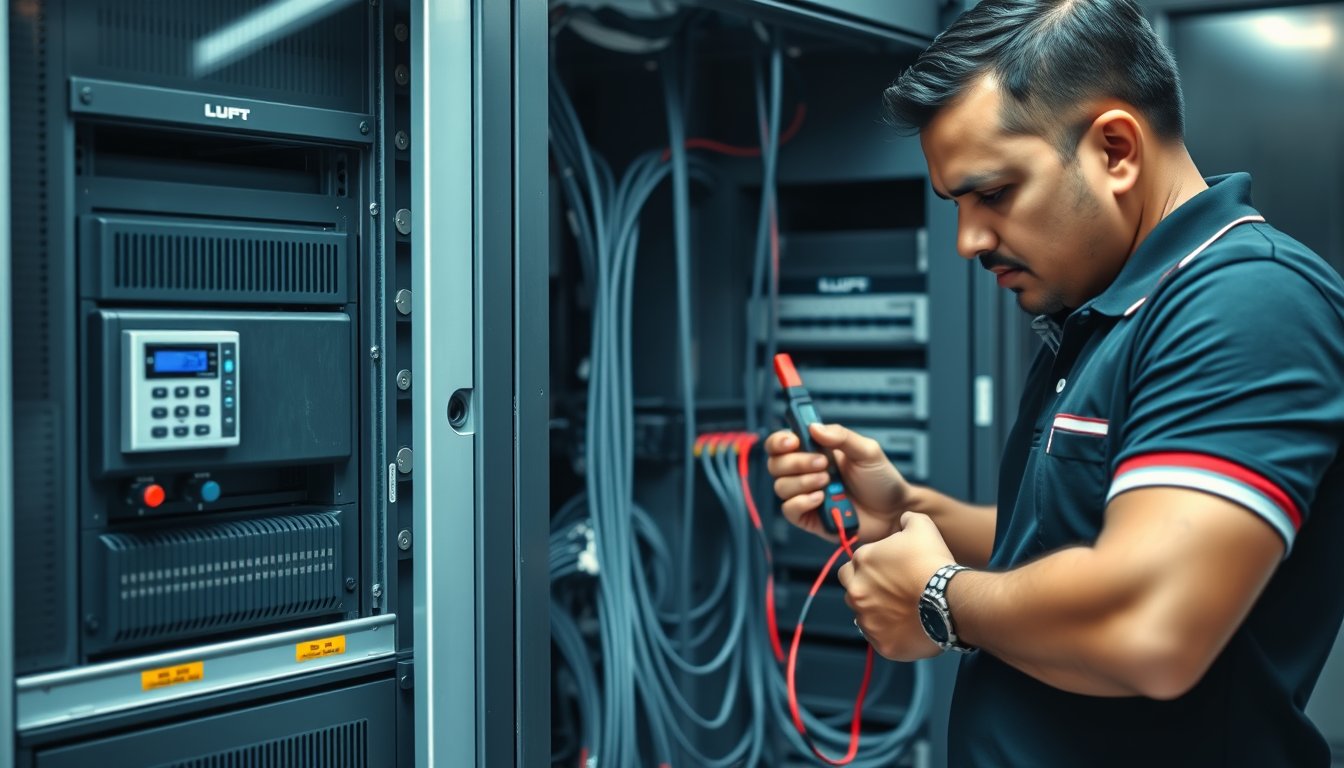
The Sunday your UPS dies quietly at 02:17
A 60-person design studio in Indiranagar called us on a Monday morning because their file server had rebooted three times overnight. Nobody noticed until the CAD team arrived and found 14 hours of renders gone. The culprit was not the server. It was a five-year-old 3 kVA line-interactive UPS with four 7 Ah batteries that had been cooking at 38°C inside a closed plywood cabinet next to the printer. Internal resistance had climbed so high that the UPS reported “battery OK” on its front panel but transferred to bypass within 40 seconds of a power cut. The NAND flash on the RAID controller corrupted. Recovery cost: ₹1.18 lakh in data-recovery lab fees, two days of lost billable output, and a ₹46,000 replacement UPS (APC Smart-UPS SMT3000I plus an external battery pack) that should have been purchased 14 months earlier.
That is the pattern we see across Bangalore. Power backup for IT equipment is not a procurement decision, it is a thermal, chemical and electrical engineering decision — and most SMEs treat it as a box-ticking exercise. This article is the version of the conversation we have with clients before they sign a PO. It covers UPS sizing and runtime maths, online vs line-interactive, battery replacement cycles, generator changeover and earthing. If you outsource the day-to-day running of your racks, this sits neatly alongside our managed services practice — but you can also use it to spec a purchase yourself.
The power quality problem in Bangalore is not what you think
Bangalore does not have the worst grid in India. It has a grid with a specific failure signature.
- Frequency swings and voltage sags are more common than full outages. BESCOM feeders serving mixed industrial-residential areas can dip to 180 V for two to eight seconds before stabilising. A line-interactive UPS handles a 180 V sag reasonably well. A desktop-style UPS with a stepped approximation sine wave may not, and a switched-mode power supply in a Dell PowerEdge R450 will simply reboot.
- Transfer to generator is slow. For offices with a DG set, the gap between mains failure and generator pickup is typically 8–25 seconds on a cold start. That gap is entirely on the UPS battery. If your UPS runtime is six minutes and the generator takes 22 seconds plus three minutes to stabilise, you are cutting it fine in monsoon when the DG starter battery is also tired.
- Monsoon earthing drift. Between June and September, we routinely measure earth-to-neutral voltages above 4 V on older buildings where the earth pit is a single GI plate sunk in 2004. That voltage on the earth line plays havoc with SMPS leakage and can trip RCCBs on server-room circuits. It also damages surge-protection modules on switches and firewalls.
- Heat. A closed server room in Whitefield with one 1.5-ton split AC running at 26°C will sit at 32–34°C at the top of the rack. VRLA battery life halves for every 10°C above 25°C. Your five-year design life becomes 18 months.
That is why generic UPS advice from a US blog does not transfer. You need to size for the transfer gap, not for the outage.
UPS sizing and runtime maths, done properly
UPS sizing is arithmetic. Runtime is a curve, not a multiplier. Most vendor calculators are optimistic because they assume a new battery at 25°C and a purely resistive load.
Step 1: Measure the real load in watts
Nameplate ratings lie. A Dell PowerEdge R650 with dual 800 W PSUs does not draw 1600 W. It draws what it needs, and even that depends on the configuration.
The right way is to clamp-meter the actual input current on each circuit and multiply by voltage and power factor. If you cannot clamp-meter, use these planning figures (2026 deployments we have commissioned):
| Equipment | Typical running load (W) | Startup surge |
|---|---|---|
| Dell PowerEdge R450 (1× Xeon Silver, 4× drives) | 210–260 | 1.2× |
| Dell PowerEdge R650 (2× Xeon Gold, 8× drives) | 380–480 | 1.4× |
| HPE ProLiant DL380 Gen11 (2× Xeon, 6× drives) | 420–560 | 1.4× |
| Synology RS1221+ NAS (8× drives) | 95–120 | 1.8× |
| Cisco Catalyst 9200L 48-port switch | 120–160 | 1.1× |
| FortiGate 90G firewall | 25–40 | 1.0× |
| 24-port PoE switch (Cisco CBS350-24P) with 12 APs | 180–260 | 1.3× |
| Desktop PC (i5, single monitor) | 90–150 | 1.0× |
| 55-inch conference display | 120–180 | 1.0× |
| Synology DS923+ (4-bay SMB NAS) | 45–70 | 1.6× |
Add 20% headroom for future growth and derating. Do not add 50% "just to be safe" — you will spend money on battery you do not need and run the UPS far below its efficient load band, which is its own problem.
Step 2: Pick a VA rating, not a W rating
UPS vendors quote VA. Loads are in W. The power factor matters. Modern online UPSes are 0.9–1.0 PF. Line-interactive units often 0.6–0.7. If your load is 1,400 W and you buy a 2 kVA line-interactive UPS with 0.7 PF, its usable wattage is 1,400 W — that is 100% load, not the 80% you intended.
Rule of thumb: size the UPS so that its watt rating is 1.25× your measured load. For a 1,400 W load, you want a UPS rated at 1,750 W minimum, which means a 2 kVA online UPS (typical 1,800 W) or a 2.2 kVA line-interactive.
Step 3: Runtime is a curve, not a sales sheet number
A 3 kVA online UPS with four internal 9 Ah batteries gives you roughly 8–11 minutes at 60% load. With an external battery pack of eight 9 Ah batteries, you get about 35–50 minutes. To double the runtime, you roughly double the battery count — unless you accept a lower end-voltage cutoff, which shortens battery life.
Working example: a Bangalore law firm with 45 staff, one server room, 6 access points, 14 desktop PCs and a 24-port PoE switch.
- Measured critical load (server + NAS + firewall + core switch + 6 APs + 4 desktops for the accounts team): 1,180 W
- Required runtime: 25 minutes to cover generator stabilisation and safe shutdown of the server
- Selected: Eaton 9PX 2200i RT (2,200 VA / 2,000 W) with one external battery module (EBM). Delivers roughly 28 minutes at 1,180 W. Cost in 2026: ₹1.28 lakh for the UPS and ₹58,000–₹66,000 for the EBM.
That is the right answer for this office. The wrong answer — and we see it constantly — is eight 600 VA desktop UPSes under eight different desks. Nobody can monitor them, batteries fail silently, and the switch that serves all eight is unprotected.
Online vs line-interactive: the honest trade-off
Every UPS sales pitch says online (double-conversion) is better. It is, for a server room. It is not automatically better for a 20-person branch office.
| Aspect | Line-interactive | Online double-conversion |
|---|---|---|
| Voltage regulation | AVR steps, ±8–12% | Continuous, ±1% |
| Transfer time to battery | 2–10 ms | 0 ms |
| Efficiency at 50% load | 95–98% | 88–93% |
| Heat output in room | Low | Noticeably higher |
| Battery replacement cost (3 kVA, 4× 9 Ah) | ₹28,000–₹36,000 (2026) | ₹32,000–₹44,000 (2026) |
| Typical unit price (2–3 kVA, 2026) | APC SMT3000I: ₹68,000–₹82,000 | Eaton 9PX 3000i: ₹1.55–1.85 lakh |
| Best fit | Desktops, POS, APs, small switches | Servers, NAS, firewalls, storage, telephony |
My blunt view: put everything that holds data or routes traffic on online conversion. Put desktops and printers on line-interactive, or better, on a shared online UPS circuit if the budget permits. Do not put a Synology RS1221+ with six years of project archives behind a ₹3,800 Intex UPS.
Also ignore the marketing noise about "pure sine wave" on desktop UPSes. Nearly every modern SMPS handles simulated sine. What they do not handle is a 4 V earth-neutral voltage or a 180 V input for six seconds. Those are the failure modes, and no sine-wave marketing fixes them.
Battery chemistry and replacement cycles: where the money quietly goes
A UPS is a box you buy once. Batteries are a subscription you did not know you signed.
VRLA (sealed lead-acid) is still the default in India because it is cheap and freight-friendly. Expect ₹6,500–₹9,500 per 12 V 9 Ah block (2026, Exide or Amaron) and about the same for a 12 V 26 Ah block at ₹17,000–₹24,000. A 3 kVA UPS with eight 9 Ah internal blocks is ₹52,000–₹76,000 to re-battery, excluding labour and disposal.
Lifetime under Bangalore conditions:
- 25°C server room: 4–5 years
- 30°C ambient: 2.5–3 years
- 34–36°C behind a desk: 14–20 months
Our own policy for clients on a managed services contract is a 36-month replacement cycle for server-room VRLA regardless of what the UPS self-test reports, because self-tests assess internal resistance, not real runtime under load. We also do a load-bank runtime test every 18 months on critical UPSes. On a 2 kVA unit, that test takes about 25 minutes with a resistive load bank and is the only honest answer to "will this survive a real outage?"
If you have a 10 kVA or larger installation and runtimes above 15 minutes are business-critical, lithium-ion (LiFePO4) is increasingly worth the premium. A 5 kVA LiFePO4 cabinet (e.g., a Vertiv or Eaton lithium cabinet) costs roughly 2.2–2.8× the VRLA equivalent (2026) and gives 8–10 years of life, half the weight, and better high-temperature tolerance. The break-even is around year five. Below 5 kVA, VLRA still wins on capital cost.
Generator changeover: the 20-second gap that catches everyone
If your office has a DG set, your UPS runtime requirement is not "how long does the power cut last?" It is "how long until the generator is stable, plus margin."
Typical Bangalore observations from our site logs:
- AMF panel start signal to DG crank: 2–4 seconds
- DG crank to stable voltage and frequency: 7–18 seconds (longer in cold weather or with a weak starter battery)
- ATS transfer to load: 1–3 seconds
- Total worst case: 25 seconds
If your UPS runs out at 6 minutes and the generator has a 25-second gap, fine — that is plenty. But add the following: the UPS is already at end-of-life battery, the load has grown 30% since commissioning, the DG fails to start because the starter battery is flat, and the electrician has to be called. Now the runtime number matters a great deal.
A safe design target for generator-backed offices is 15 minutes of UPS runtime at 80% load, not at the rated load. That covers the changeover plus a failed start plus a controlled shutdown.
One more detail most vendors skip: generator sizing must account for the UPS charger. A 3 kVA UPS pulling 400 W to recharge batteries after an outage adds to the generator load. If your DG set is sized tightly for lighting and ACs, a UPS recharge can trip the DG breaker. Add the UPS charger load to your DG sizing calculation — typically 8–12% of UPS kVA.
Earthing: the boring part that destroys equipment
Bangalore buildings are inconsistent on earthing. Pre-2005 buildings often have a single GI plate earth pit that has never been tested. Newer tech parks usually have proper maintenance-free chemical earth pits, but even those get neglected.
What we check on every server-room audit:
- Earth-to-neutral voltage at the UPS output. Target: below 2 V. Above 4 V, investigate before buying anything else.
- Earth pit resistance. Target: below 5 Ω for a server room. Measured with a 3-pole fall-of-potential tester, not a clamp meter on a live line.
- Separate earths for clean and dirty power. Server racks and network equipment should not share an earth with lifts, ACs or welding equipment.
- UPS output neutral bonding. Online UPSes with an isolation transformer have a bonded neutral on the output; verify this is correct and consistent. A floating neutral on the UPS output causes mysterious reboots and erratic SNMP card resets.
- Surge protection at the panel and at the rack. A type-2 SPD at the distribution board plus a rack-mount PDU with surge protection is the difference between a ₹22,000 SPD replacement and a ₹4.5 lakh switch replacement after a lightning-induced surge.
Monsoon is when earthing problems surface. If you have had unexplained network switch resets or PoE port failures in June–August two years running, the earthing is a more likely culprit than the switches.
A real failure story with numbers
In February 2025 a 130-person fintech client on Old Madras Road had a power event at 15:40 on a Thursday. A BESCOM feeder fault caused a 4-second outage, followed by a brownout at 195 V for about 40 seconds, then a clean restoration.
Their setup: two racks, a 6 kVA online UPS (a 2019-spec brand I will simply call "adequate"), a DG set, and a 24-port PoE switch feeding 30 desk phones and 11 APs. The UPS battery string was 52 months old and had never been replaced. It had been running in a room where the AC was set to 26°C but the room was registering 33°C at the top of the rack because the return air path was blocked by a storage cabinet.
What happened: the UPS transferred to battery, held for about 70 seconds, then dropped to bypass. Mains was still at 195 V at that moment. The online UPS output was fine riding through that, but once on bypass, the downstream SMPS units saw 195 V and several of them browned out. Two Cisco 9200L switches rebooted. The PoE phones went dead. The DG eventually started at 28 seconds but the damage was done: the switch stack came back with a corrupt configuration file on one member (Cisco IOS-XE quirk with an unclean reboot), and the desk phone system was down for 2 hours 40 minutes while we rebuilt configuration from a backup and reflashed the switch.
Cost:
- 2 hours 40 minutes of a 130-person trading desk being unable to take calls: business impact estimated at ₹3.8 lakh in lost trades and overtime.
- Replacement of 8× 12 V 26 Ah batteries: ₹1.52 lakh (Exide)
- Replacement 6 kVA online UPS with an Eaton 9PX 6000i RT3U (2026 pricing): ₹4.6–₹5.4 lakh
- Rack airflow remediation: ₹38,000
- Emergency labour and after-hours callout: ₹42,000
Total: over ₹10 lakh. The preventive fix, if done six months earlier, would have been the ₹1.52 lakh battery replacement plus a ₹6,000 thermal audit. That is the entire argument for preventive battery replacement.
Sizing table: common office profiles
We size dozens of these a year for Bangalore SMEs. Here is a reference table for 2026 pricing, excluding installation, cabling and GST (which is 18% on UPS and batteries — budget for it).
| Office size | Critical load | Recommended UPS | Runtime target | Typical unit + battery cost (2026) |
|---|---|---|---|---|
| 15–25 staff, no on-prem server | 450–650 W | APC SMT1500I + EBM or Eaton 5PX 1500i RT | 20–30 min | ₹48,000–₹72,000 |
| 25–60 staff, 1 server + NAS | 1,100–1,500 W | Eaton 9PX 2200i RT + 1 EBM, or APC SRT2200XLI + 1 EBM | 25–35 min | ₹1.55–₹2.10 lakh |
| 60–120 staff, 2–3 servers + storage | 2,200–3,200 W | Eaton 9PX 3000i RT + 2 EBM, or Vertiv Liebert GXT5 3 kVA | 30–45 min | ₹2.80–₹3.90 lakh |
| 120–250 staff, 2 racks | 5,000–8,000 W | Online rack UPS 6–10 kVA + external battery cabinet | 20–40 min | ₹5.50–₹9.50 lakh |
| Branch office, 10–20 staff | 350–550 W | APC SMT750I or Eaton 5S 850i (line-interactive) | 15–25 min | ₹14,000–₹26,000 |
Two honest notes. First, the line-interactive desktop UPS at ₹3,500 is not a substitute for any row above. It exists for a single desktop. Second, do not buy a 10 kVA UPS for a 4 kW load hoping to "future-proof" — the efficiency, heat and footprint cost is real. Buy at 1.25× load and add capacity when load grows.
What we do differently, and where we are not the right fit
Our managed services clients get a UPS and battery register built into their asset list, with battery installation dates, ambient temperature trends, and 18-month load-bank test results. We flag replacement 60 days before the cycle expires, not when the UPS alarms. The register sits alongside the rest of the IT estate in our managed services module.
Where we are not the right fit:
- Very large installations above 20 kVA — we will bring in a specialist electrical contractor and an OEM service partner. Our value is the IT-side integration, not medium-voltage engineering.
- Single-desktop home offices — you do not need us. Buy an APC BX1100C-IN and move on.
- Companies that want capex only — if you will not fund battery replacement in year three, a managed services contract will not save you. A UPS without a battery replacement budget is a paperweight with an SNMP card.
- Buildings with unresolved earthing or upstream electrical issues — we will insist on an electrician and an earth test before we install anything. That is the right answer, but it delays projects by two to four weeks.
Procurement and compliance notes for Bangalore
- GST: UPS and batteries attract 18% GST. If you are on a managed services contract, it is billed as a service at 18% and the UPS can be supplied either as sale or as part of the service, depending on how the contract is structured. Structure it correctly at the PO stage; correcting later needs a credit note.
- CERT-In: UPSes with SNMP or network cards are in-scope for your logs under CERT-In directions if they are internet-reachable. They should not be. Keep the UPS management card on the management VLAN only.
- DPDP Act: logging UPS events is fine. Do not push UPS telemetry to a cloud portal that contains personally identifiable building-access data unless your vendor agreement covers it. Most “free” UPS cloud portals are fine for this, but read the DPA.
- Warranty registration: register the UPS serial with the OEM within 30 days. Eaton, APC (Schneider) and Vertiv all reject warranty claims for unregistered commercial units installed by non-partners.
- Battery disposal: lead-acid batteries are hazardous waste under CPCB rules. Your vendor should take them back. Get it in writing on the invoice.
What to do next
If you are procuring UPS backup in the next 90 days, do this in order:
- Clamp-meter the actual load on your critical circuits today. Write the number down.
- Measure earth-to-neutral voltage and earth pit resistance. Fix it if it is out of spec.
- Decide your runtime requirement in minutes based on generator changeover plus margin, not on a sales pitch.
- Get quotes against the measured load and runtime, not against a VA rating.
- Put the battery replacement date in your calendar for 36 months from installation.
If you would rather hand the whole thing over — sizing, procurement, installation, monitoring, load-bank testing and replacement cycles — talk to us and we will audit your existing setup before quoting anything. No point selling you a UPS if the earthing is what is actually failing.
FAQ
How long should a UPS last for a small office server room in Bangalore? A well-sized online UPS with a 25–35 minute runtime at 1.2–1.5 kW costs ₹1.55–₹2.10 lakh in 2026 including one external battery module. Batteries need replacement every 30–40 months in Bangalore conditions, at ₹35,000–₹55,000 per cycle for a 2 kVA unit.
Is an online UPS better than line-interactive for servers? Yes, for anything that stores data or routes traffic, because online UPS gives zero transfer time and continuous voltage regulation. The trade-off is higher capital cost (roughly 1.8–2.2× the line-interactive equivalent) and slightly higher heat output. For desktops and printers, line-interactive is sufficient.
How do I calculate UPS runtime for my office? Measure the actual running load in watts, divide by the UPS watt rating, then read the runtime curve at that load percentage on the manufacturer datasheet. Do not trust sales-sheet runtime at full load. A safe planning figure is 80% of the datasheet runtime at your measured load, because the datasheet assumes a new battery at 25°C.
Why does my UPS fail after only two years in Bangalore? Almost always heat. VRLA battery life halves for every 10°C above 25°C, and many Bangalore server rooms run at 32–34°C at rack-top. A UPS in a closed cabinet with poor airflow will need batteries in 18 months. Fix the thermal environment and replace batteries on a 36-month cycle.
Can I run my UPS on a generator? Yes, but size the generator to include the UPS charger load (about 8–12% of UPS kVA) and ensure the generator's output is within the UPS input voltage and frequency window. Online UPSes with wide input range (Eaton 9PX, APC SRT) are better at handling generator frequency wobble than line-interactive units.
How often should earthing be tested in a Bangalore office? Annually, and after any monsoon where you have had unexplained switch resets, PoE port failures or RCCB trips. Earth-to-neutral should be below 2 V and earth pit resistance below 5 Ω for a server room. Most pre-2005 buildings will fail on the first test.