
Remote Video Monitoring Services in Bangalore: What You Pay For
The 3:40 AM call
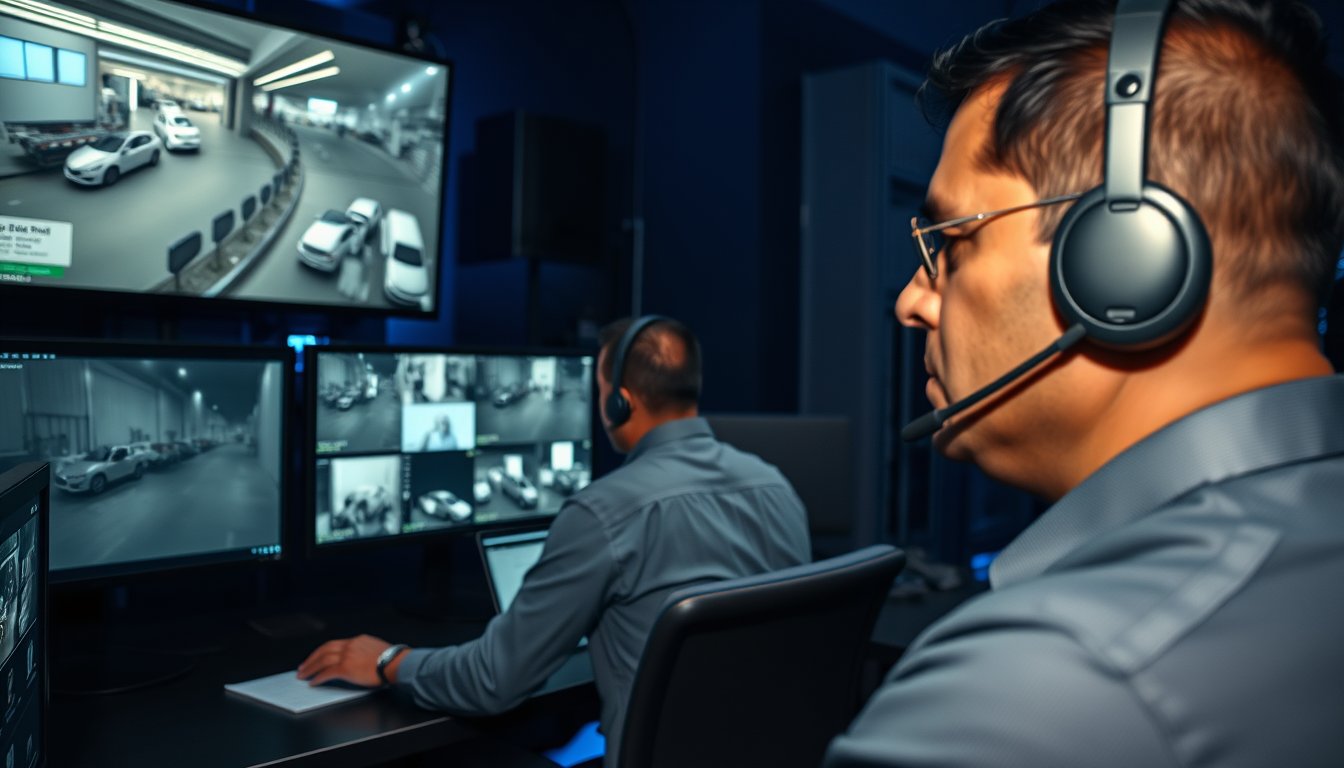
Our NOC operator in Bommanahalli logged an alert at 3:40 AM on a Tuesday last November. Perimeter camera 4 on a warehouse off Tumakuru Road had tripped the intrusion rule. Clip length: 11 seconds. Two men, bolt cutters, the rear gate.
The operator called the site supervisor on the roster. No answer. Called the escalation contact. Voicemail. Voice challenge through the IP speaker at 3:43 AM. Both men looked up, walked off-frame, came back two minutes later from a different angle and cut the padlock anyway.
Local police beat officer was on site at 4:09 AM because the NOC had already dialled the jurisdictional station, which is part of what you buy when you sign up for proper remote video monitoring. Result: one cut padlock and a damaged hasp, ₹4,300 in repairs. Same warehouse had been hit three months earlier, when they were on record-only. That incident cost ₹6.8 lakh in stolen copper winding and a week of insurance paperwork.
That is the entire argument for remote video monitoring in one paragraph. Recorded-only footage tells you what you lost. Monitoring interrupts the loss.
What is actually being sold to you
The market confuses three different products and prices them like they are the same thing. They are not.
Recorded-only (not monitoring)
Cameras record to an NVR on site. Someone reviews footage after an incident. This is what most Bangalore businesses have, and it is cheap. A 16-channel Hikvision DS-7616NXI-K2 NVR with eight 4MP bullet cameras runs ₹85,000–₹1.4 lakh installed (2026 pricing, cabling included for a typical 6,000 sq ft premises). Storage is 15–20 days on a 4TB Seagate SkyHawk drive.
Recorded-only is a forensic tool. Nothing more. If someone cuts your lock at 3 AM and is gone in six minutes, you have video of a person you cannot identify wearing a helmet.
Passive cloud recording
Same cameras, footage streams to cloud storage. Useful for evidence preservation if someone steals the NVR (which happens — the first thing a competent burglar takes is the hard disk). Monthly cost is bandwidth plus storage. Adds no security. Adds evidence integrity.
Actively monitored (what this article is about)
An off-site team watches analytics-triggered events and takes action inside the event window. Action means: verify the trigger is real, then either dismiss it, challenge the intruder by audio, call your escalation chain, or call the police. This is a service with a labour cost, which is why it has a monthly per-camera price, and that price does not go down as much as you would like when you buy more cameras.
Most Bangalore vendors will sell you the second thing and call it the third. Ask specifically: when a person walks into my loading bay at 2 AM, what happens next, and how long does it take? If the answer is an email, you have bought cloud recording.
The bandwidth maths nobody does before signing
Bandwidth is where a lot of these deployments quietly fall apart, especially on Bangalore ISP connections that behave differently at 2 AM than at 11 AM.
Remote monitoring does not stream your camera at full resolution continuously if it is built properly. It streams analytics events and clip bursts. But the cloud-recording component does push aggressively, and that is the part that eats your uplink.
Here are real numbers from deployments we run, measured on the Wan port during peak recording hours.
| Camera class | Resolution / codec | Stream bitrate | Uplink per camera (continuous cloud) | Uplink per camera (event-clip mode) | Monthly data (event mode) |
|---|---|---|---|---|---|
| Entry-level dome | 2MP, H.264 | 2.0–3.0 Mbps | 2.4 Mbps | 0.15 Mbps avg | 45–70 GB |
| Standard bullet | 4MP, H.265 | 3.0–4.5 Mbps | 3.6 Mbps | 0.2 Mbps avg | 60–95 GB |
| AI/analytics turret | 4MP, H.265+ | 2.0–3.5 Mbps | 3.0 Mbps | 0.25 Mbps avg | 70–110 GB |
| ANPR / LPR | 4MP with dedicated DSP | 4.0–6.0 Mbps | 4.2 Mbps | 0.35 Mbps avg | 90–140 GB |
| PTZ | 5MP, variable | 4.0–8.0 Mbps | 5.0 Mbps | 0.4 Mbps avg | 110–180 GB |
A 16-camera site on continuous cloud at 3.5 Mbps average needs 56 Mbps of sustained upload. Nearly no Bangalore SME has that. A ₹8,000-per-month leased line from a tier-1 ISP gives you 100 Mbps symmetric — fine. But a 300 Mbps fibre line from a local ISP in an industrial area might deliver 15 Mbps of real upload during evening congestion, and you will spend three weeks wondering why clips are truncated.
Event-clip mode cuts the requirement by a factor of 10–15. It is the right architecture for most sites. Continuous cloud streaming makes sense only for high-value sites — jewellery, pharma cold storage, cash handling — where every second matters.
Two operational notes specific to Bangalore:
- Ask your ISP for the committed upload, in writing. Not the headline speed. ACT and Airtel business plans are usually honest; local resellers often are not.
- If your site is in Peenya, Bommasandra, or any of the older industrial belts, expect to deal with intermittent voltage sag. A monitored site goes dark when the NVR dies, and an NVR that reboots twice a day drops clips. Budget for a 1kVA online UPS dedicated to the NVR and switch — ₹14,000–₹22,000 depending on runtime.
Monitored vs recorded-only: the honest comparison
| Recorded-only (on-site NVR) | Passive cloud recording | Actively monitored | |
|---|---|---|---|
| Capital cost | ₹85,000–₹1.4 lakh (8 cameras, 2026) | Same, plus cloud config | Same, plus speaker/analytics-ready cameras |
| Monthly cost | ~₹0 after AMC | ₹350–₹700/camera storage | ₹900–₹2,400/camera all-in |
| Response to live event | None | None | 45 sec – 3 min to action |
| Police escalation | You, after you find out | You, after you find out | NOC does it, with event log |
| Evidence integrity | NVR can be stolen/damaged | Good | Good + chain of custody recorded |
| Best fit | Small shops, low-risk offices | Multi-site with no guard | Warehouses, factories, retail with cash, parking, after-hours risk |
| Where it fails | Bearer of bad news only | Feels like security, isn't | High-false-alarm sites without analytics tuning, sites with no escalation contacts who answer |
If your premises has a live-in security guard who actually does rounds, recorded-only plus a decent guard is more effective per rupee than a monitoring contract. If your guard sits in a chair and watches YouTube, you have neither.
Cost per camera per month, by service tier
These are 2026 Bangalore market rates, inclusive of GST where noted, from quotes we see and quotes we issue. Prices are per camera per month, on a 24-month contract, with a minimum of 8 cameras.
| Tier | What you get | Monthly per camera (ex-GST) | 8-camera monthly total | Notes |
|---|---|---|---|---|
| Entry monitored | Event alerts verified by human, no audio challenge, email/WhatsApp to your team | ₹900–₹1,200 | ₹7,200–₹9,600 | Cheap end is often a call centre watching 600 cameras |
| Standard monitored | Human verification, 2-way audio challenge, escalation chain up to 3 contacts, police intimation on confirmation | ₹1,400–₹1,900 | ₹11,200–₹15,200 | The sensible default for most SMEs |
| Premium / analytics-heavy | Line-crossing + loitering + ANPR + people-counting rules, priority operator, sub-60-sec response SLA | ₹2,000–₹2,400 | ₹16,000–₹19,200 | Worth it for fuel depots, cash rooms, pharma |
| Guarded response (physical) | Everything in standard + dispatch of a local response vehicle | ₹3,800–₹5,500 | ₹30,400–₹44,000 | Limited availability; only worth it if a 15-min physical response is realistic |
Add-ons that show up in real contracts:
- Site survey and rule tuning: ₹18,000–₹35,000 one-time. Skipping it is the single biggest cause of false alarms.
- Cloud retention (30 days): ₹250–₹450/camera/month
- Audio speakers/PA, if not already installed: ₹6,500–₹11,000 per camera point
- Analytics licence on existing Hikvision/Dahua cameras: ₹4,000–₹7,000/camera one-time
- GST: monitoring services attract 18%. Infrastructure/installation attracts 18% as well, so no mixed-rate headache there, unlike some AMC splits.
The per-camera price drops 15–25% when you cross 32 cameras and consolidate to a single NOC contract with a shared operator pool. It does not drop 50%. Anyone quoting you ₹400 per camera is either not monitoring in real time or is watching 1,000 cameras per operator, which is functionally the same as not monitoring.
The false alarm problem, in numbers
This is where the industry lies to buyers and where buyers lose money.
A modern 4MP camera with basic motion detection on a site with trees, cats, and monsoon rain will generate 40–180 false triggers per camera per day. Multiply by 12 cameras: up to 2,000 events per day. A human operator cannot meaningfully verify 2,000 events. What happens in practice is the operator starts dismissing events in bulk. That is when the real break-in gets skipped.
Analytics on the edge changes this dramatically. A properly configured Hikvision AcuSense or Dahua WizSense camera, with human/vehicle classification enabled, and the detection zone drawn to exclude the compound wall top and the tree, drops false triggers to 3–15 per camera per day. On a well-tuned site, 2–6.
One number that matters operationally: every false alarm that reaches a human costs somebody ₹30–₹90 in labour, direct or absorbed. On a 20-camera site with 500 daily false alarms, that is ₹15,000–₹45,000 a month of operator time wasted, which is why cheap monitoring vendors get aggressive about cutting corners on verification.
The failure story
A garment exporter in Peenya, 34 cameras, signed with a low-cost monitoring vendor in 2024 at ₹650 per camera per month. The vendor used the cameras' default motion detection without any analytics, and no site tuning. First month, the operator verified 11,000+ events. The vendor's SLA said "verified alarm within 2 minutes," which they technically met by verifying that the alarm fired.
The break-in happened in March. The gang came in through a rear wall that had no lighting, over the course of nine minutes, and lifted 220 kg of fabric samples and dyes valued at ₹11.2 lakh. The event did fire — camera 22 tripped the rule at 2:16 AM. The operator logged it as "motion in zone 6, unverified" along with 340 other alerts that night, and the escalation call to the site supervisor went out at 2:41 AM to a phone that was on silent.
The insurance claim was rejected. Not because monitoring failed, but because the policy required "active monitoring with documented verification response," and the vendor's logs showed bulk-dismissal patterns on the same night. Post-mortem cost: ₹11.2 lakh stolen, ₹47,000 in re-cabling after the insurers' surveyor demanded improved perimeter lighting, and ₹1.1 lakh per year on a properly designed analytics-based monitoring contract — which they now have.
The lesson is not "don't use cheap vendors." It is: if your contract does not specify perimeter lighting, analytics classification, zone design, and a named escalation procedure with response times, you have bought a number, not a service.
What to look for in a Bangalore provider
Remote monitoring is a labour business dressed up as a technology business. The tech is mostly commodity — Milestone XProtect, Genetec Security Center, or the vendor's own VMS on top of Hikvision/Dahua/Axis cameras. The differentiator is the NOC and the process.
Ask these in the meeting:
- Where is your NOC? If it is Bangalore-based, disaster recovery for power and network is easier to verify. If it is in another city, ask about failover. If it is a subcontractor in a country with different labour economics, that explains the price.
- How many cameras per operator? Under 300 per operator on the night shift is defensible for a site with analytics. Above 600, verification is theatre.
- Can you show me your analytics configuration for my site? Insist on the actual rule set — zones, object classes, minimum object size, dwell times. If they cannot produce this before contract signing, they will not produce it after.
- What is your average response time to a confirmed intrusion, and how do you measure it? A number, backed by a sampling of records.
- Who calls the police, and what is the beat station's response in my area? Response in Koramangala at 2 AM looks different from response in Nelamangala.
- What happens on a network outage? You want either a 4G failover on the site router or an on-site NVR that records locally while the cloud is down. Both is better.
- What is the exit clause? Contracts with 36-month lock-ins and punitive termination fees are a sign the provider knows churn is coming.
Realistic expectations for a Bangalore deployment
Over roughly 250 monitored sites we have touched in Bangalore and across Karnataka, the pattern is consistent:
- Small offices (5–10 cameras, single floor): monitoring is often overkill. A ₹90,000 recorded-only system with good insurance cover and an on-site guard is usually the better spend.
- Warehouses, godowns, factories (12–40 cameras): monitoring pays for itself within one prevented incident. This is the sweet spot.
- Retail with cash handling: monitoring plus a designated panic procedure works well. CCTV alone does nothing at 3 PM when someone is stuffing cash into a bag.
- Multi-location chains (3+ sites): monitoring with a central NOC and per-site rule sets beats hiring more security guards, usually at 40–60% of the guard cost.
- High-crime zones with weak police response: monitoring plus physical response (guarded tier) may be required. Ask carefully whether the response time promised is realistic before signing.
Where this is not the right fit
We will tell you honestly: on some sites, remote video monitoring is the wrong product.
- Sites with no escalation contact who will actually pick up at 2 AM. If the person the NOC calls does not respond, monitoring becomes a logging exercise. Fix the escalation chain first, or invest in physical guarding.
- Areas with poor network reliability and no 4G backup path. If your uplink drops 2 hours a day, the NOC is blind 2 hours a day. Fix connectivity before you buy monitoring; it is cheaper.
- Small shops with predictable hours and insurance cover. A ₹650/month per camera monitoring contract on a 4-camera kirana shop is likely ₹31,200/year to protect inventory worth ₹6 lakh. The insurance premium is lower.
- Premises where the risk is internal, not external. Monitoring catches people coming in from outside. It is poor at catching a trusted manager loading stock into his own car at 8 PM. Use audit controls, not video.
We run our own monitored deployments out of Bangalore and will tell you upfront when a recorded-only setup is the right answer. That happens on maybe 20–25% of the enquiries we get.
Design decisions that change the monthly price
Three technical choices swing the per-camera monthly number more than anything else.
Edge analytics vs cloud analytics. Hikvision AcuSense cameras cost ₹1,500–₹3,200 more per unit than plain equivalents and save ₹200–₹450 per camera per month by cutting false alarms. Payback in 4–7 months. If a vendor is pushing you towards cloud-side analytics only, ask why they are not deploying the edge version.
H.265 vs H.264. Roughly 40% bandwidth savings with H.265, and typical cameras ship with H.265 as default. Some vendors leave it on H.264 to avoid compatibility headaches with older NVRs. Insist on H.265 unless there is a specific reason not to.
Camera placement vs camera count. Two cameras covering a real choke point beat five covering a wide-open yard. Every additional camera costs ₹9,000–₹18,000 in capital plus ₹900–₹1,900 per month in monitoring. On our mid-size warehouse jobs, we typically cut specified camera counts by 15–25% after a proper site walk. That is before we tune anything.
Compliance and the paperwork you should not skip
Under the DPDP Act 2023, if your cameras capture footage that identifies individuals — and they all do — you are a data fiduciary for that footage. In practice, for a business premises, this means:
- A published notice at the entrance stating that the premises is under video surveillance
- Defined retention period for footage (30 days for storage plus evidence copy is common; indefinite retention is not defensible)
- A documented access list for footage — who can view it, who can export it
- A clause in your monitoring vendor contract that the vendor is a data processor, with confidentiality obligations and defined handling for police requests
Most Bangalore SMEs have none of this. It has not been enforced aggressively yet, but contracts are increasingly asking for it, and cyber-insurance renewals now sometimes require it. The cost to put it in place is small — typically ₹8,000–₹15,000 for the documentation and process once — relative to the potential fine.
If your monitoring vendor is a processor for your data, they should also be able to state their own security posture: who at their NOC can see your feeds, what their access logging looks like, and whether they have NDAs with each operator. Ask.
For the broader picture of how monitoring fits into a security stack — access control, intrusion detection, network hardening — see our security and surveillance services.
Putting numbers on a real deployment
A representative recent job: a 22,000 sq ft warehouse in Bommasandra, 18 cameras specified, we reduced to 14 after site walk. Mix of 4MP Hikvision AcuSense turrets and two ANPR cameras on the gates.
| Line item | Cost (2026, ₹) |
|---|---|
| Cameras (14 × avg ₹11,400) | 1,59,600 |
| NVR (Hikvision DS-7732NXI-K4, 32-channel) | 48,000 |
| Cabling, conduit, PoE switches, installation | 1,12,000 |
| 4G failover router (Teltonika RUT241) | 12,500 |
| 1kVA online UPS for NVR + switch | 19,800 |
| Site survey and rule tuning | 24,000 |
| One-time capital | ₹3,75,900 + 18% GST |
| Monitoring (14 cameras × ₹1,650) | 23,100 / month |
| Cloud retention, 30 days | 4,200 / month |
| Uplink upgrade (business 100 Mbps symmetric) | 9,800 / month |
| Recurring monthly | ₹37,100 + 18% GST |
First-year total: ₹8.27 lakh including GST, of which monitoring is about ₹3.27 lakh. The client had been paying ₹58,000 per month for two rotating security guards covering 12 hours each, plus a supervisor at ₹32,000 — ₹90,000 per month with the usual attendance, leave and PF issues. The new setup does not replace all guarding (there is still a day guard), but it lets them run one guard plus monitoring rather than two contracts plus monitoring.
Not every site pencils out this favourably. A pure office with no night-time inventory risk usually does not. The warehouses, godowns, and factories do, and it is not subtle.
Next step
Before you sign anything, do these three things in this order.
- Walk your own site at night. With a torch. Look at what the cameras look at. Count the trees, the cats, the streetlights, the gaps. Write down what you can see and what you cannot. This takes 30 minutes and will tell you more than any vendor pitch.
- Run a one-week analytics trial on 2–4 cameras before you contract. Your shortlisted vendor should be willing to do this at modest cost — ₹4,000–₹8,000 — with real numbers on false alarms per camera per day. If they refuse, they are not confident in their tuning.
- Write your escalation chain on paper. Names, phone numbers, backup numbers, the sequence, and what the NOC should do when nobody answers. Give this to your monitoring provider. If your chain has holes, fix them before contract signing, not after.
If you want us to run the site walk with you and quote the monitoring alongside a recorded-only comparison, so you can see both numbers side by side, book a site assessment. We will tell you which one makes sense for your premises even if it is the cheaper one.
Our remote video monitoring services in Bangalore are designed around analytics-first designs on Hikvision and Axis hardware, human verification at a Bangalore NOC, and honest per-camera pricing. If your existing recorded-only setup needs a monitoring evaluation, we will audit it at no charge for a first-pass report.
FAQ
How much does remote video monitoring cost per camera per month in Bangalore?
Expect ₹900–₹2,400 per camera per month in 2026 for a standard contract, with the sensible middle at ₹1,400–₹1,900. Capital costs (cameras, NVR, cabling) are separate and run ₹85,000–₹1.4 lakh for an 8-camera installation. The monthly fee is dominated by the labour cost of human verification, not by software.
Can I add remote monitoring to my existing CCTV system?
Yes, in most cases, if the cameras are IP-based (Hikvision, Dahua, Axis, CP Plus) and support ONVIF, and if your NVR can stream to a remote VMS. Old analog HD cameras can be monitored through the NVR, but edge analytics will not work, which drives up the false alarm rate and the monthly cost. Budget ₹4,000–₹7,000 per camera to add an analytics licence to a supported device.
How much upload bandwidth do I need for monitoring?
On a properly configured event-clip architecture, 0.15–0.4 Mbps of sustained upload per camera is enough, with short bursts to 4–6 Mbps when a clip uploads. Continuous cloud recording needs 2.4–5 Mbps per camera, which is 10–15× more. For a 16-camera site, 50–80 Mbps of committed upload is what you want on the line, regardless of architecture, so clip bursts do not stall.
What happens if my internet goes down?
If your vendor has designed it correctly, the on-site NVR continues recording and uploads the backlog when the network returns, and a 4G failover router keeps the NOC in touch with a subset of high-priority cameras. Ask for both. If the vendor only offers one, the site is blind during outages — and Bangalore sees them, especially in older industrial areas during monsoon.
Will the police actually respond to a monitoring alarm?
Response depends heavily on the station and the time. A confirmed intrusion with a live event log and a coherent NOC call gets faster response than a resident who phones in a suspicion. In our experience, response in commercial and industrial areas is 10–30 minutes overnight; in dense residential pockets it can be longer. Monitoring in a high-risk area may need a physical response add-on.
How many false alarms should I expect per camera per day?
On a site with proper analytics configuration — Hikvision AcuSense or Dahua WizSense, tuned zones, minimum object size set — expect 3–15 false alarms per camera per day. Well-tuned perimeter cameras can be under 5. A vendor that promises zero is misrepresenting; a vendor that cannot show you a tuning record is not doing the work.