
Server Virtualization Cost Savings Calculation: A 12-Server Estate Walkthrough
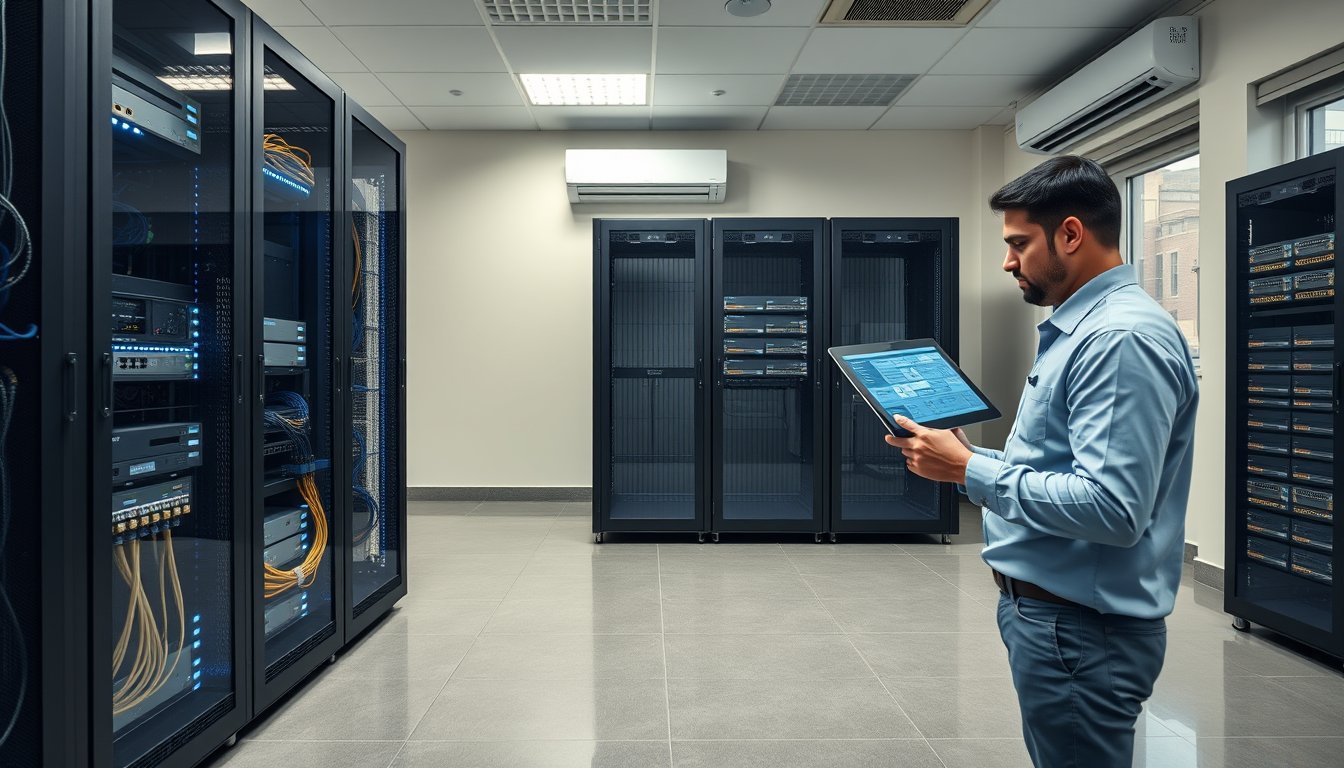
Two quotes, ₹11 lakh apart
In March 2026 a 90-person engineering firm in Peenya asked three vendors to quote for virtualizing their server room. The lowest quote was ₹8.4 lakh. The highest was ₹19.6 lakh. Same twelve physical servers, same VMware alternative, same building.
The gap was not margin. It was that two of the three quotes were modelling savings that do not exist. One had counted the entire server hardware refresh as a virtualization saving — but those boxes were going to be replaced in 2026 regardless of whether hypervisors were involved. The other had assumed a 12:1 consolidation ratio on a workload that will not go past 5:1 without buying a second host it hadn't quoted for.
That is what this article is about. Not whether virtualization saves money. It does, usually, sometimes spectacularly. But the arithmetic that lands on a CFO's desk is almost always wrong in the same three or four ways, and the errors make the project look between ₹4 lakh and ₹9 lakh better than it is.
Below is a full worked model for a 12-server estate, with 2026 Bangalore pricing, the licensing traps that bite Indian SMEs, and the honest answer on when virtualization is the wrong call.
First, separate the three buckets of savings
Anyone quoting you a single "total savings" figure is hiding the structure. Virtualization returns money from three separate places, and they behave very differently.
Bucket 1: Hardware avoidance
You replace twelve physical servers with, say, three hosts. The saving is the difference between buying twelve servers and buying three — but only the portion that would genuinely have been replaced this cycle. If four of your twelve servers are two years old and were never going to be touched, they do not count as savings. They count as consolidation targets.
This bucket is real but routinely overcounted. More on the correct method below.
Bucket 2: Operating cost reduction
Power, cooling, rack space, UPS load, AMC per box, and the electricity bill attached to all of it. In Bangalore this bucket is smaller than the hardware bucket but it is the most reliable, because electricity and AMC rates only go one way.
Bucket 3: Soft savings that are actually hard
Faster DR, snapshot-based rollback before a patch, the ability to spin up a test environment in twenty minutes instead of two weeks. These are genuine but they are not bankable in a spreadsheet unless you attach a rupee value to downtime hours and staff hours. We will do that, honestly, and you can decide whether to include it.
The mistake is blending all three into one number and presenting it as "₹14 lakh saved". It will not survive the first review.
The reference estate: twelve servers, 90 users
Let me define the estate so the numbers are replicable. This is a composite of deployments we've actually done in Bangalore, not a hypothetical.
| # | Server role | Age (Mar 2026) | Physical config | Notes |
|---|---|---|---|---|
| 1 | Domain controller + DNS + DHCP | 5 yrs | Dell PowerEdge R430 | Single DC — risk |
| 2 | File server | 6 yrs | HP ProLiant DL380 G9 | 4TB usable, 78% full |
| 3 | ERP application server | 4 yrs | Dell R440, 32GB RAM | Pegasus / Tally-class ERP |
| 4 | ERP SQL database | 4 yrs | Dell R440, 64GB RAM | 280GB DB, growing 8GB/mo |
| 5 | Tally / accounting server | 7 yrs | HP DL360 G7 | Vendor says "don't touch" |
| 6 | Antivirus / patch manager | 6 yrs | Dell R420 | Bitdefender GravityZone |
| 7 | Backup server | 3 yrs | Dell R340 + LTO6 tape | Veeam v12 |
| 8 | CCTV/NVR | 4 yrs | Dell R330 | 16 cameras, 30-day retention |
| 9-10 | Test/dev pair | 6 yrs | Dell R420 ×2 | Rarely used, always on |
| 11 | Legacy HRMS | 8 yrs | HP DL380 G7 | Windows Server 2008 R2 |
| 12 | Print + utility | 7 yrs | Dell R320 | Print spooler, some scripts |
Twelve boxes, average age 5.4 years. Rack footprint: one 42U rack, roughly 26U used. Measured load: 11.2 kW at the PDU with UPS overhead. Electricity: BESCOM commercial tariff at ₹9.20/kWh in 2026, blended across the slab structure and demand charges.
That last figure matters. If your vendor uses ₹7/kWh or ₹12/kWh, the whole power-savings section is wrong. Pull your actual recent bill.
How consolidation ratios actually get decided
Vendors love to quote 15:1 or 20:1. Ignore them. The ratio is set by the workloads, not the hypervisor.
What sets the ratio
Memory is almost always the binding constraint, not CPU. On a typical Indian SME estate:
- Domain controller + DNS: 8GB working set
- File server: 16-32GB (file cache grows to fill whatever you give it)
- ERP app: 16-24GB
- SQL Server: 32-48GB for a 280GB DB under moderate load
- Tally / legacy: 4-8GB
- Antivirus manager: 8GB
- Backup server: 16GB (Veeam proxy needs headroom)
- NVR: skip virtualizing usually — see below
- Test pair: 4GB each if truly idle
- Legacy HRMS: 4GB
- Print/utility: 4GB
Add it up with sensible right-sizing: roughly 130-160GB of allocated RAM. A single modern host with 512GB RAM could technically hold all of it. We would not do that. Two hosts in an HA pair, each with 256GB RAM, gives room to grow and the ability to evacuate one host for maintenance.
So the realistic ratio for this estate is 12:2, or 6:1 — not 12:1. That is where the second vendor's quote collapsed.
Workloads that should stay physical
CCTV/NVR: virtualizing an NVR with 16 cameras recording continuously puts sustained write load on shared storage that most SME SANs are not sized for. It also means every time you patch the host, you interrupt recording. Keep it physical or move to a dedicated appliance. This one change drops the virtualization ratio to 11:2, which is fine.
Print server: technically virtualizable, but if there is a legacy MFP with a Windows-only driver, the twenty minutes of troubleshooting saved by leaving it on a ₹15,000 refurb box is worth it.
Legacy line-of-business apps tied to physical USB dongles or serial ports: virtualize only if you can pass the device through cleanly. Sometimes you can, sometimes you spend a week on it. Budget the week.
Hardware: what the twelve servers cost vs what the hosts cost
Here is the honest hardware avoidance calculation.
Assume a five-year refresh cycle. Of the twelve servers, six are already at or past five years and would have been replaced in 2026 anyway. The other six would have been replaced between 2027 and 2029. The correct comparison is not "12 servers vs 2 hosts". It is "the 2026 refresh you were going to do vs the virtualized refresh".
Scenario A: Staying physical
Replace the six end-of-life servers in 2026, keep six running, refresh those over the next three years as they age out.
| Item | Spec | Qty | Unit (₹) | Total (₹) |
|---|---|---|---|---|
| Mid-range 1U server | Xeon Silver 4510, 64GB, 2×960GB SSD RAID1 | 4 | 2,10,000 | 8,40,000 |
| Higher-spec 2U server | Xeon Gold 5412U, 128GB, 4×1.92TB SSD RAID5 | 2 | 4,60,000 | 9,20,000 |
| Windows Server 2022 Standard licences | 16-core base | 6 | 1,05,000 | 6,30,000 |
| 5-yr on-site NBD support | OEM uplift ~18% | — | — | 3,20,000 |
| Rack UPS upgrade | 3kVA additional | 1 | 1,45,000 | 1,45,000 |
| 2026 hardware outlay | 28,55,000 |
That is roughly ₹28.5 lakh for the 2026 refresh alone, before any of the remaining six age out between 2027 and 2029. Based on the same unit rates, the staggered refreshes through 2029 add another ₹26-30 lakh in nominal terms. Call the five-year total roughly ₹55-58 lakh before inflation.
Scenario B: Virtualized refresh
Two hosts in a VMware vSphere Essentials Plus or Hyper-V cluster, plus a shared storage target, plus the physical boxes you keep.
| Item | Spec | Qty | Unit (₹) | Total (₹) |
|---|---|---|---|---|
| Primary host | Dell PowerEdge R760, dual Xeon Gold 6438Y+, 256GB, 2×480GB BOSS, 4×10GbE | 2 | 7,80,000 | 15,60,000 |
| Shared storage | Dell PowerVault ME5024, 12×3.84TB SAS SSD, RAID6 | 1 | 9,40,000 | 9,40,000 |
| FC/iSCSI switching | 10GbE SFP+ switch pair | 2 | 85,000 | 1,70,000 |
| UPS upgrade | 6kVA rack UPS + batteries | 1 | 2,10,000 | 2,10,000 |
| Windows Server 2022 Datacenter | 16-core, covers unlimited VMs per host | 2 | 5,80,000 | 11,60,000 |
| Hypervisor licence | vSphere Essentials Plus Kit (3 hosts, 2 CPU each) | 1 | 4,20,000 | 4,20,000 |
| Physical keepers | NVR stays, print stays, tape backup stays | — | — | 0 |
| 5-yr on-site support on hosts + storage | OEM + partner | — | — | 6,40,000 |
| 2026 virtualized outlay | 51,00,000 |
More than physical, on day one. That is the first honest truth: virtualized infrastructure is not cheaper to buy. It is cheaper to run, cheaper to grow, and dramatically cheaper when something fails. If a vendor shows you a lower capex for virtualization than for physical, go back and check the storage, the switching, and the Windows licensing.
Wait — you might be thinking the virtualized figure looks ridiculous at ₹51 lakh. That is because I've put Datacenter edition on both hosts. Let's look at the licensing decision properly, because it drives ₹11.6 lakh of the difference.
The Windows Server licensing trap that eats your savings
This is the single most common mistake in Indian SME virtualization business cases, and it is not a small one.
Windows Server 2022 Standard gives you two OSEs (Operating System Environments) per licence, provided the licence covers all physical cores. Windows Server 2022 Datacenter gives you unlimited OSEs per host. The break-even is roughly 13-14 Windows VMs per host.
That sounds like it makes Standard the right call for a small estate. It does — until you build an HA cluster, because you need to licence every host that could run the VM. In a two-host cluster where any VM can run on either host, every Standard licence must cover both hosts. The economics flip.
Worked example, 16-core hosts:
| Config | Standard edition | Datacenter edition |
|---|---|---|
| VMs per host (design max) | 8 | 14 |
| Licences needed for 16-core host | 1 × 16-core = ₹1,05,000 | 1 × 16-core = ₹5,80,000 |
| HA cluster (2 hosts, licence both) | ₹2,10,000 per host-pair × 2 = ₹4,20,000 | ₹11,60,000 |
| Software Assurance (3-yr, ~₹1,00,000/yr uplift) | Not always needed | Recommended |
| If VM count grows to 20 | Add more Standard licences — cost balloons | Already covered |
For 11 running VMs in an HA pair, Standard is usually cheaper in year one by ₹4-5 lakh. But if the estate grows past 14 VMs per host — and it usually does, because virtualization makes it easy to spin up a new VM for every small app — Datacenter wins by year three and stays ahead. We have seen this go both ways; the honest recommendation is to model it against your realistic three-year VM count, not your current one.
There is also a SQL Server licensing consequence. If you virtualize SQL Server and the host has more cores than the VM was using physically, SQL licensing is based on the total cores of the host (or the VM's assigned vCPUs under a different licensing model). Moving a 4-core SQL workload to a 16-core host can multiply your SQL licence cost overnight. Check this before you virtualize SQL.
Power, cooling, and rack: the numbers you can actually defend
The hardware numbers require assumptions. The power numbers require a meter and a bill. This is the easiest section to verify and the one that survives scrutiny.
The reference numbers
- 11.2 kW measured at the PDU, 12 servers
- PUE in a small Bangalore office server room with split AC: realistically 1.8-2.2, not the 1.4 you read about in data-centre articles. Small rooms are inefficient.
- BESCOM commercial tariff: ₹9.20/kWh blended (2026). Confirm on your actual bill.
- 8,760 hours/year, but 12 servers draw less at night. Empirically, we see about 78% of peak-average load over the year. Call it 11.2 × 0.78 = 8.74 kW average.
Physical estate, annual power
8.74 kW × 1.9 PUE × 8,760 hrs × ₹9.20 = ₹13,37,000/year
That is the total facility power cost: servers, cooling, UPS losses. It excludes your UPS battery replacement (₹1.8-2.6 lakh every 4-5 years for the size this estate needs).
Virtualized estate, annual power
Two hosts, one storage array, one switch pair. Measured on a comparable deployment: 3.1 kW at the PDU. Assume similar PUE of 1.9 (the split AC does not get much more efficient just because the room is emptier).
3.1 × 0.85 (better duty cycle) × 1.9 × 8,760 × ₹9.20 = ₹4,03,000/year
But the physical NVR and legacy keepers still draw. Add 0.4 kW average: +₹52,000. Total virtualized power: ₹4,55,000/year.
The power saving
₹13,37,000 - ₹4,55,000 = ₹8,82,000/year
Over five years, before tariff inflation: ₹44.1 lakh. With 6% annual tariff escalation, more like ₹49-50 lakh. That alone covers most of the extra ₹22.5 lakh in capex, and does it in under three years.
This is the number to lead with. It is defensible.
Rack space and cooling
| Metric | Physical (12 servers) | Virtualized (2 hosts + storage + switches) | Saving |
|---|---|---|---|
| Rack U used | 26U | 8U | 18U freed |
| PDU draw | 11.2 kW | 3.1 kW | 8.1 kW freed |
| Cooling load | ~10.8 kW thermal | ~3.0 kW | ~7.8 kW |
| UPS sizing needed | 15 kVA | 6 kVA | 9 kVA |
| Rack power circuits | 4 × 32A | 2 × 32A | 2 circuits freed |
18U of a 42U rack freed. In a Bangalore office where you pay for real estate and often have no second room for growth, that matters. We have seen it convert a scheduled server-room expansion (₹12-18 lakh for civil work, dedicated AC, and electricals) into a non-event.
AMC, support, and the recurring costs nobody quotes
Per-server AMC
OEM comprehensive support on a 1U server runs ₹22,000-₹35,000/year depending on response SLA and whether it's NBD or 4-hour. Twelve servers: ₹3.0-4.2 lakh/year. Some are on third-party AMC at ₹14,000-₹18,000 per box; call it ₹2.2 lakh/year blended.
After virtualization
Two hosts and one array under OEM support (included in the ₹6.4 lakh over five years I priced above, i.e. ₹1.28 lakh/year) plus a partner AMC on the virtualization layer. If you take our managed services wrapping the hypervisor, the monitoring, and the OS layer, budget ₹2.4-3.6 lakh/year for an estate this size. That covers patch management, backup verification, and capacity review.
The comparison
| Recurring item | Physical estate | Virtualized estate | Annual saving |
|---|---|---|---|
| Server OEM/TPM AMC | ₹2,20,000 | ₹1,28,000 | ₹92,000 |
| Hypervisor/OS support | ₹0 | ₹55,000 | -₹55,000 |
| Backup software + tape/media | ₹1,80,000 | ₹1,50,000 | ₹30,000 |
| Monitoring & patching (in-house time) | 0.5 FTE × ₹8.4 L = ₹4,20,000 | 0.15 FTE × ₹8.4 L = ₹1,26,000 | ₹2,94,000 |
| Rack space cost (allocated) | ₹1,20,000 | ₹48,000 | ₹72,000 |
| Total recurring | ₹9,40,000 | ₹5,07,000 | ₹4,33,000 |
The FTE line gets argued about a lot. It is not fiction. A properly virtualized estate genuinely consumes fewer hours of skilled staff time for routine work — because patching is coordinated, backup verification is centralised, and hardware failures do not require walking to the rack.
But I would flag the weak point: it only holds if the person doing the work knows the hypervisor. If your existing in-house admin has never touched vSphere or Hyper-V, the first six months can consume more hours, not fewer. Budget training or partner support for that ramp.
A real failure story: the ₹6.4 lakh afternoon
In August 2024 a logistics firm in Bommasandra — 140 staff, three sites, one server room — moved eleven workloads onto a two-host vSphere cluster and a shared storage array. The project went smoothly. The hardware was replaced, the P2V conversions ran over a weekend, everything came up. The partner handed over documentation, ran a knowledge transfer session, and left.
Fourteen months later, on a Sunday afternoon, one host threw a PSU fault and powered off. vSphere HA did exactly what it should have: it restarted the VMs on the second host. The second host immediately went into memory pressure because the storage array had a single-controller, single-path connection and the failover controller was never validated after installation. The firmware on the second controller was two revisions behind the first.
So the HA failover worked at the hypervisor layer and failed at the storage layer. Six VMs came up but were unusably slow. Three crashed hard — including the SQL server that ran the warehouse management system. The backup set was three days old because the tape rotation had been silently failing since a library firmware update in June and nobody had checked the Veeam job report.
The warehouse lost 72 hours of dispatch data. Reconciling it took two staff, four days. Dispatch delays over the following week cost the firm — their own internal estimate — ₹4.1 lakh in SLA penalties to their anchor customer. The recovery — firmware alignment, storage path re-validation, Veeam job rebuild, and three days of our engineers on site — came to ₹2.3 lakh.
Total: ₹6.4 lakh, plus an awkward phone call with the customer whose parcels were late.
What we changed, and what it cost to prevent
After the incident, the firm added:
- Quarterly HA failover drills: fail a host, watch what happens, document it. 4 hours of engineer time per quarter, ₹6,000 each — ₹24,000/year.
- Veeam Backup & Replication v12 email alerts routed to a monitored alias with a weekly human sign-off on the job success report. Zero marginal cost, one process change.
- Storage firmware alignment and dual-path validation as a quarterly task. ₹10,000/quarter, ₹40,000/year.
- A second UPS feed to the storage array. ₹65,000 one-off.
Total: ₹1.29 lakh the first year, ₹64,000/year after. The ₹6.4 lakh incident does not repeat for want of ₹64,000.
This is the part of virtualization that the savings calculation usually misses. Virtualization dramatically reduces unplanned downtime caused by single-server hardware failure, but it introduces a new class of risk — shared dependencies — that only shows up if you test. If your savings model has a line for "reduced downtime" without a line for "HA drills and dependency validation", it is incomplete.
Building the five-year TCO comparison
Let me put it all together. Five years, 12-server estate, Bangalore, 2026 pricing. I am keeping nominal rupees and noting where inflation would change things.
| Line item | Physical (5-yr) | Virtualized (5-yr) | Delta |
|---|---|---|---|
| Initial hardware & software (2026) | ₹28,55,000 | ₹51,00,000 | -₹22,45,000 |
| Subsequent staggered hardware refreshes (2027-2029) | ₹27,00,000 | ₹0 | +₹27,00,000 |
| Power (5-yr, with 6% escalation) | ₹75,60,000 | ₹25,70,000 | +₹49,90,000 |
| UPS battery replacement cycles | ₹4,40,000 | ₹2,20,000 | +₹2,20,000 |
| AMC / support | ₹11,00,000 | ₹6,40,000 | +₹4,60,000 |
| Hypervisor & management support | ₹0 | ₹2,75,000 | -₹2,75,000 |
| Backup software & media | ₹9,00,000 | ₹7,50,000 | +₹1,50,000 |
| In-house staff time (loaded) | ₹21,00,000 | ₹6,30,000 | +₹14,70,000 |
| Rack space & facility allocation | ₹6,00,000 | ₹2,40,000 | +₹3,60,000 |
| HA drills & validation | ₹0 | ₹2,13,000 | -₹2,13,000 |
| Training / skills uplift (year 1) | ₹0 | ₹1,20,000 | -₹1,20,000 |
| Contingency — one unplanned incident | ₹2,50,000 (est.) | ₹2,50,000 (est.) | ₹0 |
| Five-year total | ₹1,85,45,000 | ₹1,08,08,000 | +₹77,37,000 |
That is the whole argument in one table. Virtualized estate costs ₹77 lakh less over five years on a ₹22.5 lakh larger initial outlay. Payback is somewhere in month 30-34, driven almost entirely by power and the avoided mid-cycle refresh.
Two caveats on this table. First, the power figure depends entirely on your tariff and your measured load; if you are on a subsidised tariff, the saving shrinks meaningfully. Second, the in-house staff time line is the largest soft number; if you keep the same number of people regardless, it is opportunity cost, not cash.
If you present this table and remove both of those lines, the virtualized estate still wins — by roughly ₹40 lakh over five years. That is the conservative case, and it is the one I would put in front of a CFO.
Where virtualization is the wrong answer
I work for a company that does this for a living, so it should mean something when I say there are estates where this is a bad idea.
Estates under five servers. The clustering, storage, and licensing overhead does not amortise. A four-server office with 30 staff should buy four well-specced servers, run Veeam to a NAS and cloud, and revisit in three years. Virtualizing four boxes to two hosts plus shared storage costs more than it saves, and it doubles the number of things that can break at once.
Workloads with hard real-time or hardware-dongle requirements. Manufacturing control systems, some medical imaging rigs, legacy PBX-adjacent servers. Virtualize them only if the vendor explicitly supports it. Plenty of Indian SMEs have been told "of course it works virtualized" and then discovered it does not, three weeks in.
Very small branch offices. If you have a two-server branch and a decent WAN, the right answer is often to consolidate that branch's services into the head office or into Azure, not to build a mini-cluster locally. A FortiGate 90G and a Cisco Catalyst 1000 pair do not need a hypervisor next to them.
Estates with no operations discipline. If nobody currently checks backup job reports, virtualization's shared-dependency risk will bite. Fix the operations basics first. Then virtualize.
The free options and their real cost
Proxmox VE and Hyper-V (as part of Windows Server) are genuinely viable and genuinely free at the licence layer. We deploy both. But be honest about the trade-offs.
| Option | Licence cost (2-host, 2026) | Support ecosystem | Windows guest licensing | Realistic fit |
|---|---|---|---|---|
| VMware vSphere Essentials Plus | ₹4,20,000 (perpetual, 3 hosts) | Very broad, all Indian partners | Standard or Datacenter, as above | Most SMEs, especially with HA needs |
| Microsoft Hyper-V (Windows Server 2022) | ₹0 (bundled) | Moderate; declining partner focus | Already factored in | Microsoft-heavy estates |
| Proxmox VE (subscription, Basic) | ₹96,000/yr for 2 sockets | Growing, thinner in India | Standard or Datacenter, as above | Cost-conscious, Linux-heavy |
| Proxmox VE (community, no sub) | ₹0 | Community forums only | As above | Labs, non-critical |
| Nutanix AHV | Bundled with Nutanix hardware | Good, but tied to appliance | Licence portability nuance | Larger estates |
Proxmox's ₹96,000/year subscription for two sockets is not free, but it is a fraction of vSphere's ₹4.2 lakh perpetual — and with a Support Basic subscription you get a response SLA. We have deployed Proxmox clusters at Indian SMEs successfully. What you lose is the depth of the local partner ecosystem: finding an engineer in Bangalore who can troubleshoot a Proxmox Ceph issue at 2 a.m. is harder than finding someone for vSphere. That difference is worth something, but it is not worth ₹4 lakh to every business.
The VMware licensing changes since Broadcom's 2023 acquisition also warrant a check. VMware vSphere Essentials Plus pricing and packaging changed through 2024-2025, and the smallest-tier offerings under the new VMware by Broadcom structure are worth pricing fresh rather than quoting old figures. If a vendor quoted you VMware pricing in 2024 and you are still working from it in 2026, revalidate.
Calculating downtime savings without lying
Every virtualization business case includes a line for reduced downtime. The trick is to make it defensible.
Use these steps:
- Pull last 24 months of actual incident records. Count hardware-caused outages and their duration. If you do not have records, use one working day per year per server as a placeholder but flag it as an estimate.
- Multiply recovered hours by a fully loaded hourly cost. Do not use just revenue; include staff overtime, customer credits, SLA penalties. A 90-person firm typically lands at ₹8,000-15,000 per hour for total operational downtime, not the ₹1-2 lakh per hour that big-enterprise frameworks suggest.
- Cap the saving at a realistic ceiling — a hard HA cluster reduces hardware-cause downtime by roughly 80-90%, not 100%.
Worked example for the reference estate:
- Historical hardware outages: 3 incidents/year, average 4.2 hours each = 12.6 hrs/year
- Fully loaded cost per hour: ₹11,000
- Baseline annual cost: ₹1,38,600
- Virtualized reduction: 85% → saving of ₹1,17,810/year
- Over five years: ₹5.89 lakh, un-escalated
That is a real number and it is honest. If a vendor tells you virtualization saves ₹20 lakh/year in downtime for a 12-server estate, they are lying or they have not done the arithmetic.
Putting it in front of a purchase committee
The most common reason virtualization purchases stall in Indian SMEs is not the technology — it is the day-one capex line looking higher than a physical refresh. The fix is to present the case around payback period, not headline cost.
Three slides. That is all the committee needs.
- Slide one: the five-year TCO table above, clearly showing the ₹77 lakh delta. Highlight that the virtualized line has zero mid-cycle refreshes.
- Slide two: the payback waterfall. Month 1: -₹22.45 lakh. Month 12: cumulative -₹8.4 lakh. Month 24: cumulative +₹4.9 lakh. Month 34: cumulative +₹26 lakh. Draw it.
- Slide three: the failure story and the ₹1.29 lakh cost of prevention. This is what separates a credible proposal from a vendor pitch.
If the committee wants to reduce the day-one capex, the levers in order of impact are: drop Datacenter for Standard if the VM count supports it (saves ₹4-5 lakh); reduce shared storage tier size (saves ₹2-3 lakh); use Hyper-V instead of vSphere (saves ₹4.2 lakh); buy refurbished hosts from a reputable Indian reseller (saves ₹4-6 lakh but read the warranty terms carefully).
One place I would not cut: the second host. A single-host "virtualized" estate is not a virtualized estate. It is a physical server that now runs eleven things that all fail together. It is worse than the twelve-box status quo.
Frequently asked questions
Q: What is a realistic server virtualization cost saving for a 12-server estate in India in 2026?
For this reference estate — 90 users, 11 virtualizable workloads, Bangalore tariffs — the five-year TCO saving is roughly ₹75-78 lakh with the full model, or ₹40-45 lakh taking the conservative case that strips out staff-time soft savings. Payback is 30-34 months. Smaller estates proportionally smaller, larger estates can be better if consolidation ratios are high.
Q: How many physical servers can I consolidate onto one host?
At the CPU level, a modern 2-socket host can handle 20-25 modest workloads. At the memory level, the practical limit is 8-12 on a 256GB host with sensible right-sizing. At the risk level, the answer for an SME is usually two hosts in an HA pair, which caps the per-host VM count well below either ceiling. Ignore vendor claims about 20:1 ratios unless your estate is genuinely CPU-and-memory-light.
Q: Is Hyper-V really free compared to VMware?
At the licence layer, yes — Hyper-V is bundled with Windows Server, and if you are already buying Windows Server Datacenter you get Hyper-V rights included. That said, Hyper-V management tooling, patching workflows, and third-party integration have narrowed over the past three years, and partner specialisation has thinned. For Microsoft-heavy shops it remains a solid choice. For everyone else, evaluate Proxmox or VMware before defaulting to Hyper-V.
Q: Do I still need shared storage, or can I use local disks in each host?
Local disks with vSAN, Storage Spaces Direct, or Proxmox Ceph give you HA without a separate SAN, but they cost more per usable TB and require 10GbE plus three hosts for a proper quorum. A 2-host cluster with local disks does not give you real HA — losing one host means losing its data. For most Indian SMEs at this size, a 2-host plus shared SAS/iSCSI array is the cheaper and simpler path. Confirm the array has dual controllers and dual paths; a single-controller array is a single point of failure regardless of how many hosts you have.
Q: How does GST apply to virtualization project costs?
Hardware (servers, storage, switches) attracts 18% GST and you take input credit. Software licences delivered electronically attract 18% GST. Services — installation, migration, AMC — attract 18% GST. If you are not registered or cannot claim input credit, that 18% adds real cost to the project; if you can, it is neutral. Have your accounts team confirm before signing a PO, because some vendors inflate the service component where the client cannot claim credit.
Q: What about moving to cloud instead of virtualizing on-premises?
For 11 modest workloads and 90 users, a full Azure or AWS migration typically costs ₹1.4-2.2 lakh per month at 2026 rates for equivalent compute and storage, i.e. ₹84 lakh-₹1.3 crore over five years. Cheaper than a poorly-run physical estate, but more expensive than a well-run virtualized one. Hybrid — virtualize heavy steady-state workloads on-premises, burst or DR workloads to cloud — is usually the sweet spot for Indian SMEs at this size. Revisit at 250+ users.
What to do this quarter
Do not start by calling vendors. Start by measuring.
Pull three things from your server room this week: a PDU power reading during business hours, last twelve months of BESCOM bills, and a list of every physical server with its age, role, and current CPU and memory utilisation. That last one usually reveals two or three servers running at under 8% CPU and under 30% memory, which is the real argument for consolidation. It is also what makes a vendor quote defensible rather than decorative.
If the readings are hard to get, or the server room has no metering, that is a project in itself before any virtualization decision. We do this baseline measurement as part of our managed services engagements, and the report is often more useful than any vendor proposal that arrived before it. When you are ready to size the actual design — host count, storage tier, cluster topology, licensing tier — talk to our team and bring the three numbers above. It turns a two-week discovery into a two-day answer.