
Ubiquiti UniFi Installation in Bangalore: An Honest Guide
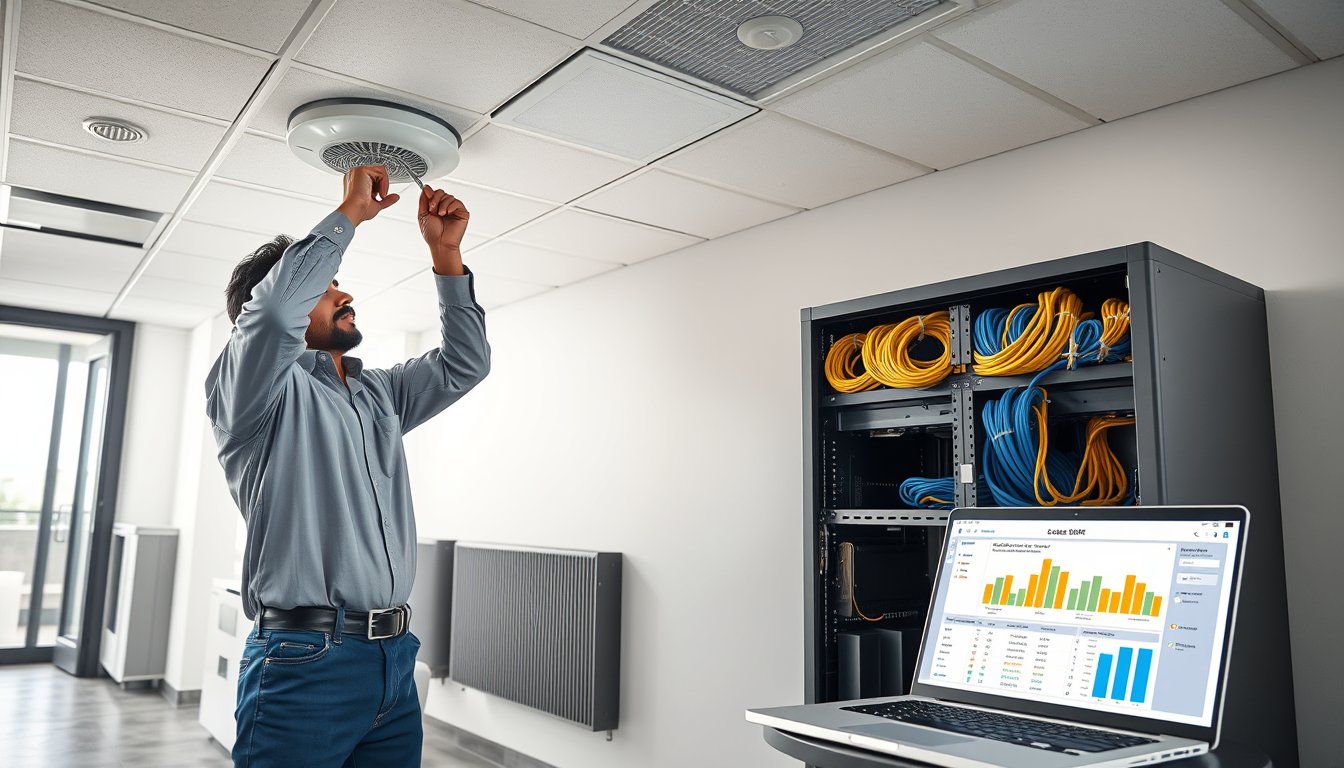
A 90-person office in Peenya, 11 AM on a Tuesday
Two years ago we were called into a logistics firm off Tumkur Road. Ninety staff, two floors, a leased line from Tata and a backup from ACT. They had bought eleven UniFi U6-Lite access points on their own and mounted all eleven along the corridor ceiling, because that is where the cable tray ran. Conference room video calls dropped every eight minutes. Sales could not use their CRMs on the first floor. The managing director was on his third escalation to his ISP.
We did a proper site survey. The problem was not the hardware. The U6-Lite is a perfectly good access point. The problem was placement, channel planning, VLAN design and the fact that all eleven APs were on a flat Layer 2 network with a consumer-grade router doing the routing. We rebuilt it. New controller on a Synology DS923+, ten APs repositioned into offices rather than corridors, two VLANs, and a FortiGate 60F doing actual firewalling. Wireless call quality went from unusable to unnoticeable. The hardware they had already bought was fine. The design they had paid nothing for cost them six weeks of productivity.
That story is why this article exists. UniFi is the best value in small and mid-size office networking in India right now. It is also the product we are asked about most often by people who do not understand what it is and what it is not. Let us fix that.
What UniFi actually is, and what Ubiquiti actually is
Ubiquiti Inc. is a US company that sells networking hardware almost entirely through e-commerce and distributors. No traditional channel. No enterprise account managers. No four-hour parts replacement in Bangalore. That is the whole trade-off in one sentence.
The UniFi product family covers access points (U6+, U6 Pro, U6 Enterprise, U7 Pro), switches (USW-Lite-8-PoE, USW-Flex-2.5G-8, USW-Pro-24-PoE, and the Pro Max line), gateways and firewalls (UDM-SE, UDM-Pro, UXG-Lite, UXG-Pro, Cloud Gateway Ultra), and a controller software called UniFi Network Application which runs either on a UniFi Cloud Key Gen2 Plus, on a UDM, on a self-hosted Linux box, or in a cloud-hosted VM.
The appeal is straightforward. A USW-Pro-24-PoE switch costs about ₹62,000-₹72,000 depending on distributor and GST timing. Its closest Aruba equivalent, the CX 6200F 24G PoE+ 4SFP+, sits closer to ₹2.1-2.6 lakh before you buy any licensing. The Aruba will do things the UniFi cannot. Whether you need those things is a real question, and most mid-market Indian businesses do not.
Where UniFi genuinely fits
Headcount between 15 and 300, single or multi-floor office
The sweet spot is a company with 20-250 staff in one or two buildings. Below 15 people, a good Wi-Fi 6 mesh or even a single high-end router is often enough — UniFi is overkill. Above 300, the operational gaps start to bite, and we will get to those.
Sites where you control the wiring
If you own the building or have a long lease and can run CAT6A properly, UniFi shines. If you are in a co-working space where you cannot touch the ceiling or the riser, it is a poor fit — you'll be fighting the operator's existing network and cabling.
Companies that want one pane of glass
UniFi's greatest asset is the UniFi Network web UI. Once the controller is running, one dashboard shows every AP, switch, gateway, client, and PoE budget. VLAN changes are three clicks. Guest network provisioning takes thirty seconds. For a lean IT team — or a company with no full-time IT at all — this is genuinely transformative.
Sites with predictable, bounded wireless demand
A 60-person accounting firm doing email, Tally, and Teams calls will be delighted by UniFi. A 60-person video editing studio with four editors pulling 4K raw footage over the network every day will not. Both are "60 users". The demand profile matters more than the headcount.
Where UniFi does not fit — honestly
We lose deals when we tell people this. We keep telling them anyway.
Sites depending on strict SLA-backed support
UniFi has no on-site support contract in India. If an AP dies on Friday evening, you either have a spare on the shelf or you buy a replacement and wait for delivery. Ubiquiti's RMA process means shipping the unit to a distributor, waiting for inspection, and then waiting for a replacement. In our experience, three to twelve working days. If your business cannot tolerate that, buy Aruba or Ruckus with a support contract, or buy cold spares. Cold spares are cheaper and usually the right answer for UniFi anyway.
Large campuses with hundreds of APs
UniFi scales to a few hundred APs fine in theory. In practice, controller sizing, firmware quirks, and the lack of advanced RF features like dedicated spectrum analysis and per-client airtime fairness tuning become annoying around the 150 AP mark. Beyond that you are usually better off with Aruba Central or Ruckus SmartZone.
Environments needing strong L3/L4 inspection at the edge
UniFi's gateway features have improved a lot — the UDM-SE and UXG-Pro can do stateful firewalling, IDS/IPS, VLAN routing, and site-to-site VPN reasonably well. But if you need real UTM, deep packet inspection with categorised web filtering, SSL inspection, and the kind of reporting a CERT-In auditor will accept, buy a dedicated firewall (FortiGate, Sophos XGS, Palo Alto) and let UniFi do switching and Wi-Fi only. This is a common, sensible design.
Regulated verticals with strict compliance evidence requirements
Banking, insurance, and some healthcare sub-sectors in India have auditors who want configuration evidence in specific formats. UniFi does not generate compliance reports in the way Cisco ISE or Aruba ClearPass do. You can work around this with documentation, but it is more effort than most teams want.
Sites with zero tolerance for firmware surprises
Ubiquiti has, historically, pushed firmware that broke things. The much-discussed UniFi OS 3.x upgrades broke a few third-party integrations. The lesson is not "don't buy UniFi". The lesson is "run your controller on a schedule you control, keep a stable branch on production devices, and never auto-update across your entire estate on the same night." We update in waves and keep the previous firmware for rollback. If you cannot commit to that discipline, do not buy UniFi.
Controller hosting — the decision most teams get wrong
UniFi's controller is the brain. Where it lives determines reliability, backup strategy, and how much you depend on the internet.
Cloud Key Gen2 Plus
About ₹32,000-₹38,000 (2026 pricing). Runs the controller and a UniFi Protect NVR on the same box. Plug-and-play. Fine for up to roughly 30-40 devices. This is what we deploy for small offices where the IT manager wants zero maintenance.
Downside: it's a single point of failure. If it dies, you lose the management plane and Protect recordings. Buy a second one as a spare, or accept the downtime.
UniFi Dream Machine SE / Pro
UDM-SE is around ₹52,000-₹62,000. UDM-Pro around ₹38,000-₹48,000. Both host the controller, plus routing, plus Protect NVR. This is a good single-box solution for a site of 40-120 users. The UDM-SE has PoE on its switch ports (useful for a couple of APs), dual WAN failover (essential for most Bangalore offices with two ISPs), and a hard drive bay for Protect.
Watch the thermal environment. UDM-SE in a closed server rack with no airflow throttles and occasionally reboots. We've seen three units in Bangalore do this in the last year — all three in racks that were essentially cupboards. Fix the rack, fix the UDM.
Self-hosted controller on Linux VM
Free, and the option most enterprises choose. Runs on Ubuntu 22.04 LTS or 24.04 LTS, or Debian 12, using MongoDB 4.x or 6.x depending on the UniFi Network Application version. UniFi Network Application v8.x is current. The MongoDB dependency is the usual source of pain — the older UniFi versions required MongoDB 3.6 which is end-of-life, and anyone who tried to install it on Ubuntu 22.04 last year knows what a mess that was.
We deploy this on a Synology DS923+ with 32GB RAM (₹75,000-₹90,000 with drives, 2026 pricing) or on a small Hyper-V/Proxmox host. Backup of the controller config is a cron job, snapshots twice weekly to a NAS, and offsite to Wasabi or Backblaze B2.
Cloud-hosted controller
Ubiquiti's own Site Manager allows remote access to controllers, but for centralised multi-site management you can run the controller on a VPS in AWS Mumbai or DigitalOcean Bangalore. This works and is what we recommend for multi-branch companies. Cost: about ₹1,800-₹3,500 per month for a suitably sized VM (2 vCPU, 4GB RAM, 80GB SSD). Add monitoring.
AP placement — where most UniFi installs in Bangalore go wrong
We have surveyed maybe 400 offices in Bangalore over the years. The single most common design error is AP-on-corridor-ceiling. It is convenient for cabling. It is terrible for coverage.
The physics in one paragraph
Wi-Fi is line-of-sight-adjacent. A wall with an RCC column, a filing cabinet, or a glass partition with metallic coating will kill your throughput. Corridor ceilings do not have users; offices have users. An AP covering a corridor spends half its airtime on empty space. You want APs above the desks they serve, one AP per roughly 700-1,000 sq ft of open plan in a normal commercial building, with the number adjusted for wall density.
Bangalore-specific issues
Older buildings in areas like Malleshwaram, Basavanagudi, and parts of Jayanagar have thick RCC walls with embedded steel that hammer 5GHz. Add one AP for every two offices in those buildings, or run CAT6A into the rooms.
Glass partitions commonly used in tech offices (12mm toughened, sometimes with a low-E coating) reflect 5GHz and attenuate it. If you are partitioning a floor into cabins, budget for an AP in each pair of cabins.
Monsoon season is not a wireless problem, but it is a cabling problem. If your cable runs include ceiling or terrace routes without proper conduit, June-September will find the leak. Every year we fix two or three sites where water ingress destroyed PoE runs. Use UV-rated outdoor cable for outdoor routes, use proper weatherproof gel-filled gel-blocking where cabling enters a building, and seal every conduit entry.
The site survey question
Do you need one? If the ceiling is accessible, the layout is simple, and you are installing fewer than fifteen APs, a walk-around with a Wi-Fi analyser (Ekahau Sidekick, NetSpot, or even the free Wi-Fi Analyzer on a decent laptop) is usually enough. We charge ₹18,000-₹35,000 for a light survey and ₹60,000-₹1,20,000 for a full Ekahau predictive + validation survey on a large floor plate.
For under 2,000 sq ft open plan, take the free version. For a 20,000 sq ft floor with 120 desks, an industrial warehouse, or a hospital, pay for the proper survey. The ratio of survey cost to lifetime network pain is embarrassingly favourable.
Channel planning
In 2.4GHz, only channels 1, 6, and 11 are non-overlapping. Anything else is interference with yourself. In Bangalore, the 2.4GHz band in dense office parks is often unusable — we typically run 5GHz-first with 2.4GHz enabled only where needed (IoT, older printers, some door access systems).
In 5GHz, with 80MHz channel width and DFS enabled, you have plenty of channels. Disable 80MHz on the 2.4GHz band entirely. Set the 5GHz to 40MHz for most offices; 80MHz only if you have very few APs and no neighbours.
UniFi's auto-channel selection is decent but not great. We manually plan channels for sites with more than ten APs.
Transmit power — the counterintuitive one
Maximum transmit power is not your friend. Turn it down. High-power APs create sticky clients — a laptop clings to a distant AP because it can hear it, even though the AP cannot hear the laptop properly. Set AP power to "Auto" in UniFi and let the controller tune it; if you are in a very dense site, set medium or low manually.
Real cost of a UniFi install in Bangalore, 2026
Here is what we actually quote, all-inclusive of hardware, labour, cabling where needed, configuration, and documentation.
| Deployment size | Hardware (approx.) | Labour & config | Passive cabling | Total (2026) |
|---|---|---|---|---|
| 15-25 users, 1 floor, 2-3 APs | ₹85,000-₹1,20,000 | ₹35,000-₹55,000 | ₹15,000-₹30,000 | ₹1,35,000-₹2,05,000 |
| 40-60 users, 2 floors, 5-7 APs | ₹1,80,000-₹2,80,000 | ₹60,000-₹90,000 | ₹40,000-₹75,000 | ₹2,80,000-₹4,45,000 |
| 100-150 users, 3 floors, 10-14 APs | ₹3,50,000-₹5,50,000 | ₹1,10,000-₹1,80,000 | ₹95,000-₹1,80,000 | ₹5,55,000-₹9,10,000 |
| 200-300 users, 4-5 floors, 18-25 APs | ₹6,00,000-₹9,50,000 | ₹1,80,000-₹2,80,000 | ₹1,60,000-₹3,00,000 | ₹9,40,000-₹15,30,000 |
Above ₹2L, GST at 18% applies on top. UniFi hardware purchased in India is GST-compliant; imported units bought on grey market channels are not, and neither is the warranty. Do not buy from an unknown seller on IndiaMART for a corporate installation — you will lose the warranty and the RMA route.
What is not in the above numbers
- New firewall (FortiGate 60F ~ ₹45,000-₹60,000; FortiGate 90G ~ ₹95,000-₹1,35,000; Sophos XGS 88 ~ ₹55,000-₹75,000 with UTM subscription)
- ISP upgrade or new fibre (Bangalore lead time for a new Jio or Airtel business fibre: 4-10 working days, sometimes 3 weeks. Tata and Sify B2B often faster for leased lines but pricier.)
- UPS for network rack (APC Smart-UPS 1000VA ~ ₹22,000-₹28,000)
- Structured cabling if you are starting from zero — a proper CAT6A install with patch panel, face plates, and certification runs ₹1,800-₹2,800 per point, plus ₹8,000-₹18,000 per floor for horizontal cabling trunking.
- Rack and cable management hardware: yes, this costs money. A basic wall-mounted 9U rack is ₹6,000-₹12,000. A 42U floor rack ₹22,000-₹45,000. Do not skip this. We have seen ₹3 lakh worth of networking gear balanced on a plywood shelf.
UniFi vs Aruba vs Ruckus — a straight comparison
Every network vendor pitch tells you their product is best. Here is a fair comparison for a mid-size Indian office.
| Feature | UniFi (U6 Pro / U7 Pro) | Aruba (AP-535 / 635) | Ruckus (R650 / R760) |
|---|---|---|---|
| AP street price (India, 2026) | ₹18,000-₹32,000 | ₹65,000-₹1,10,000 | ₹95,000-₹1,60,000 |
| Controller / cloud fee | Free | Aruba Central: ₹4,500-₹9,000 per AP per year | SmartZone zone director or cloud: ₹6,000-₹12,000 per AP per year |
| Support contract | Not available | 3-year NBD on-site available | 3-year NBD on-site available |
| Firmware stability | Good, occasional breakages | Very stable | Very stable |
| Advanced RF (BeamFlex, spectrum analysis) | No | Partial | Yes, industry-leading |
| Outdoor and industrial line | Limited (U6 Mesh, UBB, UDB) | Strong | Strong |
| Management UI quality | Excellent | Good | Good but dated |
| Ecosystem lock-in | Moderate (UniFi prefers UniFi) | High (Aruba ClearPass/AirWave) | High |
| Best for | SME offices, single-controller sites | Mid-market with cloud management | High-density, challenging RF |
The honest read
If you have 30-150 users in a normal office and no exotic RF challenges, UniFi is the value winner by a wide margin. You spend ₹3-5 lakh instead of ₹12-20 lakh, get 90% of the outcome, and accept that you will handle support yourself or through a partner.
If you have a warehouse with high steel racking, a hospital with lead-lined walls, or a stadium, buy Ruckus and do not think twice. Ruckus BeamFlex handles that environment in a way that UniFi simply does not.
If you are a mid-market company with a lean IT team that needs managed cloud visibility across multiple sites and a genuine NBD support contract, Aruba Central is the sensible middle path. The annual subscription hurts; the support when a site goes dark at 9 PM is worth it.
We deploy all three. Our approach — and what we recommend to most Bangalore SMEs — is documented on our network solutions page.
A failure story — the one we wish we could forget
July 2024. A 70-seat edtech office in HSR Layout. They had been running UniFi for two years. Everything was fine until it wasn't.
What broke: The site's 8-port PoE switch (USW-Lite-8-PoE) had been running at 92% PoE budget for eighteen months — seven U6-Lite APs, two UniFi G4 Bullet cameras, and a door controller. Hot summer, poorly ventilated wall cabinet, cabinet door closed. The PoE transformer aged. One afternoon the switch rebooted and did not come back. Every AP went dark. The cameras went dark.
What it cost: Four hours of downtime for 70 staff. Classes were running. Instructors at home could not connect. The edtech company put out a status note to students. Hard cost roughly ₹1.4 lakh in lost class time and refunds, plus ₹11,000 emergency courier for a replacement switch and our after-hours callout fee of ₹18,000.
What fixed it and what it taught us: We installed a USW-Pro-24-PoE with a proper PoE budget, moved it into a larger ventilated 12U wall enclosure with a fan kit, and reassessed the plan. An LACP uplink, a spare USW-Lite-8-PoE on the shelf (₹11,500), and a scheduled swap every twenty-four months for any switch running above 75% PoE budget.
The lesson: PoE budget is not a specification you can ignore. Add up the wattage of every AP, camera, and phone you plan to attach, add 30% headroom, and then buy the switch. If your switch is running at 90% PoE, you are one hot day away from a failure. This is the single most common UniFi operational mistake we see in Bangalore.
Security, compliance, and the Indian context
CERT-In obligations
If you are a regulated entity — bank, NBFC, insurance — CERT-In directions (April 2022) require you to report certain cyber incidents within six hours. In practice, this means your UniFi controller logs, your firewall logs, and your switch logs need to be centralised somewhere. UniFi can export syslog to a remote collector. Do that. Do not rely on the controller's built-in retention.
DPDP Act, 2023
If your office has guest Wi-Fi and you are capturing any personal data (mobile numbers for OTP, for instance), you are a data fiduciary under the Digital Personal Data Protection Act. The rules came into force in stages through 2025. For a UniFi deployment, this means: use a proper guest network with client isolation, do not log MAC addresses for longer than you need, and document your retention policy.
Firewall rules on the UDM/UXG
We see this often. A UDM-SE with default firewall rules, all VLANs able to talk to each other, guest network not properly isolated. Fix it. Guest VLAN gets internet and nothing else. IoT VLAN (door access, cameras, printers) cannot initiate to the corporate LAN. Corporate VLAN cannot initiate to IoT. Management VLAN only from designated admin IPs. This is basic and UniFi supports all of it out of the box, but the default config does not do it for you.
Managed service — what SynergyScape does with UniFi installs
Since 2001 we have deployed network infrastructure across India. We have run UniFi installs from a 2,000 sq ft co-working floor in Koramangala to a 400-user corporate office in Whitefield (yes, the same Whitefield, we know about the traffic).
Our UniFi engagements typically include:
- Site survey (light or full, depending on size).
- Hardware specification and procurement through authorised Indian distributors — GST-compliant invoicing, valid warranty.
- Controller hosting, whether on a Cloud Key, a UDM, a self-hosted VM, or a cloud instance.
- AP placement plan, channel plan, and PoE budget calculation.
- VLAN design, firewall rules, guest network, IoT isolation.
- Backup configuration of the controller, with offsite snapshots.
- Documentation — network diagram, IP plan, password vault, runbook.
- Post-install validation with a floor walk to confirm coverage and roaming.
- Optional: managed IT support covering UniFi alongside the rest of your infrastructure.
We do not sell hardware alone. If you want to buy UniFi hardware and self-install, buy it from a reputable Indian reseller and follow the design guidance above. If you want a partner, talk to us at our contact page.
Common mistakes we see on pre-installation site visits
- Buying the wrong APs. The U6-Lite (around ₹11,500-₹14,000) is a good small-office AP. In a room with lots of glass and metal, it is underpowered. Pay the extra for U6-Pro (around ₹22,000-₹27,000) or U7-Pro (around ₹28,000-₹34,000) in those spaces.
- Forgetting the uplink. A USW-Flex-Mini (₹8,500) as a downstream switch is fine, but a 1G uplink shared by ten workstations and an AP will bottleneck. Use 2.5G or 10G uplinks for any switch feeding more than 15 devices.
- Bridging the guest VLAN into the corporate VLAN because someone wanted to print from the guest network. Do not.
- No UPS on the network rack. Bangalore power reliability has improved over the last decade but is not flawless. A 15-minute UPS on the rack is ₹22,000 and saves you an hour of recovery every time there is a flicker.
- Auto-updating everything at once. We update in waves. Test one floor, wait three days, then roll out.
- Not registering hardware with Ubiquiti. Without registration, RMA is a nightmare.
- Well-meaning ceiling-mounted APs behind metal light fixtures. RF does not pass through sheet metal. Move them.
Site design walkthrough — a real 3-floor Bangalore office
Let us make this concrete. A 120-user SaaS company in a rented 18,000 sq ft G+2 building in Domlur. Two cabins, one open plan per floor, one conference room per floor, one reception, one cafeteria.
Bill of materials (2026 pricing):
- 12 × U6-Pro access points: ₹2,64,000-₹3,24,000
- 1 × UDM-SE: ₹52,000-₹62,000
- 3 × USW-Pro-24-PoE (one per floor): ₹1,86,000-₹2,16,000
- 3 × 10G SFP+ DAC cables for floor-to-floor: ₹9,000-₹15,000
- 1 × Synology DS923+ with 4×4TB drives for controller + backup: ₹75,000-₹90,000
- 1 × APC Smart-UPS 1500VA for the main rack: ₹32,000-₹42,000
- 3 × 9U racks and cabling hardware: ₹30,000-₹45,000
- CAT6A cabling for 130 points (some existing, we are adding 60): ₹1,08,000-₹1,68,000
Hardware total: roughly ₹7.5-9.5 lakh, GST extra.
Configuration and labour: ₹1.8-2.6 lakh.
Total project: ₹9.5-12.5 lakh, 3-4 weeks including cabling.
Same scope with Aruba AP-535 and Central licensing:
- 12 × AP-535: ₹7,80,000-₹13,20,000
- 3 × Aruba 6200F switches: ₹6,30,000-₹7,80,000
- Central licences (12 APs × 3 yrs): ₹1,62,000-₹3,24,000
- Rest identical
Aruba total: roughly ₹17-24 lakh, pre-GST.
Is the Aruba 2× better? No. Is it better in specific ways — support, cloud visibility, RF features — yes. Whether that is worth ₹8-12 lakh extra is a business decision, not a technical one. For most 120-user Indian offices, the answer is no.
FAQ
How much does a UniFi installation cost in Bangalore in 2026?
For a 40-60 user two-floor office expect ₹2.8-4.5 lakh all-in including hardware, labour, and cabling. For a 100-150 user three-floor site, ₹5.5-9.1 lakh. Above ₹2 lakh, GST at 18% applies on top. Self-installation saves the labour portion (roughly ₹60,000-₹1.8 lakh depending on size) but risks design errors that cost more than the savings.
Do I really need a dedicated controller, or can I use the app on my phone?
The UniFi mobile app is a remote monitor, not the controller. You need the controller software running somewhere — Cloud Key, UDM, Linux VM, or cloud. Without it, your APs fall back to standalone mode and you lose central management, roaming, and VLAN-based SSIDs.
How many access points do I need for a 5,000 sq ft office?
Six to eight for open plan, more if you have many walls or cabins. Budget roughly 700-1,000 sq ft per AP in a normal commercial building. In older Bangalore buildings with thick RCC walls, halve that.
Can UniFi work as my firewall too?
Yes for a small office with modest security needs. The UDM-SE and UXG-Pro do stateful firewalling, VLAN routing, and basic IDS/IPS well. For anything requiring SSL inspection, categorised web filtering with audit trails, or CERT-In-aligned logging, buy a dedicated FortiGate or Sophos XGS and use UniFi for switching and Wi-Fi.
Will UniFi handle video calls and heavy Teams usage across 100 people?
Yes, in a properly planned deployment, comfortably. The failure modes we see are always design issues — too few APs, wrong placement, saturated PoE budget, weak uplinks — not the Wi-Fi standard. A correctly designed U6-Pro network handles 100 concurrent Teams calls without batting an eyelid.
How long does installation take?
A 40-user single-floor install: 2-3 working days. A 120-user multi-floor install including new cabling: 2-4 weeks, with most of it being passive cabling work. Configuration itself is usually 1-2 days for a site of that size.
What to do next
If you are considering UniFi for your Bangalore office, do these three things before you buy a single AP. First, walk your floor with a laptop and note the wall types, glass partitions, and where people actually sit — not where the cable tray runs. Second, add up your PoE budget and headroom before you pick the switch. Third, decide where the controller will live and who backs it up.
If you would like us to do the survey, the design, and the deployment — or to review a UniFi plan you have already bought — the fastest route is a call. Most installations we quote in Bangalore are site visits within 48 hours and a written proposal within five working days. Hardware and configuration, one accountable partner, no separate vendors to chase when something goes wrong.