
Video Analytics for Retail Stores in Bangalore: What the Accuracy Claims Really Mean
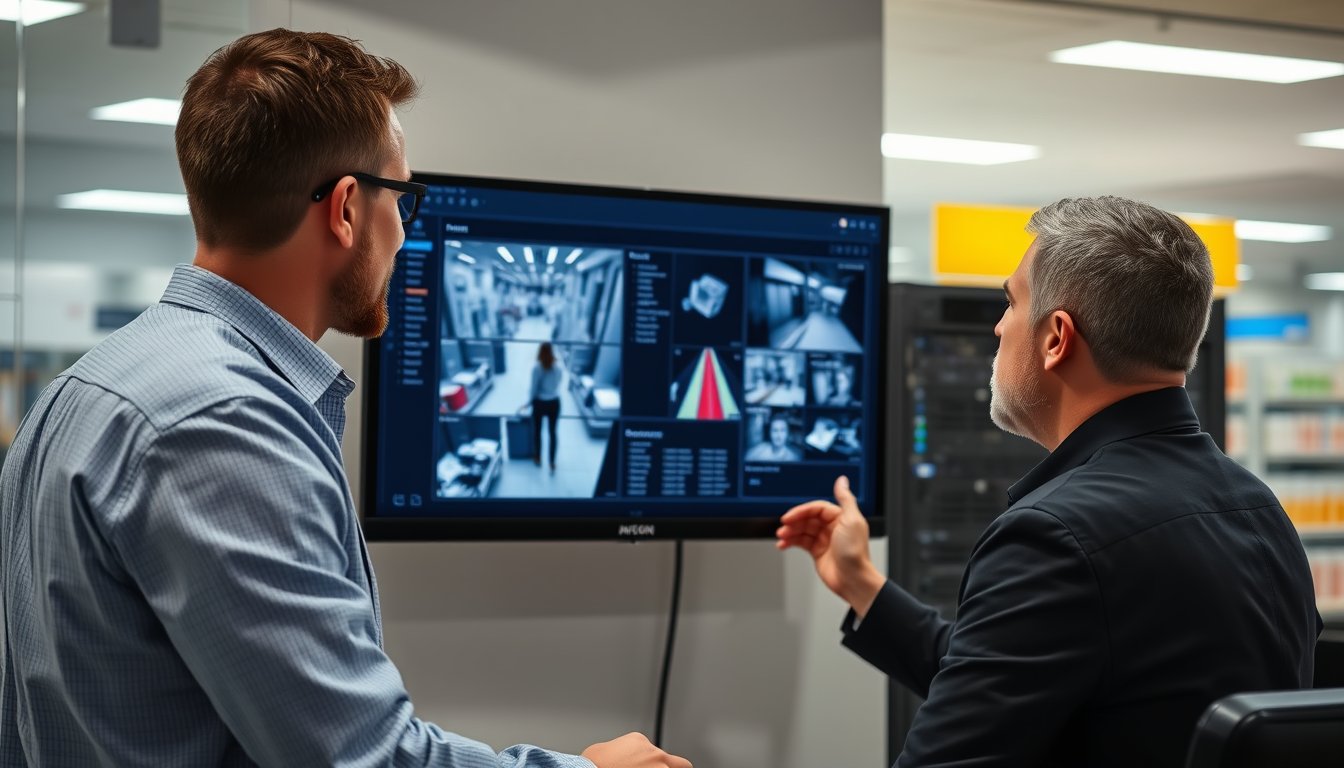
A Bangalore store spent ₹2.8 lakh on analytics that counted 18% more people than actually walked in
The store manager at a 4,000 sq ft apparel outlet on 100 Feet Road trusted the dashboard for four months. It showed 7,200 monthly footfall. The billing counter showed 1,100 bills. That ratio looked plausible until a manual count over one week showed actual footfall closer to 6,100. The analytics had been overcounting by roughly 18% because the overhead camera at the entrance was picking up reflections from the glass door during the afternoon sun.
That gap changes decisions. Staffing, promotions, store layout, rent renegotiation — all of it depends on numbers you can actually trust. Video analytics for retail stores in Bangalore has become a crowded market, with every CCTV vendor now claiming "AI-powered insights." The claims need decoding.
This is a practitioner's guide to what footfall counting, queue and dwell analysis, and shrinkage detection actually deliver in a real Indian store — with prices, product names, and the failure modes nobody puts in the brochure.
What video analytics actually does in a retail store
Strip away the marketing. A video analytics system processes camera feeds and outputs structured events: a person crossed this line, someone stood here for 40 seconds, a queue formed at billing, an object disappeared from a shelf at 14:32. Those events get aggregated into reports.
The three use cases that matter for most stores:
Footfall counting and conversion rate
This is the most mature application. Cameras at entrances count people crossing a virtual line. Modern systems distinguish direction (in vs. out) and deduplicate people walking in groups.
Why it matters: conversion rate (bills ÷ footfall) tells you whether the problem is outside the store (not enough people) or inside (people come in but don't buy). Without accurate footfall, you're guessing.
A store doing ₹40 lakh monthly revenue at 6,000 footfall and 900 bills has a 15% conversion rate. If analytics shows footfall dropped 20% after a road repair outside but conversion stayed flat, you know to push online or run local promotions. If footfall is stable but conversion fell from 15% to 11%, the problem is merchandising or staffing.
Queue and dwell analysis
Queue analytics tracks how long people wait at billing. Dwell analysis tracks how long they spend in zones — near a display, in the trial room area, at the promotion endcap.
A store in Jayanagar used dwell data to discover that 60% of customers spent less than 15 seconds at a new promotional display near the entrance. The display was facing the door, so people walked past it without turning. Moving it 90 degrees to face incoming traffic increased dwell time to an average of 48 seconds and lifted sales on those SKUs by 22% over six weeks.
Queue data is more operationally urgent. If your billing queue exceeds 5 minutes during peak hours (6-9pm weekdays, Saturday afternoons), you're losing sales. Shoppers abandon. A camera-based queue system that alerts the floor manager when wait time crosses a threshold lets you open a second counter before the queue builds.
Shrinkage detection
This is where the claims get loudest and the reality gets messiest. Shrinkage — inventory loss from theft, error, or fraud — typically runs 1-3% of revenue in Indian retail. A store doing ₹5 crore annual revenue loses ₹5-15 lakh.
Video analytics for shrinkage detection covers several distinct problems:
- POS exception analysis: correlating billing transactions with video to flag suspicious patterns — no-scan, void after scan, refund without return, sweethearting (cashier colluding with a friend).
- Shelf monitoring: detecting when a shelf goes empty (stockout) or when high-value items are removed without a corresponding sale.
- Loitering and suspicious behaviour: flagging people who linger near high-value displays or enter restricted areas.
Each has different accuracy characteristics. POS exception analysis is mostly software logic on transaction data, with video used for verification. Shelf monitoring works well with fixed cameras and consistent lighting. Behaviour detection is the least reliable and the most overpromised.
What accuracy claims mean in a real store
Vendors quote numbers like "98% accuracy for footfall counting." That number comes from a controlled test — good lighting, one person at a time, no occlusion. Your store is not a controlled test.
Footfall counting: 90-95% is realistic, with conditions
A well-installed overhead camera at a single entrance with even lighting can hit 92-95% accuracy. Add these complications and accuracy drops:
- Glass doors and reflections: afternoon sun on glass creates ghost counts. A store in Koramangala lost 8% accuracy every day between 2pm and 5pm until the installer added a polarising filter and adjusted the camera angle.
- Groups entering together: two people walking side-by-side get counted as one if the camera is too high or the field of view is too narrow.
- Staff movement: without staff exclusion (uniform detection or schedule-based suppression), every staff member entering or exiting gets counted as a customer. A store with 12 staff making 4 trips each per day adds 48 false counts daily — 1,440 per month.
- Multiple entrances: each entrance needs its own camera and calibration. A corner store with three doors needs three cameras, and the system must deduplicate people who enter one door and exit another within a short window.
Realistic accuracy for a single-entrance store with proper installation: 90-94%. For multi-entrance or high-glare environments: 85-90%. If a vendor promises 99%, ask to see their test methodology. Then ask them to run a two-week parallel count against a manual tally in your store before you pay.
Queue analytics: 85-90% for wait time, better for queue length
Queue length detection (how many people are in the billing area) is fairly reliable. Wait time estimation is harder because it requires tracking individuals from queue entry to billing counter. If someone joins the queue, then leaves to grab an item and returns, the system may count them twice or lose them.
A grocery store in HSR Layout found queue analytics overestimated wait time by 30-40 seconds on average during peak hours because people browsed near the billing counter without joining the queue. The fix was defining a tighter queue zone on the camera — a polygon that only covered the actual waiting area, not the adjacent impulse-buy racks.
Dwell analysis: good for zones, unreliable for individuals
Zone dwell (how long people spend in a defined area) works well with good camera placement. Person-level tracking (following one individual through the store) degrades quickly with crowding, shelf occlusion, and similar clothing.
Use dwell data for aggregate patterns — "the average customer spends 2.3 minutes in the cosmetics section" — not for individual tracking. Privacy regulations also push you toward aggregate data. India's Digital Personal Data Protection Act (DPDP Act, 2023) treats video footage of identifiable individuals as personal data. Aggregate dwell statistics that cannot be traced back to a person are safer ground.
Shrinkage detection: the honest picture
POS exception analytics works. If a cashier voids a ₹5,000 bill after scanning and re-scans a ₹500 item, the system flags it. Correlating that with video of the transaction gives you evidence. This is the highest-ROI shrinkage tool, and it needs no fancy AI — just transaction logs and a decent VMS that can pull video by timestamp.
Shelf monitoring works if you have consistent lighting and the camera has a clear view. It fails when shelves are crowded, when packaging reflects light, or when staff restock during business hours (the system sees "item removed" and flags it).
Behaviour detection (loitering, suspicious movement) generates high false positives. A store near a bus stop in Banashankari found the system flagged the same 8-10 regular window-shoppers every day. The security guard stopped responding to alerts within two weeks. That's the real failure mode: alert fatigue kills adoption.
What it costs in Bangalore in 2026
Video analytics pricing has two components: the software licence and the hardware/installation. Most stores already have CCTV cameras; analytics can often run on existing feeds if the cameras are IP-based and positioned correctly.
Software licensing (2026 pricing)
| Product | Deployment | Pricing model | Approx. cost for 8-camera store |
|---|---|---|---|
| BriefCam | On-prem or cloud | Perpetual licence + annual support | ₹1.8-2.6 lakh + ₹35,000/yr support |
| IntelliVision (now part of Fractal) | Cloud SaaS | Per camera per month | ₹2,500-4,000/camera/month → ₹2.4-3.8 lakh/yr |
| Axis Camera Station with AXIS Guard Suite | On-prem (runs on Axis cameras) | Perpetual licence per camera | ₹45,000-60,000 for 8 cameras |
| Hikvision DeepinMind / AcuSense | On-prem (NVR-based) | Bundled with NVR, no separate licence | Included in NVR cost (₹65,000-1.1 lakh for 8-channel NVR) |
| Vaidio | On-prem or cloud | Perpetual + support | ₹2.2-3.2 lakh + ₹40,000/yr |
| SynergyScape integrated deployment (using Hikvision AcuSense NVR + open-source analytics layer + custom dashboards) | On-prem | One-time integration + annual AMC | ₹1.1-1.8 lakh + ₹18,000/yr AMC |
The Hikvision route is the cheapest entry point and works well for footfall and queue counting. The trade-off: you're locked into Hikvision's ecosystem, the dashboards are basic, and advanced dwell/heatmap analytics need a higher-end NVR model like the DS-9632NI-M8 (₹1.2-1.6 lakh for 32 channels).
BriefCam and Vaidio are more capable for multi-site deployments and complex dwell/heatmap analysis. The cost is 2-3x higher.
Cloud SaaS models look cheap monthly but add up. A 12-camera store pays ₹30,000-48,000 per month — ₹3.6-5.8 lakh annually. For a single store, on-prem is almost always cheaper over 3 years. For 10+ stores with centralised reporting, cloud starts to make sense.
Hardware and installation
If you already have IP cameras at entrances:
- Analytics-capable NVR (Hikvision DS-7608NXI-K2 or similar): ₹35,000-55,000
- Camera repositioning (if entrance cameras aren't overhead): ₹3,000-6,000 per camera including labour
- Network switch upgrade (if cameras share a saturated PoE switch): ₹8,000-15,000
- Installation and calibration: ₹15,000-25,000 for a typical 4,000 sq ft store
If you need new cameras: add ₹8,000-18,000 per camera depending on resolution and lens (2MP vs 4MP, fixed vs varifocal).
Total realistic first-year cost for a single 4,000 sq ft store with 8 existing cameras: ₹1.2-2.5 lakh (on-prem, Hikvision or similar mid-tier analytics). For a premium deployment with BriefCam or Vaidio and full heatmap/dwell analysis: ₹3.5-5.5 lakh first year.
A store in Whitefield with 12 cameras and a BriefCam deployment spent ₹4.8 lakh year one (licence + installation + training) and reported a 19% reduction in shrinkage over 8 months, translating to roughly ₹2.2 lakh recovered. That's a 2-year payback — acceptable but not spectacular.
The failure story: when analytics made things worse
A 6,000 sq ft electronics store in Rajajinagar deployed a mid-range analytics system in early 2025. The vendor promised 94% footfall accuracy and real-time shrinkage alerts. Here's what happened.
The setup: 10 Hikvision 4MP cameras, a DS-9632NI-M8 NVR with AcuSense analytics, and custom dashboards built by the vendor. Total cost: ₹2.4 lakh. The store had one main entrance, one side entrance near the parking area, and a billing area with 6 counters.
Month 1: The footfall dashboard showed 12,400 monthly footfall. The store manager was thrilled — that was 30% higher than his rough guess. He hired two extra staff based on the number.
Month 3: The owner compared footfall to POS data. Conversion rate was 7.8%, which seemed low for electronics. A manual count over three days showed actual footfall around 9,600 per month. The analytics had been double-counting people who entered the main door, stepped back out to take a phone call, and re-entered — plus staff movement after hours was being counted as customer traffic.
The fix attempt: The vendor adjusted the line-crossing zone and added a staff exclusion schedule. The footfall dropped to 10,100. Still 5% high, but acceptable. The two extra staff hires were unnecessary — ₹38,000 per month wasted for four months.
Month 5: The shrinkage alert fired constantly when the store restocked shelves during morning hours. Staff ignored the alerts. A genuine theft of two laptops (₹1.1 lakh retail) was missed because the alert fired during restocking and nobody checked the footage until end-of-day.
The real problem: The system had no integration between the analytics events and the VMS review workflow. Alerts fired into a dashboard nobody watched. The store had no process to review flagged events within 24 hours.
What fixed it:
- Tightened camera zones — entrance camera repositioned to a true overhead angle, line-crossing zone reduced to a 1.2m band.
- Staff exclusion via schedule — analytics suppressed for staff entry/exit during shift change windows (8-9am, 5-6pm, 10-11pm).
- Shrinkage alerts routed to WhatsApp — the store manager and security supervisor both received alerts with a direct video link. Alerts during restocking hours were automatically suppressed.
Result after fixing: Footfall accuracy improved to roughly 93% (validated against manual counts over two weeks). Shrinkage alerts dropped from 140/month to 18/month, of which about 12 were genuine. Theft detection improved because staff actually responded. The store recovered an estimated ₹1.6 lakh in shrinkage prevention over the next six months.
Total cost of the failure: ₹2.4 lakh initial deployment, ₹38,000 × 4 months in unnecessary staff (₹1.52 lakh), and roughly ₹1.1 lakh in missed theft. That's ₹5 lakh in avoidable cost — more than the analytics system itself.
The lesson: Analytics without operational process is a dashboard nobody uses. The software matters less than how you wire it into daily routines.
Product comparison: what actually works in Indian stores
| Product | Best for | Strengths | Weaknesses | 2026 price range (8-camera store) |
|---|---|---|---|---|
| Hikvision AcuSense NVR (DS-7608NXI-K2 or DS-9632NI-M8) | Footfall, queue, perimeter | Cheap, reliable, on-prem, no recurring licence | Basic dashboards, limited dwell/heatmap, Hikvision security concerns for some buyers | ₹35,000-1.6 lakh one-time |
| Axis Camera Station + AXIS Guard Suite | Multi-site retail, integration with Axis cameras | Excellent build quality, good support in India | Expensive per camera, requires Axis cameras for full feature set | ₹45,000-60,000 licence + cameras |
| BriefCam | Advanced dwell/heatmap, forensic search | Best-in-class analytics, strong forensic video search | High licence cost, needs decent server (₹80,000+), annual support | ₹1.8-2.6 lakh + ₹35,000/yr |
| Vaidio | Mid-market retail, cloud or on-prem | Flexible deployment, good accuracy, Indian support available | Less brand recognition, licensing complexity | ₹2.2-3.2 lakh + ₹40,000/yr |
| IntelliVision (Fractal) | Cloud-first, multi-store chains | No on-prem hardware, centralised reporting | Monthly cost adds up, data leaves store, internet dependency | ₹2,500-4,000/camera/month |
| Synology DVA1622 / DVA3221 (Deep Video Analytics) | Small stores wanting NAS + analytics | Combines NAS and analytics, local storage, no cloud fees | Analytics less mature than dedicated systems, max 2-4 cameras for analytics | ₹85,000-1.4 lakh one-time |
The Hikvision choice is politically fraught for some buyers. If your organisation has policies against Chinese-manufactured surveillance gear (some Indian enterprises and government contractors do), Axis or Vaidio are the practical alternatives. For a private retail store with no such restriction, Hikvision's AcuSense line is the best value by a wide margin.
Synology DVA series is worth a look if you also need NAS storage for POS backups and file sharing. The DVA1622 handles 2 cameras for analytics (12 for recording); the DVA3221 handles 4 analytics cameras (16 recording). For a small store with 2-3 entrance cameras, it's a neat all-in-one. Don't expect BriefCam-level analytics.
What to actually measure and why
Most stores buy analytics and then don't know what to do with the data. Here's a practical framework.
Week 1-2: Baseline
Run the system in parallel with manual counts. Pick two weekdays and one Saturday. Have a staff member tally footfall for 2-hour blocks (10am-12pm, 2-4pm, 6-8pm). Compare to analytics. Adjust camera zones until the gap is under 8%.
Week 3-4: Conversion rate by hour
Map footfall to bills by hour. Most stores find conversion is highest in the first hour of the day and lowest during peak evening hours — because staffing doesn't scale with traffic. If your 7-9pm conversion is 8% and your 11am-1pm conversion is 22%, you need more staff in the evening, not fewer.
Month 2 onward: Dwell and queue
- Dwell: Identify the three zones with highest dwell and the three with lowest. Low-dwell zones either need relocation, better signage, or removal.
- Queue: Set a threshold (e.g., 5 minutes average wait during peak). Alert the floor manager when exceeded. Track queue abandonment — people who join the queue and leave before billing. If abandonment exceeds 5%, you're losing sales.
Ongoing: Shrinkage exception reports
Review POS exceptions weekly: voids after scan, no-scan transactions, refunds without returns, discounts above a threshold. Correlate with video only for high-value exceptions. Don't watch every alert — you'll stop watching altogether.
Privacy and compliance: what you can and cannot do
India's DPDP Act (2023) applies to video footage of identifiable individuals. Key obligations for retail analytics:
- Notice: Post visible signage that the store uses CCTV and video analytics. The notice should mention the purpose (security, footfall analysis).
- Purpose limitation: Use footage for the stated purpose. Don't repurpose entrance camera feeds for marketing analysis without consent.
- Retention: Don't keep footage longer than necessary. 30-60 days is standard for security; analytics aggregates can be kept longer if they're anonymised.
- Data minimisation: Aggregate dwell and footfall data is safer than individual tracking. Prefer systems that output counts, not identities.
Face recognition is a separate beast. Using face recognition for shrinkage detection or customer identification triggers higher DPDP obligations and, in some contexts, requires explicit consent. Most retail analytics systems can be configured to blur faces by default, outputting only counts. Do that unless you have a specific, documented need for identification.
SynergyScape's security and surveillance practice configures analytics deployments with face-blurring enabled by default and provides a DPDP compliance checklist as part of the handover.
Bangalore-specific operational notes
A few things that matter here more than in other cities:
Power reliability: Most Bangalore retail locations have backup power, but analytics NVRs and servers need clean shutdowns during outages. An unbuffered NVR that loses power mid-write can corrupt footage. Use a UPS (₹4,000-8,000 for a 1kVA unit) on the NVR and switch. Don't skip this.
ISP lead times: If you're going cloud-based analytics, budget 4-6 weeks for a new leased line in most Bangalore business districts (longer in outer areas). Don't sign a cloud analytics contract before the line is provisioned.
Monsoon cabling: Outdoor cameras and cabling need proper IP66 enclosures and conduit sealing. A store in Indiranagar lost two cameras to water ingress in the 2024 monsoon because the installer used indoor-rated cable in an outdoor run. The fix cost ₹18,000 in cable replacement and camera repair.
GST: Video analytics software is taxed at 18% GST as a service. Hardware (cameras, NVRs) is 18% as well. If you're buying a bundled system, ensure the invoice separates hardware and software — some vendors misclassify to claim lower rates, which creates input credit issues.
CERT-In obligations: If you're a large retailer (or part of a chain), CERT-In's 2022 directions on cybersecurity incident reporting may apply to your surveillance infrastructure if it's network-connected. Keep NVR firmware updated and restrict remote access.
When video analytics is not the right answer
Honest trade-offs:
- Small stores under 1,000 sq ft with one entrance: A ₹8,000 manual tally counter and a disciplined staff routine gets you 95% of the value. Analytics adds cost without adding much.
- Stores with highly variable layouts: If you rearrange shelves monthly, dwell analytics becomes stale. The setup cost per change adds up.
- Stores with poor camera placement: If your existing cameras are at 2.5m height pointing down at an angle (typical for security coverage), retrofitting analytics often requires new cameras or significant repositioning. Budget for it.
- Low-shrinkage stores: If your shrinkage is already under 1% and POS controls are tight, the ROI on shrinkage analytics may not justify the cost.
SynergyScape will tell you when analytics doesn't make sense for your store. We've talked three store owners out of deployments in the last year because the numbers didn't support it. The contact page is where that conversation starts — bring your footfall numbers and current shrinkage estimate.
FAQ
How accurate is footfall counting in a real Indian store?
With proper camera placement (overhead, single entrance, even lighting) and staff exclusion configured, expect 90-94% accuracy. Multi-entrance stores or those with glass doors facing afternoon sun drop to 85-90%. Always validate against a manual count for two weeks before trusting the dashboard for decisions.
Do I need to replace my existing CCTV cameras for video analytics?
Not always. If your entrance cameras are IP-based (not analogue) and positioned overhead, analytics can often run on existing feeds. If they're analogue or mounted at an angle for security coverage, you'll likely need new cameras at entrances — budget ₹8,000-18,000 per camera.
What is the cheapest way to get footfall analytics in a Bangalore store?
A Hikvision AcuSense NVR (DS-7608NXI-K2) with existing IP cameras costs ₹35,000-55,000 one-time, including basic setup. It gives you footfall and queue counting. Dwell and heatmap analytics need a higher-end NVR (DS-9632NI-M8 at ₹1.2-1.6 lakh) or a dedicated system like BriefCam.
Can video analytics really reduce shrinkage?
POS exception analytics (flagging voids, no-scans, refunds without returns) works well and typically reduces shrinkage by 15-25% within six months. Shelf monitoring helps if camera placement is good. Behaviour detection generates false positives and often gets ignored. The biggest shrinkage gains come from process — reviewing exceptions weekly and acting on them.
Is video analytics DPDP-compliant in India?
Yes, if configured correctly. Use face-blurring by default, keep only aggregate data (counts, dwell times), post visible notice, and retain footage no longer than necessary (30-60 days). Avoid individual tracking unless you have a documented need and explicit consent.
How long does installation take for a typical 4,000 sq ft store?
If using existing cameras and the NVR is analytics-capable, 2-3 days including calibration and a parallel count. If new cameras are needed at entrances, add 1-2 days for cabling and mounting. Cloud-based systems may take 4-6 weeks if a new internet line is required.
Next step
Pull your last three months of billing data and your best guess at footfall. Calculate your conversion rate. If it's below 12% and you don't know why, analytics will tell you — but only if the numbers are trustworthy. Start with a two-week validation deployment, not a full rollout. If you want a scoped quote for a store in Bangalore, including camera positioning review and a parallel-count validation plan, get in touch.