
Visitor Management Systems in Bangalore: Tablet vs Kiosk vs App
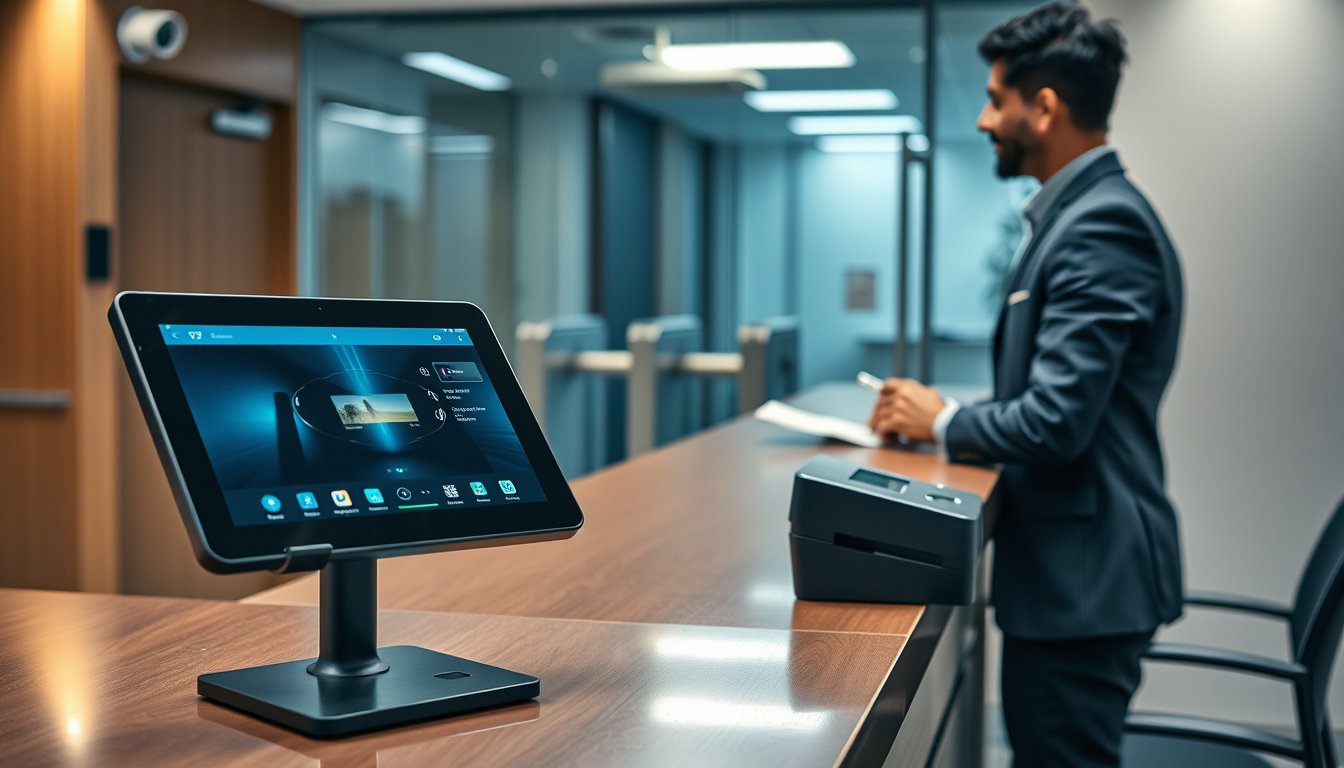
A paper register cost one Bangalore office ₹6.2 lakh and a client contract
In March 2026, a 180-person IT services firm on Outer Ring Road failed a client security audit. Not on firewalls, not on endpoint protection. On the visitor register at reception. A clipboard with a spiral-bound book, half the entries missing exit times, three columns blank, and no way to prove who had entered the server room corridor the previous Tuesday. The client — a European bank — flagged it as a material control weakness and withheld a ₹6.2 lakh milestone payment until remediated.
They had a visitor management system. On paper. It was cheaper than software and worked fine until someone asked it a question it could not answer.
This article is for the IT manager, ops head, or business owner in Bangalore who is about to spend money on a visitor management system and wants to know what the options actually cost, what breaks in real deployments, and how to stay on the right side of the Digital Personal Data Protection Act. We have deployed these across manufacturing units, IT parks, hospitals, and co-working floors — including several where the first attempt failed. Here is what we learned.
If you are still working out the physical security stack around reception, our security and surveillance practice covers the wider integration picture, from CCTV to access control.
Tablet vs kiosk vs app: the honest comparison
Most buyers frame this as a hardware question. It is not. It is a workflow question. The right form factor depends on how many visitors you process per day, whether they arrive pre-registered, and whether you need to issue a badge or just log an entry.
Here is how the three options compare on the things that matter in an Indian office.
| Criterion | Tablet (iPad / Android) | Dedicated kiosk | Mobile / web app (pre-registration) |
|---|---|---|---|
| Typical hardware cost (2026) | ₹28,000–₹55,000 for tablet + stand + enclosure | ₹85,000–₹2,10,000 including printer and pedestal | ₹0 hardware; software licence only |
| Daily visitor capacity before friction | 40–80 | 150–400 | Unlimited, but depends on host response |
| Badge printing | Add-on thermal printer ₹18,000–₹35,000 | Usually built in | At reception printer, triggered by app check-in |
| Access-control integration | Via middleware; vendor-dependent | Strongest; usually on-board relay/Wiegand | Via API to access control |
| Failure mode | Tablet walks away, battery dies, screen cracks | One printer jam stalls the whole queue | Visitor has no smartphone, or host does not approve |
| Best fit | 20–80 visitors/day, single entrance | 100+ visitors/day, multi-shift, high throughput | Pre-booked meetings, campuses, vendor-heavy sites |
A few blunt observations from deployments.
Tablets are the cheapest to start and the most expensive to own. We have replaced more iPad screens than any other component in reception deployments. A tablet on a stand at a busy entrance gets knocked, unplugged, and occasionally walked off with. If you go this route, budget for an enclosure with a locking mechanism and a power cable that cannot be yanked out — not the ₹2,500 stand from a marketplace listing.
Kiosks make sense above roughly 100 visitors a day. Below that, the capital cost does not pay back. Above it, the throughput advantage is real: a kiosk with an integrated badge printer and a barcode scanner processes a pre-registered visitor in under 20 seconds. A tablet with a separate printer takes 60–90 seconds when the printer is behaving, and much longer when it is not.
Apps are not a replacement for reception — they are a pre-registration layer. The failure mode is predictable: a visitor arrives, the host is in a meeting, the app shows "pending approval," and the visitor stands at the gate. Every app deployment needs a fallback — usually a reception tablet or a phone number — or you will create a queue at the gate instead of the desk.
What about the "all-in-one" reception terminals?
Several vendors sell a combined tablet-kiosk-printer unit for ₹1.2–₹1.8 lakh. These are convenient and proprietary. Ask two questions before buying: can the badge printer be replaced with a standard model, and can the software export visitor logs in a format your access-control system can read? If the answer to either is no, you are renting a workflow, not buying a system.
Pricing: what a visitor management system actually costs in Bangalore in 2026
Software pricing in this category is deliberately opaque. Vendors quote per-site, per-user, per-visitor, or per-month, and the numbers are not comparable. Here are the ranges we see in the market, with the caveats that matter.
| Component | Typical 2026 range (INR) | Notes |
|---|---|---|
| Cloud SaaS licence, per site | ₹18,000–₹55,000/year | 2–5 entrances, up to 5,000 visits/month; often capped |
| On-premise software licence | ₹1,20,000–₹3,50,000 one-time | Plus AMC 18–22% per year |
| Tablet + enclosure + stand | ₹28,000–₹55,000 per entrance | iPad or mid-range Android; enclosure included |
| Kiosk with printer and scanner | ₹85,000–₹2,10,000 per unit | Throughput matters more than brand |
| Badge printer (desktop thermal) | ₹18,000–₹35,000 | Consumables ₹2.5–₹6 per badge |
| Access-control integration | ₹25,000–₹80,000 one-time | Depends on controller and middleware |
| Implementation and training | ₹15,000–₹45,000 | Per site; multi-site discounts common |
| Annual support | 15–20% of licence | Negotiate response SLAs, not just hours |
For a single-entrance, 50-visitor-a-day office — the most common profile we see in Bangalore — a realistic first-year budget is ₹65,000–₹1,10,000 including hardware, software, badge printing, and integration with an existing access-control system. A 200-visitor-a-day campus with three entrances and pre-registration will land between ₹3.2 lakh and ₹6.5 lakh in year one.
Two cost traps. First, per-visitor pricing looks cheap until you have a busy month — read the cap. Second, badge consumables add up: at ₹4 per badge and 3,000 visitors a month, that is ₹1.44 lakh a year, which is more than the software licence. Consider whether every visitor needs a printed badge or whether colour-coded lanyards and a digital log will do.
Pre-registration: the feature that decides whether the system works
Every visitor management system on the market claims pre-registration. Most implement it badly. The visitor receives an email or SMS with a QR code; the host has to approve; the QR code is scanned at reception. In theory, 15 seconds. In practice, the host is in a meeting, the visitor has no email access on their phone, or the QR code expired.
A well-designed pre-registration flow has four properties:
- Host approval is optional for known visitors. Repeat visitors — auditors, delivery staff, regular consultants — should be on an allow-list with a validity window, not re-approved every time.
- The visitor can check in without a smartphone. A short code typed at the kiosk, or a name lookup by reception, must work.
- Group visits are handled as one booking. A ten-person client delegation should not require ten separate invitations.
- The host gets a reminder, not a demand. A push notification 30 minutes before arrival, with one-tap approve, is better than a blocking approval screen.
We deployed a system for a Whitefield campus that averaged 260 visitors a day, most of them vendor staff. The first version required host approval for every entry. Within two weeks, hosts were approving blindly — clicking approve without looking — which defeated the purpose. We changed to a model where vendor staff were pre-approved for the duration of their contract and only exceptions required approval. Approval rates became meaningful again, and the queue at the gate disappeared.
Badge printing: the operational detail that trips up deployments
Badge printing is where visitor management systems meet physics. Thermal printers jam, ribbons run out, and badges curl in Bangalore's humidity during the monsoon. A few practical notes.
- Choose a printer with a peeler and a stacker. Printers without a peeler require someone to pull each badge off, which adds 10–15 seconds per visitor.
- Use pre-printed card stock, not paper. Paper badges curl and smudge; PVC cards at ₹8–₹15 each last longer and look professional.
- Put the printer on a UPS. A power flicker mid-print wastes a badge and, worse, can leave the printer in an error state that reception cannot clear. Bangalore's power is better than it was, but reception printers are often on the same circuit as the coffee machine.
- Have a manual fallback. A box of pre-printed "VISITOR" badges and a marker is not elegant, but it keeps the queue moving when the printer fails at 9:30 am on a Monday.
If badges carry access permissions — a printed QR code that opens a turnstile — the printer becomes a security device. Treat it like one: lock the card stock, log every print, and reconcile printed badges against check-ins weekly.
Access-control integration: where most projects go wrong
A visitor management system that does not talk to your access control is a digital register. It records who came in, but it does not control where they go. Integration is where the real value — and most of the project risk — sits.
The common patterns:
- Wiegand or OSDP from the visitor system to the access controller. The visitor system issues a temporary credential (card number, QR code, or PIN) and the controller enforces it. Works with most enterprise controllers; requires coordination between two vendors.
- API integration. The visitor system calls the access-control API to create a time-bound credential. Cleaner, but depends on API quality and rate limits.
- Relay-based door release. The visitor system directly releases a door for a defined period. Simple, but offers no audit trail beyond the visitor log.
In our experience, the integration is where timelines slip. A recent deployment in a Peenya industrial site took three weeks longer than planned because the access-control vendor's API documentation was out of date and the middleware needed custom work. Budget contingency for integration, and get both vendors on a single call before signing.
A specific failure worth learning from: an office in Koramangala integrated their visitor system with access control using a shared database table. When the visitor system vendor pushed an update, the table schema changed, and for two days every visitor credential silently failed to open any door. Nobody noticed because reception was manually releasing doors. The fix was an API-based integration and a nightly reconciliation report. Cost of the outage: two days of manual door releases, a security review, and ₹48,000 in integration rework.
For the broader physical security architecture — CCTV coverage at entrances, turnstile placement, and how reception ties into it — see our security and surveillance services.
DPDP Act: what visitor data you can collect and for how long
The Digital Personal Data Protection Act, 2023 changed the rules for visitor data. A visitor's name, phone number, photograph, ID proof, and purpose of visit are personal data. Under the DPDP Act, you are a data fiduciary. That carries obligations.
The ones that matter for visitor management:
- Purpose limitation. Collect only what you need. If you do not need a photograph to issue a badge, do not take one. If you do not need ID proof for a routine meeting, do not scan it.
- Retention. Visitor logs should be retained only as long as necessary. For most offices, 90 days is defensible; 12 months is harder to justify unless a specific regulation requires it. Write the retention period down and enforce it in the system.
- Consent and notice. Visitors must be told what data is collected and why. A short notice at reception, in English and Kannada, is good practice and increasingly expected.
- Security safeguards. Visitor data — especially ID scans and photographs — must be protected. Encrypted at rest, access-controlled, and logged.
- Breach notification. If visitor data is compromised, you may need to notify the Data Protection Board and affected individuals.
A practical checklist for DPDP-safe visitor data handling:
| Question | Good answer | Red flag |
|---|---|---|
| What data is collected? | Name, phone, host, purpose, time in/out | Photograph and ID scan for all visitors |
| Where is it stored? | Cloud in India, or on-premise | Unclear; vendor's global servers |
| How long is it kept? | 90 days, auto-purged | "Forever" or "until we clean up" |
| Who can access it? | Reception, security, admin — role-based | Anyone with a login |
| Is it encrypted? | At rest and in transit | Plain database export |
| Is there a notice? | Displayed at reception and in app | None |
One more point that catches people: if your visitor management system is cloud-hosted outside India, you are cross-border transferring personal data. The DPDP Act allows this, but the government can restrict it by notification. For most SMEs, an India-region cloud or on-premise deployment avoids the question entirely. Ask the vendor where the data sits, and get it in writing.
CERT-In's directions from 2022 also apply: incident reporting within six hours, and log retention for 180 days. Visitor logs are security logs. If you are audited, you will be asked for them.
A failure story with a number: the ₹1.9 lakh queue
In August 2025, a 90-person company in a co-working building on Residency Road installed a tablet-based visitor management system. The tablet was an iPad on a stand, connected to Wi-Fi, with a cloud app and a small badge printer. Within a month, the receptionist was keeping a paper backup because the Wi-Fi dropped every afternoon. The co-working building's network was shared, and the reception tablet was competing with 200 other devices.
The real cost came in November, when the company hosted a recruitment drive. 140 candidates arrived over four hours. The tablet's Wi-Fi failed twice, the badge printer jammed, and the queue backed out of the reception area and down the stairs. Two candidates left without being interviewed. The HR head estimated the cost of rescheduling, lost candidate time, and the hit to employer brand at ₹1.9 lakh.
The fix was not a new tablet. It was a wired network point at reception — the co-working operator charged ₹18,000 for the cabling and a switch port — plus a kiosk with a built-in printer and a 4G failover. Total remediation: ₹1.4 lakh. The lesson: visitor management systems fail on infrastructure, not features. Before you buy software, check that reception has a reliable, wired network connection and power backup.
Bangalore-specific operational notes
A few things that come up in Bangalore deployments and rarely elsewhere.
ISP lead times. If your visitor system depends on internet connectivity for cloud sync, and reception does not have a wired connection, you may wait 7–14 working days for a new line from the major ISPs. Plan for it. A 4G router as failover costs ₹6,000–₹12,000 and has saved more than one launch date.
Power. Most Bangalore office buildings have generator backup, but reception is sometimes on a different circuit. A small UPS (₹4,500–₹9,000) for the tablet, printer, and network switch is not optional if you want the system to survive a flicker.
Monsoon and cabling. If you are running new cabling to reception — for a wired tablet or a kiosk — do it before the monsoon. Water ingress in older buildings during June–September is a real cause of network failures, and reception areas are often near entrances where cables run under thresholds.
Multi-tenant buildings. In a co-working or shared campus, the visitor management system may need to integrate with the building's own system. Ask the building management early. Some charge for API access or require a specific vendor.
GST. Software licences attract 18% GST; hardware attracts 18% (or 28% for some categories, though tablets and printers are typically 18%). If you are buying a bundled solution, ask for a split invoice — it simplifies input credit and, occasionally, saves money.
When a visitor management system is not worth it
We would rather tell you than sell you. If you have fewer than 15 visitors a day, a single entrance, and no regulatory obligation to maintain visitor logs, a well-designed paper register with a clear process may be sufficient. The software will not pay back. Spend the money on a better lock and a camera at the door instead.
Similarly, if your access control is already strong and your visitors are always escorted, the marginal value of a digital visitor system is lower. The main gain is auditability and speed — worth paying for in some businesses, not in others.
And if you are a small office in a shared building where the building already provides a visitor system, do not duplicate it. Integrate or accept the building's process.
FAQ
How much does a visitor management system cost in Bangalore?
For a single-entrance office with up to 50 visitors a day, expect ₹65,000–₹1,10,000 in year one including hardware, software, badge printing, and access-control integration (2026 pricing). A 200-visitor-a-day campus with three entrances will cost ₹3.2–6.5 lakh in year one. Cloud SaaS licences alone run ₹18,000–₹55,000 per site per year.
Is a tablet or a kiosk better for visitor management?
Below roughly 100 visitors a day, a tablet with an enclosure and a separate badge printer is cheaper and adequate. Above that, a kiosk with an integrated printer and scanner pays back through throughput. Tablets are also more likely to be damaged or stolen, so budget for replacement.
Can a visitor management system integrate with my existing access control?
Yes, usually via Wiegand, OSDP, or an API. The integration is the most common source of project delay, so get both vendors on a call before signing and budget ₹25,000–₹80,000 for the work. Test the integration with a real credential before go-live.
What does the DPDP Act require for visitor data?
Collect only what you need, tell visitors what you are collecting and why, retain logs only as long as necessary (90 days is a defensible default for most offices), secure the data with encryption and role-based access, and have a breach notification process. Avoid collecting ID scans and photographs unless there is a specific reason.
Do I need a visitor management system if I have CCTV?
CCTV records; a visitor management system logs intent and identity. They solve different problems. An audit will ask who visited and why, not just what the camera saw. Most offices with more than 50 staff end up needing both.
How long does deployment take?
A single-entrance tablet deployment can be live in 3–5 working days. A multi-entrance kiosk deployment with access-control integration typically takes 3–6 weeks, depending on cabling, ISP lead times, and how cooperative the access-control vendor is.
Next step: audit your reception before you buy
Before you shortlist vendors, spend an hour at your reception desk. Count visitors for a week. Note how many arrive pre-registered, how many need badges, and where the queue forms. Check whether reception has a wired network point and a UPS. That data will tell you whether you need a tablet, a kiosk, or simply a better process.
If you want a second opinion, our team can walk your reception, review your access-control setup, and give you a written recommendation with pricing — no obligation. Get in touch and we will set up a site visit. We would rather tell you a tablet is enough than sell you a kiosk you do not need.