
VLAN Segmentation for Office Networks: Voice, CCTV, Guest, Finance
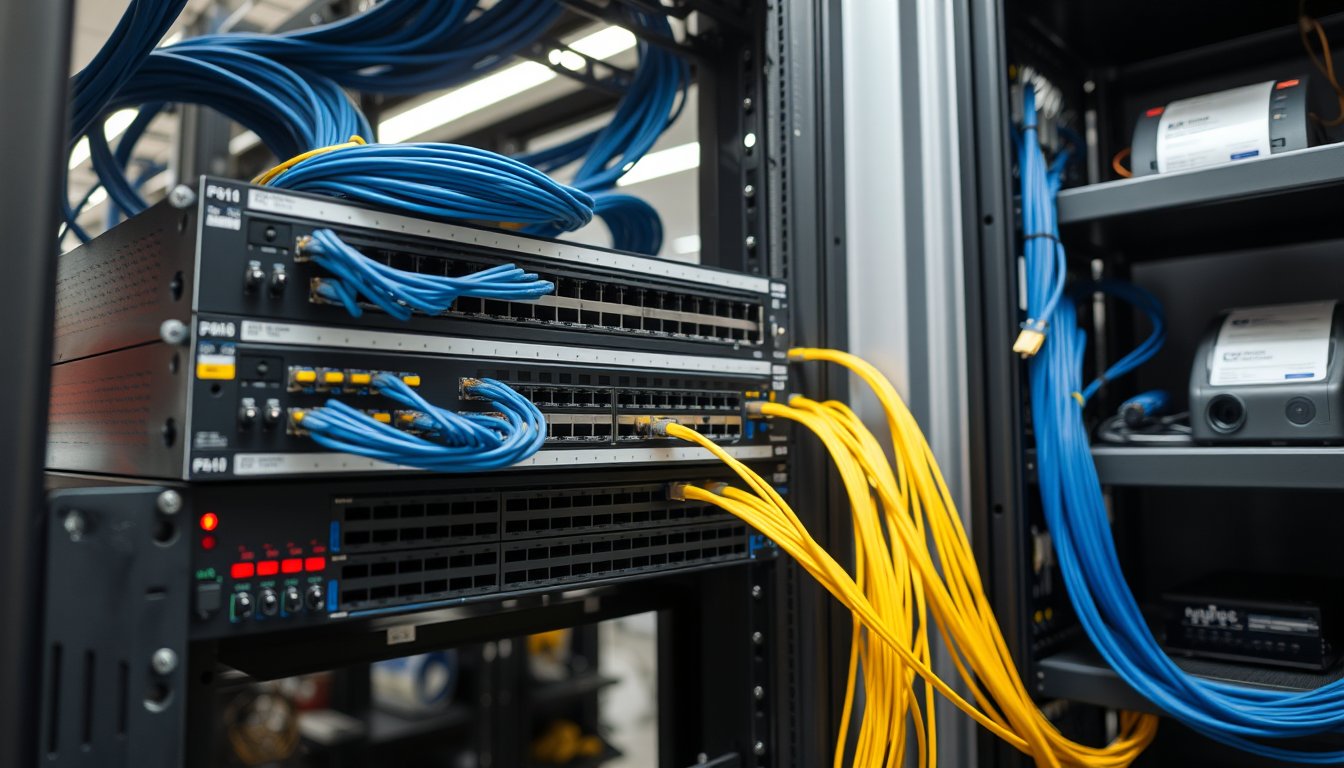
The ₹4.2 Lakh Phishing Click That Started With a Flat Network
In March 2025, a 90-desk logistics company near Peenya called us on a Tuesday morning. Their accounts manager had opened a fake GST refund email at 9:40 AM. By 11:15 AM, a ransomware binary had encrypted 14 endpoints, the shared finance folder on a Synology DS1621+, and — this is the part that hurt — a Buffalo TeraStation that held CCTV footage for the previous 90 days. Insurance investigators wanted the footage. It was gone. Recovery, rebuild, and four days of lost dispatch operations came to ₹4.2 lakh, including ₹68,000 just for the forensic consultant.
The root cause was not the phishing email. Phishing emails arrive everywhere. The root cause was that the finance PC, the desktop in the CCTV control room, the receptionist's guest-Wi-Fi laptop, and 60 other devices all sat on one /24 subnet — 192.168.1.0/24 — with no inter-VLAN routing, no ACLs, and no separation whatsoever. Once the malware had one credential, it had everything. It moved laterally using SMB and RDP because there was nothing between the finance server and the camera NVR except a $40 unmanaged switch.
That is what a flat network does. It converts a single mistake into a company-wide outage. VLAN segmentation is the fix, and it is not exotic or expensive. It is standard practice on any office above roughly 35-40 seats, and if your IT provider has not proposed it, ask why.
This article is not a CCNA study guide. It is what actually gets deployed in Indian offices of 20-500 staff — the VLAN plan, the switch config choices, the ACLs that matter, and the 2026 costs in rupees.
Why a Flat Network Spreads Ransomware Like Wildfire
A flat network has one broadcast domain. Every device can reach every other device directly at Layer 2. That means:
- ARP poisoning is trivial. A compromised laptop can announce itself as the gateway and intercept traffic from 80 other machines.
- SMB and RDP are exposed everywhere. Modern ransomware families (LockBit variants, Akira, the RansomHub affiliates) scan the local subnet for open 445 and 3389 within seconds of execution. They do not need the internet. Your own subnet is the target.
- Guest devices share your address space. A visitor's infected laptop is one hop from your payroll server.
- IoT and CCTV are a back door. IP cameras run embedded Linux that often has not been patched since installation. Hikvision and Dahua devices have had multiple critical CVEs (CVE-2021-36260 on Hikvision being the famous one). If they are on the same VLAN as your file server, a camera compromise is a corporate compromise.
- Broadcast noise kills performance. With 200 devices on one VLAN, ARP broadcasts and mDNS chatter (Bonjour, SSDP, NetBIOS) consume real bandwidth and CPU on every endpoint. Voice quality degrades even when you have plenty of internet bandwidth.
Segmentation does not stop an attacker from getting in. It stops them from getting everywhere. The whole point is that a compromised device in the guest VLAN cannot reach the finance VLAN, full stop.
The Four-VLAN Office Model That Works
For most Indian offices between 20 and 500 seats, we deploy four to six VLANs. Here is the reference design we use at SynergyScape, which you can adapt.
| VLAN ID | Name | Typical Subnet | Devices | Purpose |
|---|---|---|---|---|
| 10 | Data / Staff | 10.10.10.0/24 | Desktops, laptops, printers | General work |
| 20 | Voice | 10.10.20.0/24 | IP phones, softphone PCs | Low-latency voice |
| 30 | CCTV / IoT | 10.10.30.0/24 | NVR, cameras, access control | Isolate insecure devices |
| 40 | Guest | 10.10.40.0/24 | Visitor Wi-Fi, BYOD | Internet only |
| 50 | Finance | 10.10.50.0/24 | Accounts PCs, ERP server | Highest scrutiny |
| 60 | Management | 10.10.60.0/24 | Switches, firewall, APs | Device admin |
That is six, but the two everybody forgets are 50 (Finance) and 60 (Management). Both matter. Management VLANs are how you prevent a compromised staff laptop from logging into your switch's web UI using the default admin/admin. And a Finance VLAN is how you prevent the guest printer from reaching Tally.
A 20-person office might collapse this to three VLANs (Data, Guest, CCTV). A 300-person office with a call centre might split further — separate VLANs for test labs, conference rooms, and a dedicated server VLAN.
Sizing Subnets Correctly
A /24 gives you 254 usable hosts. That is fine for a 200-desk floor. Do not over-engineer with /22s and VLSM unless you genuinely have hundreds of devices. Indian offices rarely need it, and complex subnetting is harder to maintain when the person who designed it leaves.
Leave a gap between VLAN IDs (10, 20, 30) so you can insert new ones later without renumbering.
Voice VLAN: Why Your Calls Sound Robotic
If your office has 30 or more IP phones, a Voice VLAN is not optional. The phone and the PC share one wall port, so the phone tags its traffic with 802.1Q and the switch trusts that tag only on the phone-facing port.
Why it matters: voice traffic is latency-sensitive. A 150 ms round-trip will make your calls sound like a bad international line. On a shared VLAN, a 2 GB Windows update downloaded by an accounts PC can saturate the uplink and destroy call quality. On its own VLAN, you can prioritise it.
The QoS Rules That Actually Work
- Trust DSCP EF (46) from the phone port only. Do not trust it from the PC port. Otherwise a user can mark their own traffic as voice and jump the queue.
- Enable LLDP-MED so the switch tells the phone which VLAN to use. On Cisco, that is
switchport voice vlan 20pluslldp med. On HP/Aruba ProCurve, it isvoice vlan 20with LLDP-MED enabled. - On the uplink ports, apply QoS. A simple policy: voice gets priority queue, everything else gets weighted fair queueing.
A cheap mistake we see: putting softphones (Microsoft Teams, Zoom) on the Voice VLAN alongside hard phones. Softphone traffic is regular PC traffic, and if it is on the voice VLAN, you have just undone the isolation. Leave softphones on the Data VLAN and use application-level QoS at the firewall instead.
Phone and Switch Models in Common Indian Deployments
- Cisco CP-7841 / 8841 with a Cisco Catalyst 1000 or 2960-X switch — the default in many offices. Reliable, well-understood, but Cisco licensing for advanced QoS is a real cost.
- Yealink T46S / T54W with Grandstream UCM or Yeastar PBX — common with smaller providers. VLAN works fine.
- Mitel 6900 series with MiVoice — still popular in BFSI and legal.
If your PBX provider cannot tell you which DSCP value their phones mark, they do not know. Push them.
CCTV and IoT VLAN: The Camera Is Now a Network Device
Every IP camera is a small Linux computer with a web server. That web server has been the target of multiple exploit campaigns, including the Mirai botnet and the more recent RondoDox campaign targeting Dahua and Hikvision NVRs. In a 2026 office, a CCTV network should be treated like an untrusted guest network — except it often needs to be reachable by a single NVR or VMS server, and that is it.
Recommended CCTV VLAN design
- Put all cameras and the NVR on VLAN 30 (CCTV).
- Deny all traffic from VLAN 30 to any other VLAN by default.
- Allow only the NVR to initiate connections to cameras (camera-side TCP 554/80/8000 or vendor-specific ports). Nothing else.
- Allow admin PCs (the security guard's desktop) to reach the NVR on TCP 80/443/8000 only.
- Deny any CCTV device from reaching the internet. If you need remote viewing, use the NVR's own P2P with strong passwords, or better, a VPN into the office.
Many Indian CCTV installers will tell you VLANs are unnecessary, because they have always just connected everything to one switch. They are wrong. We have cleaned up CCTV VLANs for two IT parks in Bangalore in the last 18 months where a compromised camera was used as a jump host to reach a file server. The pattern is always the same: default credentials, unpatched firmware, same subnet as everything else.
Firmware and credential discipline
- Change default admin passwords on every camera and NVR on day one.
- Disable UPnP on the NVR. It opens random ports to the internet.
- Update firmware quarterly. Hikvision and Dahua both publish advisories. If your installer does not do this, put it in the AMC scope.
Guest VLAN: The One Place to be Strict
The guest network is where visitors, contractors, and staff phones connect (BYOD). It should be internet-only, and it should be rate-limited so a guest does not eat your 500 Mbps leased line.
Rules:
- Deny all traffic to RFC1918 subnets (10.0.0.0/8, 172.16.0.0/12, 192.168.0.0/16).
- Allow only DNS (via your firewall) and HTTP/HTTPS.
- Apply per-client bandwidth limits. FortiGate and Sophos XG both have straightforward guest profiles.
- Use client isolation on the Wi-Fi SSID where possible, so guests cannot see each other.
One nuance: if your guest Wi-Fi shares the same physical APs as your corporate Wi-Fi (typical with Ubiquiti UniFi or Aruba Instant On), the AP management interface must remain on the Management VLAN. The guest SSID gets VLAN 40, corporate SSID gets VLAN 10, and AP uplink is trunked. This is standard, but many low-cost installers configure all SSIDs on the native VLAN. Then any guest can see your AP admin page.
Finance VLAN: The One That Actually Saves You Money
The Finance VLAN is not about performance. It is about blast radius.
Consider a typical Indian SME: one Tally server on Windows Server 2019, eight accounts PCs, a shared folder with FY25-26 GST data, and a USB token for digital signatures. Every one of those components is a high-value target. What if you could make it so that a compromised HR laptop could not reach any of them? You can. Separate VLAN.
The controls:
- Finance VLAN (50) is separate from Data (10).
- ACLs deny all traffic from VLAN 10 to VLAN 50, except specific allow rules.
- Allow only the Tally server port (Tally uses TCP 9000 by default for multi-user). Some setups use 9999 for ODBC.
- Allow RDP from a specific jump host (e.g., an admin PC with MFA) — not from any staff laptop.
- Log all denied traffic to the syslog server. This log becomes gold when an auditor asks.
A real ACL set (Cisco-style, adaptable to FortiGate)
On a Layer 3 switch or firewall, you would create an access list like this:
ip access-list extended FINANCE_IN
 permit tcp 10.10.10.0 0.0.0.255 host 10.10.50.10 eq 9000
 permit tcp 10.10.10.50 host 10.10.50.10 eq 3389
 deny ip any 10.10.50.0 0.0.0.255
 permit ip any any
On a FortiGate 90G, the same logic is done with firewall addresses and policies, which is easier to maintain for non-Cisco teams. The point is identical: default deny to the Finance subnet, explicit allow for the two or three flows that are genuinely needed.
If your IT provider has never shown you an ACL table, they have not segmented your network. They have just created VLANs, which is a much smaller achievement.
Inter-VLAN Routing: The Layer 3 Decision
VLANs create separate broadcast domains. To let them talk, you need Layer 3 routing somewhere. You have three broad choices in an SME office.
| Option | Typical Hardware | Cost Range (2026) | Pros | Cons |
|---|---|---|---|---|
| Router-on-a-stick | Existing firewall (FortiGate 60F/90G, Sophos XGS) | ₹0 extra if firewall exists | Simple, one place for ACLs and logging | Firewall CPU becomes bottleneck above ~500 Mbps inter-VLAN |
| Layer 3 switch | Cisco Catalyst 1000/C1000-24T, Aruba 2930F, HPE 5130 | ₹45,000-₹1,20,000 | Wire-speed routing, no firewall load | ACLs and logging split across devices, more complexity |
| Dedicated core (SVI) | Cisco Catalyst 9200, Aruba 6300M | ₹1,80,000+ | Handles 500+ devices cleanly | Overkill for sub-200-seat office |
For most offices under 150 devices, router-on-a-stick on your existing NGFW is the right call. You already have the firewall, it logs everything, and ACLs are one place to manage. Move the routing to a Layer 3 switch only if your inter-VLAN traffic crosses 500 Mbps and the firewall's CPU is hitting 70% or more.
A quick worked example
A 120-seat office with FortiGate 90G (assume 2 Gbps firewall throughput, 1 Gbps inter-VLAN throughput). Peak inter-VLAN traffic: CCTV backups to a NAS at night (60 Mbps), finance reporting from Tally (5 Mbps), print jobs (2 Mbps). That is under 70 Mbps. The firewall handles it easily. No Layer 3 switch needed.
A 400-seat BPO with three floors, 50 Mbps of inter-VLAN traffic at peak, plus a SIP trunk on the voice VLAN. Here the FortiGate might still be fine, but the switch uplinks matter more. You need 10 Gbps fibre between floors, not copper.
Building the ACLs: Step by Step
This is where most in-house attempts fail. Writing ACLs is not hard, but writing them so they do not break everyday work is fiddly. Here is a practical method we use.
- Map every legitimate flow first. Who talks to whom, on which port. Write it on paper. Include printer discovery, AD, DNS, file shares, ERP, CCTV, door access, biometric attendance.
- Start with an explicit deny between segments. Not the other way around. A default-permit with a few denies is worthless.
- Add explicit allows for the mapped flows. One line per flow. Name them.
- Log denied traffic for two weeks. You will find flows you forgot — a printer that broadcasts, an IoT door controller that pulls time from a server, a WordPress site that calls your database.
- Tighten. Remove allows that have not been hit in 30 days. This is continuous work, not one-time.
Common gotchas in Indian offices
- Biometric attendance devices (eSSL, Matrix, ZKTeco) often push data to a Windows service on UDP. Put them on the IoT VLAN with an allow to just that service.
- CCTV NVRs sending email alerts need outbound SMTP. Allow port 587 to your mail provider from the NVR only.
- Printers that scan-to-folder need TCP 445 outbound to a specific file server. Scope it by IP.
- Tally multi-user uses UDP 9999 by default; many setups change it to a TCP port. Confirm with your Tally partner.
- Azure AD Connect / Entra needs outbound 443 to Microsoft ranges. Put it in a policy.
The Failure Story (With Numbers)
Back to the Peenya incident. Here is what the flat network cost and what the fix cost.
Before: 92 devices on 192.168.1.0/24. One Netgear GS724T (unmanaged-ish, web UI with default password). One FortiGate 60E firewall doing internet only. No VLANs.
Incident: 14 endpoints encrypted, one NAS encrypted, one TeraStation encrypted. Four days of dispatch downtime. Insurance covered ₹1.4 lakh of the ₹4.2 lakh. Net loss to the company: ₹2.8 lakh plus management time.
After (deployed over three weekends):
- Existing FortiGate 60E reconfigured with six VLANs (router-on-a-stick). No new firewall.
- Two new switches: a Cisco Catalyst 1000-24T (₹58,000) for the server/finance closet, and an Aruba Instant On 1930 48G (₹62,000) for the floor.
- Three Ubiquiti U6-Pro APs (₹22,000 each) with corporate and guest SSIDs mapped to VLAN 10 and 40.
- Synology DS1621+ (existing) moved to the Data VLAN with per-share access limited by AD groups.
- Veeam Backup & Replication v12 agents on each endpoint backing up to a separate Synology DS923+ (₹85,000 with 4×4 TB drives) that is only reachable from the backup server, not from endpoints.
Total capex: about ₹2.9 lakh. Labour for planning, configuration, and ACL tuning: about ₹45,000. Ongoing AMC increase: ₹14,000/year to cover the extra devices.
Result: Six months later, an accounts PC was hit by a different malware (a fake invoice attachment). It encrypted that one PC. The attacker could not reach the Tally server, the file share, or the CCTV NVR. Reimage time: 40 minutes. Financial impact: essentially zero.
That is the value of segmentation. It is not about keeping attackers out. It is about making one bad click cost ₹0 instead of ₹4 lakh.
Hardware Choices and 2026 Indian Pricing
You do not need enterprise-grade kit to segment a 50-person office. You need gear that supports VLANs, 802.1Q trunking, and ACLs, and that has a stable firmware history. Here are realistic options we deploy.
| Device Class | Model Examples | Ports | Approx. Price (2026, incl. GST) | Fit |
|---|---|---|---|---|
| Access switch (small) | Cisco Catalyst 1000-8T, Aruba Instant On 1830 8G | 8 | ₹18,000-₹26,000 | Up to 20 desks |
| Access switch (mid) | Cisco C1000-24T, Aruba Instant On 1930 24G | 24 | ₹38,000-₹65,000 | 30-80 desks |
| Access switch (PoE) | Cisco C1000-24P, Aruba 1930 24G PoE | 24 PoE | ₹62,000-₹95,000 | Phones and APs |
| Layer 3 core | Cisco C1000-24T-4G-L, Aruba 2930F | 24 + 4 SFP | ₹75,000-₹1,20,000 | Inter-VLAN routing at scale |
| NGFW (SMB) | FortiGate 60F / 90G, Sophos XGS 88 | — | ₹48,000-₹1,40,000 | Router-on-a-stick |
| NAS for backups | Synology DS923+ / DS1621+ | 4-6 bays | ₹85,000-₹1,95,000 | Backup target |
| Wi-Fi AP | Ubiquiti U6-Pro, Aruba AP-515 | — | ₹22,000-₹42,000 | Corporate/guest SSIDs |
These are ballpark figures. Discounts of 8-12% are common on Cisco through distributors, and refurbished enterprise gear can cut 40% off — but refurb switches often have no vendor support, which matters for a Firewall or core L3 device. Use refurb for access-layer only.
Where there is no procurement spend
If you already own a FortiGate or Sophos NGFW with sufficient CPU headroom, you can roll out VLANs and inter-VLAN routing with zero new hardware. The only cost is planning and configuration time. This is common in offices that upgraded their firewall within the last three years but never touched the LAN design.
We cover this under our network solutions practice — VLAN redesign is frequently a two-day engagement, not a two-month project.
Trade-offs: When Segmentation Is Not Worth It (Honestly)
There is no point pretending segmentation is free or always appropriate.
- Below about 25 devices, a single flat VLAN is usually fine. If you have 15 laptops, a printer, and a NAS in a WeWork-style space with no servers, the complexity is not justified. Put guest Wi-Fi on a separate SSID with client isolation and move on.
- Layer 3 switch ACLs can be a maintenance burden. If you do not have in-house network skills and your AMC does not include network changes, you will end up with stale ACLs nobody wants to touch. Better to keep routing on the firewall with a clean, well-documented ruleset.
- VLANs do not fix bad Wi-Fi. A congested 2.4 GHz band with 50 clients on one AP will have poor voice quality regardless of VLAN tags. Fix the RF first.
- Some legacy apps break. Old ERP clients that use broadcast discovery do not cross VLANs. If you cannot replace the app, you will need a UDP broadcast helper on the router (e.g.,
ip helper-address). Budget time for this. - Segmentation adds points to troubleshoot. A user says "the printer is not working" and now there are four VLANs and three ACLs in the path. You need logging and a change process, or you will create new outages.
If your team cannot commit time to maintaining the ACLs and logs, do fewer VLANs — perhaps just Data, Guest, and CCTV — rather than six half-maintained ones.
ISP, Power, and Bangalore-Specific Realities
A network design is only as good as the physical layer around it. In Bangalore, a few specifics matter more than in most cities.
- ISP lead times. ACT Fibernet and Airtel Xstream business connections take 5-12 working days from order to installation in most IT corridors. If you are planning a new office fit-out, order the link the day you sign the lease. If you are on a leased line from BSNL or Tata, expect 3-6 weeks.
- Dual ISP is standard. Any office above 50 staff should have two providers on two different backhauls (Airtel + ACT, or Tata + Jio). A FortiGate 90G will do SD-WAN failover cheaply. Budget ₹25,000-₹45,000/month for two 200-500 Mbps business plans.
- Power reliability. BESCOM supply in older industrial areas (Peenya, Bommasandra, parts of Whitefield) still has occasional brownouts. Every network closet should have a 1-2 kVA online UPS with at least 45 minutes runtime on the switch and firewall. A power cut during a firmware upgrade is how switches get bricked.
- Monsoon and cabling. From June to October, poorly sealed conduits and outdoor PoE runs to CCTV cameras are a common failure point. Use outdoor-rated Cat6 (or, better, fibre for runs over 80 metres), seal entry points with proper glands, and test the earthing annually. We have replaced more CCTV cameras after a monsoon short than after lightning strikes.
- GST treatment. Network hardware is 18% GST. Managed service fees are also 18%. The firewall license renewal is a service — 18%. If your provider is quoting you "all-inclusive" without a GST breakdown, ask. Also verify HSN codes on the invoice; 8517 is the common one for switches and routers.
- CERT-In rules. Under the CERT-In Directions of April 2022, incidents must be reported within six hours. If you have segmented your network, you can identify which VLAN and which device was affected quickly. If you cannot, you will spend three days guessing before filing — which is a problem both legally and for insurance.
- DPDP Act 2023. If your network carries personal data of customers or employees (it does, probably), you are a Data Fiduciary under the DPDP Act. Reasonable security safeguards are expected. Segmentation is one of the most defensible engineering controls you can point to in an audit or after an incident.
Implementation: A Realistic Rollout Plan
A 60-120 seat office with existing switches is typically a three-to-six-week project, structured as follows. You can do this in-house if you have a network engineer; otherwise a partner like SynergyScape will run it end-to-end.
Week 1: Discovery and design
- Run a network scan (Nmap, or a commercial tool like SolarWinds NPM) to inventory every device and its MAC address.
- Categorise each device: workstation, printer, phone, camera, NVR, AP, server, IoT.
- Write the VLAN table and IP addressing plan.
- Document the ACLs you intend to apply, on paper first.
Week 2: Core and uplink changes
- Configure the firewall or core switch with SVIs and inter-VLAN routing.
- Set up DHCP scopes per VLAN.
- Configure trunk ports on uplinks. Leave access ports on a temporary "quarantine" VLAN at first.
Week 3-4: Migrate endpoints VLAN by VLAN
- Move cameras first. Low risk, and they break politely.
- Move phones next. Test call quality.
- Move printers.
- Move staff desks in groups of 10-15 over a couple of evenings.
- Move servers and finance last, on a weekend.
Week 5-6: Tune ACLs and monitor
- Review deny logs. Add missing allows.
- Remove unused allows.
- Document the final config and hand it to whoever will maintain it.
- Set up monitoring (PRTG, Zabbix, or FortiManager) to alert on interface down and denied-flow spikes.
Total time for a 100-desk office: roughly 60-80 engineer-hours, split across evenings. Cost if outsourced: ₹1.8 lakh-₹3.2 lakh for design, configuration, and handover, excluding hardware.
If this feels heavy, remember the alternative: after an incident, recovery costs 4-8 times as much and you lose days of business.
FAQ
What is the minimum office size where VLAN segmentation makes sense?
Around 25-30 devices, if any of them are a server, a NAS with company data, or a CCTV NVR. Below that, a flat network with a separate guest SSID is usually enough. Above 40 devices, segmentation is standard practice for any serious office.
Do I need a Layer 3 switch, or can my firewall do the routing?
For most offices under 150 devices, your existing NGFW (FortiGate 60F/90G, Sophos XGS, Palo Alto PA-440) can handle inter-VLAN routing easily. Move to a Layer 3 switch only when inter-VLAN traffic crosses about 500 Mbps or the firewall CPU is consistently above 70%.
Will VLANs slow down my network?
No. VLANs are tags on Ethernet frames; overhead is 4 bytes per frame. Inter-VLAN traffic goes through your router or firewall, which adds microseconds of latency. The bigger performance win is that you eliminate broadcast storms and reduce ARP traffic, which usually improves perceived speed.
Can I use VLANs with my existing unmanaged switch?
No. Unmanaged switches cannot tag or trunk 802.1Q frames. You need managed switches (even inexpensive ones like TP-Link Omada or Aruba Instant On 1930 support 802.1Q). Budget ₹18,000-₹65,000 per switch depending on size and PoE.
How do I keep guest Wi-Fi off my corporate VLAN?
Create a second SSID on the same AP, map it to a guest VLAN, and apply an ACL that blocks all RFC1918 ranges and allows only DNS + internet. Rate-limit each guest client to avoid bandwidth hogging. If your APs are Ubiquiti UniFi or Aruba Instant On, this is a 15-minute configuration.
Does VLAN segmentation help with CERT-In or DPDP compliance?
Yes. CERT-In expects incident reporting within six hours; segmentation gives you the visibility to identify the affected segment quickly. Under DPDP Act 2023, reasonable security safeguards are expected — VLAN segmentation combined with ACLs and logging is one of the clearest controls you can demonstrate in an audit.
Next Step
Pick one afternoon this week and open your firewall's configuration page. Count how many VLANs exist. If the answer is zero or one, you have work to do — and it is worth doing before something forces it. Start by listing every device on your network and grouping them: staff, voice, cameras, guests, finance, management. That list is the design.
If you would rather have this done for you — with the ACLs written, tested, and documented for your team — our engineers run VLAN segmentation and network redesign for offices across Bangalore. Reach us through our contact page and we will scope it against your current hardware and AMC. You can also read more about our broader network solutions offering if you want the full picture before a call.